-
 May 9, 2026
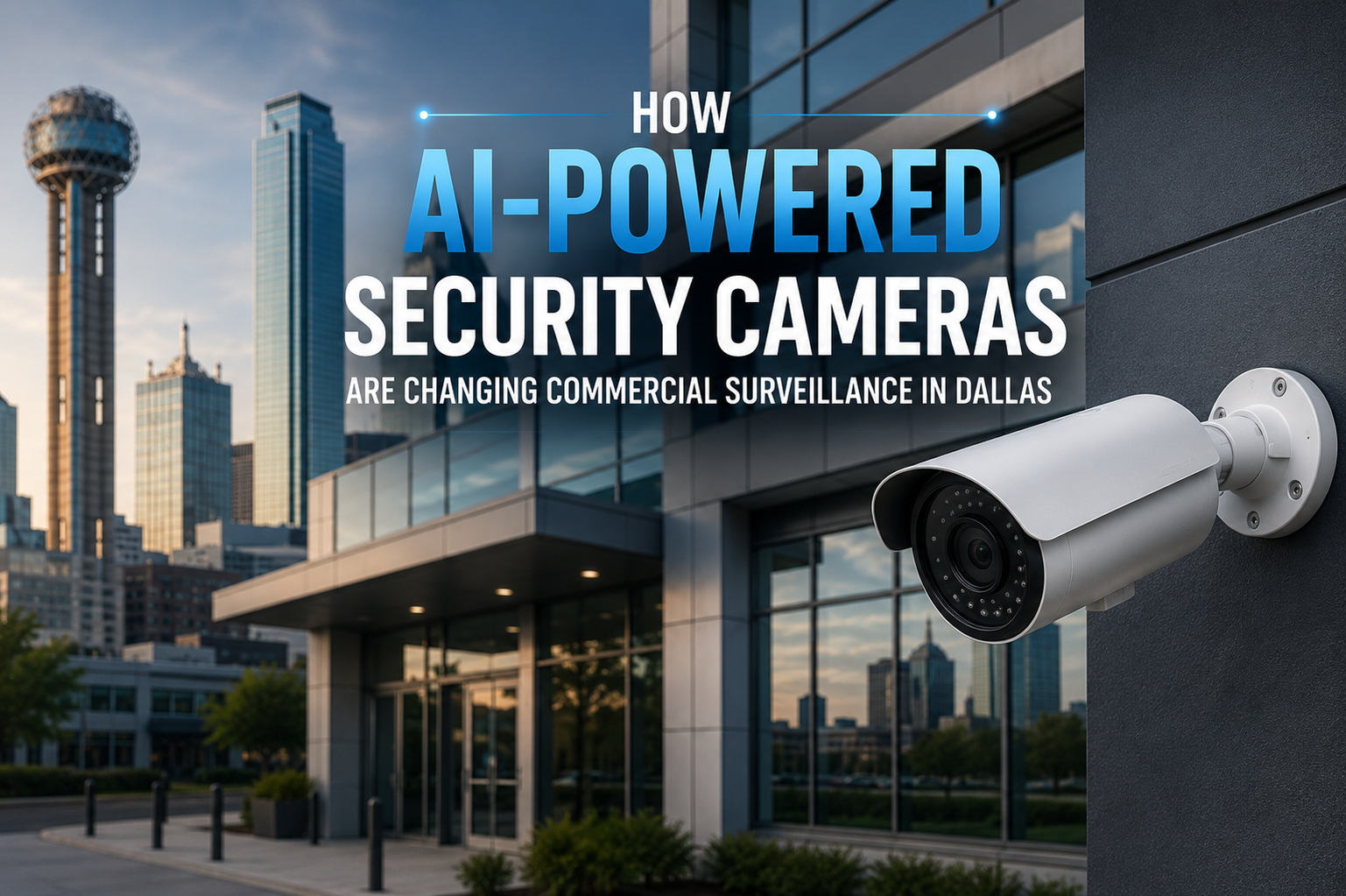
How AI-Powered Security Cameras Are Changing Commercial Surveillance in Dallas?
Commercial security in Dallas has a new default, and it is not the DVR-in-a-back-room setup most businesses have been running for the past decade.
Across the DFW Metroplex, property managers, operations directors, and business owners are swapping passive cameras for systems that actually do something. Not just record. Not just store footage nobody watches. Actually detect threats, filter noise, and surface the alerts that matter. Those are AI-powered security cameras built specifically for commercial use.
This is not a trend piece. It is a practical breakdown of what this technology does, where it makes sense, and what to look out for when you are ready to upgrade. If you manage a warehouse in Irving, a medical office in Plano, a retail strip in Arlington, or a logistics campus near DFW Airport, this is for you.
Why AI-Powered Commercial Surveillance Is Different From Traditional CCTV
Standard IP cameras record what happens. AI cameras analyze what happens. That distinction sounds small until you are reviewing twelve hours of footage at 2x speed looking for one incident you know is in there somewhere.
The shift is not just technical. It changes how security actually works day to day in a commercial facility.
Proactive Monitoring Instead of Reactive Reviewing
Traditional surveillance is built around the assumption that someone will watch the footage later. AI surveillance is built around the assumption that nobody will, and compensates by watching it now. When the system detects a person in a restricted area after hours, it sends an alert. You do not find out the next morning. You find out when it happens.
Real-Time Alerts With Context
Modern commercial surveillance systems do not fire an alert every time a pixel changes. They evaluate what triggered the motion, classify it, apply zone rules and time-of-day logic, and only alert when the combination crosses a meaningful threshold. That context is what traditional motion detection has never had.
AI Video Analytics That Actually Tell You Something
Beyond threat detection, analytics engines give commercial operators data they can use operationally: occupancy counts on retail floors, vehicle dwell times at loading docks, traffic patterns through warehouse aisles, entry and exit volumes for office buildings. Security cameras that also generate operational intelligence are a different category of tool.
Object Detection and Behavioral Classification
AI cameras distinguish between a car parked in a lot and a car that has sat near a restricted access point for two hours. They differentiate a delivery driver from someone who has circled the building three times. This is object-level detection plus behavioral analysis, not motion sensing.
Cloud Integration and Remote Access
DVR-based systems trap footage on-site. Cloud-connected AI surveillance stores footage off-site, encrypted, accessible from any authorized device. For commercial operators managing properties across Plano, Fort Worth, and Frisco from one desk, that centralized access is not a convenience feature. That is the whole point.
Scalability That Makes Business Sense
Traditional CCTV scales poorly. More cameras means more hardware, more storage, more cabling runs. Cloud-based AI surveillance scales the way software scales: add cameras, configure them in the platform, done. A scalable surveillance system built on this architecture grows with your business rather than forcing a rip-and-replace every few years.
False Alarm Reduction
This one matters more than most buyers realize. False alarms are not just annoying. They erode trust in the system until staff starts ignoring alerts entirely. AI filtering eliminates the triggers that cause this problem: shadows, lighting changes, animals, weather. What is left are alerts worth acting on.
AI-Powered vs. Standard CCTV: What Changes for Commercial Operators
The differences below are not marketing claims. They are operational outcomes that show up in how your security team spends its time.
|
Capability |
Standard IP CCTV |
AI-Powered Commercial Camera |
|
Monitoring approach |
Records. You review later. |
Detects. Alerts you now. |
|
False alarm volume |
High — triggers on anything |
Low — AI filters non-threats |
|
Video analytics |
None |
Object class, behavior, zones |
|
Remote management |
Often complex or limited |
Cloud dashboard, any device |
|
Scales across locations |
New hardware per site |
Add cameras, same platform |
|
LPR capability |
Not built in |
Integrated license plate capture |
|
Access control link |
Standalone system |
Shares data with badge readers |
|
NDAA-compliant options |
Varies by vendor |
Verified compliant manufacturers |
|
Operational data |
None |
Occupancy, dwell time, flow maps |
|
Storage |
On-site DVR / NVR |
Cloud or hybrid — encrypted |
|
Maintenance alerts |
Reactive after failure |
Predictive via AI diagnostics |
Where AI Surveillance Actually Works in DFW Commercial Facilities
Different businesses use this technology differently. Here is what it looks like in practice across the industries we work with across North Texas.
Warehouses and Distribution Centers
The logistics corridor running through Grand Prairie, Irving, and south Arlington has specific problems: loading dock exposure, overnight skeleton crews, high-value inventory, and large footprints that are genuinely hard to monitor manually. AI surveillance cameras for businesses in these facilities monitor dock access automatically, flag vehicles that linger near restricted inventory areas, and create timestamped records of every person and vehicle on the property. Combined with access control, you get a complete audit trail without additional staffing.
Retail Businesses
Loss prevention is the obvious application, and AI cameras are genuinely good at it. But there is more: customer flow data for merchandising decisions, checkout anomaly detection, and real-time alerts when known offenders are identified at entry points. For multi-location retailers across North Texas, centralized AI monitoring delivers consistency without proportional headcount increases.
Medical Offices and Healthcare Facilities
Healthcare has a specific surveillance problem. You need to protect controlled substances, restrict clinical areas, document compliance, and respect patient privacy simultaneously. AI cameras in medical settings can monitor pharmacy access around the clock, flag unauthorized individuals in restricted zones, and generate the documentation trail that regulatory audits require, all without stationing a guard at every door.
Corporate Office Buildings
Dallas’s corporate corridors, Las Colinas, Legacy, Uptown, have their own threat profile: parking structure exposure, lobby tailgating, badge sharing. Office building security cameras integrated with access control systems make tailgating visible, link access events to video evidence, and give security managers situational awareness across multiple floors and entrances from a single dashboard.
Restaurants and Hospitality
High-turnover environments with employee access to cash, liquor, and storage areas present internal risk that passive cameras cannot effectively address. AI monitoring covers service areas, employee-only access points, and parking lots continuously. During peak service hours when attention is elsewhere, the system keeps watching.
Industrial and Manufacturing Facilities
Manufacturing sites have safety perimeter requirements on top of security requirements. AI cameras enforce safety zones by detecting when personnel enter restricted machine areas, generate compliance documentation automatically, and monitor shift transitions at large facilities where manual oversight is limited.
|
How AI Cuts False Alarms in Commercial Security Systems
False alarms might be the most underrated problem in commercial security. The immediate cost is wasted response time. The longer-term cost is that security staff stops treating alerts as serious, because most of them are not. That is a systems failure, not a staffing failure.
Traditional motion detection has no way to tell the difference between a person walking across a parking lot and a plastic bag blowing across the same lot. AI motion detection security cameras do.
Here is how the filtering actually works:
- Object classification: Before triggering an alert, the system identifies whether the detected object is a person, vehicle, animal, or environmental factor. An animal crossing the lot is logged. A person crossing it at 3 AM triggers an alert.
- Behavioral analysis: Object identity is one layer. What the object is doing is another. Loitering near an access point, crossing a defined perimeter line, running in a monitored zone — these behavioral triggers require AI to detect reliably.
- Zone-specific rules: Different areas of a facility have different risk profiles. A main lobby at noon has different alert thresholds than a server room at midnight. Zone rules let you configure those differences rather than applying one sensitivity level everywhere.
- Time-based context: The same behavior reads differently depending on when it happens. AI systems apply operating schedule logic so that behavior normal during business hours triggers an alert when it happens outside them.
- Environmental filtering: Rain, wind-blown debris, shadows moving as clouds pass — these cause constant false triggers in traditional systems. AI recognizes and discounts them.
The result is a system your team actually trusts. And a system people trust is a system they use.
Cloud-Based Video Surveillance: What It Means for Dallas Businesses
On-premises DVRs have one characteristic that matters in a break-in scenario: they are at the facility. If someone knows where the recorder is, the footage disappears with everything else. Cloud storage does not have that problem.
For commercial operators in Dallas, Fort Worth, and across North Texas, cloud surveillance changes the risk profile:
- Footage survives on-site incidents: Cloud storage is off-site, encrypted, and redundant. Whatever happens at the property, the footage is not at the property.
- Retention is configurable: Set retention windows to match your compliance requirements. Thirty days for retail, ninety days for healthcare, longer for facilities with contractual obligations.
- Multi-site management from one place: Three locations in Frisco and two in Arlington, all managed from one dashboard. No logging into separate systems.
- The system improves over time: Cloud-based AI platforms receive algorithm updates continuously. Your cameras get more capable without hardware replacement.
- Storage costs scale with use: You pay for what you store. As camera count grows, storage scales without a separate capital purchase.
NDAA Compliance: Why the Manufacturer Matters
The National Defense Authorization Act restricts the use of surveillance equipment from certain foreign manufacturers in federal environments. For commercial businesses in Dallas that hold government contracts, work in regulated industries, or are simply serious about supply chain security, that matters. CISA identifies hardware sourcing as a core physical security consideration for commercial operators, not just government facilities.
In practice, NDAA compliance matters most for:
- Defense contractors and subcontractors with facilities in the DFW area
- Healthcare providers participating in federal programs
- Financial institutions with federal regulatory relationships
- Businesses bidding on or currently holding government contracts
- Corporate campuses with federal agency tenants
Non-compliant equipment can disqualify a business from contracts or trigger regulatory scrutiny after the fact. Confirming NDAA compliance before purchase is straightforward when you are working with an integrator who knows the product landscape. Our commercial surveillance solutions draw exclusively from verified, compliant manufacturers.
Connecting AI Cameras to Your Access Control System
Surveillance and access control are more useful together than either is alone. Most commercial operators have both but run them as separate systems. That is a missed opportunity.
When the systems share data, you get capabilities that neither provides independently:
- A camera detects two people entering on a single badge swipe — tailgating that access logs alone cannot surface
- An after-hours door access event automatically pulls up the camera view of that entry, linking credential use to a face
- A badge denied at a restricted area cross-references camera footage of who attempted access and when
- Loading dock gates coordinate with camera coverage to create complete inbound/outbound vehicle records
- Remote monitoring centers verify alarm events on video before dispatching response, reducing unnecessary callouts
For businesses that have already invested in access control system installation, adding AI surveillance is typically the next logical step. The combination produces a security record that is useful for compliance documentation, insurance claims, and internal investigations in a way that either system alone cannot match.
License Plate Recognition and Perimeter Intrusion Detection
LPR for Commercial Facilities
License plate recognition captures and logs vehicle plates at entry and exit points automatically. For distribution centers, corporate campuses, and parking structures, this creates a vehicle traffic record that manual logging cannot match. Watch lists can be configured so that flagged plates trigger immediate alerts. After-hours access attempts by unauthorized vehicles surface automatically rather than showing up in a footage review the next day.
Smart Perimeter Intrusion Detection
Standard perimeter sensors trigger on movement. That is most things. Smart intrusion detection systems trained on a specific facility learn what normal looks like around that perimeter and alert when something meaningfully breaks from it. For industrial facilities, warehouse campuses, and large commercial properties in suburban DFW, this is what makes perimeter monitoring practical without generating constant noise.
Scalable Surveillance for Multi-Location DFW Businesses
Traditional CCTV scaled linearly and expensively. Every new site meant new hardware, new storage, new maintenance contracts, new learning curves for whoever managed that location.
Cloud-connected AI surveillance does not work that way. A new location gets cameras, network connectivity, and configuration in the platform. The same dashboard you use for your Irving warehouse covers the new Plano facility. For growing businesses in North Texas, that architecture is not a technical preference. It is a financial one. Building on a scalable commercial surveillance system now means your investment extends rather than gets replaced as you grow.
Remote Video Monitoring: The Human Layer on Top of AI
AI flags events. Humans decide what to do about them. Remote video monitoring pairs those two things. When the system detects a potential threat, it routes video to a monitoring center where trained operators review it in real time and initiate the appropriate response. According to ASIS International, combining AI analytics with professional remote monitoring is a recognized best practice for commercial facilities that need coverage without full-time on-site security personnel.
For commercial properties in Dallas that cannot justify a dedicated security guard around the clock, remote monitoring is a practical middle ground: AI detection plus professional human verification before anyone is dispatched.
Infrastructure Considerations for AI Surveillance Installations
AI cameras, especially high-resolution models running continuous analytics, make real demands on network infrastructure. A common failure pattern is high-quality cameras installed on a network that cannot support them. The cameras get blamed. The real problem is the structured cabling infrastructure underneath them.
Before any AI surveillance deployment, the following should be assessed:
- Network bandwidth: 4K cameras with active analytics generate significant data. Network capacity needs to be sized for all cameras running simultaneously at peak load.
- PoE switch budget: IP cameras draw power through the Ethernet cable. PoE switches must have enough power budget for the full camera count, including edge-processing cameras that draw more than standard models.
- Redundant paths: For critical coverage zones, a single cable failure should not take down an entire camera group. Redundant runs protect against that.
- Cabling standard: Cat6A or fiber backbone gives you headroom for future technology without a cabling replacement. Older standards do not.
Mistakes Dallas Businesses Make When Buying Commercial Surveillance Systems
These show up regularly. Avoiding them protects your investment.
- Buying on price alone: The cheapest systems cut corners on image quality, analytics capability, or manufacturer support. In commercial security, a system failure has real operational consequences.
- Skipping NDAA verification: Non-compliant equipment can disqualify you from contracts. Confirming compliance before purchase costs nothing. Discovering the problem after costs considerably more.
- Underestimating infrastructure requirements: High-resolution AI cameras on inadequate networks produce dropped frames and degraded analytics. Infrastructure assessment before installation is not optional.
- Treating surveillance and access control as unrelated: Running them separately means missing the capabilities that integration provides.
- Choosing a system that does not scale: Closed, proprietary systems that cannot grow with your business force a full replacement when needs change.
- Optimizing for camera count instead of camera placement: More cameras covering less important areas is worse than fewer cameras placed strategically based on actual threat modeling.
Also Read: Top Areas in Dallas That Need Business Surveillance Systems
Commercial AI Surveillance Readiness Checklist
Work through this before engaging with any integrator. It will make those conversations significantly more productive.
✓ Document every access point, restricted area, and high-value asset location at your facility
✓ Identify compliance obligations — HIPAA, PCI, government contracting, or industry-specific requirements
✓ Determine video retention requirements based on your industry and any contractual obligations
✓ Assess current network infrastructure and cabling capacity against camera load projections
✓ Define who needs remote access and from which devices
✓ Identify integration requirements — access control, alarm system, remote monitoring center
✓ Confirm NDAA compliance requirements based on your contracts and regulated relationships
✓ Clarify multi-location management needs if applicable
✓ Budget separately for infrastructure, installation, equipment, and ongoing monitoring
What to Ask Before You Hire a Commercial Camera Installer in DFW
Not every security integrator has real experience with AI-powered commercial systems. These questions separate those who do from those who don’t.
- What AI analytics platforms do you work with, and how do they differ from basic motion detection?
- Are your cameras NDAA-compliant, and can you provide documentation before purchase?
- How do you approach network infrastructure assessment before a deployment?
- What does integration with our existing access control system require technically?
- Who handles remote monitoring, and what is the response protocol when the system flags an event?
- What does ongoing maintenance and firmware management look like after installation?
- Can you provide references from commercial installations in a similar industry and facility size?
- What does post-installation support look like for a facility in Dallas or Fort Worth?
What Makes the DFW Market Specific
The Metroplex is not a monolithic security market. The threat profile of a logistics facility near DFW Airport is different from a medical office in Plano or a retail center in Frisco. The I-20 corridor and the southern logistics belt around Grand Prairie and Arlington see elevated cargo theft risk. Facilities near the airport have vehicle traffic volumes that make manual monitoring impractical. Corporate campuses in Las Colinas and Legacy are managing enterprise-grade access control environments that require equally sophisticated surveillance to match.
What this means in practice: a surveillance system designed around your specific facility type, geography, and operational pattern will outperform a generic commercial installation every time. Security camera installers in DFW who understand the local risk landscape and the technology bring both to the assessment. Generic installers bring neither.
According to NIST security framework guidelines, layered physical security strategies that combine surveillance, access control, and active monitoring produce better outcomes than any single-layer approach. That principle applies in DFW as clearly as anywhere.
Where Commercial AI Surveillance Is Heading
Predictive analytics, edge processing, and deeper system integration are already moving from pilot programs into commercial deployment. A few developments worth watching:
- Predictive behavioral analysis: Systems that identify pre-incident patterns rather than responding only after a threat has materialized.
- Edge AI processing: More analytics running on the camera itself rather than in the cloud, reducing latency and network load.
- Deeper multi-system correlation: Camera data, access logs, environmental sensors, and alarm events analyzed together for richer situational awareness.
- Autonomous pre-authorized responses: Systems that trigger pre-approved actions — activating lighting, locking specific doors — based on detected scenarios, without waiting for a human in the loop.
For businesses building AI surveillance infrastructure now, most of these upgrades will arrive as software updates rather than hardware replacements, provided you choose a platform built to evolve. That is one more reason why the integrator you choose and the platform they work with matter as much as the cameras themselves. Working with experienced business security camera installers in Dallas TX who understand roadmaps, not just specs, protects the investment over time.
Ongoing Maintenance for AI Surveillance Systems
AI surveillance is not a set-it-and-forget-it investment. The systems require structured maintenance to stay reliable and accurate over time.
- Firmware and analytics updates: AI platforms improve continuously. Staying current matters for detection accuracy and security.
- Camera calibration: Positioning shifts over time. Regular calibration checks confirm that analytics are operating against the correct scene geometry.
- Network performance reviews: As facilities change, network demands change. Periodic reviews catch bandwidth or connectivity issues before they affect coverage.
- Alert rule reviews: As operations evolve, zone rules and trigger settings need updating to stay aligned with current facility use.
- Hardware health monitoring: Predictive diagnostics flag camera issues before a unit fails. Proactive replacement prevents coverage gaps at the worst time.
Commercial AI surveillance is not a luxury upgrade. For any facility where security incidents, operational losses, or compliance failures carry real consequences, passive recording is simply not an adequate answer anymore.
The businesses that are getting this right in Dallas and Fort Worth are not necessarily the biggest. They are the ones that chose the right platform, the right integration approach, and the right installation partner. Those three things, more than any individual camera specification, determine whether an AI surveillance investment actually performs.
For commercial operators ready to move past reactive security, the conversation starts with an honest assessment of your current coverage, your facility’s specific risk profile, and what you actually need the system to do. That is the conversation we have with every client. If your facility has outgrown your current cameras, commercial security camera installation designed around AI analytics is the logical next step.
|
Frequently Asked Questions
What exactly are AI-powered security cameras, and how do they differ from regular IP cameras?
AI-powered security cameras use machine learning to analyze footage in real time, detecting and classifying objects and behaviors rather than just recording them. Standard IP cameras capture video. AI cameras evaluate it. That means proactive alerts, behavioral detection, and operational analytics that standard cameras cannot provide. See our overview of business security cameras Dallas TX for more on what modern commercial systems include.
Are AI surveillance systems practical for small and mid-size businesses in Dallas?
Yes. AI surveillance platforms are available at multiple price points, and many are designed to scale from a handful of cameras at one location to enterprise-wide deployments. For any commercial facility where theft, safety incidents, or compliance documentation is a genuine concern, the return on investment typically justifies the upgrade over standard cameras.
How does AI surveillance reduce false alarms compared to traditional motion detection?
AI cameras classify what they detect before triggering an alert. Instead of reacting to any motion, the system evaluates whether the movement involves a person, vehicle, or known threat behavior. Environmental triggers like wind, lighting changes, and animals are filtered. The result is fewer alerts that actually warrant a response.
What does commercial security camera installation involve for a DFW business?
A proper commercial security camera installation starts with a site assessment covering camera placement, coverage zones, and network infrastructure capacity. That feeds into system design and equipment selection. Installation and configuration follow, then analytics setup, integration with existing systems, and user training. The timeline depends on facility size and integration requirements.
Can AI surveillance cameras connect to existing access control systems?
In most cases, yes. Modern AI surveillance platforms integrate with access control systems through standard APIs. When linked, events in one system trigger responses in the other — a door alarm generates an associated video clip, a camera detects tailgating and flags it against the access log. The combined record is more useful than either system provides independently.
What is NDAA compliance, and why should Dallas commercial operators care about it?
The National Defense Authorization Act restricts surveillance equipment from certain manufacturers in federal environments. For commercial businesses in Dallas that hold or pursue government contracts, work in regulated industries, or want to avoid supply chain security exposure, using NDAA-compliant cameras is a procurement requirement. Non-compliant equipment can disqualify you from contracts or create regulatory problems after purchase.
How does remote video monitoring work alongside an AI surveillance system?
Remote monitoring adds a professional human layer on top of AI detection. When the AI flags a potential threat, a trained operator at a monitoring center receives the video and assesses it in real time. If it is a genuine incident, they initiate the appropriate response. This model provides professional oversight without requiring full-time on-site security staff.
Which commercial facility types benefit most from AI video analytics?
Warehouses, distribution centers, retail businesses, medical offices, industrial facilities, corporate campuses, restaurants, and multi-tenant commercial properties all see meaningful benefits from AI video analytics. Any facility where security incidents, operational efficiency, or compliance documentation is a real concern will find AI analytics more useful than passive recording. Our commercial surveillance solutions cover all of these environments.
How long does video footage need to be retained for commercial properties in Texas?
Retention requirements vary by industry and sometimes by contract. Retail operations typically maintain 30 days. Healthcare facilities often need longer for compliance. Businesses with government contracts may have specific contractual retention requirements. An integrator familiar with your industry can help configure retention policies that meet your obligations without over-storing footage unnecessarily.
How do I find the right commercial security camera installer in Dallas-Fort Worth?
Look for an integrator that focuses on commercial properties exclusively. Verify real experience with AI-powered platforms, not just IP camera installation generally. Ask for references from facilities similar in size and type to yours. Confirm they handle infrastructure assessment, integration planning, and post-installation support — not just the camera mount and cable pull. The right security camera installers in DFW understand the full technology stack. That expertise is what separates a surveillance investment that performs from one that just exists.
Our Service Area
- Anna
- Ardmore
- Aubrey
- Bridgeport
- Briar
- Bonham
- Caddo Mills
- Carrollton
- Celina
- Commerce
- Corinth
- Denton
- Keller
- Justin
- Emory
- Farmersville
- Forney
- Fort Worth
- Frisco
- Gainesville
- Granbury
- Lantana
- Lewisville
- Lavon
- Little Elm
- McKinney
- Murphy
- Nevada
- Northlake
- Pilot Point
- Plano
- Princeton
- Quinlan
- Rhome
- Rockwall
- Royse
- Sachse
- Saginaw
- Sanger
- Sherman
- Sulphur Springs
- Sunnyvale
- Terrell
- Van Alstyne
- Prosper
- Wylie
- Weatherford