-
 May 19, 2026
Access Control System Installation Guide for Carrollton, TX Businesses
If you run a business in Carrollton, TX, you already know this city does not slow down. Between the healthcare campuses along Josey Lane, the manufacturing corridors near I-35E, and the dense office parks off Hebron Parkway, there are thousands of employees, vendors, and visitors moving through commercial buildings every single day. Controlling who gets in and when is not a luxury. It is the foundation of a safe operation.
This guide walks through the complete commercial access control system installation process, from initial planning through post-installation testing. Whether you are upgrading an outdated keypad lock, replacing a key-based system, or building out security for a new facility in Carrollton or anywhere in the DFW area, this is the resource to bookmark.
What Is a Commercial Access Control System?
A commercial access control system is an electronic security solution that restricts and monitors entry to specific areas of a building. Instead of physical keys that can be lost, copied, or shared, access control uses credentials keycards, PIN codes, mobile apps, or biometric data like fingerprints or facial recognition to manage who can open which doors and at what times.
Modern systems go well beyond a single entry point. They log every access event, integrate with security cameras and alarm systems, and give property managers full visibility through a centralized software dashboard. For businesses in Carrollton managing multiple entry points, server rooms, executive suites, or restricted storage areas, this level of control is simply not possible with traditional locks.
Key components of a commercial access control system include:
- Credential readers — card readers, biometric scanners, keypads, or mobile Bluetooth readers mounted at each door
- Electric door hardware — electric strikes, maglocks (magnetic locks), or electrified panic hardware
- Access control panels — the brain of the system, connecting readers to door hardware and managing permissions
- Power supplies — dedicated units that keep the system running, including battery backup for outages
- Access control software — the management platform where administrators add users, set schedules, and pull audit reports
- Wiring infrastructure — low voltage cabling that ties all components together
Why Carrollton Businesses Are Upgrading Access Control Right Now
Carrollton sits at the intersection of major DFW highways, the George Bush Turnpike, I-35E, and the Sam Rayburn Tollway making it one of the most accessible commercial hubs in North Texas. That foot traffic and density is good for business. It also creates real security exposure.
Over the past three years, commercial break-ins and unauthorized access incidents across the DFW metro have pushed more businesses to replace outdated alarm systems with integrated, cloud-managed access control solutions. The City of Carrollton’s commercial growth, particularly around the Josey/Hebron corridor and the Carrollton Town Center area, has brought in new tenants, co-working spaces, and healthcare facilities in all environments where access control is not optional.
Beyond physical security, there is a compliance angle. Industries like healthcare (HIPAA), financial services (SOX), and government contractors operating in Carrollton all have regulatory requirements around physical access to sensitive areas. A properly installed biometric door lock system or keycard access system creates the audit trail those regulations demand.
Step-by-Step: Commercial Access Control System Installation in Carrollton, TX
Step 1: Site Assessment and Security Audit
Every professional installation starts here, not at the hardware selection. A licensed security integrator will physically walk your Carrollton facility to map every entry point, internal door, stairwell, and restricted area that needs to be controlled.
During this phase, the installer evaluates:
- Door frame material — steel, aluminum storefront, hollow metal, or wood frames each require different mounting hardware
- Fire rating — fire-rated doors have strict AHJ (Authority Having Jurisdiction) requirements. Fail-safe maglocks on fire-rated doors must release on alarm activation. Getting this wrong means a failed inspection
- Ceiling and wall pathways — how wire runs will be pulled from the panel to each reader and door strike
- Distance from the access control panel — voltage drop across long wire runs is a real problem that requires proper wire gauge selection (18-gauge vs. 22-gauge depending on run length)
- Existing door hardware — whether current doors can be retrofitted or need full replacement
Skipping this step is where most DIY and low-bid installations fall apart. Installers who skip site assessment end up rewiring half the building later.
Step 2: System Design and Hardware Selection
Once the site is assessed, the integrator designs a system scaled to your building’s current layout and future growth. For a Carrollton office with five doors today, a good design accounts for ten doors in three years without requiring a complete panel replacement.
Key design decisions at this stage include:
- Credential type — keycards (HID, MIFARE), mobile credentials (Bluetooth/NFC), PIN codes, or biometric access control (fingerprint or facial recognition). Biometric systems are increasingly common in healthcare, legal, and financial environments across the DFW area
- Electric door hardware — maglocks (fail-safe, lose power to unlock) vs. electric strikes (fail-secure, require power to unlock). Selection depends on fire code, door swing, and occupancy type
- Panel capacity — a two-door panel is cheap but limits growth. A networked panel with expansion modules handles multiple buildings and integrates with existing security camera systems
- Software platform — cloud-based platforms allow remote access from any browser, while on-premise servers suit businesses with strict IT security policies
Step 3: Low Voltage Wiring and Cable Infrastructure
This is where most of the physical labor happens, and it is where corners get cut on budget installations. Proper low voltage wiring for access control requires:
- 18-gauge wire for maglock and electric strike runs — thinner wire causes voltage drop that makes hardware unreliable
- 22/2 shielded cable for reader data lines — shielding prevents interference from HVAC systems, fluorescent lighting, and nearby high-voltage wiring
- Proper conduit in exposed areas — wire runs in mechanical rooms, parking garages, or exterior locations need conduit protection
- Clear cable labeling at every termination point — unlabeled wiring adds hours to any future service call
Every wire run should be tested for continuity before hardware is mounted. Any short, break, or pinched cable found after drywall is closed costs significantly more to fix.
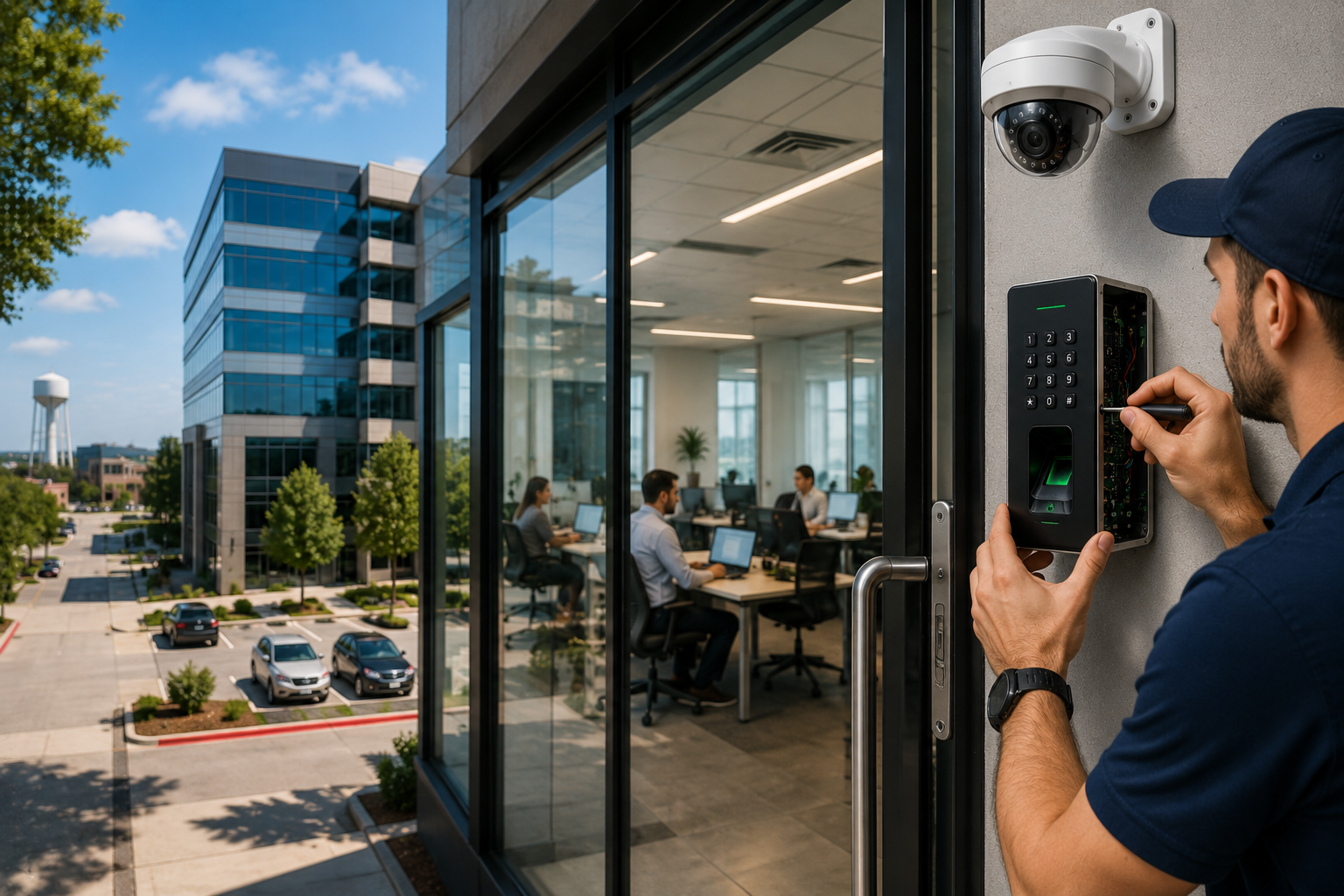
Step 4: Mounting Credential Readers and Door Hardware
Reader placement follows ANSI/ADA requirements — typically mounted at 48 inches above finished floor at the latch side of the door. Readers too close to metal door frames can experience read-range interference, so proper standoff mounting is sometimes required.
For maglocks:
- The armature plate must be mounted flush and level on the door
- Even a slight gap between the maglock and armature plate reduces the holding force from 1,200 lbs to something much lower
- Wood doors require steel reinforcement plates to handle the holding force
For electric strikes:
- The strike cutout must align precisely with the door latch
- Off-angle installation causes the latch to bind, wear prematurely, or fail to engage
- Fail-secure vs. fail-safe selection must match the door’s fire-life-safety requirements
For biometric readers:
- Fingerprint and facial recognition readers require conditioned power — a dedicated circuit rather than daisy-chained from another device
- Outdoor biometric readers need IP65 or higher weather rating for the Texas climate
Step 5: Panel Installation and System Wiring
The access control panel is typically installed in a secure, climate-controlled area — an IT closet, electrical room, or dedicated security cabinet. Each reader and door strike wire terminates back at the panel.
At this stage, the installer:
- Connects all reader and hardware wiring to the correct panel terminals
- Configures the power supply sizing (adding 25% overhead is standard practice)
- Installs a battery backup — NFPA 72 requires backup power for fire-integrated systems, and best practice applies backup power to all commercial installations
- Connects the panel to the building’s network for software access
Surge protection on every panel input is non-negotiable, especially in North Texas where storm season regularly delivers power spikes.
Step 6: Software Configuration and User Enrollment
With hardware installed, the system comes to life in software. The access control platform is configured to define:
- Access levels — which users can access which doors and during which hours. An employee might have lobby and office floor access but not the server room or executive wing
- Time schedules — automatic lock/unlock schedules aligned with business hours. Many Carrollton businesses set lobby doors to unlock at 8 AM and relock at 6 PM automatically
- Holiday schedules — overrides for closed days
- User credential enrollment — keycards are programmed, mobile credentials are assigned, biometric data is enrolled per user
- Alert configurations — door held open too long, door forced open, invalid credential attempts, and after-hours access attempts all generate alerts
For businesses integrating with existing security camera systems, this is where access events get linked to camera footage — when an access event triggers, the associated camera clip is automatically tagged.
Step 7: Testing and Commissioning
No installation is complete without a full test of every door, reader, and software function. The commissioning checklist includes:
- Each credential gaining appropriate access and being denied where access is not permitted
- Door hardware engaging and releasing correctly under both normal power and battery backup
- Fire panel integration confirmed — on fire alarm activation, fail-safe doors release as required by code
- Audit log populating correctly in software for each access event
- Remote access to the software platform confirmed from management’s devices
- Emergency egress functioning from inside every controlled door (free egress is a legal requirement)
Any integrator who hands over a system without documented commissioning tests is leaving you exposed both legally and practically.
Choosing Between Maglocks and Electric Strikes for Your Carrollton Business
This is one of the questions Security in DFW gets asked most often, and the answer is genuinely situational.
Maglocks (Magnetic Locks) hold the door closed using electromagnetic force — typically 600 to 1,200 lbs of holding strength. They are fail-safe, meaning a power loss causes the door to unlock. This is required on fire-rated egress doors. Maglocks are ideal for interior doors, glass storefronts, and anywhere aesthetics matter because they leave a clean profile.
Electric strikes replace the fixed strike plate in a door frame with a motorized plate that releases on credential. They are available in both fail-safe and fail-secure configurations. Fail-secure strikes stay locked during a power outage — useful for server rooms, pharmaceutical storage, and areas where security outweighs life-safety egress concerns.
For most Carrollton office buildings, healthcare clinics, and retail facilities, maglocks handle exterior and common area doors while electric strikes serve internal restricted zones.
Biometric Access Control: Is It Right for Your Business?
Biometric door lock systems have moved well beyond high-security government facilities. Fingerprint readers, facial recognition systems, and iris scanners are now commercially viable for mid-size businesses in Carrollton across healthcare, legal, and financial services.
The advantages are real. Credentials cannot be lost, shared, or cloned the way a keycard can. Audit logs tie access events directly to a confirmed identity. For HIPAA-regulated medical facilities near Medical Center of McKinney or the Carrollton outpatient campuses, biometric access to patient records rooms and medication storage is quickly becoming standard practice.
The limitations are also worth knowing. Biometric readers cost more per door — typically $400 to $1,200 per reader versus $150 to $400 for a card reader. Enrollment takes longer. And certain environments, like dusty manufacturing floors or kitchens, can reduce fingerprint read accuracy.
For businesses that need the strongest possible audit trail and cannot tolerate credential sharing, biometric is worth the investment. For standard office environments, a cloud-managed keycard access system with mobile credential support delivers strong security at a lower per-door cost.
How Much Does Commercial Access Control Installation Cost in Carrollton, TX?
Cost depends heavily on the number of doors, hardware type, and system complexity. General ranges for commercial installations in the DFW area:
- Basic keypad or card reader system (per door): $1,500 to $3,000 installed
- Networked cloud-managed system (per door): $2,500 to $4,500 installed
- Biometric access control (per door): $3,500 to $6,000+ installed
- Ongoing monitoring and software licensing: $50 to $150 per door per month
These numbers include hardware, labor, wiring, and commissioning. They do not include structural modifications or door replacements, which vary widely by building.
The cheapest quote is rarely the right choice. Undersized power supplies, wrong-gauge wiring, and improperly matched door hardware all create expensive service calls within the first year.
Maintenance and Long-Term System Management
An installed commercial access control system requires ongoing attention to stay secure and functional.
Quarterly tasks:
- Review and update user access levels as employees change roles or leave the company
- Test door hardware function and check for mechanical wear on strikes and maglock armatures
- Confirm battery backup is holding charge
Annual tasks:
- Full firmware update for panels and readers
- Security audit to ensure no former employees have active credentials
- Review door-held-open and forced-door event logs for any patterns suggesting tailgating or propped doors
Most Carrollton businesses on a managed service plan receive these services through their integrator, eliminating the need to track it internally.
Why Work with a Local Carrollton Security Integrator vs. a National Chain
National security companies often use subcontracted installation crews with limited local accountability. Response times for service calls stretch from days to weeks. For a Carrollton business whose access control panel fails on a Monday morning, that timeline is unacceptable.
A local commercial security company in Carrollton knows the building stock, the permit requirements, and the specific challenges of North Texas — including the summer heat that stresses outdoor hardware, the storm season that demands surge protection, and the fast-moving commercial real estate environment where businesses scale and move frequently.
FAQs
How long does it take to install a commercial access control system?
A single-door system can be completed in one day. A multi-door networked installation for a 10,000 sq ft office typically takes two to four business days, including wiring, hardware, software configuration, and commissioning.
Do I need a permit to install an access control system in Carrollton, TX?
Most commercial access control installations in Carrollton require a low voltage contractor permit and in some cases an electrical permit depending on the power supply work involved. A licensed integrator handles permit pulling as part of the installation process.
What is the difference between fail-safe and fail-secure access control?
Fail-safe hardware (like most maglocks) unlocks when power is lost — required on fire-rated egress doors. Fail-secure hardware stays locked during a power outage — appropriate for server rooms, pharmaceutical storage, and other sensitive areas where security overrides free egress.
Can I integrate access control with my existing security cameras?
Yes. Modern access control platforms integrate directly with IP camera systems. An access event at a door automatically retrieves and tags the associated camera footage, making incident investigations much faster.
What credentials are most secure for a commercial access control system?
Biometric credentials (fingerprint, facial recognition) are the most secure because they cannot be shared, lost, or cloned. Mobile credentials via encrypted Bluetooth are the next most secure. Older 125kHz proximity cards (HID Prox) are the weakest and should be replaced in any new installation.
How many users can a commercial access control system handle?
Entry-level panels typically support 500 to 2,000 users. Enterprise-grade networked systems handle tens of thousands of users across multiple sites with centralized management — suitable for Carrollton businesses with multiple DFW locations.
What happens to my access control system during a power outage?
A properly designed system includes a battery backup that maintains door hardware and panel operation for four to eight hours. Fail-safe doors will unlock on power loss. Fail-secure doors will remain locked. Network connectivity may be interrupted but most panels store access events locally and sync when power is restored.
Can I manage my access control system remotely?
Yes. Cloud-based access control platforms allow administrators to add or revoke credentials, unlock doors, pull audit reports, and receive alerts from any smartphone or computer with internet access — useful for Carrollton business owners managing multiple locations across the DFW metro.
How does biometric access control work for healthcare facilities in Carrollton?
Biometric systems use fingerprint scans or facial recognition to verify identity before granting access to controlled areas like patient records rooms or medication storage. The system creates a timestamped, identity-specific audit log that supports HIPAA physical safeguard compliance requirements.
What should I look for when hiring an access control installer in Carrollton, TX?
Look for a licensed low voltage contractor with verifiable commercial experience, local references, documented commissioning procedures, and a service agreement for ongoing maintenance. Confirm they pull required permits and are familiar with local fire code and AHJ requirements specific to Denton County and Dallas County commercial properties.
Our Service Area
- Anna
- Ardmore
- Aubrey
- Bridgeport
- Briar
- Bonham
- Caddo Mills
- Carrollton
- Celina
- Commerce
- Corinth
- Denton
- Keller
- Justin
- Emory
- Farmersville
- Forney
- Fort Worth
- Frisco
- Gainesville
- Granbury
- Lantana
- Lewisville
- Lavon
- Little Elm
- McKinney
- Murphy
- Nevada
- Northlake
- Pilot Point
- Plano
- Princeton
- Quinlan
- Rhome
- Rockwall
- Royse
- Sachse
- Saginaw
- Sanger
- Sherman
- Sulphur Springs
- Sunnyvale
- Terrell
- Van Alstyne
- Prosper
- Wylie
- Weatherford