-
 May 11, 2026
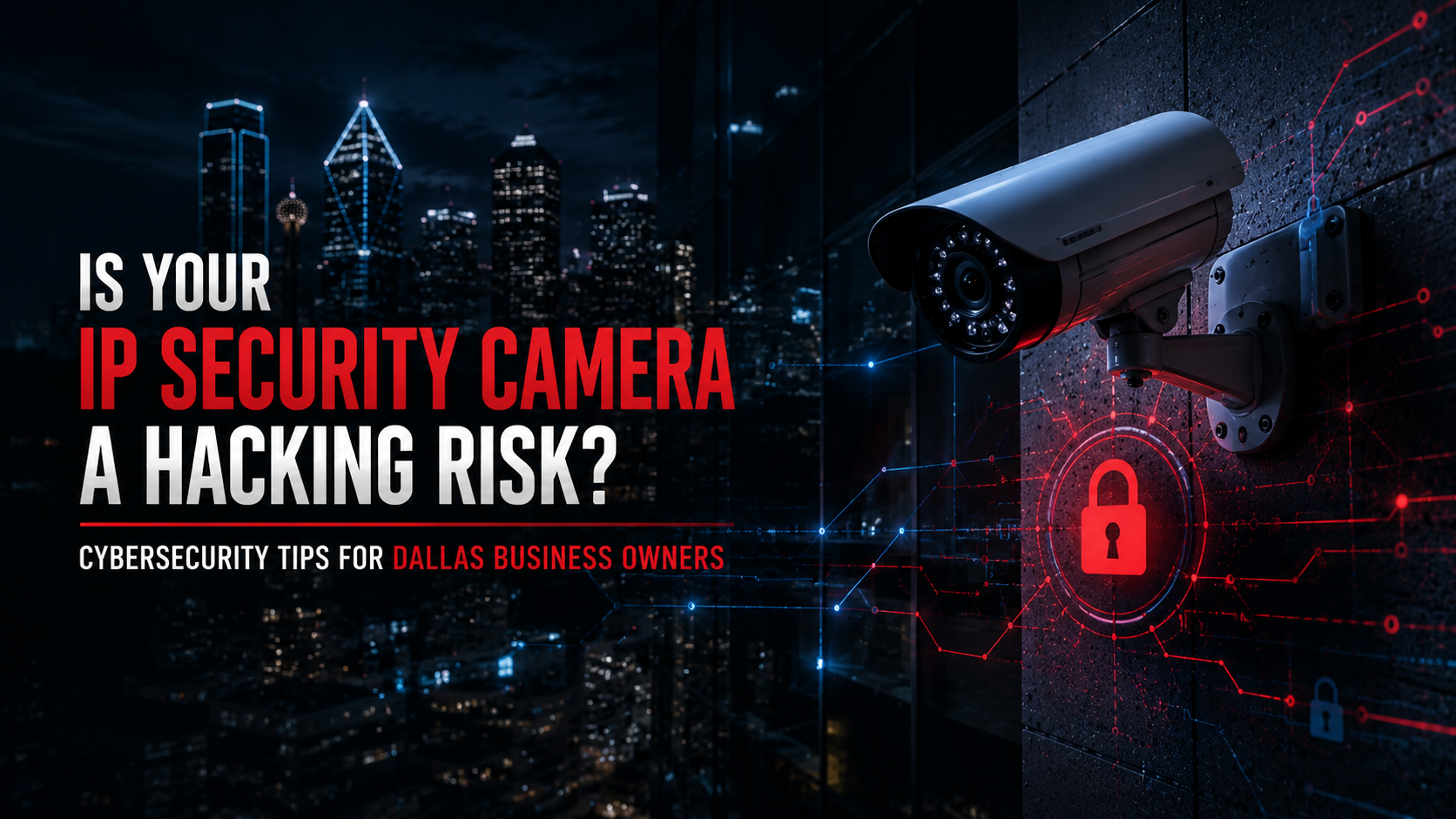
Is Your IP Camera Putting Your Dallas Business at Risk?
Most Dallas business owners install security cameras to keep an eye on what matters — inventory, employees, access points, loading docks. The cameras go up, the system gets handed off, and everyone assumes they’re protected.
Here’s the problem: an IP camera that isn’t properly secured doesn’t just fail to protect your business. It actively creates a new vulnerability in your network. And in a commercial environment — where your surveillance system shares infrastructure with your business data, your point-of-sale terminals, or your building access controls — that’s a serious exposure.
This isn’t theoretical. Commercial surveillance systems have been used as entry points for ransomware attacks. They’ve been accessed remotely by unauthorized parties who watched business operations in real time. They’ve been conscripted into botnets that attack other networks, with the compromised business owner having no idea any of it was happening.
The good news is that most of these risks are preventable. But preventing them requires understanding where they come from — and working with installers who treat cybersecurity as part of the job, not an afterthought.
Why Hackers Target Business Security Cameras
IP cameras are attractive targets for a straightforward reason: they’re internet-connected devices that often run 24 hours a day, they’re rarely monitored for unusual behavior, and they’re frequently configured with weak or default credentials.
Unlike a business laptop, which someone actually uses and updates, a surveillance camera sits in a corner doing its job quietly. Firmware goes months or years without being updated. The default administrator password — the kind that’s published in the product manual and searchable online — never gets changed. No one is checking the access logs.
Automated bots scan the public internet constantly, looking for exactly this kind of device. When they find one, they attempt to authenticate using known default credentials for that hardware brand. If they get in, the camera becomes a tool — for reconnaissance, for network intrusion, or for participation in distributed attacks.
Dallas businesses aren’t special targets in this sense. But DFW’s commercial density — warehouses in Irving, distribution centers in Grand Prairie, medical facilities in Plano, retail operations across Frisco and Arlington — means there are a lot of cameras on a lot of business networks, and plenty of them are configured in ways that don’t reflect the actual risk.
How Commercial Security Camera Cybersecurity Differs From Residential Systems
This distinction matters, and most general articles on camera security gloss over it.
A residential camera system typically involves a handful of cameras, a consumer-grade router, and a cloud account with a mobile app. The attack surface is real but relatively limited. If someone compromises a homeowner’s camera, the damage is usually isolated.
Commercial surveillance infrastructure is a different environment entirely.
In a business setting, cameras are part of a broader network that may also carry business data, access control credentials, payment systems, and communications. A compromised IP camera in a commercial network isn’t just a privacy violation — it’s a potential foothold into the rest of your infrastructure.
The scale is different too. A warehouse in Irving might run 40 cameras on a structured PoE network, with footage stored on an NVR and accessed remotely by operations managers. A multi-location retail operation in the DFW area might have camera systems across eight or ten sites, all managed through a centralized platform. Each camera, each remote access point, each unconfigured NVR port is a potential entry point.
Commercial systems also carry compliance implications that residential setups don’t. Healthcare facilities need to think about HIPAA. Businesses with government or defense contracts may need NDAA-compliant camera systems — hardware that excludes components from certain manufacturers flagged as security risks under federal procurement rules. Getting this wrong isn’t just a technical problem; it can be a contractual or regulatory one.
And the consequences of a breach scale differently. Downtime for a warehouse operation in Grand Prairie isn’t an inconvenience — its measurable lost revenue, potential insurance exposure, and possible legal liability depending on what data was accessible through the compromised system.
Common Vulnerabilities in Commercial IP Camera Systems
Understanding where the actual risks live makes it easier to address them systematically.
Default Credentials That Never Get Changed
This remains the most common vulnerability, and it’s been the root cause of some of the largest documented camera exploits. Hardware manufacturers ship cameras and recorders with factory-set usernames and passwords. Those defaults are documented in product manuals, posted in online forums, and well-known to anyone running automated credential-stuffing attacks.
A commercial installation that goes live without changing every default password on every device — cameras, NVRs, PoE switches, web interfaces — is exposed from day one. This isn’t a sophisticated attack vector. It’s a basic configuration failure that professional installers should never leave unaddressed.
Outdated Firmware
Camera manufacturers release firmware updates that patch newly discovered security vulnerabilities. A camera running firmware from two years ago may have known exploits that were publicly disclosed and fixed — and still be running the vulnerable version because nobody set up a maintenance schedule.
For a small business with a handful of cameras, staying current on firmware is manageable. For a commercial operation running dozens of cameras across multiple sites, it requires a structured approach. That means either an installation partner who handles firmware management as part of an ongoing service agreement, or an internal process that ensures devices are checked and updated regularly.
Open Ports and Port Forwarding
Older remote access methods for surveillance systems relied on port forwarding — essentially punching holes in a business router to allow traffic from the internet to reach the camera system directly. It works, but it exposes the recording device to the open internet with only a username and password standing between it and anyone who finds it.
Modern commercial installations use VPN-based remote access or encrypted P2P connections that don’t require open ports. The trade-off is a slightly different setup process, but the security improvement is substantial. Any business running a camera system that still relies on port forwarding should treat that as a priority to fix.
No Network Segmentation
If your surveillance cameras share the same network as your business computers, your POS terminals, or your accounting systems, a compromised camera can serve as a stepping stone to everything else.
Network segmentation — typically implemented through VLANs — creates a separate network environment for camera traffic. Cameras can still send footage to your NVR and support remote viewing, but they can’t communicate with your business systems. If a camera is compromised, the blast radius is contained.
This is one of the areas where competitors fall shortest. Network segmentation for commercial surveillance is standard best practice, but it requires proper configuration during installation. It’s not something you can easily retrofit without revisiting the network architecture.
Cloud Surveillance Risks
Cloud-based video security offers real operational advantages — centralized management, scalable storage, remote access without complex network configuration. But it also means your footage and system credentials exist in an external platform, and that platform’s security posture matters.
For commercial cloud-based surveillance, this means understanding how your provider handles data encryption, access controls, and breach notification. It means using strong, unique credentials for any cloud platform and enabling multi-factor authentication wherever it’s available. And it means being deliberate about which users have access to the cloud management interface and at what permission level.
Signs Your Commercial Camera System May Be Compromised
These aren’t always obvious, which is part of what makes unauthorized camera access dangerous.
- Camera settings that have been changed without anyone on your team making those changes — renamed cameras, altered image settings, disabled recording schedules
- Login alerts for times or locations that don’t match normal activity
- Cameras going offline unexpectedly or showing degraded performance for no apparent reason
- Unknown devices appearing on the network segment where your cameras live
- Remote access that feels sluggish or inconsistent — sometimes a sign of processing load from unauthorized access
- Access log entries showing authentication attempts from unfamiliar IP addresses
Most commercial NVRs and managed recorders maintain access logs. If you’ve never looked at yours, now is a good time to start.
If you’re not sure how your current commercial surveillance system is configured from a network security standpoint — how cameras are segmented, how remote access works, when firmware was last updated — Security in DFW can walk through it with you. No sales pitch, just an honest assessment.
How Dallas Businesses Can Secure Their IP Camera Systems
These aren’t abstract recommendations. They’re the specific configuration decisions that separate a professionally secured commercial surveillance system from one that’s sitting open.
1. Change Every Default Credential Before Going Live
Every camera, every NVR, every web interface. Strong passwords, not variations of the business name or address. If your current system went live without this step, it’s worth verifying what’s actually set on each device.
2. Enable Multi-Factor Authentication Wherever Available
Modern NVR platforms and cloud surveillance management tools increasingly support MFA. Use it. It’s the single most effective measure against credential-based unauthorized access, and it costs nothing beyond the initial setup.
3. Keep Firmware on a Maintenance Schedule
Quarterly checks at minimum. Your installer should be able to tell you what firmware version is running on every device and whether updates are available. If they can’t, that’s a problem.
4. Segment Camera Traffic onto Its Own Network
Set up a dedicated VLAN for your surveillance infrastructure. This is a configuration step that happens at the network layer — managed switches and business-grade routers support it. Cameras stay reachable for legitimate users; they can’t reach your business network if compromised.
5. Replace Port Forwarding With VPN Access
If your remote access relies on open ports in your router, move to a VPN-based approach. This eliminates the direct internet exposure that makes port-forwarded systems easy targets for automated scanning.
6. Specify NDAA-Compliant Hardware
Particularly relevant for businesses with government, healthcare, or defense sector relationships, but increasingly standard across commercial installations in the DFW market. NDAA-compliant security systems exclude hardware components from manufacturers flagged under federal security restrictions. Your installer should be able to confirm compliance for every device in the system.
7. Audit User Access and Permissions
Every person who has credentials to your surveillance system should have the minimum access needed to do their job. Operations managers don’t need admin rights to the NVR. Contractors shouldn’t have remote access after their engagement ends. Review user accounts periodically and remove access that’s no longer needed.
8. Work With a Professional Commercial Installer
This is where the preceding steps actually get implemented correctly. A professional commercial security camera installation involves network configuration, not just mounting hardware. That includes VLAN setup, secure remote access configuration, firmware verification, credential management, and documentation of what’s installed and how it’s configured.
The difference between a system that’s properly hardened and one that’s just deployed is usually the depth of that installation process. Consumer-grade installers — or anyone who treats camera installation as a physical-only job — won’t deliver the network-layer protection that commercial surveillance systems require.
CISA’s guidance on physical security system integration makes this point clearly: IP-based surveillance systems should be evaluated as part of a business’s overall cybersecurity posture, not treated as a separate category.
Industry-Specific Risks in the DFW Commercial Market
Not all businesses face identical exposure. The stakes and the specific vulnerabilities differ by sector.
Warehouses and distribution centers in areas like Irving, Grand Prairie, and South Dallas often run large-scale camera deployments across wide facilities with multiple access points. The operational risk of a compromised system is high — a bad actor with visibility into a warehouse camera feed has insight into inventory, schedules, and security gaps. Ransomware entry through a camera system can halt operations entirely.
Retail businesses across Frisco, Plano, and the broader Metroplex use cameras for loss prevention, transaction monitoring, and liability documentation. Compromised footage — or worse, a camera system that stops recording — undermines all three functions simultaneously.
Medical facilities in Plano and surrounding areas carry HIPAA obligations that extend to any system that might capture patient-identifying information. Camera placement and footage access need to be handled with that regulatory context in mind.
Office buildings and commercial properties with multiple tenants need surveillance systems that can be logically segmented — so one tenant’s camera infrastructure doesn’t become an exposure for another. This is an access control and network architecture problem as much as a physical security one.
Industrial and logistics companies often have the highest consequences from a system breach, both operationally and from an insurance and liability standpoint. NIST SP 800-82 provides a framework for thinking about physical security systems within a broader industrial cybersecurity program.
Red Flags When Evaluating Security Camera Installers
Not every company that installs cameras understands the cybersecurity implications. Here’s what should give you pause:
- They don’t ask about your network architecture or how cameras will be segmented
- They can’t explain how remote access will be configured after installation
- They don’t discuss firmware update procedures as part of the installation handoff
- NDAA compliance isn’t mentioned for commercial hardware
- The proposal focuses entirely on camera counts and resolution without addressing network configuration
- They have no process for credential management or post-installation security documentation
A commercial surveillance installation done right leaves you with a documented system, properly configured network segmentation, clear remote access procedures, and a maintenance path forward. If the conversation never gets that deep, the installation probably won’t either.
Cybersecurity Checklist for Commercial IP Camera Systems
Run through this for any existing or planned commercial surveillance deployment:
- All default passwords changed on cameras, NVRs, and network devices
- Multi-factor authentication enabled on all management interfaces
- Cameras on a dedicated VLAN, isolated from business network
- Port forwarding replaced with VPN or encrypted P2P access
- Firmware current on all cameras and recording hardware
- All hardware verified as NDAA-compliant (if applicable)
- User accounts reviewed and scoped to minimum necessary permissions
- Access logs enabled and reviewed periodically
- Remote access tested and confirmed working through secure path
- Maintenance agreement in place with installer
Questions to Ask Before You Hire a Commercial Security Installer
Ask these before signing anything:
- How will cameras be segmented from our main business network?
- What remote access method will you configure, and does it require open ports?
- Is all hardware NDAA-compliant?
- What firmware version will be installed, and what’s the process for updates?
- Who manages credentials, and what’s the handoff process at installation?
- What user roles and permissions will be configured?
- Do you provide documentation of the system configuration?
- What does ongoing support look like after installation?
A good installer answers these without hesitation. An installer who seems unfamiliar with the questions is probably not the right fit for a commercial environment.
Protecting Your Dallas Business With Secure Commercial Surveillance
The cameras are already there in most Dallas-area businesses. The question isn’t whether to have surveillance — it’s whether the surveillance you have is actually protecting you or quietly creating risk.
Properly configured commercial security camera systems aren’t just about resolution and coverage angles. They’re about network architecture, access controls, credential management, and ongoing maintenance. Getting that right requires working with people who understand both the physical and cybersecurity dimensions of commercial surveillance.
ASIS International’s Physical Security standards provide a useful benchmark for how professional-grade commercial security systems should be designed and maintained. The gap between those standards and a typical low-bid installation is significant.
Security in DFW works exclusively with commercial clients across the Dallas–Fort Worth area. If you want an honest assessment of where your current camera system stands — or if you’re planning a new installation and want it done right from the start — reach out for a commercial security consultation. The conversation costs nothing. A compromised system costs considerably more.
Frequently Asked Questions
Can IP security cameras be hacked? Yes. IP cameras connected to the internet are vulnerable to unauthorized access, particularly when running default credentials, outdated firmware, or when exposed through open port forwarding. Commercial systems are higher-value targets because they’re connected to broader business networks.
How do hackers access business surveillance cameras? Most unauthorized access happens through automated bots that scan the internet for devices running known default credentials, through open ports that expose recording devices directly to the internet, or through network breaches where cameras aren’t isolated from other business systems.
What is the biggest security risk with commercial IP cameras? Default passwords that never get changed remain the most common vulnerability. An IP camera or NVR shipped with factory credentials and deployed without a password change is effectively open to anyone who knows the default for that hardware brand.
Should business security cameras be on a separate network? Yes. Network segmentation through a dedicated VLAN keeps camera traffic isolated from business systems. If a camera is compromised, it can’t be used to access other devices on the network.
What is NDAA compliance for security cameras? The National Defense Authorization Act restricts the use of certain Chinese-manufactured components in federal procurement. NDAA-compliant cameras exclude hardware from flagged manufacturers. This is required for government and defense contractors and increasingly standard in commercial installations.
How often should commercial camera firmware be updated? At minimum quarterly. Many commercial installers include firmware management in ongoing service agreements. Running outdated firmware leaves known, patched vulnerabilities open.
Is wireless or wired security camera infrastructure more secure for businesses? Wired PoE infrastructure is generally more secure for commercial use. Wireless cameras introduce additional attack surface through Wi-Fi protocols and are more susceptible to interference and signal interception in dense commercial environments.
What should I do if I suspect my business camera system has been hacked? Disconnect the affected system from your network immediately to stop any ongoing access or lateral movement. Document what you observed. Contact your installer for a security audit. Notify your IT team or managed security provider to assess whether the breach extended to other business systems.
Does my business need NDAA-compliant cameras? If you have contracts with government entities, work in defense, or operate in certain regulated sectors, NDAA compliance is often required. Many commercial businesses in the DFW area now specify it as standard regardless of regulatory obligation.
What’s the difference between a DVR and NVR from a security standpoint? NVRs work with IP cameras over a network and are the standard for modern commercial installations. DVRs use analog cameras over coaxial cable, meaning only the DVR itself connects to the network — reducing the attack surface but limiting resolution and scalability. Most professional commercial deployments use NVR-based IP systems with proper network segmentation.
Our Service Area
- Anna
- Ardmore
- Aubrey
- Bridgeport
- Briar
- Bonham
- Caddo Mills
- Carrollton
- Celina
- Commerce
- Corinth
- Denton
- Keller
- Justin
- Emory
- Farmersville
- Forney
- Fort Worth
- Frisco
- Gainesville
- Granbury
- Lantana
- Lewisville
- Lavon
- Little Elm
- McKinney
- Murphy
- Nevada
- Northlake
- Pilot Point
- Plano
- Princeton
- Quinlan
- Rhome
- Rockwall
- Royse
- Sachse
- Saginaw
- Sanger
- Sherman
- Sulphur Springs
- Sunnyvale
- Terrell
- Van Alstyne
- Prosper
- Wylie
- Weatherford