-
 May 6, 2026
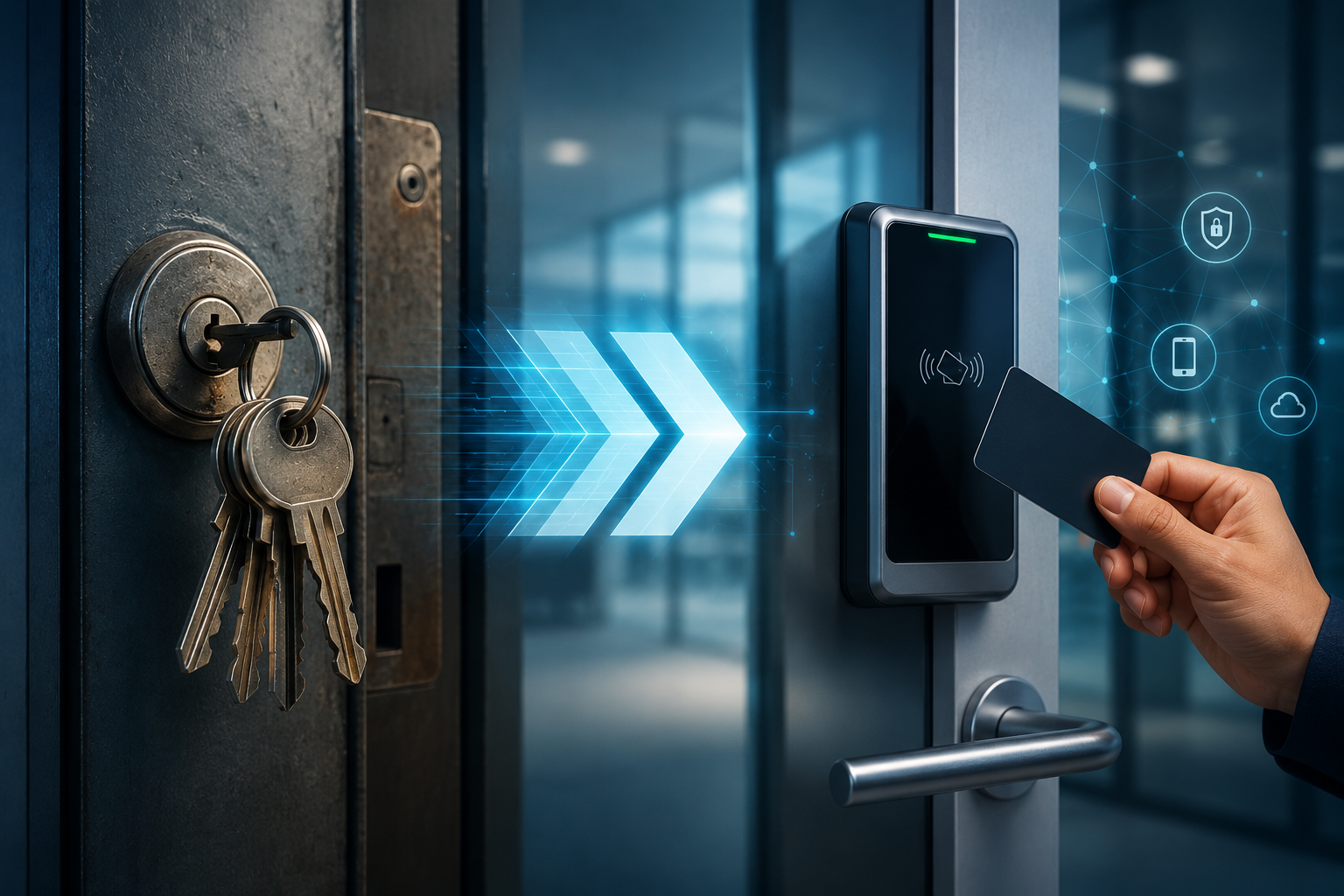
How to Migrate from Legacy Key Systems to Modern Access Control?
Picture this: A warehouse manager gets a call at 2 AM. There was a break-in. Nothing was forced. No windows broken. The police ask the obvious question — “Who has keys to this building?” The manager starts counting. Current employees: 14. Former employees who never returned keys: somewhere around 9. Contractors: unknown.
That is not a security system. That is a liability waiting to happen.
If your business still runs on physical keys, you are not managing access — you are just hoping nothing goes wrong. And for a lot of Dallas businesses, “hope” has been the strategy for way too long.
This guide is not here to tell you that modern access control systems are a good idea. You already know that. This guide tells you exactly how to migrate — what it costs, how long it takes, which mistakes to avoid, and how to do it without locking your employees out mid-shift.
Why Businesses Are Moving Away from Legacy Key Systems
Physical key systems made sense in 1995. You had one building, a small team, and keys that cost $2 to copy. In 2026, that same setup is a serious security and operational problem.
Lost keys are a bigger issue than most owners admit. According to facility managers surveyed by ASIS International, the average mid-sized business loses or fails to recover 15 to 20% of issued keys annually. Every one of those keys is a potential unauthorized entry point.
There is also the employee turnover problem. When someone quits or gets fired, can you be 100% certain they returned every key? Even if they did, did they make a copy first? With a physical key, you have no way to know. With a modern electronic access control system, you revoke their credential in 30 seconds from your phone.
Then there is the tracking issue. A traditional key tells you nothing. It cannot tell you who entered, at what time, through which door, or how long they stayed. If something goes missing from your stockroom on a Tuesday afternoon, you have zero audit trail to work with.
Legacy systems are also expensive to maintain — not obviously, but steadily. Rekeying a building after a security incident costs anywhere from $500 to several thousand dollars depending on how many locks you have. That cost happens over and over again, every time a key is lost, every time someone is terminated under bad circumstances, every time you add a new door.
Add it up across a few years and the “cheap” key system is not cheap at all.
Hidden Risks of Staying with Legacy Systems
Most business owners think about the obvious risks. They do not think about the ones that only show up in a lawsuit or a compliance audit.
- Key Duplication
Hardware store key copies cost about $3 and take 90 seconds to make. Any employee with 5 minutes of unsupervised time with a key can duplicate it. You will never know it happened. There is no log, no alert, no record.
- No Audit Trail
When a theft occurs, an insurance company will ask: who had access? When did they enter? Can you prove they were there? With physical keys, your answer to all three questions is “we don’t know.” That answer gets claims denied and liability pinned on the business.
- Compliance Issues
Industries like healthcare, finance, and pharmaceuticals face strict access documentation requirements. HIPAA, for example, requires that access to areas containing sensitive patient data be logged and controlled. Physical keys fail this requirement completely. If you are audited and cannot produce access logs, you are looking at fines and possible loss of licensure.
- Operational Inefficiency
Every time someone forgets their key, someone else has to stop what they are doing to let them in. Every time a contractor needs access, you either give them a permanent key or someone has to physically be present to open the door. Every time you open a second location, you are duplicating a manual, untrackable system.
The hidden cost here is not just money — it is employee time, management overhead, and the low-level stress of running a security system that nobody actually controls.
Benefits of Modern Access Control Systems
Here is what changes when you upgrade — and why the ROI is faster than most people expect.
Cloud-Based Management
With a cloud-based access control system, your entire access infrastructure lives in a dashboard you can open from anywhere. Grant access to a new hire before they walk in on day one. Revoke a terminated employee’s credentials while you are still on the call with HR. Check who entered the back door at 11 PM on a Friday. All from your phone.
No IT department required. No on-site server. No “we have to wait until Monday to call the locksmith.”
Remote Access Control
Remote door management means your facilities team does not need to be physically present to handle access requests. A vendor arrives early? You can unlock the door from your desk. A manager is running late and needs to let a client in? Done remotely in seconds.
For businesses in regulated industries, NIST electronic physical access control system guidelines define the minimum security controls required for credentialed facility access — and modern cloud systems are built to meet these standards out of the box.
Integration With Business Systems
Modern smart access control platforms integrate with HR software, video surveillance, visitor management systems, and alarm panels. When an employee is added to your HR system, their access credentials can be provisioned automatically. When someone badged in during an alarm event, the video clip from that door is already attached to the incident report.
These integrations are not a luxury. They close the gaps where incidents fall through.
Scalability
Physical key systems get exponentially harder to manage as you grow. Adding a third location means printing more keys, tracking more copies, managing more rekeying events.
Scalable access control works in the opposite direction. Adding a door costs the price of a reader and a credential. Adding a location means a few hours of installation. Adding 50 employees means uploading a spreadsheet.
The ROI Angle
A typical access control upgrade for a 10-door commercial property in Dallas runs between $8,000 and $18,000 depending on hardware choice and existing wiring. That sounds significant until you account for what you are currently spending on locksmith calls, rekeying events, lost-key replacements, and the management time spent on access-related tasks. Many businesses break even within 18 to 24 months. After that, you are saving money every year while operating a dramatically more secure building.
Step-by-Step Migration Process
This is where most guides fail you. They tell you to “plan carefully” and “consult a professional” and leave it at that. Here is what actually needs to happen, in the order it needs to happen.
Step 1: Audit Your Current System
Before you buy anything, map what you have.
Walk every door in your building. Document which ones are currently locked, which have access restrictions, and which are effectively open all day. Identify all existing credentials — physical keys, fobs, keypads — and who holds them.
Check your wiring. Many commercial properties have existing wiring from a previous access system that can be reused. Reusing existing wiring is one of the biggest cost savers in any migration and one of the most overlooked factors. A qualified installer can tell you within an hour whether your current conduit and wire gauge can support modern readers.
Note any doors with unusual requirements: double-door interlocks, high-traffic entry points that need anti-passback logic, exterior doors that need weather-rated hardware.
Step 2: Define What You Actually Need
Vague goals lead to wrong system choices. Be specific.
Are you primarily trying to eliminate key management headaches? Then cloud credential management is your priority. Do you need to comply with an audit requirement? Then access logs and reporting are non-negotiable. Are you planning to open two more locations in the next 18 months? Then scalability and multi-site management need to be core requirements, not afterthoughts.
Write down your top five requirements before you talk to any vendor. Otherwise, you will buy what the vendor sells instead of what you actually need.
Step 3: Decide on Your Migration Type
You have three real options, and the right one depends on your building, budget, and timeline.
Full replacement means removing all existing locks and installing a complete new commercial access control system from scratch. This gives you maximum flexibility and a clean installation but costs more upfront and requires more installation time.
Hybrid migration means keeping some existing infrastructure — wiring, door hardware, or even some traditional locks in low-risk areas — while upgrading the high-priority entry points first. This is the most common approach for businesses that need to manage budget and disruption.
Phased upgrade is a version of hybrid migration where you do the work in stages over weeks or months. Phase one might be front entry and server room. Phase two covers warehouse and loading dock. This approach keeps costs manageable and lets your team adapt incrementally.
Step 4: Choose the Right System
Cloud vs. on-premises is the main decision point here. Modern cloud-based access control platforms are easier to manage, receive automatic updates, and are ideal for most commercial environments. On-premises systems provide greater control over data and can operate without internet connectivity — making them suitable for facilities with strict compliance requirements or limited network reliability.
Beyond that, check for compatibility with your existing door hardware and evaluate what integrations matter to you. Does it connect to your video system? Your HR software? Your alarm panel?
Before committing, make sure your system supports the integrations your business actually needs — such as video surveillance, alarm systems, or employee management tools. More importantly, ensure the system is designed around your operations, not just its feature list. A well-planned installation will always outperform a feature-heavy system that isn’t properly integrated.
Step 5: Plan Installation to Minimize Downtime
This is the step that makes or breaks a migration. Most businesses cannot afford to have their entry points offline for hours at a time.
A few things that actually work:
Phased installation means the installer works door by door rather than pulling everything apart at once. You lose access to one door at a time, not your entire building.
After-hours installation keeps disruption away from business operations. Good installers in Dallas are used to scheduling commercial work for evenings and weekends.
Parallel systems — where the old lock remains functional while the new reader is installed and tested — mean you never have a door that is uncontrolled. Only once the new system is tested and working does the old lock come out.
What happens if your system fails mid-migration? Make sure your installer has a documented rollback plan. Every door should have a path back to controlled access if something goes wrong during cutover.
Step 6: Train Staff and Transition Users
The biggest soft failure in any access control migration is the people’s side. Staff who do not understand how to use the new system will prop doors open, share credentials, or call the help desk every morning.
Keep training short and practical. Show people how to badge in, what to do if their credential does not work, and who to call for access issues. A 10-minute walkthrough on day one is worth more than a 40-page manual nobody reads.
Plan for the learning curve. For the first two weeks, have someone available to troubleshoot access issues in real time. After that, most problems resolve themselves.
Step 7: Test, Monitor, and Optimize
Once everything is live, do not just assume it works. Run a full test of every door before you close out the installation. Verify that credentials that should be inactive are actually inactive. Check that time-based access rules — like “delivery staff can only badge in between 8 AM and 4 PM” — are functioning correctly.
Pull your first access control audit log after week one. Look for anomalies: credentials used outside normal hours, doors held open for extended periods, failed access attempts that repeat on the same credential. These are the patterns that tell you something needs attention before it becomes an incident.
Set a calendar reminder to review access permissions quarterly. People’s roles change. Contractors finish projects. Reviewing who has access to what on a regular schedule is the habit that makes the whole system worth it.
Cost Factors of Migrating to Access Control
Here is what actually drives the price of a commercial access control installation.
Hardware is the biggest variable. Card readers range from $150 to $600 per door depending on technology (proximity, smart card, mobile credential, biometric). Magnetic locks run $150 to $400. Door controllers add another $200 to $500 per door. For a 10-door building, hardware alone is typically $4,000 to $12,000.
Software and licensing for cloud-based systems usually runs $3 to $10 per door per month. Some providers charge per user credential instead. Over three years, software costs can equal or exceed hardware costs — factor this into your total cost of ownership.
Labor for a professional installation in the Dallas area runs $75 to $125 per hour. A standard commercial door installation takes two to four hours. Complex doors with interlock requirements or new conduit runs take longer.
Ongoing maintenance is minimal compared to physical key systems — typically a software update and an annual hardware inspection. Budget $500 to $1,500 annually for a 10-door system.
Now compare that to the cost of staying on physical keys: one rekeying event after a terminated employee walks out with credentials costs $800 to $2,500. One security incident that results in a theft claim could cost you far more in insurance deductibles, investigation time, and potential liability.
The question is not whether you can afford to upgrade. The question is whether you can afford not to.
Common Migration Challenges and How to Solve Them
Problem: Existing hardware is incompatible with modern readers
Solution: Do not assume incompatibility before having it checked. Many existing door frames, strike plates, and even some older controllers can be adapted to work with modern systems. Get an on-site assessment before pricing a full replacement.
Problem: Employees resist change
Solution: Involve a few key staff members in the selection process early. When employees feel like they had input, adoption is dramatically higher. Frame the change as a convenience upgrade, not just a security measure — and it genuinely is, since most people prefer a mobile credential on their phone over carrying a physical key.
Problem: Budget constraints prevent full migration
Solution: Phase it. Start with your highest-risk entry points: the front entrance, server room, cash handling areas, and any door that gives access to sensitive inventory. Secure those first and expand the system as budget allows. A well-designed phased access control upgrade is better than waiting another year to do everything at once.
Problem: Technical debt from a previous access system
Solution: Document what you have before you plan what you want. If you have legacy wiring, a previous access controller, or outdated network infrastructure, your installer needs to know about it upfront. Surprises mid-installation drive costs up and timelines out.
Real Migration Scenarios
Scenario 1: Keep the Wiring, Upgrade the System
A Dallas accounting firm had a 10-year-old proximity card system that still worked but offered no cloud management and no mobile credential support. Their building had structured cabling in good condition throughout.
The installer replaced the readers and upgraded the software platform while reusing all existing wiring and door hardware. Total project cost: $6,200. Installation time: two days. Zero new conduit, zero new door hardware beyond the readers themselves.
Result: cloud management, mobile credentials, full audit logging — for a fraction of what a full replacement would have cost.
Scenario 2: Hybrid System for a Mixed-Use Building
A Dallas property management company had one building with 30 doors. High-traffic common areas needed full electronic access control. Storage rooms and utility closets were low-risk and rarely accessed.
They installed full electronic access control on the 14 high-priority doors and left the remaining 16 on rekeyed physical locks with a key cabinet management system. Total cost was 40% less than a full migration and the operational improvement on the doors that mattered was identical to a full replacement.
Scenario 3: Full Replacement After a Security Incident
A Dallas medical office suffered an after-hours intrusion. No forced entry. A former employee was suspected but there was no way to verify anything — no logs, no audit trail, nothing.
They did a full replacement: all doors, new credentials, biometric readers on the most sensitive areas. Total project cost: $22,000. The owner’s comment afterward was straightforward: “We should have done this three years ago.”
Legacy vs Modern Access Control: Comparison
|
Feature |
Legacy Key System |
Modern Access Control |
|
Security level |
Low — no tracking, easy to duplicate |
High — credential-based, full audit trail |
|
Access revocation |
Physical key retrieval required |
Remote revocation in seconds |
|
Audit logging |
None |
Full entry/exit logs with timestamps |
|
Remote management |
Not possible |
Full cloud management from any device |
|
Scalability |
Poor — each door, key, location adds manual complexity |
High — add doors and users through software |
|
Compliance support |
Fails most audit requirements |
Supports HIPAA, SOC 2, and similar standards |
|
Cost over 5 years |
High (rekeying, replacements, incidents) |
Lower total cost of ownership |
|
Integration |
None |
Connects to HR, video, alarms |
|
Usability |
Familiar but inflexible |
Modern — mobile credentials, PIN, biometric |
Who Needs to Upgrade Immediately?
Some businesses cannot afford to wait for the “right time” to migrate. If any of these describe you, the right time is now.
You have had a security incident. If you have experienced a break-in, a theft, or unauthorized access of any kind, staying on physical keys means staying vulnerable to the same attack vector.
You are facing a compliance audit. Healthcare, finance, and pharmaceutical businesses that cannot produce access logs are out of compliance before the audit even starts. Modern access control for commercial buildings solves this directly.
You are expanding. Opening a second location with physical keys means building a second untrackable system from scratch. If you are growing, now is the time to build on infrastructure that scales.
You recently had high employee turnover. If multiple employees have left in the past year and you are not certain all keys were recovered, your building’s security is already compromised in ways you cannot measure.
Your current system is failing. Worn cylinders, malfunctioning hardware, discontinued parts — when your legacy system starts showing age, you are one bad day away from a lockout situation at the worst possible time.
Access Control Migration in Dallas: What Local Businesses Should Know
Dallas businesses face a specific combination of factors that make commercial access control in Dallas more urgent than in many other markets.
The Dallas-Fort Worth metro is one of the fastest-growing commercial real estate markets in the country. Businesses are expanding, leasing new space, and managing multi-site operations at a pace that physical key systems genuinely cannot keep up with.
Local compliance requirements add another layer. Texas businesses in regulated industries need to meet both state and federal access documentation standards. The Texas Medical Disclosure Panel and various state agency guidelines for healthcare and financial businesses all carry access control implications that a physical key system simply cannot satisfy.
The commercial theft rate in Dallas County also remains a real concern for businesses in high-traffic corridors, warehouse districts, and mixed-use properties along major corridors like I-35 and LBJ Freeway.
If you are looking for access control installation in Dallas , the right provider will assess your existing infrastructure before recommending anything, give you a clear cost breakdown, and design a migration that keeps your building secure from day one through the final cutover. Look for companies experienced with both maglock installation and cloud-based credential platforms — those two skill sets together cover the full scope of most commercial migrations.
For more on how access control integrates with broader commercial security architecture, the Security Industry Association publishes annual standards and best-practice guidance that Dallas business owners should be aware of before committing to a system.
Final Checklist Before You Upgrade
Go through this before signing any contract or scheduling any installation:
- Building audit complete — all doors, locks, existing wiring, and credentials documented
- Goals defined — specific requirements written down (audit logs, remote access, integrations, scalability)
- Migration type decided — full replacement, hybrid, or phased
- System selected — cloud vs on-premises, compatible hardware confirmed, integrations verified
- Wiring assessment done — existing infrastructure reuse potential confirmed by installer
- Downtime plan in place — phased installation or after-hours schedule confirmed
- Parallel system plan confirmed — no door goes offline without a tested backup path
- Staff training scheduled — day-one walkthrough planned for all credential holders
- Testing protocol defined — every door tested before installation is closed out
- Quarterly review scheduled — access permissions audit date on the calendar before go-live
Need help planning your migration? Our team provides on-site assessments for Dallas businesses and builds migration plans around your existing infrastructure, timeline, and budget. Contact us to schedule a consultation.
Frequently Asked Questions
Q1: How long does it take to migrate from physical keys to an electronic access control system? For most commercial buildings with 5 to 20 doors, a professional installation takes two to five days. Larger or more complex buildings with new conduit requirements can take one to two weeks. Phased migrations stretch across a longer calendar period by design but cause less disruption at any single point.
Q2: Can I keep my existing door hardware when upgrading to modern access control? Often yes. Many commercial doors can be retrofitted with electronic readers while keeping existing frames, strikes, and even some lock bodies. Existing wiring from a previous access system is frequently reusable. An on-site assessment will tell you specifically what can be retained and what needs replacement.
Q3: What is the difference between cloud-based and on-premises access control? Cloud-based systems store credentials and access logs on remote servers managed by the software provider. They are easier to manage remotely, receive automatic updates, and require no on-site server. On-premises systems keep everything local, which suits businesses with strict data control requirements or unreliable internet connectivity. For most Dallas commercial properties, cloud-based systems are the practical choice.
Q4: What happens to my building security during the migration? A properly planned migration uses parallel systems so no door is ever uncontrolled. The old lock remains functional until the new system is tested and operational on that door. After-hours installation keeps disruption away from business hours entirely.
Q5: How do I handle access control for multiple buildings after migrating? Modern cloud-based platforms manage unlimited locations from a single dashboard. Adding a second or third building means installing compatible hardware — the credential management, audit logging, and remote access work the same way across all sites. This is one of the primary reasons multi-site businesses choose cloud access control over traditional key management.
Q6: What credentials do modern access control systems support? Most current systems support key fobs, smart cards, PIN codes, mobile credentials via smartphone, and biometric readers (fingerprint or facial recognition). Mobile credentials are increasingly the default choice because employees always have their phone and the credential can be provisioned or revoked instantly without mailing a physical card.
Q7: Do I need internet connectivity for my access control system to work? Cloud-based systems require the internet for remote management and real-time logging, but most platforms store credentials locally on the controller so doors continue to function during an outage. Access logs sync when connectivity is restored. If continuous off-network operation is a requirement, on-premises systems handle this better.
Q8: How do I make sure former employees cannot access my building after they leave? With modern access control, revoking a credential takes under a minute and takes effect immediately. The credential stops working at every door simultaneously. With physical keys, you have no equivalent option short of rekeying the building. This single capability is the most frequently cited reason businesses cite for upgrading.
Q9: What compliance standards does modern access control help with? HIPAA requires documented access control for areas containing patient data. SOC 2 Type II audits require evidence of logical and physical access controls. PCI DSS standards for businesses handling payment card data include physical access requirements. Modern access control systems with full audit logging satisfy the physical access components of all three.
Q10: What is the typical return on investment for a commercial access control upgrade? Most Dallas businesses see payback within 18 to 36 months when accounting for eliminated rekeying costs, reduced management overhead, and avoided security incidents. The ROI accelerates significantly if the business has experienced even one security incident or compliance issue tied to untracked physical key access.
Our Service Area
- Anna
- Ardmore
- Aubrey
- Bridgeport
- Briar
- Bonham
- Caddo Mills
- Carrollton
- Celina
- Commerce
- Corinth
- Denton
- Keller
- Justin
- Emory
- Farmersville
- Forney
- Fort Worth
- Frisco
- Gainesville
- Granbury
- Lantana
- Lewisville
- Lavon
- Little Elm
- McKinney
- Murphy
- Nevada
- Northlake
- Pilot Point
- Plano
- Princeton
- Quinlan
- Rhome
- Rockwall
- Royse
- Sachse
- Saginaw
- Sanger
- Sherman
- Sulphur Springs
- Sunnyvale
- Terrell
- Van Alstyne
- Prosper
- Wylie
- Weatherford