-
 Nov 18, 2025
The 2025 Guide to Access Control Systems Every Small Business Needs
By 2025, the discussion of security will no longer be on locks and keys but rather on smart and scalable access control systems for small businesses. You need to secure a single office, a standalone storefront, or a multi-location business. With the right commercial access control system, you will significantly enhance security, productivity, and adherence. Cloud-based control and mobile credentials lead the way to biometric authentication and AI-enhanced surveillance, and the current access control technology is constructed to meet the needs of small businesses, their budgets, and growth strategies. This guide has deconstructed the most applicable access control systems for small businesses in 2025, so that you know what happens in the world, how it works, and what you should look at when selecting a provider.
Types of Access Control Systems for Small Businesses in 2025
In 2025, to select the appropriate access control system, it is not enough to select a fashionable security device. Each company works in a different manner, and your security plan must be equivalent to your processes, budget, and future development. With companies enforcing stricter compliance measures and raising the physical security standards, a commercial security system installation service remains the preferred option to design a solution to ensure that the operations remain both safe and effective.
The most popular access control solutions that every small business should consider in 2025, and how each of them enhances security in a modern workplace, are listed below.
Keypad & PIN Systems
Great for: Small offices, storage rooms
Why they work: They offer low-cost, reliable entry control without added hardware.
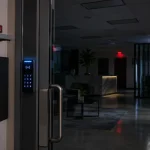
The use of keypads and PINs remains popular in 2025 since the systems are easy to use, efficient, and cost-efficient. Employers are able to allocate special PINs to staff members and update or delete them instantly. The biggest upgrade this year is provided by dynamically generated PIN codes, which expire after use. The feature prevents the sharing of codes and ensures former employees cannot access restricted zones. Keypad systems are even more secure and resistant to tampering when installed and maintained by a professional commercial security system installation service.
Card & Fob-Based Systems
Great for: Retail stores, restaurants, gyms, hospitality
Why they work: Easy to assign, track, and revoke access privileges.
Businesses require flexibility and easily managed access, which is still supported by the use of traditional cards and fobs. Yet, these systems are drastically changing in 2025. Mobile credentialing is another trend that is now embraced by many companies, which enables workers to tap or scan their phones instead of having a physical card. This minimizes the costs of replacement and avoids card-borrowing. These systems can be combined with any existing security platform by installation teams, making them a smart transitional solution to expanding businesses.
Mobile Access Control
Great for: Hybrid workplaces, tech offices, modern professional environments
Why they work: Employees use their smartphones, something they always have on them.
In 2025, mobile access control became a necessity. The BLE (Bluetooth Low Energy) technology is now able to do hands-free entry by automatically unlocking the door when employees approach. This increases convenience and safety, particularly at times of high traffic. These systems can be configured by a commercial security system installation service to control entry of visitors, automate audit logs, and integrate with HR platforms to do instant onboarding and offboarding.
Biometric Access Control
Great for: Labs, data rooms, medical offices, research facilities
Why they work: Fingerprint, retina, or facial recognition ensures accurate identity verification.
High-security settings are still dominated by Biometrics. Biometric readers provide better authentication speed, high-quality spoof-detection, and privacy compliance in 2025. Unauthorized entry attempts are minimized by these systems since credentials that your biological traits cannot be shared or lost. Businesses with professional installers deploy compliant and encrypted biometric solutions, which are compliant with stringent regulatory requirements.
Cloud-Based Access Control Systems
Great for: Multi-location operations, business owners who need remote access
Why they work: You can view logs, lock/unlock doors, and update credentials from anywhere.
Cloud-based access control provides small businesses with enterprise-level security. In the 2025 upgrade, there is the implementation of AI-based anomaly detection that alerts to suspicious behavior in real time. Whether an employee accesses a door outside normal hours or someone attempts tailgating, the system immediately notifies administrators. You can rely on a reliable installation service to ensure that your cloud environment is integrated with cameras, alarms, and building automation.
Multi-Factor Authentication (MFA) Systems
Great for: Finance, healthcare, legal, logistics
Why they work: MFA requires two or more credentials, dramatically increasing entry security.
The biometric-plus-smartphone combination is becoming the standard in sensitive industries in 2025. MFA eliminates fraud that happens due to lost cards or hacked PINs. By employing a professional installer, MFA systems can be designed to be convenient and compliant so that employees can authenticate without causing bottlenecks.
What Installation Looks Like: Step-by-Step
Whenever you invest in a commercial security system installation service, you are not only purchasing hardware but securing a streamlined, professional process that will provide your business with modernized and reliable protection. The following is the breakdown of the installation process.
Assessment
A certified technician arrives on-site and evaluates your floor plan, entry points, wiring paths, and security vulnerabilities. They walk your space, identify blind spots, and determine what level of protection your operations require. This evaluation will make sure that the system suits your daily workflow, rather than vice versa.
System Design
After that, your team also works with the installer to choose the types of credentials (key cards, fobs, PIN codes, biometric options) and establish access controls for employees, contractors, and visitors. At this step, the technician constructs a blueprint of your desired security environment, making sure that it is in accordance with the business policies and industry specifications.
Hardware Installation
After approving the design, the installation team starts working. They install smart locks, wire controllers, card readers, mount panels, and combine power backup. The positioning of each element is to achieve the best coverage and life span. Most businesses prefer to integrate access control and cameras to have a complete unified system.
Software Setup
Once the hardware is installed, your admin dashboard and mobile management applications, as well as permission settings, are configured by technicians. You get a safe, centralized control panel with which you can keep track of activity, allocate positions, follow entry endeavors, and look at real-time notifications.
Training
Then your employees are trained practically. One of the specialists demonstrates to your team how to add and remove users, create audit logs, lock or unlock doors remotely, and control the access schedules. At the close of the session, your team is capable of being able to operate the system without any external assistance.
Ongoing Support
A professional commercial security system installation service does not stop at installation. You are provided with regular updates, maintenance of equipment, and responsive troubleshooting whenever your team requires assistance. This would keep your system safe, optimized, and in compliance as your business expands.
Commercial installations require between a few hours to a few days, depending on the size of your facility, the scope of hardware, and complexity. The goal is always the same: deliver a seamless, business-ready security system that protects your operations from day one.
How to Choose the Right Security Installation Partner in Dallas
One of the best decisions you can make as a business is to select the appropriate partner to assist you in installing your commercial security system. Not every installer carries with them the same amount of expertise, accuracy, or durable support, and the improper decision may leave you with blind spots, unreliable equipment, or expensive downtime. The right partner, on the other hand, enhances your defense, improves operational effectiveness, and ensures that your staff remains safe 24/7. The following is what you should consider before signing a contract.
Experience & Certifications
Begin by searching the companies that offer business-grade security. A qualified installer should hold certifications in commercial systems, access control integration, and the specific platforms they deploy. These credentials prove they understand complex business environments, multi-site infrastructure, and compliance-driven security requirements.
Custom Solutions
There are no two businesses working in the same manner, and neither should your security. Any provider who is pushing cookie-cutter packages or generic bundles should be avoided. A good partner will not only evaluate your layout but will also talk about risks, pose the correct operational questions, and create a solution tailored to your facility, rather than an out-of-the-box solution.
Local Support in Dallas
Speed is important in case of an outage or an emergency. Working with a local provider in Dallas will provide you with quicker response times, on-site troubleshooting, and local technicians with knowledge of the risks and building codes of the area. Local support is usually the difference between a small inconvenience and a large security breach.
FAQ’s
What is the best access control system for small businesses?
It depends on your size, industry, and security needs, but cloud-based and mobile-ready systems are the most popular in 2025.
Can I manage my system remotely?
Yes. Most commercial access control systems now support remote locking, monitoring, and access updates via a mobile app or dashboard.
Conclusion
Small businesses should have protection that is designed to withstand the current threats. The modern access control systems have the precision, automation, and security that every business owner desires to ensure the safety of his or her people, property, and data. With smart features, instant permissions, and detailed audit trails, you finally get full control over who enters your space and when.
Don’t wait until a security incident forces the upgrade. Take charge today. If you’re ready to secure your business with a reliable, scalable commercial access control system, contact our team now and get a custom solution built for your needs.
Our Service Area
- Anna
- Ardmore
- Aubrey
- Bridgeport
- Briar
- Bonham
- Caddo Mills
- Carrollton
- Celina
- Commerce
- Corinth
- Denton
- Keller
- Justin
- Emory
- Farmersville
- Forney
- Fort Worth
- Frisco
- Gainesville
- Granbury
- Lantana
- Lewisville
- Lavon
- Little Elm
- McKinney
- Murphy
- Nevada
- Northlake
- Pilot Point
- Plano
- Princeton
- Quinlan
- Rhome
- Rockwall
- Royse
- Sachse
- Saginaw
- Sanger
- Sherman
- Sulphur Springs
- Sunnyvale
- Terrell
- Van Alstyne
- Prosper
- Wylie
- Weatherford