-
 Apr 22, 2026
Cloud-Based vs On-Premise Access Control: Which One Is Right for Your Dallas Business?
Selecting the appropriate door access control system for office settings is a crucial move by companies that would like to increase security, regulate access points, and secure sensitive resources. Due to changing technology, businesses can now choose between cloud-based and on-premises solutions, which have distinct benefits depending on operational requirements. Scalability, cost, and remote accessibility are some of the factors that businesses investing in access control systems Dallas are considering before making a decision.
Regardless of whether you are looking at a commercial access control system Dallas TX, or you are upgrading your existing system, it is important to know the difference. This blog will discuss cloud-based systems vs on-premise systems, the main advantages, difficulties, cost analysis, and how to select the appropriate access control Dallas TX, provider for your company.
Understanding Cloud-Based Access Control
Access control systems based on clouds are gaining quick popularity with contemporary offices that require flexibility, scalability, and real-time control. In contrast to conventional systems, where on-site servers are used, cloud-based solutions enable businesses to control security everywhere. This is particularly beneficial to organizations that have various locations or are remotely managed. Businesses that have invested in access control systems Dallas are moving to cloud technology to ease operations and improve their overall security and performance.
How Cloud-Based Systems Work
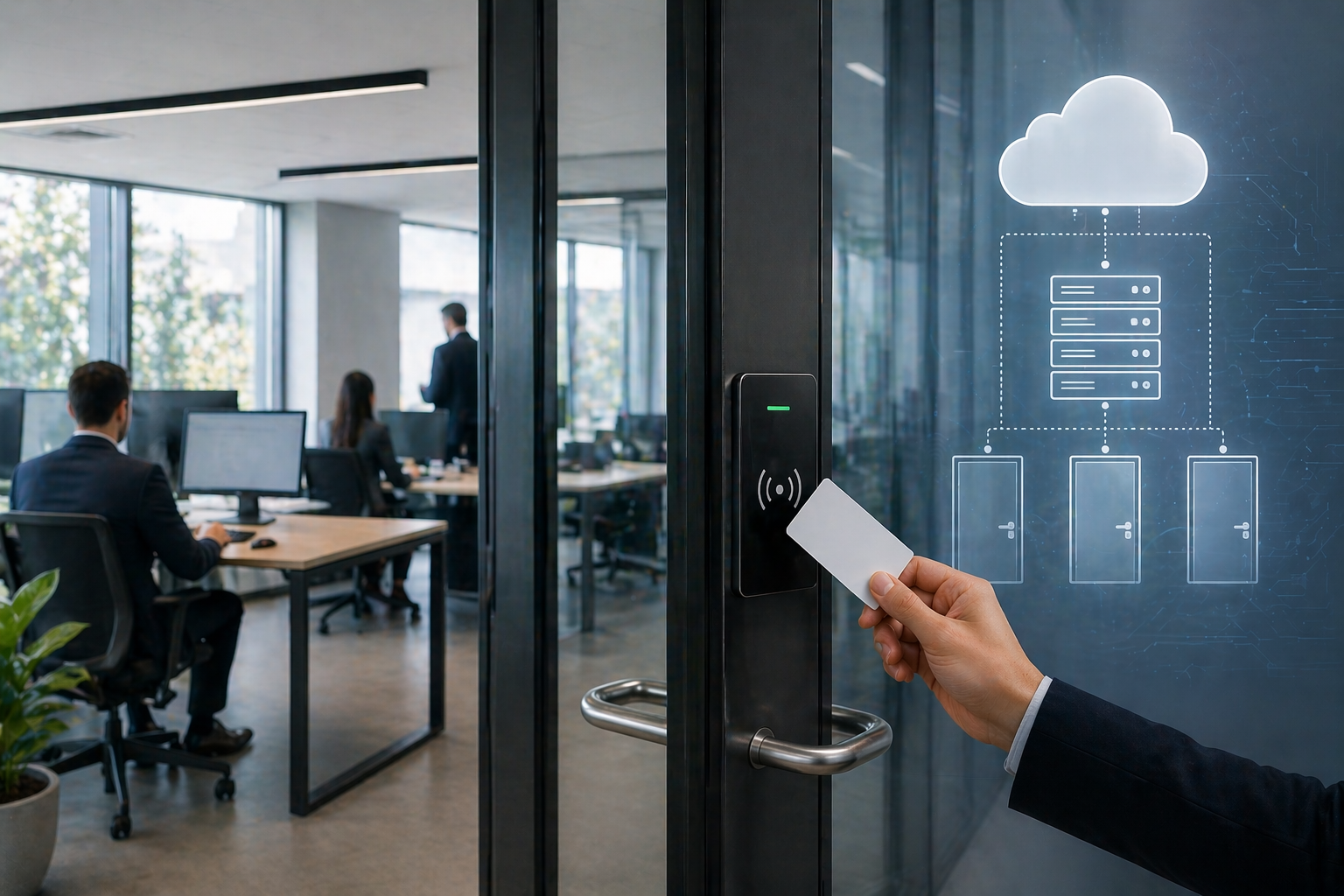
Instead of storing access data on local hardware, cloud-based systems save access data and credentials on secure remote server machines. This enables administrators to control their access control systems Dallas by using web dashboards or mobile applications. Updating access permissions can be performed in real time, and it is possible to monitor activity logs in real time. Having encrypted connections and secure authentication, the business is able to have a high level of protection and experience the convenience of remote access and centralized control.
Benefits of Cloud-Based Access Control
Businesses gain real-time monitoring, scalability, and updates easily without the need to have a large infrastructure on location. Such systems save money on maintenance and also make it unnecessary to upgrade software manually. Cloud-based access control can easily scale to support new users, locations, and security needs as a company grows, making it an excellent long-term solution in a modern office environment.
Understanding On-Premise Access Control
Access control systems based on clouds are gaining quick popularity with contemporary offices that require flexibility, scalability, and real-time control. All access credentials, logs, and system controls are stored and controlled in the physical environment of the organization, unlike cloud-based solutions. This configuration is particularly useful to businesses that demand a high level of data security, regulatory adherence, or have little dependence on external networks. In high-security industries, many organizations have been using on-premise systems to ensure that they own all their access control information and system performance.
How On-Premise Systems Operate
These systems are based on local servers and hardware mounted in the facility, which provides direct control of the commercial access control system. An internal network is linked to access points, card readers, biometric devices, and controllers, where administrators can control permissions, track activity, and receive reports in real time. Because the system can use the infrastructure within the organization, it minimizes reliance on the internet and makes sure that the system works even in times of network failures. IT teams are also able to tailor configurations to fit certain operational requirements.
Advantages of On-Premise Solutions
They offer more customization, data control, and are not reliant on internet connectivity, which is critical in some sectors. Companies are able to use customized security measures, connect with the internal systems, and ensure the string ent adh reference to data protection guidelines. Also, on-premise solutions provide stability in costs over the long term since they do not incur recurrent subscription fees, but they provide stable and secure access control to offices and commercial buildings.
Key Differences Between Cloud and On-Premise Systems
Having the insight into these systems allows businesses to select the best alternative to their needs, particularly when they are planning a scalable and secure access control strategy.
Cost Structure and Investment
Cloud-based solutions are usually more economical in the short-term and can be more cost-efficient in the long-run due to subscription pricing. Conversely, on-premises systems involve a greater initial investment in hardware and setup, but less recurring costs associated with access control Dallas TX deployments. When comparing the two alternatives, businesses need to consider the long-term ROI, maintenance costs, and scalability.
Accessibility and Remote Management
The benefit that cloud systems offer is the ability to access the system remotely, which allows administrators to handle permissions, track entrance logs, and make changes anywhere with the help of a web or mobile interface. On-premise solutions, however, can be very demanding in on-site management, which may restrict flexibility but can be appropriate in organizations with strict internal control policies or with a limited need for remote access.
Security and Data Control
On-premise systems provide total ownership and control of the data, which is the best in the business, where there are strict compliance or privacy needs. Cloud-based systems, however, depend on third-party vendors that are well secured through enhanced encryption, frequent updates, and redundancy. Both systems can be very secure when done properly, although the option to choose depends on the level of control and responsibility that a business desires regarding its data.
Conclusion
Whether to use a cloud-based or an on-premise system for your door access control system in your office is a critical decision that will influence security, scalability, and the long-term expenses. Regardless of whether you want flexible access control systems Dallas or an entirely tailored commercial access control system Dallas TX, the correct solution can increase security and efficacy. Don’t leave your business security to chance. Get in touch with our team at Security in DFW, a trusted commercial access control system installation company in Dallas TX, to discuss customized access control systems that will suit your needs and future development.
FAQ’s
What is a door access control system for an office?
It is an access control system that controls and limits access to designated zones in a workplace. These systems also require credentials such as keycards, biometrics, or mobile access to ensure that only authorized personnel can access them. They also give activity logs, which enhance accountability and general security in the workplace.
What is the difference between cloud-based and on-premise access control?
Cloud solutions are remotely administered and can be accessed anywhere, provided one has access to the internet. On-premise systems are locally based and allow businesses to have full control of their data and infrastructure. The decision will require flexibility requirements, security preferences, and IT resources existing in the organization.
Which is more cost-effective for small businesses?
Cloud-based systems are typically cheaper because the initial cost is lower, and less hardware is needed. They also eliminate the necessity of in-house IT maintenance. Nevertheless, long-term subscription costs must be taken into account in the calculation of the total cost in the long term.
Are access control systems in Dallas secure?
Yes, when installed and maintained well, they offer good protection to business facilities. Contemporary systems comprise encryption, real-time monitoring, and audit trails that assist in preventing unauthorized access and promptly detecting possible security threats.
Can access control systems integrate with other security tools?
Yes, they do integrate with surveillance cameras, alarm systems, and building management tools. This forms a single security ecosystem where businesses can track and control everything related to safety on a centralized platform.
How do I choose the best commercial access control system installer Dallas TX?
Assess the size of your business, entry points, and security requirements. Take into account scalability, ease-of-use, and integration. Professional consultations should be used to determine the most appropriate solution to be used in long term efficiency and protection.
Do I need professional installation for access control Dallas TX?
Yes, professional installation means that the system is configured correctly and is reliable, as well as meets the security standards. Experts are also able to streamline system performance, minimize possible errors, and offer continuous support to maintain and upgrade.
How does an access control system improve workplace safety?
By restricting the entry of authorized personnel only, access control systems minimize the chances of theft, unauthorized entry, and internal security threats. They are also equipped with real-time monitoring and activity logs to enhance security management.
Can access control systems be customized for different departments?
Yes, access levels may be customized by roles/departments, which enables businesses to block or permit access to certain parts depending on the need. This ensures better control over sensitive zones.
What types of credentials are used in access control systems?
The most typical forms of credentials are keycards, PIN codes, mobile apps, and biometric data such as fingerprints or facial recognition. Businesses are able to make decisions depending on their security requirements and comfort.
Our Service Area
- Anna
- Ardmore
- Aubrey
- Bridgeport
- Briar
- Bonham
- Caddo Mills
- Carrollton
- Celina
- Commerce
- Corinth
- Denton
- Keller
- Justin
- Emory
- Farmersville
- Forney
- Fort Worth
- Frisco
- Gainesville
- Granbury
- Lantana
- Lewisville
- Lavon
- Little Elm
- McKinney
- Murphy
- Nevada
- Northlake
- Pilot Point
- Plano
- Princeton
- Quinlan
- Rhome
- Rockwall
- Royse
- Sachse
- Saginaw
- Sanger
- Sherman
- Sulphur Springs
- Sunnyvale
- Terrell
- Van Alstyne
- Prosper
- Wylie
- Weatherford