-
 May 28, 2026
10 Benefits of Installing Access Control Systems for Dallas Businesses
If you run a business in Dallas, you already know the city moves fast. New warehouses are going up along I-35. Medical offices are expanding in Frisco and Plano. Retail strips are getting busier in Oak Cliff and Uptown. And with that growth comes a security reality that traditional deadbolts and brass keys simply cannot keep up with.
Over the past 15 years installing access control systems across the Dallas, we have worked with offices, healthcare clinics, distribution centers, warehouses, retail stores, and everything in between. And the one thing every client tells us after installation is the same: “I wish I had done this sooner.”
This article covers the 10 real benefits Dallas businesses get from a proper commercial access control installation, based on what we see on job sites every week, not just what sounds good on paper. We will also walk through the systems and brands we use, how the installation process works, and what separates a good setup from one that creates more headaches than it solves.
What Is a Commercial Access Control System?
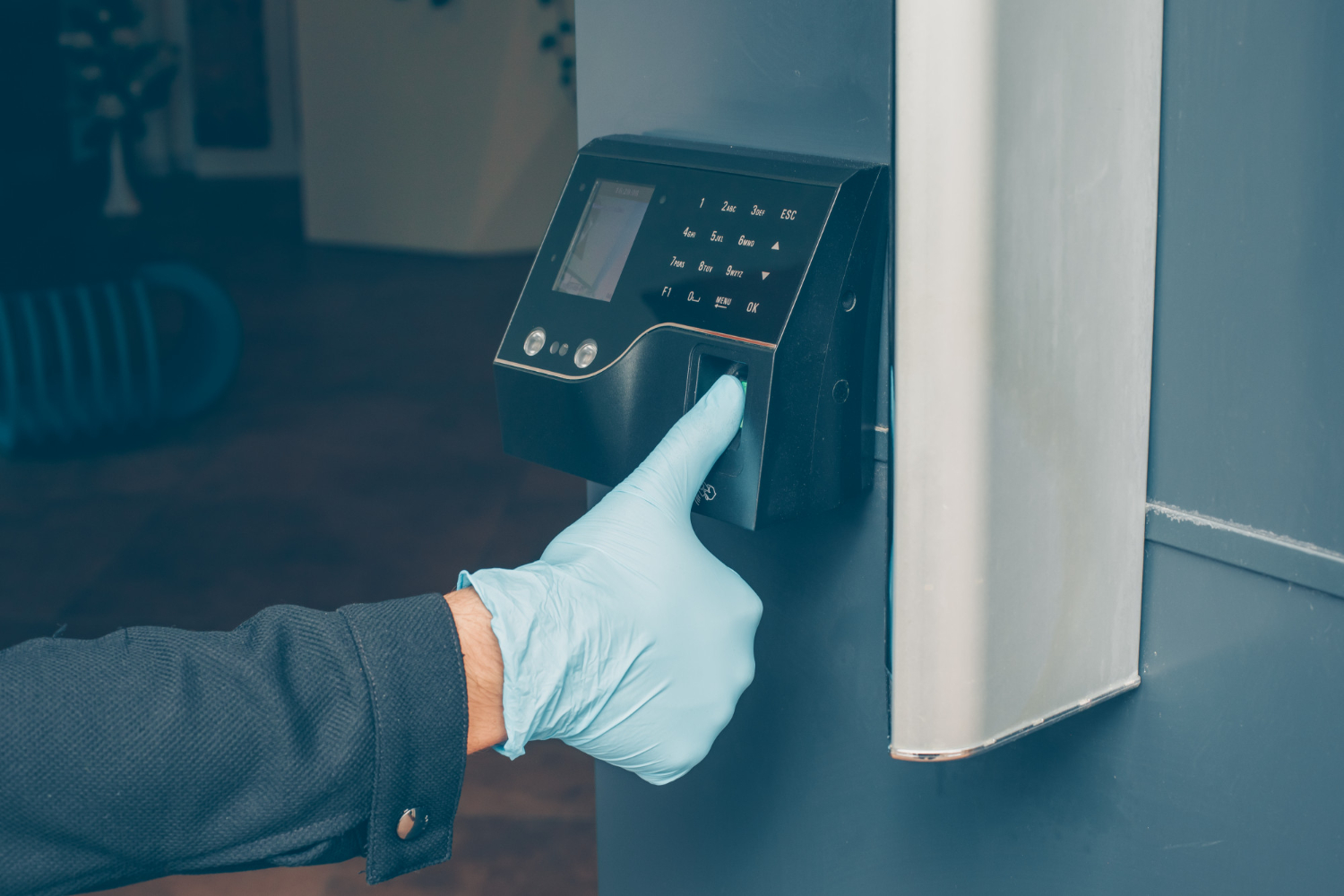
A commercial access control system is an electronic security solution that replaces traditional locks with programmable entry points. Instead of physical keys, employees and authorized visitors use key fobs, keycards, PIN codes, biometric fingerprint readers, or mobile credentials to enter specific doors or areas.
At the backend, a controller manages permissions. Admins set rules like: which employee can access which door, during which hours, on which days. When someone’s credential is revoked, it takes about 30 seconds to remove that access across every door in your building. No locksmith. No rekeying. No downtime.
For Dallas businesses running on Hikvision, Avigilon, Vivotek, Lorex, Eagle Eye, or Ubiquiti platforms, these systems also tie directly into your existing surveillance infrastructure, which we will cover more below.
10 Benefits of Access Control System Installation for Dallas Businesses
1. Stop Unauthorized Entry at Every Door
The most straightforward benefit is also the most important one: only the people you authorize get in.
With traditional keys, you never really know who has a copy. A key can be duplicated at any hardware store for a few dollars. An ex-employee who kept their copy, a contractor who “forgot” to return theirs, a visitor who slipped through an unlocked side door. These are real scenarios Dallas business owners face.
Electronic access control eliminates that exposure. Credentials are tied to a specific person in your system. One click to revoke when someone leaves. No lock changes, no drama. For businesses in high-traffic areas of Dallas like Deep Ellum, the Design District, or near major logistics corridors, that level of control matters.
According to the FBI’s Uniform Crime Reporting data, Texas consistently ranks among the top states for commercial burglary. Businesses that rely on key locks are a softer target than those with electronic access control backed by surveillance.
2. Eliminate the “Lost Key” Problem for Good
Lost keys are one of those low-drama, high-cost problems that pile up quietly. A key goes missing. You are not sure if it was lost or taken. To be safe, you rekey the lock. If it is a multi-door commercial property, that cost adds up fast and that is before accounting for the time your facility manager spends coordinating it.
We installed a keyless entry system for a Dallas-area property management company a few years back. Before the upgrade, they were spending thousands per year across their properties just on lock replacements and rekeying after tenant and staff turnover. After moving to a card-based access system, that cost went to near zero. Credential deactivation takes less than a minute.
This benefit alone often pays for the system within the first 12 to 18 months.
3. Control Who Accesses What Area and When
Not every employee needs access to every part of your building. Your front desk staff does not need to enter the server room. A warehouse picker does not need access to the HR office. A part-time shift worker should probably not have 24/7 building access.
Role-based access control lets you assign permissions by job title, department, shift schedule, or any other criteria you define. You can set time windows so that a credential only works Monday through Friday from 7 AM to 7 PM. After hours, that card simply will not open the door.
For Dallas healthcare practices and medical offices, this is especially useful. Exam rooms, medication storage, administrative areas, and server closets containing patient data each get their own access tier. This kind of layered security also helps with HIPAA compliance documentation.
4. Build an Audit Trail of Every Entry and Exit
Traditional locks keep no records. You have no idea who used a key, when, or how many times. If something goes missing from a restricted area, you have nothing to work with.
Access control systems log every credential swipe — door accessed, time, date, credential used. If there is an incident, you pull the report. You know exactly who was in the building, when, and where they went.
One DFW warehouse we work with had an inventory discrepancy that seemed impossible to track down. After reviewing access logs combined with their Avigilon camera footage, the issue was identified within a few hours. That would have been a weeks-long investigation with no paper trail otherwise.
This kind of access log and audit trail capability is also valuable for compliance purposes. Industries like finance, healthcare, and legal services often need to document access to sensitive areas.
Also Read – How Access Control Systems Help Dallas Businesses Protect Employee-Only Areas?
5. Integrate Directly with Your CCTV Camera System
A standalone access control system is good. One that works alongside your surveillance cameras is significantly better.
When you install access control on the same network as your Hikvision, Avigilon, or Eagle Eye cameras, you can set up triggered recording. The door opens, camera records. An unauthorized access attempt triggers an alert. Specific entry points can be set to record continuously during off-hours.
We design most of our DFW installations as bundled systems from the start — access control plus cameras, sometimes plus alarm integration. The cost savings compared to installing them separately are real, and the security coverage is more complete. A camera without an access log tells you who was there. An access log without a camera tells you a credential was used. Together, they give you the full picture.
6. Manage Multiple Locations from One Dashboard
Dallas businesses grow. What starts as one office in Las Colinas becomes three locations across DFW in a few years. What starts as a single warehouse becomes a distribution network.
Cloud-based access control platforms like Eagle Eye Networks and certain Ubiquiti configurations let you manage every door across every location from a single web interface. Add a user at your Addison office, and you can give them access to your Garland warehouse at the same time. Revoke someone at one location, it applies across all of them instantly.
For multi-site retail, property management companies, or any business with multiple Dallas-area locations, centralized access management is one of the biggest time-savers we see.
7. Support Flexible Work Hours Without Compromising Security
Dallas businesses have increasingly moved to extended hours, rotating shifts, and hybrid work models. That creates a problem with traditional security: you either keep the building locked (inconvenient) or leave it unlocked (risky).
Access control handles this without any tradeoff. Set credentials to work only during authorized hours. Allow specific employees 24/7 access while limiting others to standard business hours. Grant a contractor temporary access for a two-week project, and the credential expires automatically when the project ends.
No one has to wait for a manager to let them in. No door has to be left propped open. Your commercial door access control system handles it all automatically based on rules you set once.
8. Reduce Security Staffing Costs Over Time
Hiring a full-time security guard to monitor building entry costs roughly $35,000 to $55,000 per year in the Dallas market when you factor in salary, benefits, and turnover. That number multiplies fast across multiple shifts or multiple locations.
Access control does not replace human security judgment, but it does reduce how much of that judgment needs to be deployed at routine entry points. Automated credential verification at every door means your security personnel can focus on more complex tasks rather than standing at a door checking badges.
Most businesses have installed systems to see the ROI within 18 to 36 months just from reduced manual staffing at entry points. The actual payback period often comes faster when you factor in the cost of lock replacements, rekeying, and security incidents that a proper system would have prevented.
9. Improve Emergency Response and Lockdown Capability
In an active emergency, every second counts. A properly integrated access control system lets you lock down every door in your building from one interface, instantly. No running from door to door. No hoping employees remember which exits to block.
You can also pre-program emergency protocols. In the event of a fire alarm signal, certain doors unlock automatically to facilitate evacuation. In a lockdown scenario, exterior doors lock while interior emergency exits remain functional.
For Dallas schools, healthcare facilities, and any business with public-facing areas, this emergency access management capability is not optional — it is a liability issue. The Cybersecurity and Infrastructure Security Agency (CISA) has published guidance on integrating physical access control into emergency response planning, and we follow those frameworks in our installations.
10. Project a More Professional and Secure Business Image
This one gets overlooked, but it matters. When a client, partner, or vendor walks into your Dallas office and sees a modern keycard or biometric entry system, it sends a signal about how you run your operation.
Businesses that handle sensitive data, financial records, or valuable inventory need clients to trust them with that responsibility. A professional commercial access control installation communicates that you take physical security seriously. For healthcare providers dealing with patient privacy, law firms protecting client records, or financial firms managing confidential documents, that perception directly affects client confidence.
Beyond perception, a well-installed system also affects your insurance premiums. Many commercial property insurers offer discounts for businesses with documented access control and surveillance systems in place.
What Access Control Brands Do We Use in Dallas?
After 15 years in the DFW security market, we have settled on a core set of brands that consistently perform. We work with Hikvision, Avigilon, Vivotek, Lorex, Eagle Eye, and Ubiquiti based on the size and complexity of the job.
For smaller offices or retail locations, a Hikvision or Lorex-based system hits the right balance of cost and capability. For enterprise environments like medical campuses or large warehouses, Avigilon’s integrated access and video platform handles the complexity. Eagle Eye Networks works especially well for multi-site Dallas businesses because of its cloud management capabilities. Ubiquiti fits well in tech-forward environments where clients want a unified networking and access control stack.
We do not push one brand on every job. We assess your building layout, your number of doors, your user count, and how the system needs to integrate with whatever cameras or alarms you already have, and then we recommend accordingly.
How Our Dallas Access Control Installation Process Works
We start with a site walk. No quotes over the phone for commercial jobs because every building is different. During the walkthrough, we look at door types, hardware conditions, cable routing paths, existing network infrastructure, and any areas that need special attention.
From that, we produce a system design with a detailed proposal covering hardware, labor, and timeline. Most single-location commercial jobs in Dallas complete in one to two days depending on door count. Multi-site rollouts are phased so your operation is never fully offline.
After installation, we test every credential, every door, and every integration point before we sign off. We also train whoever manages the system on adding users, pulling reports, and handling common scenarios. And we offer ongoing support because a system that nobody knows how to use is not actually protecting anything.
Who Needs Access Control in Dallas?
While practically any business benefits, we see the strongest need in:
Medical and dental offices dealing with HIPAA-covered patient records and medication storage. Warehouses and distribution centers where inventory control and shift management are ongoing concerns. Law offices and financial firms protecting sensitive client data. Retail businesses with stockroom and cash office security needs. Property management companies managing tenant access across multiple Dallas properties. Corporate offices managing contractors, visitors, and remote workers alongside full-time staff.
If your business has more than two or three employees and more than one door worth protecting, there is a real case for making the switch.
Ready to Upgrade Your Dallas Business Security?
Fifteen years working DFW security jobs teaches you what works and what does not. The businesses that get the most out of access control are the ones who stop treating it as an expense and start treating it as an operational tool — for managing people, protecting assets, and running a tighter ship overall.
If you are ready to move past keys and toward a proper commercial access control system in Dallas, we are ready to walk your site and put a real plan together.
FAQs
Q1: What is an access control system for a business?
An access control system is an electronic security solution that manages building entry through credentials like keycards, fobs, PINs, or biometrics instead of physical keys. It lets business owners control who enters specific areas, when they can enter, and maintains a log of all activity.
Q2: How much does access control installation cost in Dallas?
Cost depends on the number of doors, credential type, and whether you are bundling with cameras or alarms. Small commercial jobs with two to four doors typically start in the $1,500 to $3,500 range. Larger multi-door installations run higher. We provide detailed quotes after a free site assessment.
Q3: What is the difference between a keycard and a key fob access system?
Both use RFID technology and work similarly. Keycards are credit card-sized and easy to carry in a wallet. Key fobs are smaller and attach to a keychain. Both can be deactivated instantly if lost. The right choice comes down to user preference and what credential readers your system uses.
Q4: Can access control integrate with security cameras in Dallas?
Yes. Systems using Hikvision, Avigilon, Eagle Eye, or similar platforms integrate access events with video surveillance. A door open event can trigger a camera clip. An unauthorized access attempt can send an alert with the associated footage. This integration is one of the most valuable features of a modern commercial security system.
Q5: How do I manage access for employees who leave my Dallas business?
Through the system management software, you deactivate their credential immediately. It takes less than a minute. They cannot enter any access-controlled door from that point forward. No rekeying, no lock changes, no security gap.
Q6: What happens to my access control system during a power outage?
Quality commercial systems use battery backup or UPS power to maintain operation during outages. Doors can be configured to fail-secure (remain locked) or fail-safe (unlock) depending on the door’s purpose and your emergency protocol. We configure this during installation based on your building’s needs.
Q7: Is biometric access control worth it for small Dallas businesses?
Biometric systems, typically fingerprint readers, offer the highest credential security because the credential cannot be shared or forgotten. For high-security areas like server rooms or medication storage, they are worth the additional cost. For general office entry with a smaller team, keycard or fob systems often provide the right balance of security and convenience.
Q8: Can one system control multiple locations across DFW?
Yes. Cloud-managed platforms like Eagle Eye Networks allow centralized control across multiple sites. You manage users, permissions, and reports from one dashboard regardless of how many locations you have.
Q9: Does access control help with HIPAA compliance for Dallas medical offices?
It directly supports several HIPAA physical safeguard requirements, including limiting access to areas where patient data is stored or processed, maintaining access logs, and controlling who enters those areas. It is not the only compliance step required, but it is a documented physical control that auditors look for.
Q10: How long does a commercial access control installation take in Dallas?
Most single-site jobs with four to eight doors complete within one to two business days. Larger installations are phased to minimize disruption. We schedule around your hours when possible and confirm a timeline in the proposal before any work starts.
Our Service Area
- Anna
- Ardmore
- Aubrey
- Bridgeport
- Briar
- Bonham
- Caddo Mills
- Carrollton
- Celina
- Commerce
- Corinth
- Denton
- Keller
- Justin
- Emory
- Farmersville
- Forney
- Fort Worth
- Frisco
- Gainesville
- Granbury
- Lantana
- Lewisville
- Lavon
- Little Elm
- McKinney
- Murphy
- Nevada
- Northlake
- Pilot Point
- Plano
- Princeton
- Quinlan
- Rhome
- Rockwall
- Royse
- Sachse
- Saginaw
- Sanger
- Sherman
- Sulphur Springs
- Sunnyvale
- Terrell
- Van Alstyne
- Prosper
- Wylie
- Weatherford