
Security Systems & CCTV Camera Installation for Restaurants in Dallas
Restaurant security systems combine CCTV cameras, video recording, access control, and intrusion detection to protect staff, customers, inventory, and revenue. Restaurants face security risks that general commercial properties do not — high foot traffic, cash handling, late-night hours, multiple entry points, and back-of-house areas that need restricted access. Security in DFW designs and installs complete restaurant security systems across the Dallas area, including IP camera systems, NVR and cloud-based recording, AI-powered video analytics, keycard and mobile access control, and burglar alarm integration. Every installation starts with a free on-site assessment so camera placement, equipment selection, and system design are based on your actual restaurant layout and operating schedule.
Restaurant Security at a Glance
Why Do Restaurants in Dallas Need a Dedicated Security System?
A restaurant is not the same as an office building, a warehouse, or a retail store. The security risks are different, the layout is different, and the hours are different. A generic commercial security setup rarely accounts for everything a restaurant deals with on a daily basis. Here is what makes restaurant security more complex than most commercial properties:
High customer traffic throughout the day.
A busy Dallas restaurant might serve hundreds of guests between lunch and dinner. That volume of foot traffic means more people moving through the space, more opportunities for incidents, and more situations where video documentation matters.
Multiple entrances and exits.
Most restaurants have a front entrance for guests, a back door for employees, a delivery entrance, and possibly a patio or drive-through lane. Each one is a potential entry point that needs visibility.
Cash handling and POS areas.
Restaurants process dozens or hundreds of transactions every shift. Cash registers, POS terminals, and tip jars are all areas where disputes, shortages, and theft can happen — and where video documentation can resolve questions fast.
Employee-only areas.
Kitchens, walk-in coolers, dry storage rooms, manager offices, and employee break areas all need some level of access restriction. Without access control, there is no reliable way to know who entered a restricted area and when.
Inventory and storage.
Food and beverage inventory represents real money. Walk-in coolers, liquor storage, and dry goods areas are common targets for internal shrinkage. Cameras and access control in these areas create accountability.
Delivery and loading areas.
Vendors come and go throughout the day. A delivery entrance without a camera is a blind spot — you have no way to verify what was delivered, when, or by whom.
Parking lots.
Vehicle break-ins, slip-and-fall claims, and altercations in the parking lot are real liabilities. Outdoor cameras with night vision cover this area after dark when risks increase.
Late-night and early-morning operations.
Many Dallas restaurants operate until midnight, 2 a.m., or later. Late-night closing procedures, cash drops, and employee departures all happen when the area around the restaurant is quieter and potentially less safe.
Employee safety.
Kitchen injuries, customer confrontations, and workplace disputes are realities in the restaurant industry. Video coverage in the right areas helps document what actually happened during an incident.
Customer disputes.
Complaints about food, service, or billing can escalate. When there is video of the interaction, it becomes much easier to determine what occurred and respond appropriately.
Multi-location restaurant groups.
If you operate two, five, or fifteen locations across Dallas, you need a system that allows centralized monitoring. Checking cameras at each location individually is inefficient and creates gaps in oversight. A restaurant-specific security system addresses all of these issues in one integrated setup, rather than bolting together equipment that was designed for a different kind of business.
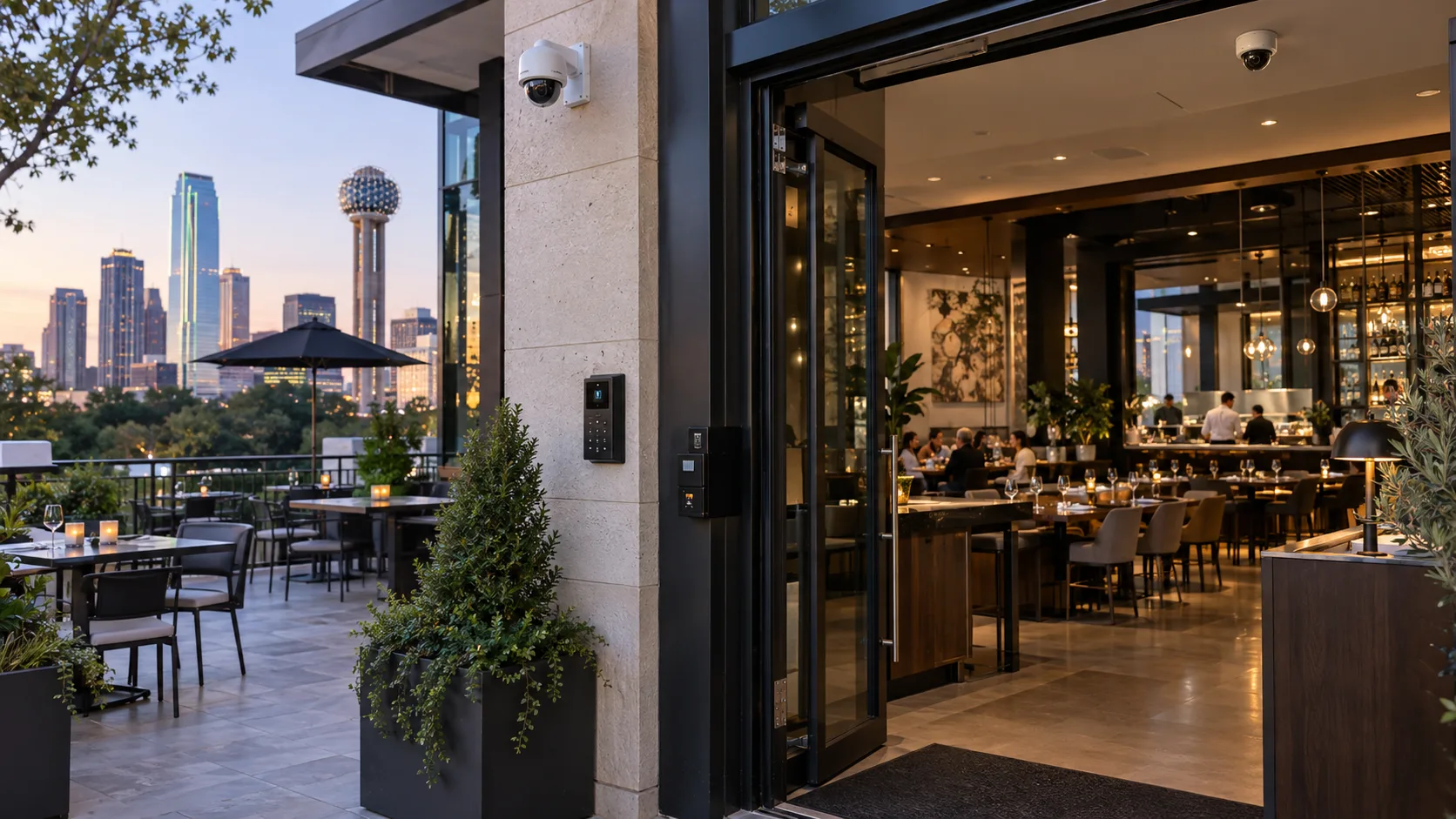
What Should a Restaurant Security System Include?
There is no single camera or device that covers every restaurant. The right system depends on your layout, your hours, your staff size, and the specific risks your location faces. That said, most restaurant security systems are built from the same core components.
Security Cameras and CCTV
Cameras are the foundation. The type, quantity, and placement depend on the restaurant, but here are the main categories:
- ✓Indoor cameras — cover dining areas, POS stations, kitchens, hallways, and storage areas. Dome and turret cameras work well indoors because they are compact and less obtrusive.
- ✓Outdoor cameras — cover entrances, parking lots, patios, delivery areas, and building perimeters. These need to be weatherproof and rated for outdoor temperatures.
- ✓Dome cameras — ceiling-mounted, low-profile, and harder for someone to tell which direction they are pointing. Common in dining rooms and lobbies.
- ✓Bullet cameras — visible, directional, and effective for covering specific outdoor zones like parking lots, alleys, or building corners.
- ✓PTZ cameras — pan-tilt-zoom cameras that can be remotely adjusted to follow activity or zoom in on a specific area. Useful in large dining rooms, event spaces, or parking areas.
- ✓Wide-angle and panoramic cameras — a single camera covers a broader field of view. Useful in open dining areas or large kitchens where one wide shot replaces two or three fixed cameras.
- ✓Low-light and night-vision cameras — essential for parking lots, exterior doors, and any area that is not fully lit during late-night or early-morning hours.
Video Recording
- ✓NVR-based recording — a Network Video Recorder stores footage locally at the restaurant. This is the standard approach for most single-location restaurants. It gives you fast access to recent footage without depending on internet bandwidth.
- ✓Cloud video management — footage is stored offsite in the cloud. This is useful for multi-location restaurant groups that want centralized access to video from all locations. It also protects footage if the NVR is stolen or damaged.
- ✓Storage considerations — the number of cameras, recording resolution, and frame rate all affect how much storage you need. A 16-camera system at 4MP resolution recording 24/7 uses significantly more storage than an 8-camera system recording on motion detection.
- ✓Retention — most restaurants keep 30 to 90 days of footage. Some situations — like an active insurance claim or a legal matter — may require longer retention. Your system should make it easy to adjust retention settings or archive specific clips.
- ✓Remote video access — any modern system should let you view live and recorded footage from a phone, tablet, or computer. If you are a restaurant owner or manager who is not always on-site, remote access is not optional — it is essential.
Access Control
Not every door in a restaurant should be open to everyone. Access control lets you restrict who can enter specific areas and log every entry. Common areas where restaurants use access control:
- ✓Manager offices — financial records, safes, and sensitive documents.
- ✓Liquor and dry storage rooms — high-value inventory that should only be accessible to authorized staff.
- ✓Back entrances — employee doors that should not be propped open or used by unauthorized individuals.
- ✓Inventory rooms — any area where supplies are stored and inventory shrinkage is a concern.
- ✓Access control credentials include keycards, mobile phone credentials, PIN codes, and in some cases biometric readers. The right option depends on the number of employees, turnover rate, and how many access points need to be controlled.
- ✓If you are evaluating access control options for your restaurant, our guide to commercial access control systems in Dallas covers the technology, hardware, and installation process in more detail.
Burglar and Intrusion Detection
Cameras record what happens. Intrusion detection tells you something is happening right now. After-hours sensors on doors, windows, and interior zones trigger alerts when someone enters the restaurant outside of operating hours. These systems can send notifications directly to you, to a monitoring service, or both. For a restaurant that closes at midnight and reopens at 6 a.m., those six hours of darkness are when break-ins are most likely. An alarm system provides a layer of protection that cameras alone do not — immediate alerts and, if monitored, a response protocol that can include contacting police.
Remote Video Monitoring
Recording footage and monitoring footage are two different things. A standard camera system records everything. You review footage after something happens. That is useful for investigations and documentation, but it is reactive. Remote video monitoring means someone — or an AI-powered system — is watching camera feeds and responding to suspicious activity in real time. If a person is loitering near a back entrance at 2 a.m., a monitored system can trigger an alert or a live audio warning before an incident occurs. Not every restaurant needs full-time monitoring. But restaurants with late-night hours, high-value inventory, or locations in higher-risk areas should consider it as part of their security plan.
Integrated Security
The real value of a restaurant security system comes when the components work together. When an employee badges into a storage room, the access control system logs the event and the nearest camera automatically bookmarks that moment in the video timeline. If an intrusion sensor triggers after hours, the alarm system alerts you while the cameras start recording at higher resolution. Integrated systems reduce the time it takes to investigate an incident and eliminate the need to manually cross-reference footage from one system with logs from another.
Where Should Security Cameras Be Installed in a Restaurant?
Camera placement is everything. The best camera in the wrong spot does not help. Here is where cameras should go in most restaurants and why each location matters.
Entrance and Exit Cameras
Every person who walks into or out of your restaurant should be captured on camera. Entrance cameras give you facial-level footage that is critical for identifying individuals after an incident. They also document the flow of customers throughout the day and capture after-hours activity at your front door.
Cash Registers and POS Areas
Cameras pointed at cash registers and POS terminals document every transaction. If a cash drawer comes up short at the end of the night, you can pull up the video for that specific register and review every transaction. This is not about assuming employees are stealing — it is about having documentation when questions arise.
Dining Areas
General coverage of the dining room gives you situational awareness. If a customer claims they slipped on a wet floor, or if there is a dispute between guests, dining area cameras provide an objective record. Wide-angle or panoramic cameras work well here because they can cover a large open space without cluttering the ceiling with hardware.
Kitchen and Back-of-House
Kitchens are where injuries happen — burns, cuts, slips, and equipment accidents. Camera coverage in the kitchen documents these incidents for workers’ compensation claims and helps identify unsafe practices before they lead to injuries. Back-of-house cameras also cover employee entrances, break areas, and hallways.
Storage and Inventory Areas
If you have ever had a case of liquor or a box of steaks go missing, you understand why inventory areas need cameras. A camera covering the storage room entrance, paired with access control on the door, creates a clear record of who entered, when, and what they did.
Employee Entrances
Employee doors are some of the most common blind spots in restaurant security. A camera at the employee entrance documents who arrives, who leaves, and whether anyone unauthorized uses that door. Pairing this camera with an access-controlled door lock gives you both video and an access log.
Delivery and Loading Areas
When a food distributor shows up at 5 a.m. to deliver produce, a camera at the loading area documents the delivery. If there is a dispute about a shorted delivery or damaged goods, you have footage. Delivery area cameras also capture any unauthorized activity around service entrances.
Parking Lots
Parking lot cameras cover vehicles, pedestrians, and general activity around the exterior of your building. They are particularly important for restaurants with late-night hours. Bullet cameras with night vision and AI analytics can detect vehicles and people in the parking area and send alerts for after-hours activity.
Drive-Through Areas
For restaurants with a drive-through, cameras at the order point, payment window, and pick-up window document every interaction. Drive-through cameras also help resolve disputes over incorrect orders or payment issues. Note: Cameras should never be installed in restrooms, changing areas, or any other location where individuals have a reasonable expectation of privacy.
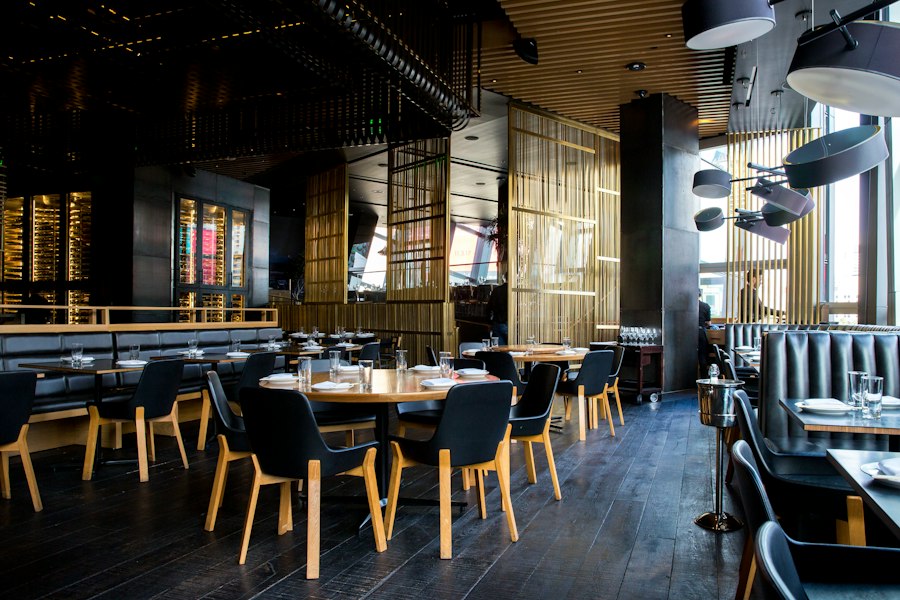
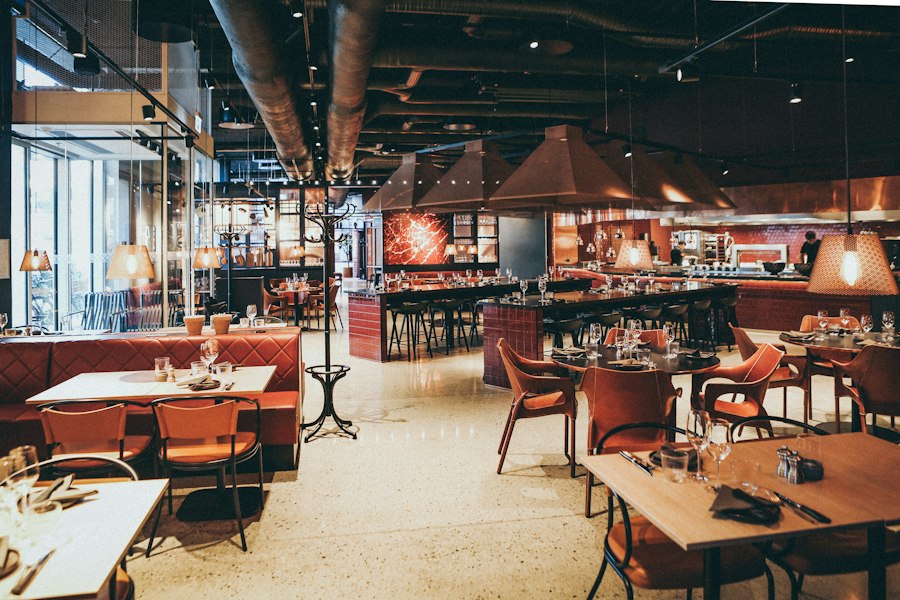
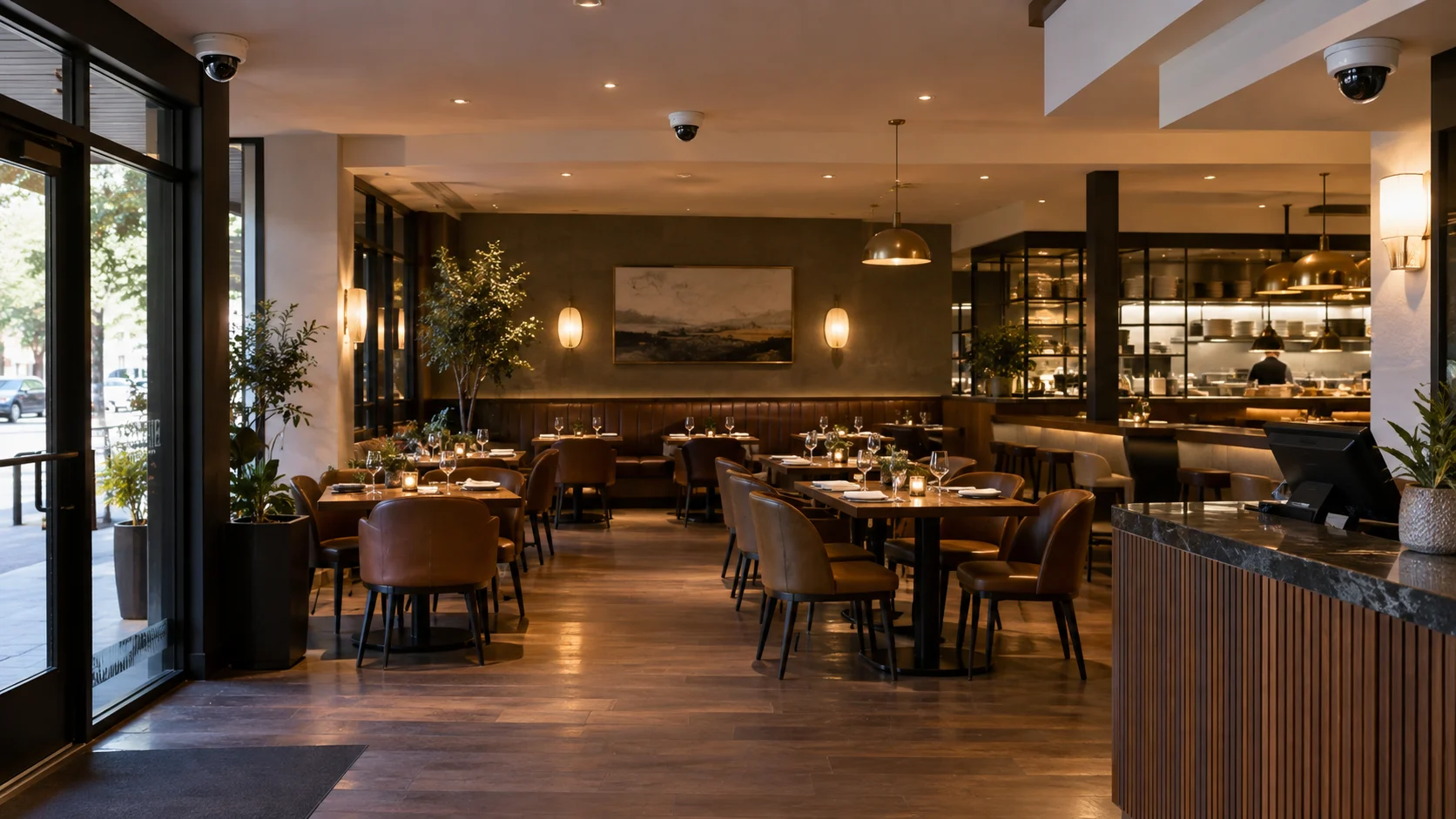
What Types of Security Cameras Are Best for Restaurants?
There is no single “best” camera for every restaurant. The right camera depends on where it is going, what it needs to capture, and the conditions in that specific area.
| Camera Type | Best Location | What It Solves | When You Need It |
|---|---|---|---|
| Dome Camera | Dining rooms, lobbies, hallways | Discreet indoor coverage without drawing attention | Most indoor restaurant environments |
| Bullet Camera | Parking lots, building exterior, alleys | Visible deterrence and long-range outdoor coverage | Outdoor perimeter and parking areas |
| Turret Camera | Kitchens, POS areas, storage rooms | Clear footage in specific indoor zones without dome housing glare | Targeted indoor coverage where image clarity matters |
| PTZ Camera | Large dining areas, event spaces, parking lots | Ability to pan, tilt, and zoom to follow activity | Large open areas or spaces that need flexible coverage |
| Panoramic / 360° | Open dining rooms, large kitchens | One camera covers a wide area, reducing total camera count | Large open spaces where multiple fixed cameras would be redundant |
| Varifocal Camera | Entrances, hallways, register areas | Adjustable focal length for precise framing after installation | Areas where the exact field of view is uncertain during planning |
| Low-Light / Night Vision | Parking lots, exterior doors, patios | Usable footage in dark or poorly lit areas | Any outdoor area or interior that is not fully lit 24/7 |
| AI-Enabled Camera | Entrances, parking lots, restricted areas | Detects people, vehicles, and unusual activity automatically | Restaurants that want real-time alerts instead of after-the-fact review |
Most restaurant installations use a mix of these camera types. A typical Dallas restaurant might use dome cameras in the dining area, a turret camera at the POS, bullet cameras in the parking lot, and an AI-enabled camera at the main entrance.
AI Video Surveillance for Restaurants
Traditional cameras record footage. AI-powered cameras analyze footage. The difference matters. A traditional camera records a person walking through a parking lot at 2 a.m. You find out about it when you review footage the next morning — or never, if nobody checks. An AI-enabled camera detects that person, classifies them as a human (not a car, an animal, or a shadow), and sends you an alert in real time. Here is what AI video analytics can do in a restaurant environment:
Human detection
— the camera distinguishes between a person and a moving object like a tree branch or a passing car. This eliminates the majority of false motion alerts.
Vehicle detection
— identifies vehicles in the parking lot or drive-through area. Useful for after-hours alerts when no vehicles should be present.
Loitering detection
— flags individuals who remain in a specific area for longer than a set time. Useful at back entrances, dumpster areas, and building perimeters.
Line-crossing detection
— triggers an alert when someone crosses a virtual boundary. For example, crossing into a restricted area after hours.
Restricted-area alerts
— sends a notification when motion is detected in a zone that should be unoccupied during certain hours.
Occupancy and people counting
— some AI cameras can estimate how many people are in a space. This can be useful for capacity management or staffing decisions.
Unusual activity alerts
— the system learns normal patterns and flags deviations. A person running through the dining room at 3 a.m. is not normal — the system flags it.
Searchable video
— instead of scrubbing through hours of footage, AI-powered systems let you search for events. “Show me all people detected at the back door between 11 p.m. and 6 a.m.” returns exactly what you need. The critical distinction: a recording-only system tells you what happened after the fact. An AI-enabled system tells you what is happening now. Security in DFW installs AI-capable cameras from manufacturers including Avigilon and Hikvision. The specific AI features available depend on the camera model and the video management platform selected for your installation.
How Restaurant Security Cameras Can Help Prevent Theft and Security Incidents
No security system guarantees that theft or incidents will never happen. But a well-designed camera system gives you visibility, documentation, and in many cases, a deterrent effect. Here are the most common security issues restaurants face — and how cameras contribute to managing them:
Internal theft.
This is the most common source of loss in the restaurant industry. Cameras at POS stations, storage rooms, and employee entrances document activity and create accountability. Employees who know cameras are present are far less likely to engage in theft.
Cash-related incidents.
Shortages, unauthorized voids, and no-sale register openings are easier to investigate when there is video tied to specific timestamps.
Inventory loss.
Cameras in walk-in coolers, liquor storage, and dry goods areas document who enters and what they carry out. Paired with access control, this creates a verifiable chain of access.
Unauthorized access.
If someone enters a manager’s office, a locked storage area, or the restaurant itself outside of business hours, cameras capture it.
Break-ins.
Exterior cameras and intrusion sensors are the first line of documentation during a break-in. Even if the intruder is not caught on-site, the footage is evidence for law enforcement and insurance.
Property damage.
Vandalism to the exterior, damage to equipment, or incidents in the parking lot are all documented by a camera system with adequate outdoor coverage.
Customer disputes.
When a customer claims they were injured, overcharged, or mistreated, video from the dining area or POS provides an objective account.
Employee disputes.
Workplace disagreements, harassment claims, and safety-related incidents are easier to investigate with video than with conflicting verbal accounts.
Parking lot incidents.
Vehicle theft, hit-and-runs, and altercations in the parking area are captured by outdoor cameras. Night-vision and AI detection are particularly valuable here. Cameras provide evidence and visibility. They do not replace locks, alarms, proper hiring practices, or good management. The strongest restaurant security posture combines cameras with access control, intrusion detection, and operational procedures. Learn more about how a complete system comes together with commercial security camera installation in Dallas.
Restaurant Security Cameras + Access Control
Cameras tell you what happened. Access control tells you who was involved. When the two systems are integrated, you get a complete picture. Here is how this works in practice:
| Scenario | Access Control | Camera Integration |
|---|---|---|
| Employee enters through back door | Keycard scan logs employee name, date, and time | Camera bookmarks video at exact moment of entry |
| Someone opens liquor storage room | Only authorized credentials unlock the door; all access is logged | Camera records who enters and what they remove |
| Manager accesses the office safe | Only manager-level credentials work; entry is logged | Camera captures footage of the access event |
| After-hours entry at any door | System generates alert for access outside of operating hours | Camera begins recording and sends video alert to owner/manager |
| Failed access attempt at restricted door | System logs failed credential or unauthorized attempt | Camera records the person attempting entry |
This integration eliminates manual cross-referencing. Instead of pulling up access logs in one system and then searching through video in another, you see both in one timeline. For restaurants with multiple restricted areas — storage rooms, offices, employee entrances — integrated access control and video coverage is one of the most practical security upgrades available. Our page on commercial access control systems in Dallas explains the hardware, credentialing options, and installation process.
Restaurant Security Cameras + Burglar Alarm Systems
Cameras and burglar alarms do different jobs. Used together, they cover gaps that neither one handles alone.
Cameras record.
They capture video of activity around and inside your restaurant. If someone breaks a window at 3 a.m., the cameras document it. But unless someone is watching the feeds or the camera has AI alerts enabled, the footage sits there until someone reviews it.
Intrusion sensors trigger alerts.
Door contacts, motion detectors, and glass-break sensors detect unauthorized entry and immediately send an alert — to you, to a monitoring center, or both. The alert happens in seconds, not after a manual review.
Together, they close the gaps.
The alarm triggers the alert. The cameras provide the visual confirmation. A monitoring center or law enforcement responding to the alarm can access camera footage to verify whether the alarm is a false alarm or an actual break-in. Restaurants that operate until late at night or close for only a few hours between shifts benefit the most from this combination. A restaurant that closes at midnight and reopens at 5 a.m. has a short but vulnerable window. An alarm system armed during those hours, backed by camera coverage, provides both immediate notification and visual documentation of any after-hours activity. Cameras alone do not stop a break-in in progress. An alarm alone does not give you video evidence. Combining the two gives you real-time alerts and recorded proof of what happened.
How to Choose the Right Restaurant Security Camera System
More cameras do not automatically mean better security. A restaurant with 20 cameras in the wrong locations is less protected than a restaurant with 8 cameras in the right ones. Before you invest in equipment, work through these practical considerations: Restaurant size and layout. A 1,200-square-foot cafe has completely different coverage needs than a 6,000-square-foot full-service restaurant with a patio and separate bar area. The number of rooms, hallways, and open spaces determines how many cameras you actually need and where they go. Number of entrances. Count every door — front entrance, back employee door, delivery entrance, patio access, drive-through windows. Each one needs camera coverage. Missing a single entrance creates a gap in your footage. Indoor vs. outdoor coverage. Indoor cameras and outdoor cameras are not interchangeable. Outdoor cameras need weatherproof housings, wider dynamic range for changing light conditions, and night vision. Budget for both categories separately. Lighting conditions. A well-lit dining room is easy to cover with a standard camera. A dimly lit parking lot at midnight requires infrared or low-light cameras that produce usable footage in near-darkness. Night-time and late-night operations. If your restaurant operates past sunset — and most Dallas restaurants do — every exterior camera and any interior camera covering dimly lit areas needs to perform well in low light. Camera resolution. Higher resolution means more detail, but it also means more storage and more bandwidth. For most restaurant applications, 4MP to 8MP cameras provide the right balance between image quality and system efficiency. POS cameras may benefit from higher resolution so transaction details are legible. Field of view. A narrow field of view captures more detail in a smaller area. A wide field of view covers more ground but with less detail at distance. Match the lens to the job — a hallway camera and a parking lot camera need very different fields of view. Storage and retention. Decide how many days of footage you need to keep. Thirty days is a common baseline. Sixty to ninety days gives you more runway for delayed investigations. Calculate storage based on camera count, resolution, and whether you record continuously or on motion detection. Remote access. Every modern system should allow you to view live and recorded video from your phone or computer. If you manage your restaurant remotely or travel between locations, this is a core requirement — not an add-on feature. AI analytics. Decide whether you need basic motion recording or advanced features like human detection, vehicle detection, loitering alerts, and searchable video. AI analytics reduce false alerts and let you find specific events faster — but they require cameras and software that support those features. Network infrastructure. IP cameras run on your network. If your restaurant does not have adequate cabling, switch capacity, or bandwidth, the camera system will underperform. A professional installer evaluates your network before recommending equipment. Scalability. If you plan to expand your restaurant, add a patio, or open additional locations, choose a system that can grow. Adding cameras to an NVR with no open channels means replacing the recorder — an avoidable expense if you plan ahead. Existing equipment. If you already have cameras, cabling, or an NVR, a qualified installer can evaluate whether any of it can be reused or integrated into a new system. Sometimes keeping existing infrastructure reduces cost. Other times, outdated equipment needs to be replaced entirely. Budget and future expansion. A security system is a long-term investment. It is better to install a properly designed 10-camera system today with room to add 6 more cameras next year than to install 16 cheap cameras that need to be replaced in two years. Integration with access control and alarms. If you plan to add access control on restricted doors or an alarm system for after-hours protection, make sure the camera system you choose is compatible. Integrated systems are significantly more useful than disconnected ones.
Restaurant Security System Planning Checklist
| Consideration | Questions to Answer |
|---|---|
| Layout and size | How many rooms, floors, and outdoor areas need coverage? |
| Entry points | How many doors, windows, and access points exist? |
| Camera count | How many cameras are needed based on layout — not guesswork? |
| Indoor / outdoor split | Which cameras go indoors and which need weatherproof outdoor housing? |
| Lighting and night coverage | Are there areas that are dark or poorly lit after hours? |
| Resolution | Do POS areas or entrances require higher-detail footage? |
| Storage and retention | How many days of footage do you need to keep? 30? 60? 90? |
| Remote viewing | Do you need phone and desktop access to live and recorded video? |
| AI analytics | Do you need person/vehicle detection, loitering alerts, or smart search? |
| Network readiness | Does your current network support IP cameras and video traffic? |
| Scalability | Will you add cameras, locations, or features in the next 1–3 years? |
| Existing equipment | Is there any existing cabling, cameras, or NVR that can be reused? |
| Access control | Do any doors need keycard, PIN, or mobile credential access? |
| Alarm integration | Do you need after-hours intrusion detection and monitoring? |
| Budget | What is your range — and does it account for installation and ongoing costs? |
A free on-site assessment with Security in DFW covers every item on this list. We walk your restaurant, evaluate the space, and recommend a system based on what you actually need — not a one-size-fits-all package.
Professional Restaurant Security Camera Installation in Dallas
Installing a restaurant security system is not the same as mounting a few cameras on the wall. The difference between a useful system and one that creates blind spots, poor footage, and missed events comes down to how the installation is planned and executed. Here is how Security in DFW approaches a restaurant security installation:
1. Initial consultation.
We start by understanding your restaurant — the type of food service, operating hours, number of employees, customer volume, and any specific security concerns you already have.
2. On-site assessment.
We walk through your restaurant. Every room, every entrance, every hallway, every outdoor area. There is no substitute for seeing the actual space. Floor plans are helpful, but they do not show lighting conditions, ceiling heights, obstructions, or the real flow of traffic through the building.
3. Identify security objectives.
Not every restaurant needs the same level of coverage. A fast-casual spot with two POS stations and one employee entrance has different priorities than a fine-dining restaurant with a bar, private event space, wine storage, and a large parking lot. We define what the system needs to accomplish before selecting equipment.
4. Map camera locations.
We identify exactly where each camera goes — entrance, exit, POS, kitchen, storage, delivery area, parking lot, and any other location that needs coverage. Each camera position is chosen based on the specific angle, height, and field of view required.
5. Select appropriate camera types.
Dome, bullet, turret, PTZ, panoramic, AI-enabled — each camera is selected based on its intended location and purpose. We do not use the same camera everywhere.
6. Determine recording and storage requirements.
Based on camera count, resolution, and your desired retention period, we size the NVR or cloud storage to match. Undersizing storage is one of the most common mistakes in DIY installations.
7. Review network and cabling requirements.
IP cameras require network infrastructure — PoE switches, Cat6 cabling, and adequate bandwidth. We evaluate what exists, what needs to be added, and how to route cables without disrupting your dining room or kitchen.
8. Install cameras and equipment.
Cameras are mounted, cabled, and connected. The NVR or recording platform is set up. We schedule installation around your operating hours so we are not running cable through your dining room during the Friday night dinner rush.
9. Configure recording and alerts.
Recording schedules, motion zones, AI detection rules, and alert preferences are configured based on your security objectives. This is where the system becomes tailored to your restaurant — not just installed.
10. Test camera coverage.
Every camera is checked for image quality, field of view, night performance, and recording confirmation. If a camera does not cover what it needs to, it gets repositioned before we leave.
11. Configure remote access.
We set up your phone app and desktop access so you can view live feeds and recorded footage from anywhere. We walk you through the interface so you know how to find what you need.
12. System walkthrough with the customer.
Before we leave, we walk you through the entire system — how to view cameras, how to search footage, how to respond to alerts, and how to contact us for support. You should know how to use the system on day one, not figure it out over the next month.
13. Ongoing support and maintenance.
Cameras get bumped, network settings change, firmware needs updating. We provide ongoing support so your system keeps working as designed — not just on installation day. Every installation is designed around your restaurant’s layout and operating schedule. We do not use templates, and we do not sell pre-built camera kits that may or may not fit your space.
Security Systems for Different Types of Restaurants
Not all restaurants face the same security challenges. The type of restaurant you operate affects the number of cameras, the type of equipment, and the features you need.
| Restaurant Type | Typical Security Priorities | Common Camera Setup |
|---|---|---|
| Fast-Food / QSR | Drive-through coverage, POS monitoring, employee theft prevention, late-night safety | 8–16 cameras: entrance, POS, drive-through (order, pay, pick-up), kitchen, storage, parking lot |
| Full-Service | Dining area visibility, bar coverage, kitchen safety, storage access, parking lot | 10–20 cameras: entrance, bar, dining, POS, kitchen, storage, employee entrance, delivery, parking |
| Fine Dining | Discreet coverage, wine/liquor storage, private event areas, valet/parking | 12–24 cameras: entrance, dining, private rooms, bar, wine storage, kitchen, office, parking, valet area |
| Cafe / Coffee Shop | Customer area, POS, back storage, rear entrance | 4–8 cameras: entrance, POS, seating area, storage, rear door |
| Bar / Restaurant | Bar area, POS, bottle storage, late-night exterior, parking lot, ID check area | 10–18 cameras: entrance, bar, POS, dining, liquor storage, kitchen, employee door, parking lot |
| Multi-Location Group | Centralized remote viewing, consistent coverage standards, scalable platform | Cloud-managed system: standardized camera layouts across locations with central dashboard access |
These are starting points, not formulas. Your specific restaurant may need more or fewer cameras, different camera types, or additional features like access control or alarm integration. The right system is always based on an assessment of your actual location.
Restaurant Security for Single Locations vs. Multi-Location Businesses
Managing security at one restaurant is straightforward. Managing security at five, ten, or twenty locations requires a different approach.
Single-Location Restaurants
For a single restaurant, the system is self-contained. An NVR on-site stores footage locally. The owner or manager accesses cameras through a phone app or desktop interface. Alerts go directly to one or two people. The system is designed for that specific location and operates independently. This is the most common setup for independent restaurants, single-unit franchises, and owner-operated businesses.
Multi-Location Restaurant Groups
Once you operate more than one location, individual standalone systems become harder to manage. Here is where a multi-location approach makes a difference: Centralized management. A cloud-based video management platform lets you view cameras from all locations in a single dashboard. You do not need to log into five separate apps to check five different restaurants. Remote viewing from anywhere. Whether you are at one of your locations, at your office, or traveling, you can pull up any camera from any location on your phone or laptop. Consistent security standards. When camera types, placements, and configurations are standardized across locations, you know every restaurant meets the same baseline security level. A new location gets the same proven layout — not a one-off installation. User permissions. Not every manager needs access to every location. A multi-location platform lets you control who can view which cameras, who receives alerts, and who can access recorded footage. Scalability. Adding a new location to a cloud-managed system is straightforward. The new restaurant connects to the same platform, and its cameras appear in the existing dashboard. You are not starting from scratch every time. If you operate multiple restaurants across Dallas or the DFW area, Security in DFW can design a system that scales with your business — same platform, same standards, same support at every location.
Security Camera Brands and Technology We Install
The brand of camera matters less than whether it is the right camera for the job. That said, we work with manufacturers that have proven track records in commercial security and provide the AI analytics, image quality, and reliability that restaurant environments demand.
Avigilon
— Avigilon cameras and video management systems are built for commercial environments. Their AI-powered analytics include human and vehicle detection, unusual activity detection, and appearance search — features that are particularly useful for restaurant security. Learn more about Avigilon restaurant security solutions on the official Avigilon site.
VIVOTEK
— VIVOTEK offers a range of IP cameras with strong low-light performance and AI-enabled features. Their cameras work well in restaurant applications where lighting varies between bright dining rooms and dim exterior areas. See how VIVOTEK technology is used in food service environments through their official VIVOTEK restaurant surveillance technology case studies.
Hikvision
— Hikvision provides commercial-grade cameras with AI capabilities including human and vehicle classification, line-crossing detection, and intrusion detection. Their product range covers everything from compact indoor dome cameras to long-range outdoor bullet cameras with deep-learning analytics. Explore the Hikvision AI security cameras product line for more information on available features. Equipment selection is part of the assessment process. We recommend specific cameras and recording platforms based on your restaurant’s size, layout, lighting, required analytics, storage requirements, existing infrastructure, budget, and future scalability — not based on pushing a single brand.
Why Choose Security in DFW for Restaurant Security Systems?
There are a lot of security companies in Dallas. Here is what sets Security in DFW apart for restaurant installations:
Licensed and insured.
We hold an active Texas Department of Public Safety security license. Every installation is performed by trained, licensed professionals.
Commercial focus.
We specialize in commercial security — not residential doorbells. Restaurants, retail, offices, and warehouses are our core business. We understand the specific requirements of commercial environments.
DFW service area.
We serve Dallas and the surrounding DFW metro area. We are local, we know the area, and we are available for on-site assessments, installations, and support.
In-house installation.
We do not subcontract installations. Our own technicians handle every job from assessment to final walkthrough. That means consistent quality and a single point of accountability.
On-site assessments.
Every project starts with a visit to your restaurant. We walk the space, evaluate the layout, discuss your security concerns, and design a system based on what we see — not on a floor plan or a phone call.
Camera + access control + alarm integration.
We install complete systems, not just cameras. If your restaurant needs access control on restricted doors or an alarm system for after-hours protection, we design and install everything as one integrated platform.
Ongoing support.
After installation, we are available for maintenance, troubleshooting, system adjustments, and expansion. A security system is a long-term investment, and we support it long-term. We do not make claims about being the cheapest, the biggest, or the most awarded. What we do is design and install commercial security systems that work — based on your actual restaurant, your actual security concerns, and your actual budget.
Restaurant Security System Installation in Dallas
If you own or operate a restaurant in Dallas, security is not something to figure out after an incident. It is something to get right from the start — or to fix now if your current system is not doing the job. Security in DFW installs restaurant security systems across the Dallas metro area. Every installation is designed based on:
Your restaurant layout
— the dining room, kitchen, bar, storage areas, offices, hallways, patio, parking lot, and every entrance and exit.
Your operating hours
— whether you close at 9 p.m. or stay open until 2 a.m. changes what your system needs to cover and when.
Your entry points
— front door, back door, delivery entrance, patio access, drive-through — every access point gets camera coverage.
Your security risks
— cash handling, alcohol storage, late-night operations, parking lot exposure, employee-only areas.
Your existing infrastructure
— if you have existing cameras, cabling, or network equipment, we evaluate whether any of it can be reused.
Your access control requirements
— restricted storage, manager offices, employee entrances — if any door needs controlled access, we integrate it into the system. We do not sell pre-packaged camera kits. We design systems based on what your restaurant actually needs.
Schedule a free on-site assessment for your Dallas restaurant.
Call (phone number) or contact us online to get started.
Frequently Asked Questions
The best restaurant security system combines CCTV cameras, video recording (NVR or cloud), access control on restricted areas, and intrusion detection for after-hours protection. The specific equipment depends on your restaurant’s size, layout, operating hours, and security priorities. There is no single system that works for every restaurant — the right setup is based on an on-site assessment of your location.
Most restaurants need between 8 and 20 cameras, depending on the size of the space and the number of areas that require coverage. A small cafe might need 4 to 8 cameras. A full-service restaurant with a bar, patio, and parking lot may need 16 or more. Camera count is determined by the layout — not by a formula.
Restaurants typically need cameras at entrances and exits, cash registers and POS areas, dining rooms, kitchens and back-of-house areas, storage and inventory rooms, employee entrances, delivery and loading areas, and parking lots. The exact locations depend on the restaurant’s layout, hours of operation, and specific security concerns.
There is no single best camera type. Dome cameras work well in dining rooms and lobbies. Bullet cameras are suited for parking lots and outdoor areas. Turret cameras provide clear footage in kitchens and POS zones. PTZ cameras cover large open spaces. Most restaurants use a combination of camera types based on where each camera is installed.
Yes. Modern IP camera systems allow live and recorded video to be viewed from a smartphone, tablet, or computer. This is standard on systems installed by Security in DFW. Remote access is especially valuable for restaurant owners and managers who are not always on-site.
Cameras provide visibility and documentation at POS stations, storage areas, and employee entrances. When employees know these areas are covered, theft is less likely. If an incident does occur, video footage provides evidence for investigation. Cameras do not guarantee prevention, but they create accountability and provide documentation.
Yes. When cameras and access control are integrated, each access event — such as an employee swiping a keycard at a storage room door — is linked to the corresponding video. This gives you both a log of who entered and footage of what happened. Security in DFW installs integrated camera and access control systems for restaurants.
AI-enabled cameras can detect and classify people, vehicles, and specific behaviors such as loitering, line-crossing, and presence in restricted areas. They send real-time alerts instead of relying on manual review. The specific AI features depend on the camera model and video management platform. Security in DFW installs AI-capable cameras from Avigilon, VIVOTEK, and Hikvision.
Most restaurants retain footage for 30 to 90 days. Thirty days is a common baseline, but longer retention is recommended if your restaurant handles insurance claims, employee disputes, or legal matters that may surface weeks after an event. Storage requirements depend on camera count, resolution, and recording mode.
Cost depends on the number of cameras, camera types, recording equipment, whether access control or alarm systems are included, and the complexity of the installation. A small cafe with 6 cameras is a different investment than a large restaurant with 20 cameras, access control, and alarm integration. Security in DFW provides free on-site assessments and detailed proposals based on your specific restaurant — we do not publish fixed pricing because every installation is different.
In most cases, yes. Indoor cameras cover dining areas, POS stations, kitchens, storage rooms, and hallways. Outdoor cameras cover entrances, parking lots, delivery areas, patios, and building perimeters. Outdoor cameras need weatherproof housings and night-vision capability. A complete restaurant security system typically includes both.
Yes. We design and install security systems for multi-location restaurant groups across the DFW area. Cloud-managed platforms allow centralized video access across all locations from a single dashboard. We standardize camera types, placements, and configurations so every location meets the same security standards. Contact us to discuss a multi-location security plan.
Schedule Your Free Restaurant Security Assessment
If you are planning a new restaurant security system, replacing an outdated camera system, or expanding coverage at an existing location, Security in DFW can help. We assess your Dallas restaurant in person — walking the space, identifying entry points, evaluating lighting conditions, and understanding your operating hours and security priorities. Then we recommend a system designed specifically for your location, your risks, and your budget. No generic packages. No pressure. Just a professional assessment and a clear recommendation.
Schedule Your Free Restaurant Security Assessment Call (phone number) or contact us online.
Explore our full range of commercial security camera installation in Dallas services to see how we help businesses across the DFW area.