
Security Systems & CCTV Camera Installation for Real Estate in Dallas
A home needs a doorbell camera and maybe a couple of floodlight cams. A 200-unit apartment community in Dallas or a three-story office building off the Tollway is a different problem entirely. You have dozens of doors, hundreds of people coming and going, shared spaces nobody “owns,” and tenants who expect the property to feel safe.
That’s why real estate security systems in Dallas are designed differently from residential setups. A commercial property security system has to handle more cameras, more users, longer cable runs, larger storage needs, and often several buildings managed from one place. Security camera installation for real estate also has to fit around tenants, leases, and daily operations. You can’t shut down a lobby for three days to pull cable.
Every property is different, and the system should reflect that. These factors shape what you actually need:
Property Security at a Glance
Why Real Estate Properties Need Commercial Security Systems
Real estate properties need commercial security systems because they have many users, many access points, and a lot of shared space to manage. Cameras give owners and managers visibility into what’s happening. Access control gives them a way to decide who gets in, where, and when.
Neither one replaces good lighting, maintenance, or on-site management. Together, though, they give you documentation and control you simply don’t have without them.
These are the concerns property owners and managers raise most often:
Unauthorized entry.
Tailgating through lobby doors, propped-open side entrances, and non-residents wandering into buildings.
Theft.
Break-ins in parking areas, stolen equipment from maintenance rooms, and missing items from common areas.
Vandalism and property damage.
Graffiti, damaged gates, broken amenities, and damage to vacant units.
Tenant safety concerns.
Residents and office tenants want well-watched parking areas and entrances, especially after dark.
Parking-area incidents.
Vehicle break-ins, hit-and-runs, and disputes where footage is often the only reliable record.
Package theft.
A common issue at multifamily properties, particularly where deliveries pile up in lobbies or breezeways.
After-hours activity.
Loitering, trespassing, and people using amenities outside permitted hours.
Access to restricted areas.
Roofs, electrical rooms, server closets, and maintenance shops should not be open to everyone.
Vacant properties.
Empty buildings and unleased suites attract squatters, copper theft, and vandalism.
Managing multiple properties.
Portfolio managers need a way to see and manage several sites without driving to each one.
Video surveillance helps you see what happened, when, and often who was involved. Access control helps you limit who can get into each area and gives you a log of entries. When a tenant reports an incident, you have facts to work from instead of guesses.
Security Solutions for Different Types of Real Estate Properties
Different property types need different security approaches. The layout, the people using the space, and the most likely problems all change the design. Here’s how that plays out across common real estate categories.
Commercial Office Buildings
Office buildings usually need to control who enters, then monitor the most-used paths through the building. The focus is on the front door, the lobby, the parking area, and the rooms only certain people should reach.
-
✓
Main entrances and lobby. Cameras at the entrance should capture clear faces of people coming in, not just the tops of heads. A second lobby view gives you the wider picture of the space.
-
✓
Hallways and elevator areas. These cameras help you trace movement through the building if something happens on an upper floor.
-
✓
Parking areas. Coverage of entrances, exits, and main drive lanes helps with vehicle break-ins and after-hours activity.
-
✓
Restricted rooms. Server rooms, IT closets, electrical rooms, and utility areas are good candidates for card readers plus a camera on the door.
-
✓
Access control. Tenants can get credentials that only work on their suite and common doors, and only during approved hours.
A medical office building has extra considerations. Pharmacy storage, records rooms, and staff-only corridors often need tighter access control. Cameras there are placed carefully to avoid patient-care areas.
A corporate office may add scheduled lobby unlocks during business hours, visitor check-in, and floor-by-floor access rules for different departments.
Multifamily & Apartment Properties
Apartment communities need to protect residents, their vehicles, and shared amenities while keeping access easy for the people who live there. Well-designed multifamily security systems in Dallas usually combine gate and door access with strong camera coverage of parking and common areas.
-
✓
Building entrances. Controlled entry doors with fob or mobile credential readers help keep non-residents out of interior corridors.
-
✓
Parking lots and garages. These are often the largest coverage areas and a frequent source of resident complaints.
-
✓
Vehicle and pedestrian gates. Cameras at gates document who comes and goes. Access control handles residents, vendors, and delivery drivers.
-
✓
Package rooms. A card-access package room with a camera inside and outside can reduce disputes about missing deliveries.
-
✓
Common and amenity areas. Pools, fitness centers, clubhouses, and dog parks can use access control to enforce hours and limit use to residents.
-
✓
Resident access management. When a resident moves out, their fob can be deactivated right away. There’s no need to rekey or chase down physical keys.
Resident privacy matters here. Cameras belong in shared areas, not pointed into unit windows or private patios.
Mixed-Use Properties
Mixed-use properties need a system that treats each type of occupant differently. Retail customers, office tenants, and residents all share the same site but shouldn’t have the same access.
-
✓
Retail areas. Storefronts, sidewalks, and service corridors need coverage that works during busy daytime hours.
-
✓
Residential areas. Residential lobbies and elevators should be separated from public retail traffic with credentialed access.
-
✓
Shared entrances. Where retail and residential users enter through the same point, access control can allow open daytime access and restrict it at night.
-
✓
Parking. Shared garages often need zones, with residents on some levels and retail customers on others.
-
✓
Common areas. Courtyards, plazas, and walkways often need wider camera coverage because many different people use them.
-
✓
Tenant access. Each commercial tenant may need access to their own space, back-of-house corridors, and trash or loading areas.
A good mixed-use design keeps these groups separate where needed without making the property feel locked down to everyone.
Commercial Real Estate Developments
Development and construction sites need to protect equipment and materials from theft and keep unauthorized people off the site. Sites change week to week, so the system has to be flexible.
-
✓
Construction areas. Cameras watch active work zones and document site activity after crews leave.
-
✓
Equipment and materials. Copper wire, appliances, tools, and heavy equipment are frequent theft targets, especially overnight and on weekends.
-
✓
Temporary surveillance. Cameras may be mounted on poles or temporary structures and moved as phases progress.
-
✓
Perimeter monitoring. Fence lines and gates are the first line of defense. Line-crossing detection can flag someone entering after hours.
-
✓
Unauthorized access. Gate controls and camera coverage at site entrances help track who comes onto the property.
Many developers also plan the permanent security infrastructure during construction. Running cabling and conduit before walls close up is far easier and cheaper than retrofitting later.
Real Estate Portfolios & Property Management Companies
When you manage multiple properties, centralized security management saves you time and gives you a consistent view across your portfolio. Instead of logging into a different system at every site, your team can manage everything from one platform or a small number of them.
Property management security systems in Dallas can centralize:
-
✓
Cameras. Live and recorded video from every property in one place.
-
✓
Access control. Credentials, door schedules, and lockdowns managed remotely.
-
✓
Users. Different permission levels for regional managers, on-site staff, and maintenance teams.
-
✓
Alerts. Notifications for events like forced doors, after-hours motion, or offline cameras.
-
✓
Video footage. Quick search and export when a tenant, insurance carrier, or police department requests footage.
-
✓
Multiple locations. Adding a newly acquired property to the same platform rather than inheriting a mismatched system.
Here’s a practical example. A regional manager overseeing eight properties across Dallas, Plano, and Fort Worth gets a call about a car break-in at one site. With centralized access, they can pull up that property’s parking lot footage from their office and export the clip within minutes, without driving across the Metroplex.
Cloud-managed platforms such as Eagle Eye are often a good fit for this kind of multi-site setup. Which platform works best depends on the equipment already in place.
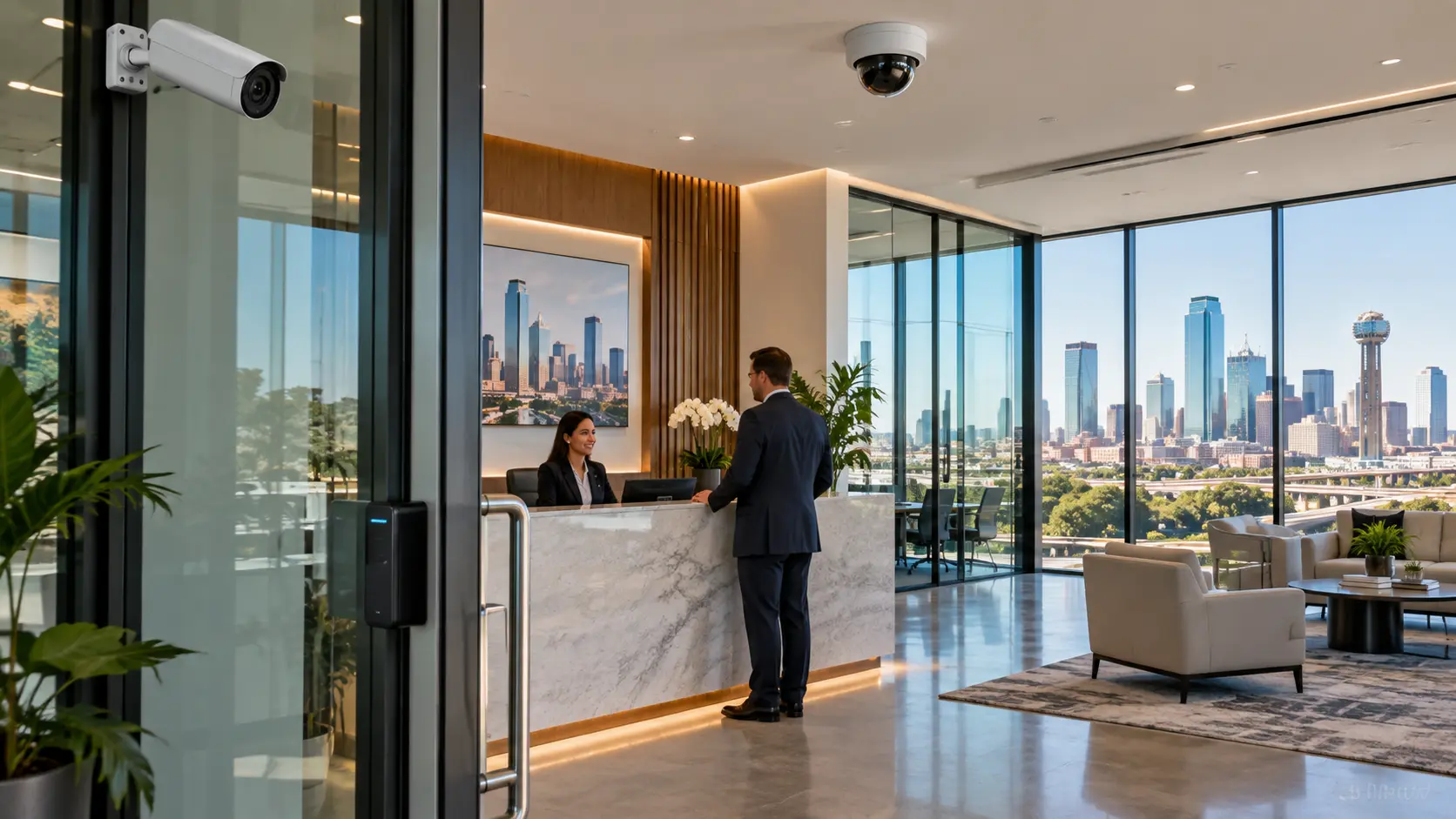
Commercial Security Cameras for Real Estate Properties
Commercial security cameras give property owners and managers a visual record of what happens at entrances, parking areas, common spaces, and restricted rooms. The key is using the right camera type for each area, because a camera that works well in a lobby is often a poor choice for a 300-foot parking lot.
If you’re planning a new system or replacing an old one, our team handles commercial security camera installation in Dallas for office buildings, apartment communities, and other commercial properties across DFW.
Indoor Security Cameras
Indoor cameras cover the places where people move through your building and the rooms that need extra protection. They are usually dome or turret cameras, mounted high and designed to blend in.
-
✓
Lobbies. Capture people entering and leaving, ideally at face level near the doors.
-
✓
Hallways. Corridor-view cameras use a vertical image format that fits long, narrow spaces better than standard cameras.
-
✓
Common areas. Mail rooms, clubhouses, and break areas where many different people spend time.
-
✓
Offices. Management and leasing offices that handle cash, keys, or files.
-
✓
Storage areas. Maintenance shops, supply rooms, and tenant storage.
-
✓
Package rooms. Cameras help verify who picked up which delivery.
-
✓
Restricted areas. Server rooms, electrical rooms, and records rooms, especially when paired with access control.
Indoor cameras are placed only in shared or business areas. They should never be placed in restrooms, private units, or other spaces where people reasonably expect privacy.
Outdoor Security Cameras
Outdoor cameras cover the parking areas, perimeter, and entry points where many property incidents begin. They need weather-rated housings and good low-light performance.
-
✓
Parking lots. Wide coverage of drive lanes plus tighter views at entrances and exits.
-
✓
Parking garages. Low ceilings, concrete columns, and uneven lighting require careful placement to avoid blind spots.
-
✓
Building perimeter. Walls, side doors, and back-of-house areas that don’t get much foot traffic.
-
✓
Entrances. Exterior views of main doors to catch people approaching the building.
-
✓
Loading areas. Docks and service entrances where deliveries, vendors, and trash pickup happen.
-
✓
Driveways. Views of vehicles entering and leaving the property.
-
✓
Gates. Cameras positioned to catch both vehicles and pedestrians passing through.
North Texas weather matters here. Summer heat, strong afternoon sun, and spring storms all affect outdoor equipment. Look for cameras rated for outdoor use (such as IP66 or IP67) with an operating temperature range that fits Texas summers. Placement also matters, because a camera aimed into the setting sun can wash out at exactly the wrong time of day.
PTZ Cameras
PTZ (pan-tilt-zoom) cameras can be moved and zoomed remotely, which makes them useful for large open areas where you want flexible viewing. Think big parking lots, large apartment campuses, or development sites with wide perimeters.
A PTZ camera can follow a vehicle across a lot or zoom in on a gate when an alert comes in. The catch is that a PTZ only sees where it’s pointed. While it’s zoomed in on one corner, it isn’t watching the rest of the lot.
That’s why PTZ cameras work best alongside fixed cameras, not in place of them. Fixed cameras provide constant coverage, and the PTZ adds detail when needed.
License Plate Recognition Cameras
License plate recognition (LPR) cameras are designed to capture readable plates as vehicles pass a specific point. They’re most useful where vehicles funnel through a predictable spot:
-
✓
Parking facilities. Recording vehicles entering and leaving a garage or permit lot.
-
✓
Vehicle entrances. Creating a log of vehicles arriving at a gated community or office campus.
-
✓
Vehicle exits. Capturing plates on the way out, which can help with hit-and-run or theft investigations.
-
✓
Gated properties. Adding a vehicle record to gate access events.
LPR has real limits. It depends on the correct camera angle, lighting, vehicle speed, and distance. Dirty, damaged, or obstructed plates may not be captured reliably. An LPR camera records the plate, not the driver’s identity. It works best as one part of a larger system, with a dedicated camera placed specifically for plate capture at each lane.
AI-Enabled Security Cameras
Many modern cameras include built-in analytics that help separate meaningful events from background noise. Common features include:
-
✓
Person detection. Identifying when a human is in the frame.
-
✓
Vehicle detection. Distinguishing cars and trucks from other motion.
-
✓
Line crossing. Alerting when someone crosses a virtual line, such as a fence line after hours.
-
✓
Intrusion detection. Flagging entry into a defined zone, like a closed pool deck or construction yard.
-
✓
Smart alerts. Sending notifications only for the events you care about, instead of every moving shadow or swaying tree.
-
✓
Object classification. Tagging footage so you can search for “person” or “vehicle” instead of scrolling through hours of video.
For property managers, the practical benefit is fewer false alerts and faster searches. Instead of reviewing six hours of parking lot footage, you can search for vehicles in a certain zone during a certain window.
Capabilities vary widely by manufacturer, camera model, firmware, and recording platform. Brands such as Hikvision security camera solutions, VIVOTEK network cameras, and Avigilon video security solutions offer analytics on many of their product lines, but the specific features differ. Analytics also aren’t perfect: lighting, weather, and camera angle affect accuracy. Treat them as a tool that helps your team, not a substitute for it.
CCTV vs. IP vs. PoE Security Cameras for Real Estate
The short answer: most new real estate security systems use IP cameras, usually powered through PoE. Older analog CCTV systems are still common in existing buildings and can sometimes be upgraded without completely rewiring.
The three terms get used interchangeably, but they aren’t the same thing. PoE isn’t a separate camera type. It’s a way of delivering power and data to IP cameras over one network cable.
CCTV/Analog Cameras
Traditional CCTV cameras send video over coaxial cable to a DVR (digital video recorder). Each camera usually needs a separate power source or a combined power/video cable.
Many older office buildings and apartment communities in Dallas still have coax running through their walls. Newer HD-over-coax cameras can deliver much better image quality than older analog systems while reusing some of that existing cabling. That can make them a practical budget-conscious upgrade in some buildings.
The trade-off is flexibility. Analog systems are harder to scale, offer fewer analytics features, and don’t integrate as easily with modern access control and cloud platforms.
IP Cameras
IP (Internet Protocol) cameras are digital network cameras. They send video over a network to an NVR (network video recorder), a video management platform, or the cloud.
IP cameras typically offer higher resolution, better analytics, and easier remote viewing. They also scale more easily, because adding a camera usually means adding a network connection rather than a dedicated run back to a DVR.
Because they live on a network, IP cameras need proper network design. That includes switches with enough capacity, correct addressing, and security settings that keep the camera network separated from tenant or office Wi-Fi.
PoE Cameras
PoE (Power over Ethernet) cameras are IP cameras that receive both power and data through a single Ethernet cable. There’s no separate power outlet needed at the camera location, which simplifies installation on ceilings, walls, and poles.
A standard Ethernet run can reach about 100 meters (328 feet) from the network switch. On large properties, such as a camera on a light pole at the far end of a parking lot, longer distances may require fiber, PoE extenders, or wireless bridges. This is one of the most common planning issues we see on multifamily and campus-style properties.
The PoE switch also has to supply enough power for every camera connected to it. PTZ cameras and cameras with heaters or strong infrared illuminators draw more power than a standard dome.
Comparison Table: CCTV vs. IP vs. PoE for Real Estate Properties
| Factor | Analog CCTV | IP Cameras | PoE (IP) Cameras |
|---|---|---|---|
| Video quality | Older systems are lower resolution; HD-over-coax improves this | Generally higher resolution and clearer detail | Same as IP cameras |
| Cabling | Coaxial cable, often with separate power | Ethernet or network connection; power may be separate | One Ethernet cable carries both power and data |
| Network requirements | Minimal; connects to a DVR | Requires a properly designed network | Requires PoE switches with enough power capacity |
| Scalability | Limited by DVR channel count | Easier to add cameras and sites | Easy to add cameras within switch and cable limits |
| Remote viewing | Possible through the DVR, but often more limited | Standard feature on most systems | Standard feature on most systems |
| Storage | DVR | NVR, on-premises server, or cloud | NVR, on-premises server, or cloud |
| Analytics | Limited | Widely available, varies by model | Widely available, varies by model |
| Installation considerations | Can reuse existing coax in older buildings | May need new cabling and network upgrades | Simplest power setup; watch the 328-foot cable limit |
| Typical fit | Budget-conscious upgrades of existing coax systems | New construction, renovations, and multi-site portfolios | Most new commercial property installations |
The right technology depends on your property and what’s already in the walls. For a 1980s office building with working coax, an HD-over-coax upgrade might make sense for some areas. For a new multifamily development, IP/PoE is almost always the better long-term choice. Many properties end up with a hybrid system during a phased upgrade.
NVR and Video Storage for Real Estate Security Systems
An NVR (network video recorder) is the device that records and stores footage from your IP cameras. It’s the system’s memory. If a tenant reports a car break-in from last Tuesday, the NVR is where that footage lives.
How an NVR Works
IP cameras connect to the NVR through your network, usually through PoE switches. Some smaller NVRs have PoE ports built in, so cameras plug directly into the recorder. The NVR receives the video streams, writes them to hard drives, and makes the footage available for playback, export, and remote viewing.
Some properties use a cloud platform or a hybrid setup instead. In a hybrid setup, video is recorded on site and key clips or backups are stored in the cloud. Cloud and hybrid options can be useful for property management companies that want every site in one dashboard.
Continuous vs. Event-Based Recording
-
✓
Continuous recording captures everything, 24 hours a day. It uses more storage, but you never miss the moments before or after an event. It’s common for main entrances, lobbies, and parking lot entrances.
-
✓
Event-based recording records only when motion or an analytics event is detected. It saves storage space and makes footage faster to search, but may miss context if detection settings aren’t tuned well.
Many real estate properties use both. Main entrances record continuously, while low-traffic areas like back storage rooms record on events.
How Much Storage Does a Property Need?
There’s no single number. Storage depends on how many cameras you have, how much detail they record, and how long you need to keep footage.
| Factor | How It Affects Storage |
|---|---|
| Number of cameras | More cameras mean more video streams to store |
| Resolution | Higher-resolution cameras (4MP, 4K) create larger files than 1080p cameras |
| Frame rate | More frames per second means smoother video and more storage used |
| Recording schedule | Continuous recording uses far more space than event-based recording |
| Compression | Newer compression formats such as H.265 can reduce file sizes compared to older formats |
| Retention requirements | Keeping footage 60 days needs roughly twice the storage of 30 days |
| Scene activity | A busy parking lot generates more data than a quiet hallway |
A practical example: a 16-camera office building and a 64-camera apartment community might both want 30 days of retention. The apartment community needs a much larger NVR (or multiple NVRs) to get there, especially if its parking lot cameras record continuously in high resolution.
Scaling the System
When you plan storage, leave room to grow. If you add a parking garage, a new amenity building, or another property later, you want an NVR or platform that can take on more cameras without starting over. Choosing a recorder with extra channels and drive bays up front is often cheaper than replacing it in two years.
Access Control Systems for Real Estate Properties
Access control lets you decide who can enter which doors, gates, and rooms, and at what times. Unlike physical keys, electronic credentials can be issued, changed, or turned off instantly, and every entry can be logged.
For property managers, this may be the biggest day-to-day advantage. When an employee leaves or a resident moves out, you deactivate their credential. There’s no rekeying and no wondering how many copies of a key are floating around.
We provide commercial access control installation in Dallas for office buildings, apartment communities, and mixed-use properties throughout DFW.
Common Access Control Credentials and Hardware
| Option | How It Works | Where It Fits on Real Estate Properties |
|---|---|---|
| Keycards (RFID) | Card is presented to a reader near the door | Office tenants, staff, and employee-only doors |
| Key fobs | Small RFID tag on a keychain | Apartment residents, pool and fitness access |
| Mobile credentials | Smartphone acts as the credential | Tenants and residents who prefer phone access; easy remote issuing |
| Keypads | User enters a PIN code | Low-traffic doors, maintenance rooms, backup entry |
| Biometric access | Fingerprint or face verification | Server rooms and high-security areas where cards could be shared |
| Maglocks | Electromagnet holds the door closed until released | Glass doors and doors where strike installation is difficult |
| Electric strikes | Replaces the door strike and releases the latch electronically | Standard commercial doors, suites, and office entries |
| Gate access | Readers, keypads, or intercoms at vehicle and pedestrian gates | Gated apartment communities, parking areas, and secured lots |
| Visitor management | Visitor check-in, temporary codes, or intercom entry | Office lobbies, leasing offices, and residential entry points |
Maglocks and electric strikes both have to be installed to meet fire and life-safety codes. Maglocks in particular typically need proper egress hardware and release on fire alarm so people can always get out. This is one reason door hardware should be installed by an experienced, licensed installer.
Where Access Control Is Useful
Access control systems for commercial properties are most useful wherever you need to limit or track entry:
Office buildings.
Main entrances, tenant suites, and after-hours building access.
Apartment buildings.
Building entry doors, interior corridors, and amenity spaces.
Employee-only areas.
Leasing offices, management offices, and staff break rooms.
Mechanical rooms.
Electrical, HVAC, and roof access points where only maintenance staff should go.
Server rooms.
IT and telecom closets that hold critical network equipment.
Parking garages.
Entry lanes, stairwells, and resident-only levels.
Gated entrances.
Vehicle and pedestrian gates at multifamily and commercial properties.
Schedules add another layer. A lobby door can unlock automatically at 7 a.m. on weekdays and lock at 7 p.m. After that, only credential holders get in.
Integrating Security Cameras With Access Control
Security cameras and access control can work together so every door event has video attached to it. The access system tells you who used a credential and when. The camera shows you what actually happened.
Here’s a practical example. A maintenance technician uses an authorized key fob to enter an electrical room at 9:40 p.m. The access control system logs the entry: credential, door, date, and time. At the same moment, a nearby camera records the doorway. If a question comes up later, you can pull the access log and the matching video clip side by side.
Integration can help with:
Visual verification.
Confirming the person using a credential is the person it was issued to.
Access logs.
A clear record of entries, denied attempts, and doors held open.
Event investigation.
Jumping straight to video from a specific door event instead of scrubbing through hours of footage.
Remote management.
Checking a forced-door alert from your phone before deciding whether to send someone.
Better visibility around restricted areas.
Knowing both who entered and what they did at sensitive doors.
Integration isn’t automatic. Whether cameras and access control work together, and how closely, depends on the specific systems and software you choose. Some platforms integrate natively, some need additional software, and some older systems can’t integrate at all. That’s a big reason to plan cameras and access control together rather than buying them separately. For more detail, see our guide on how security cameras and access control work together in Dallas.
Where Should Security Cameras Be Installed on a Real Estate Property?
Security cameras should cover the places where people and vehicles enter, the areas where incidents are most likely, and the rooms that hold valuable or sensitive equipment. Use this checklist as a starting point:
Main entrances.
Face-level views of everyone coming in.
Secondary entrances.
Side doors, back doors, and emergency exits that often get propped open.
Parking lots.
Entrances, exits, and main drive lanes.
Parking garages.
Entry lanes, ramps, elevator lobbies, and stairwell doors.
Building perimeter.
Walls, corners, and back-of-house areas.
Loading docks.
Deliveries, vendor activity, and trash pickup.
Reception areas.
Front desks, leasing offices, and concierge stations.
Hallways.
Main corridors on each floor.
Stairwell entrances.
Doors leading into and out of stairwells.
Elevator areas.
Elevator lobbies on key floors.
Package rooms.
Inside and at the entry door.
Storage areas.
Maintenance shops, supply rooms, and tenant storage.
Restricted-access rooms.
Server, electrical, and records rooms.
Gates.
Vehicle and pedestrian gates, with both approach and exit views.
Common areas.
Pools, fitness centers, clubhouses, courtyards, and mail areas.
A checklist tells you where to look. Final placement depends on details you can only judge on site:
Sightlines.
Columns, landscaping, signage, and parked trucks can block views.
Lighting.
Dark corners, backlit glass doors, and bright sun all affect image quality.
Property layout.
Breezeways, courtyards, and multi-building campuses need careful coverage planning.
Blind spots.
Gaps between cameras are where problems tend to happen.
Camera capabilities.
Field of view, zoom, and low-light performance determine how far a camera can usefully see.
Privacy considerations.
Cameras should never face into residents’ units, private patios, or restrooms.
Security objectives.
A camera meant to identify faces is placed differently than one meant to show general activity.
One of the most common problems we see in existing systems is a camera mounted high above an entrance looking straight down. It records that someone came in but doesn’t capture a usable face. Lowering the angle or adding a second camera at eye level often fixes it.
How Many Security Cameras Does a Real Estate Property Need?
There is no fixed number of cameras that work for every property. Camera count depends on how large the property is, how many ways in there are, and how much detail you need to capture.
These factors drive the number up or down:
Property size.
Larger properties and multi-building campuses need more coverage zones.
Number of entrances.
Each door and gate usually needs at least one camera.
Parking areas.
Big surface lots and multi-level garages can require many cameras on their own.
Building layout.
Long corridors, breezeways, and L-shaped buildings create more angles to cover.
Required coverage.
Watching only entrances takes far fewer cameras than covering every common area.
Camera type.
A multi-sensor or panoramic camera can sometimes replace two or three standard cameras.
Lighting.
Poorly lit areas may need cameras with stronger low-light performance or added lighting.
Blind spots.
Columns, landscaping, and corners often call for an extra camera.
Desired level of detail.
Identifying faces or plates takes tighter, more numerous views than general monitoring.
Existing infrastructure.
Existing cable paths and mounting points affect where cameras can realistically go.
Example Camera Planning Scenarios
These examples show how camera needs typically shift by property type. They are not quotes or fixed recommendations. The actual count comes from an on-site walkthrough.
| Property Type | Typical Coverage Priorities | What Drives Camera Count |
|---|---|---|
| Small office building | Front entrance, lobby, parking lot entry, back door | Number of doors and parking size |
| Medical office building | Entrances, waiting areas, pharmacy/storage doors, staff corridors, parking | Restricted rooms and patient privacy placement |
| Retail center | Storefront sidewalks, parking lot, service corridors, loading areas | Parking lot size and number of tenant rear doors |
| Warehouse or industrial property | Dock doors, yard, perimeter fence, office entrance, inventory areas | Number of dock doors, yard size, and perimeter length |
| Corporate office | Lobby, elevator areas, each floor’s main corridor, garage, server rooms | Floor count, garage levels, and restricted spaces |
| Apartment community | Gates, building entries, parking, package room, pool, fitness center | Number of buildings, gates, and amenity areas |
This is why a professional site assessment is useful. On a walkthrough, an installer can measure distances, check lighting at different times, spot cable paths, and identify blind spots that don’t show up on a site plan. The result is a camera count based on your property, not a guess.
What Affects the Cost of Real Estate Security Systems in Dallas?
The cost of a real estate security system depends on the size of the property, the equipment chosen, and how much installation work is required. We don’t give fixed quotes without seeing a property, because two buildings that look similar on paper can need very different work.
Here is what actually moves the price:
| Cost Factor | Why It Matters |
|---|---|
| Number of cameras | Each camera adds equipment, cabling, mounting, and configuration time |
| Camera types | PTZ, LPR, multi-sensor, and analytics cameras generally cost more than standard domes or turrets |
| Cabling distance and difficulty | Long parking lot runs, concrete garages, finished ceilings, and exterior walls add labor |
| Lifts and mounting height | High ceilings, tall poles, and building exteriors may require lift equipment |
| Network equipment | PoE switches, network racks, fiber, or wireless bridges may be needed |
| Storage and retention | More cameras and longer retention require larger NVRs or cloud plans |
| Access control scope | Number of doors, gates, reader types, and door hardware (maglocks or electric strikes) |
| Existing infrastructure | Reusable cabling and equipment can lower costs; outdated systems may need replacing |
| Integration requirements | Connecting cameras, access control, and alarms into one platform takes additional configuration |
| Multi-site management | Centralized platforms for portfolios may add software or subscription costs |
| Occupied-building work | Working around tenants, residents, or business hours can affect scheduling |
How Costs Typically Compare by Property Type
| Property Example | Relative Project Scope | Main Cost Drivers |
|---|---|---|
| Small office building | Smaller | A handful of cameras, one NVR, a few card-access doors |
| Medical office building | Small to moderate | Restricted-room access control, careful camera placement, records and pharmacy areas |
| Retail center | Moderate | Parking lot coverage, long outdoor cable runs, multiple tenant rear doors |
| Warehouse or industrial property | Moderate to larger | Dock doors, yard coverage, perimeter length, high ceilings needing lifts |
| Corporate office | Moderate to larger | Multiple floors, garage coverage, many access-controlled doors, integration |
| Apartment community | Larger | Several buildings, gates, amenities, parking, and many resident credentials |
| Property management portfolio | Varies by site count | Standardized equipment across sites, centralized management platform |
A practical note: reusing good existing cabling can lower the cost of an upgrade. Trying to save money by stretching old coax, undersized switches, or an overloaded NVR often creates problems later. During an assessment, we’ll tell you plainly what can stay and what should be replaced.
Get a Clear, Itemized Estimate for Your Property
The fastest way to understand your actual cost is to have a licensed technician walk the property. We’ll document what you need and send an itemized quote with no obligation.
Request a Free On-Site Security Assessment or call (469) 225-3031.
Benefits of Professional Security Camera Installation for Real Estate
Professional installation matters because the equipment is only as good as how it’s placed, wired, and configured. A high-end camera mounted at the wrong angle or recording at the wrong settings won’t give you usable footage.
A professional installation should deliver:
Proper camera placement.
Cameras positioned to capture usable detail, not just general activity.
Reduced blind spots.
Coverage planned around columns, corners, lighting, and landscaping.
Professional cabling.
Clean, protected cable runs that hold up over time and are easy to service.
Correct camera configuration.
Resolution, frame rate, exposure, and night settings tuned to each location.
Network configuration.
Camera traffic separated from tenant and office networks, with secure access settings.
NVR and storage setup.
Recording schedules and retention set to match your needs.
Remote viewing.
Mobile and desktop access set up and tested for the people who need it.
System scalability.
Room to add cameras, doors, or properties later.
Access control integration.
Cameras and door systems configured to work together where compatible.
Technical support.
Someone to call when a camera goes offline or a user needs help.
System upgrades.
A clear path to replace aging equipment in phases rather than all at once.
Security System Installation Process for Dallas Real Estate Properties
Here’s how a typical installation works from first walkthrough to ongoing support.
Property Assessment.
A technician walks the property, reviews the layout, and notes entrances, parking, lighting, and existing equipment.
Identify Security Risks and Coverage Areas.
We talk with you about the problems you’re dealing with, such as break-ins, package theft, or after-hours access, and map out the areas that matter most.
Recommend Cameras and Security Equipment.
Based on the property and your goals, we recommend camera types, storage, and access control hardware.
Design Camera Placement.
Each camera location is planned for its field of view, mounting height, and the detail it needs to capture.
Install Cabling and Equipment.
Cable is run, cameras and readers are mounted, and network equipment is installed. We schedule around tenants and business hours where possible.
Configure Cameras and NVR.
Cameras are set up for image quality, recording schedules, retention, and analytics.
Integrate Access Control Where Appropriate.
Doors, readers, and locking hardware are connected and linked with cameras if the systems support it.
Test the System.
We check every camera view, recording, remote access connection, and door function, including at night where possible.
Customer Training.
Your team learns how to view live video, search and export footage, and manage credentials.
Ongoing Support.
After installation, we remain available for service, maintenance, and future changes as your property grows.
Security Technology Brands We Work With
We work with several established security technology brands, and the right choice depends on the property, budget, and how you plan to manage the system. We don’t push one brand for every job.
Hikvision.
A broad range of network cameras, recorders, and access control products, suited to many commercial property applications.
Avigilon.
Commercial video security with advanced analytics and management software, often a fit for larger properties.
VIVOTEK.
Network cameras for a variety of indoor and outdoor commercial uses.
Lorex.
Often a practical option for smaller properties with simpler coverage needs.
Eagle Eye.
Cloud video management, which can be helpful for property management companies with multiple sites.
Ubiquiti.
Networking and camera equipment for properties that want an integrated network-and-video setup.
During the assessment, we’ll explain why a particular platform makes sense for your property. If you already have equipment in place, we’ll also tell you whether it can be kept, expanded, or should be replaced.
Why Choose Security in DFW for Real Estate Security Systems?
Security in DFW is a Texas-licensed commercial security installer based in Carrollton, serving properties across the Dallas-Fort Worth Metroplex. We focus on commercial systems: cameras, access control, and burglar alarms, designed to work together.
Here’s what you can expect:
Texas DPS licensed.
We operate under Texas License #B19875.
15+ years in DFW.
We’ve spent more than 15 years installing commercial security systems in the Metroplex.
1,200+ businesses secured.
We’ve worked on a wide range of commercial facilities across North Texas.
Cameras, access control, and alarms under one roof.
We also install maglocks and electric strikes, so door hardware and access control are handled by the same team.
Integrated systems.
Where the equipment supports it, we connect cameras, access control, and alarms into one platform so you’re not juggling separate apps.
Free on-site assessment.
A technician walks your property and gives you an itemized quote with no obligation.
Same-week installation available.
For most projects, depending on scope.
Ongoing support.
Service and maintenance after the installation is finished.
Serving Real Estate Properties Across Dallas-Fort Worth
We work with property owners and managers in Dallas and throughout the surrounding area, covering 40+ DFW cities. That includes commercial security system installation in Dallas, commercial security installers in Fort Worth, security system installation in Plano, commercial security contractors in Frisco, commercial security installation in Carrollton, security systems in McKinney, commercial security in Denton, and access control installation in Lewisville.
If you manage properties in several of these cities, we can help you standardize equipment so every site is managed the same way.
Frequently Asked Questions About Real Estate Security Systems
There’s no single best system for every property. Most commercial properties do well with IP security cameras, an NVR or cloud recording platform, and access control on key doors and gates. The right brands and features depend on your property type, size, existing infrastructure, and how you plan to manage the system.
There is no fixed number. Camera count depends on property size, number of entrances, parking areas, layout, lighting, blind spots, and how much detail you need. A small office building might need a handful of cameras, while a multi-building apartment community can need many more. An on-site assessment gives you an accurate count.
Most properties use a mix. Dome and turret cameras work well indoors and at entrances. Bullet or long-range cameras cover parking lots and perimeters. PTZ cameras help on large open areas, and LPR cameras can capture plates at vehicle entrances. Choose each camera for its specific location rather than using one model everywhere.
For most new installations, IP cameras (usually PoE) are the better long-term choice. They offer better image quality, easier remote viewing, stronger analytics, and simpler scaling. Analog CCTV or HD-over-coax can still make sense when upgrading an older building with good existing coax cabling.
Yes, in many cases. Integration lets you match door events with video from nearby cameras. Whether it works, and how well, depends on the specific camera and access control systems you choose, so it’s best to plan both together.
Yes. Most modern commercial systems support remote viewing through a mobile app, web browser, or desktop software. Managers can view live video, review recordings, and export clips. Multi-site platforms let you see several properties from one account.
It isn’t required in every case, but many apartment communities benefit from it. Access control on building entries, gates, package rooms, and amenities helps keep non-residents out and makes move-outs simpler, since fobs can be deactivated instantly instead of rekeying locks.
Many commercial properties aim for around 30 days, and some keep footage longer for high-risk areas. The right retention period depends on your insurance requirements, lease terms, legal guidance, and how quickly incidents are typically reported at your property. Longer retention requires more storage.
Usually, yes. Depending on the condition of your equipment and cabling, you may be able to reuse existing coax or network cable, keep some cameras, or replace equipment in phases. An assessment will show what can stay and what should be replaced.
Cost depends on the property, so there isn’t a fixed price. The main factors are property size, the number and type of cameras, cabling distance and difficulty, storage and retention needs, access control scope, existing infrastructure, and integration requirements. A free on-site assessment gives you an itemized quote based on your actual property.
Get Security Systems & CCTV Camera Installation for Your Dallas Real Estate Property
If you’re planning a new system, dealing with recurring incidents, or trying to bring an outdated setup up to date, the first step is a walkthrough. Security in DFW can assess:
- ✓ Commercial buildings. Office, medical, and corporate properties.
- ✓ Multifamily properties. Garden-style, mid-rise, and gated communities.
- ✓ Apartment properties. Building entries, parking, packages, and amenities.
- ✓ Mixed-use properties. Retail, residential, and shared spaces on one site.
- ✓ Real estate developments. Construction-phase surveillance and permanent system planning.
- ✓ Property management portfolios. Standardized, centrally managed systems across multiple DFW sites.
A licensed technician will walk your property, talk through your concerns, and send you a straightforward, itemized recommendation. There’s no pressure and no obligation.
Request a Free On-Site Security Assessment
Call (469) 225-3031 to speak with our team.