
Security Systems & CCTV Camera Installation for Healthcare in Dallas
Healthcare Security Systems in Dallas: Quick Summary Healthcare facilities in Dallas need security systems designed around how they actually operate. A standalone camera on the wall isn’t enough when you’re managing patient flow, restricted medication areas, staff-only zones, and multiple entrances that stay open well past normal business hours. A properly designed healthcare security system typically combines CCTV video surveillance, electronic access control, burglar/intrusion alarms, and remote monitoring. Cameras give you recorded evidence and live visibility. Access control keeps unauthorized people out of sensitive areas. Alarms detect forced entry or after-hours intrusions. When these systems are integrated, investigating a security event takes minutes instead of hours because all the information is tied together. Security in DFW provides security systems and CCTV camera installation for healthcare facilities, including commercial system design, integration, and installation across the Dallas-Fort Worth area. Need a security system for your healthcare facility? Schedule a free site assessment with Security In DFW. Call (469) 225-3031 or request an assessment online.
Healthcare Security at a Glance
Why Healthcare Facilities Need Specialized Security Systems
Healthcare facilities aren’t typical offices. Patients, visitors, vendors, contractors, and staff all move through the same hallways, lobbies, and parking areas — creating foot traffic and access complexity that generic security systems can’t handle.
Add 24/7 or extended operating hours to that mix, and the risk window for unauthorized access stretches well beyond a standard workday. Hospitals never close. Urgent care centers may run until midnight. Security systems need to match those hours. Here are some of the factors that make healthcare security different from standard commercial security:
- ✓Multiple entrance points that need monitoring simultaneously
- ✓Restricted areas like pharmacies, medication storage, server rooms, and records storage
- ✓Expensive medical equipment and computers throughout the facility
- ✓Patient privacy requirements that affect where cameras can and cannot be placed
- ✓Staff safety concerns, especially in emergency departments, parking areas, and during overnight shifts
- ✓High visitor traffic that makes it harder to spot people who shouldn’t be there
- ✓Potential for disputes, behavioral incidents, and situations that need to be documented
- ✓Waiting rooms where patients and visitors spend extended time These aren’t theoretical problems. They’re the kinds of things facility managers deal with regularly. And they’re the reason healthcare facilities need security systems that are designed around their actual operations rather than pulled off a shelf.
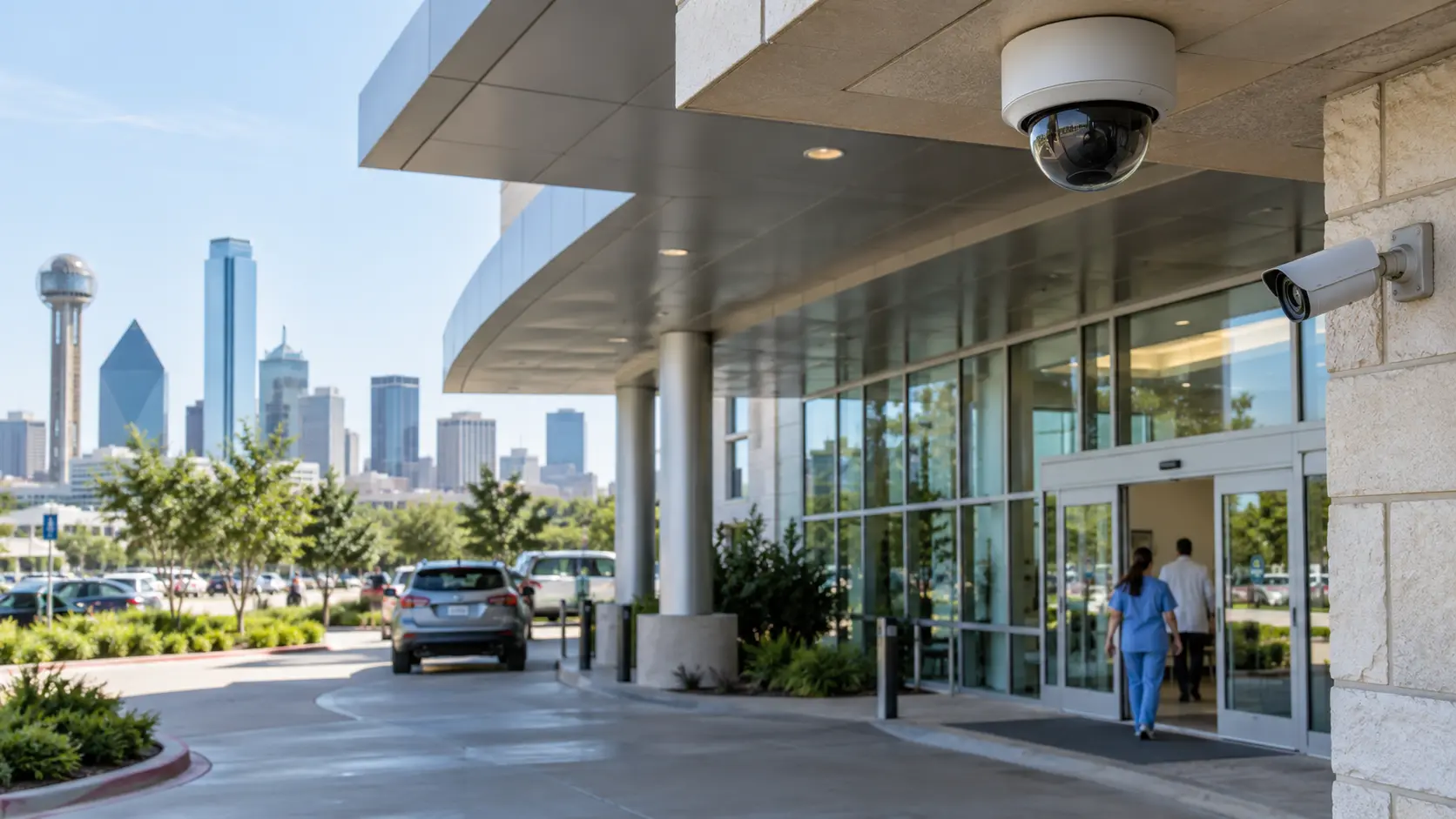
Common Security Challenges in Healthcare Facilities
Before recommending any equipment, we need to understand what problems the facility is actually dealing with. Here are the most common ones we see in Dallas-area healthcare environments.
Unauthorized Access to Restricted Areas
Pharmacies, records rooms, server rooms, admin offices, and staff-only areas all need controlled entry. Physical keys get copied, lost, and shared. Electronic access control paired with video surveillance limits who gets in and creates a record of who tried.
Patient and Staff Safety
Healthcare workers face workplace violence at higher rates than most industries. Camera coverage across common areas, hallways, entrances, parking lots, and ED waiting rooms provides visibility and recorded documentation when incidents occur. Exterior coverage protects staff leaving after dark and patients walking to their cars.
Theft and Property Protection
Medical equipment, laptops, pharmaceuticals, and supplies are all theft targets. Cameras in equipment rooms, supply areas, and loading docks deter theft and provide evidence. Pairing cameras with access control tells you exactly when a door was opened and who opened it.
Incident Investigation
Patient complaints, slip-and-falls, behavioral incidents, theft reports — without recorded video, investigations rely on conflicting accounts. A properly configured system lets you pull timestamped footage and make decisions based on evidence, not speculation. Useful for internal reviews, insurance claims, and legal matters.
Multiple Entrances and Visitor Traffic
Hospitals may have a dozen or more entrances. Cameras at every entry point create a visual record of who comes and goes. Access control restricts certain doors to authorized personnel. Together, they give management a clear picture of facility traffic, especially during off-hours.
Healthcare Security Systems We Install in Dallas
There’s no single security system that works for every healthcare facility. A two-location dermatology practice has different needs than a 200-bed hospital. The right system depends on the facility, and the only way to determine what’s appropriate is to evaluate the building. Here’s what we look at before recommending any equipment:
- ✓Facility size and layout
- ✓Number of entrances and access points
- ✓Number of cameras needed for adequate coverage
- ✓Restricted areas requiring access control
- ✓Operating hours and after-hours security needs
- ✓Existing security infrastructure and cabling
- ✓Number of locations (single site vs. multi-site)
- ✓Remote access and management requirements
- ✓Integration with other building systems We install CCTV/video surveillance systems, electronic access control, burglar and intrusion alarm systems, and integrated platforms that tie everything together. The sections below cover each component.
CCTV Camera Systems for Healthcare Facilities
Video surveillance is usually the first thing healthcare facility managers think about when they consider security upgrades. Cameras provide two things that nothing else does: real-time visual awareness and recorded evidence. In a healthcare setting, cameras serve several purposes. They help monitor high-traffic areas like lobbies and waiting rooms. They document who enters and exits the facility. They provide evidence for incident investigations. And they give management the ability to check on facility conditions remotely, which is especially useful for multi-location practices. Security In DFW provides commercial security camera installation in Dallas for healthcare facilities of all sizes, from single-location clinics to multi-building hospital campuses.
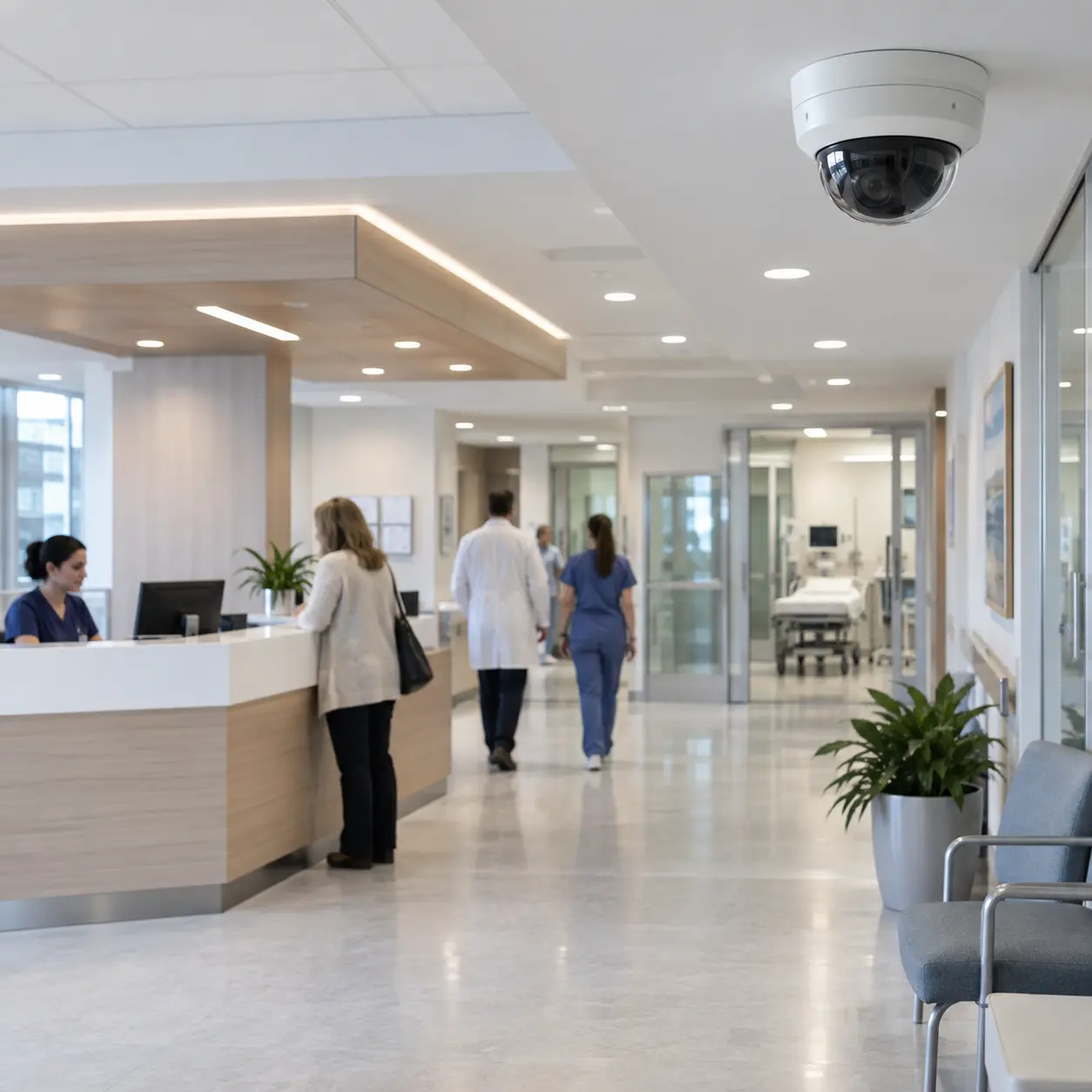
Where Should Security Cameras Be Installed?
Camera placement should be based on an actual walkthrough of the facility, not a generic checklist. That said, most healthcare facilities benefit from coverage in these areas:
- ✓Main entrances and lobby areas
- ✓Reception desks and check-in areas
- ✓Waiting rooms
- ✓Hallways and corridors
- ✓All exterior doors and secondary entrances
- ✓Parking lots and garage entrances
- ✓Loading docks and service/delivery areas
- ✓Entrances to restricted areas (pharmacy, medication storage, server rooms)
- ✓Equipment and supply storage rooms One important note: cameras should not be placed in areas where patients have a reasonable expectation of privacy, such as examination rooms, bathrooms, or changing areas. Camera placement in a healthcare facility needs to balance security coverage with patient privacy, and that balance is part of what a proper site assessment determines.
Types of Security Cameras for Healthcare Facilities
Not every camera is right for every location. The camera type depends on what you’re trying to see, the physical environment, and the viewing angle required.
- ✓Dome cameras: Common in indoor healthcare environments because they’re less obtrusive and harder to redirect. Good for hallways, lobbies, and reception areas.
- ✓Bullet cameras: Better suited for exterior applications like parking lots, building perimeters, and loading docks where a longer viewing distance is needed.
- ✓PTZ (pan-tilt-zoom) cameras: Useful in large open areas like hospital campuses or parking structures where an operator may need to follow activity or zoom in on a specific area.
- ✓Panoramic/fisheye cameras: Cover wide areas with a single camera. Useful in large waiting rooms or open floor plans.
- ✓IP cameras: Network-based cameras that transmit video over the building’s data network. This is the standard for modern commercial installations.
- ✓Low-light and infrared cameras: Necessary for parking areas, exterior doors, and any location with limited lighting.
- ✓Cameras with built-in analytics: Some cameras can detect motion, identify people vs. vehicles, or trigger alerts based on specific events. Useful when you need smarter monitoring without adding staff. The right mix of camera types is something we determine during the site assessment. A small medical office might need six dome cameras indoors and two bullets outside. A hospital campus might need 80+ cameras across multiple types and locations.
Remote Video Monitoring and Mobile Access
Most modern healthcare surveillance systems support remote viewing from a phone, tablet, or computer. That means a facility manager can check live camera feeds, review recorded footage, and receive alerts from anywhere. For healthcare organizations with multiple locations, this is particularly valuable. A practice owner who manages three clinics across DFW shouldn’t have to drive to each location to check cameras. A centralized platform or mobile app can pull up any camera at any site. Alert-based notifications are useful too. Instead of watching cameras all day, the system can send a notification when it detects motion in a restricted area after hours, or when a door is held open for too long. That turns the camera system from a passive recording tool into something that actively helps you manage the facility.
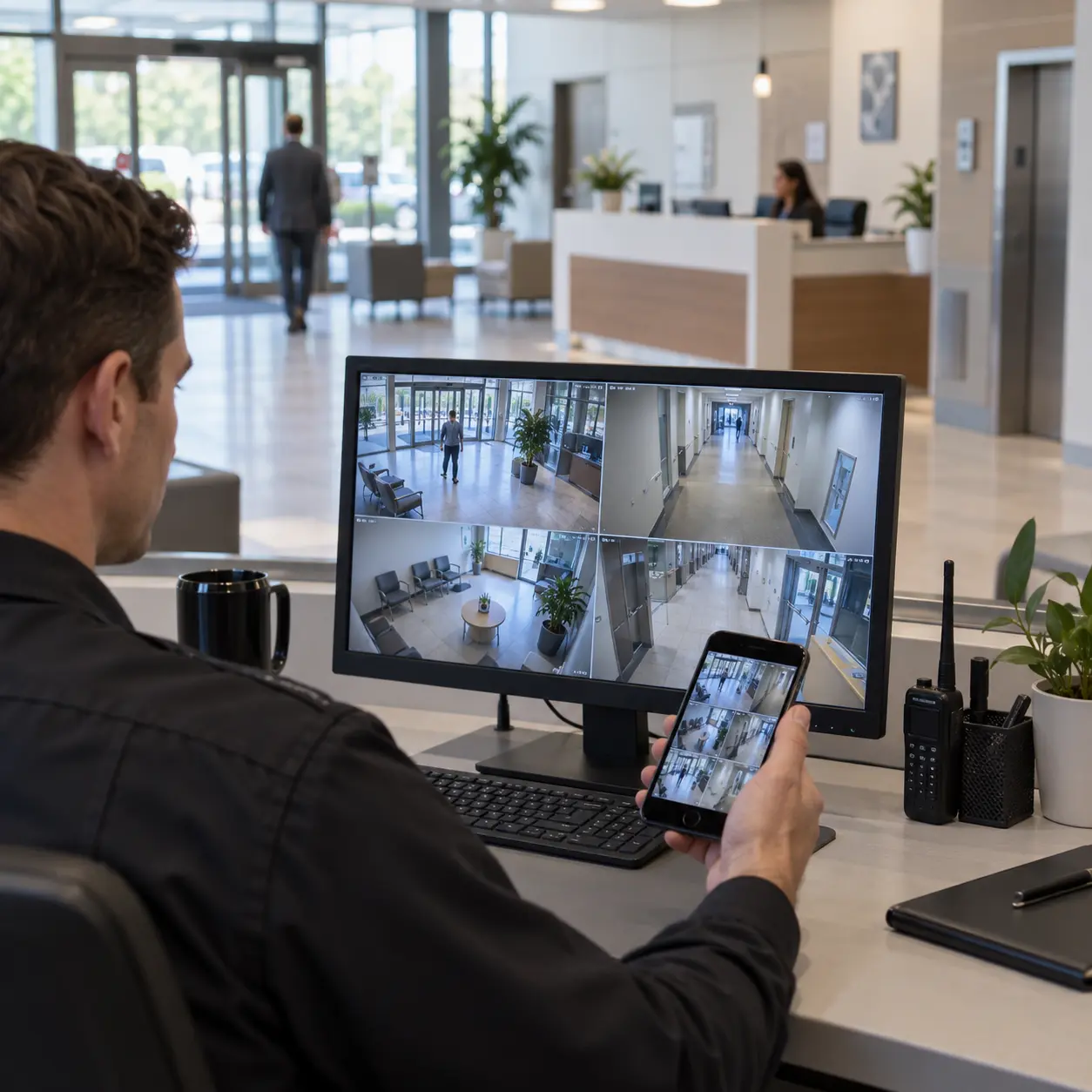
Access Control for Healthcare Facilities
Cameras show you what happened. Access control determines who can go where. In healthcare, that distinction matters a lot. A video recording of someone walking into a medication storage room is useful after the fact, but it doesn’t stop them from getting in. Electronic access control does. It replaces traditional keys with credentials that can be assigned, revoked, tracked, and scheduled. Here’s what access control looks like in a healthcare facility:
- ✓Keycard or RFID badge readers at restricted doors
- ✓Mobile credentials that use a smartphone as the access device
- ✓PIN/keypad entry for areas where badges aren’t practical
- ✓Biometric readers (fingerprint or facial recognition) for high-security zones where appropriate
- ✓Magnetic locks or electric strikes on controlled doors
- ✓Individual employee access permissions (Jane can enter Lab A but not Pharmacy B)
- ✓Time-based access schedules (contractors only allowed in during business hours)
- ✓Detailed access logs showing every door event with timestamp and credential used When access control is integrated with your camera system, you get something more useful than either system provides on its own.
Security Systems for Different Healthcare Facilities
A 10-room medical office and a 300-bed hospital both need security, but they don’t need the same security. The system design has to match the facility. Here’s how we approach the most common healthcare environments in Dallas.
Hospitals
Dallas-area hospitals often involve multiple buildings, dozens of restricted zones, and hundreds of staff with different access levels. These projects typically require cameras at every entrance, parking area, ED waiting room, corridor, and restricted zone — plus access control on pharmacy, surgical, IT, and staff-only doors. Centralized monitoring ties it all into one interface so security staff can manage the entire campus from a single screen.
Medical Offices and Clinics
Most clinics are a single suite or standalone building with one or two entrances. Camera coverage typically focuses on the front door, reception, hallways, and exterior. Access control goes on the main entry, back door, and any medication or records storage. Simpler than a hospital, but the design standards are the same.
Urgent Care and Outpatient Facilities
Extended hours, walk-in patients, and unpredictable volume create a different risk profile. Camera coverage in waiting areas, entrances, and parking is critical — especially during evening and weekend shifts with reduced staffing. Access control on staff-only doors and medication areas limits exposure during busy periods.
Specialty Healthcare Facilities
Surgical centers, imaging centers, dialysis clinics, and behavioral health facilities each have unique camera and access control needs. A surgical center may need corridor cameras but not procedure room coverage. An imaging center needs access control on MRI and CT equipment rooms. Every specialty layout gets its own tailored plan.
Pharmacies and Healthcare-Related Facilities
Security focuses on controlled substance storage, dispensing areas, and entry points. Cameras cover the counter, storage rooms, and back entrances. Access control with after-hours lockdown capability is standard for pharmacies operating on different schedules than the rest of the facility.
Security Camera Placement for Healthcare Facilities
This table gives a general overview of where cameras and access control are typically appropriate in healthcare environments. Final placement should always be determined by an on-site assessment that accounts for the actual building layout, lighting conditions, and privacy considerations.
| Area | Security Goal | Potential Solution |
|---|---|---|
| Main entrance | Monitor entry and exit | CCTV |
| Reception | Visitor visibility | CCTV |
| Parking lot | Exterior visibility | Outdoor cameras (bullet or PTZ) |
| Restricted areas | Control and document access | Access control + CCTV |
| Hallways | Corridor visibility | CCTV (dome cameras) |
| Loading area | Monitor deliveries | CCTV (outdoor rated) |
| Equipment/storage | Asset protection | CCTV + access control |
| Server/IT room | Restricted access | Access control + CCTV |
| Pharmacy entrance | Controlled access, visual record | Access control + CCTV |
Every facility is different. A two-story medical office building and a sprawling hospital campus will have very different camera maps. The table above is a starting point, not a final plan.
How to Choose the Right Healthcare Security Camera System
If you’re evaluating security camera systems for a healthcare facility, here are the factors that actually matter. This isn’t about picking the camera with the most megapixels or the lowest price. It’s about matching the equipment to the environment.
- ✓Camera resolution: Higher resolution helps with identification, but it also increases storage and bandwidth requirements. Match resolution to the area. A parking lot camera may need 4MP or higher to capture license plates. A hallway camera may do fine at 2MP.
- ✓Lighting conditions: Indoor areas with consistent lighting are straightforward. Parking lots, exterior doors, and areas with mixed lighting need cameras with good low-light performance or infrared capability.
- ✓Indoor vs. outdoor: Outdoor cameras need weatherproof housings (rated IP66 or IP67). Indoor cameras don’t. Using indoor cameras outside is a common mistake that leads to premature failure.
- ✓Field of view: A narrow hallway needs a different lens than a wide-open waiting room. Camera selection should account for the physical space.
- ✓Storage and retention: How many days or weeks of footage do you need to keep? Storage requirements scale with camera count, resolution, and frame rate. Most healthcare facilities retain 30 to 90 days of footage.
- ✓Network infrastructure: IP cameras run on your data network. If the network can’t handle the bandwidth, video quality will suffer. Larger installations may need dedicated camera VLANs and network switches.
- ✓Remote access: Can the system be accessed from a phone or off-site computer? For multi-location practices, this is a necessity.
- ✓Analytics: Person detection, motion zones, loitering alerts, and object detection can reduce the amount of footage staff need to review manually. Useful in larger facilities, but not required for every installation.
- ✓Scalability: Can you add cameras later without replacing the entire system? Choose platforms that grow with the facility.
- ✓Integration: Can the cameras tie into access control and alarm systems? Integrated platforms save time during investigations and simplify daily management.
- ✓Cybersecurity: Healthcare networks carry sensitive data. Camera systems need secure credentials, firmware updates, and network segmentation to avoid becoming a vulnerability.
- ✓Maintenance and support: Who handles repairs, firmware updates, and troubleshooting? A system that works well on day one but has no support plan will deteriorate. The short version: don’t choose cameras based only on specs or price. The camera has to be appropriate for its location, connected to properly designed recording and network infrastructure, and supported after installation.
Security Camera Installation for Healthcare Facilities in Dallas
Here’s how Security In DFW handles a healthcare security installation from start to finish. Every project is different, but the process follows the same structure.
Step 1 — Facility Assessment
We walk the building to map entrances, restricted areas, existing cameras, cabling, network infrastructure, and lighting. If there’s an existing system, we evaluate what can stay and what needs replacing. This assessment drives every design decision that follows.
Step 2 — System Design
We specify camera locations and types, storage configuration, access control points, alarm integration, and network requirements. You review and approve the full plan before any equipment is ordered.
Step 3 — Professional Installation
Camera mounting, cabling, NVR/VMS setup, access control hardware, and system integration — coordinated around patient care schedules to minimize disruption to daily operations.
Step 4 — Testing and Configuration
Every camera view verified, recording confirmed, remote access tested, alerts configured, access permissions programmed. We don’t hand it over until everything works as designed.
Step 5 — Training and Support
Staff learn live viewing, footage playback, access credential management, alert response, and basic troubleshooting. After handoff, we provide ongoing support for maintenance and system changes.
Ready to get started? Schedule a free facility assessment. Call (469) 225-3031 to discuss your healthcare security project.
Upgrading an Existing Healthcare Security System
If your facility already has cameras, you may not need to start from scratch. Many healthcare organizations in Dallas are working with aging analog systems, cameras that were installed by a previous tenant, or systems that have grown piecemeal over the years without a real plan. Common upgrade scenarios we handle:
- ✓Replacing outdated analog cameras with modern IP cameras while reusing existing cabling where possible
- ✓Adding cameras to areas that were never covered or where the layout has changed
- ✓Upgrading the recording system from an unreliable DVR to a network video recorder or cloud-based VMS
- ✓Improving storage capacity to extend retention periods
- ✓Adding access control to a facility that currently relies on physical keys
- ✓Integrating cameras, access control, and alarms that were previously separate, unconnected systems
- ✓Enabling remote access and mobile viewing for off-site management
- ✓Adding video analytics to existing camera infrastructure The first step in any upgrade is an assessment. We need to see what equipment is currently in place, whether it’s still functional, and whether existing infrastructure (cabling, network, power) can support the new system. In many cases, we can retain some existing equipment and build around it rather than replacing everything.
Healthcare Security Technology: What Modern Systems Can Do
Security technology has changed a lot in the last five to ten years. If your facility’s system was installed before 2018, there’s a good chance it doesn’t support features that are now standard in commercial-grade platforms. Here’s what current systems can offer:
- ✓AI-assisted video analytics: Camera-based detection that can distinguish between people and vehicles, identify unusual activity, or flag events like someone entering a restricted zone after hours.
- ✓Video search by appearance: Some platforms allow you to search recorded footage by person description (clothing color, general appearance) instead of scrubbing through hours of video manually.
- ✓Remote monitoring and mobile alerts: Live viewing and push notifications from any location. Useful for facility managers and practice owners who aren’t always on site.
- ✓Access event logging: Every badge tap, denied entry, and door open event is logged with a timestamp and linked to video when integrated.
- ✓People counting: Tracks how many people enter and exit, which can help with capacity management in waiting rooms and common areas.
- ✓Centralized multi-location management: A single dashboard for viewing cameras, managing access, and responding to events across multiple facilities.
- ✓Cloud-based video management: Remote storage and management without on-site servers, offered through platforms like Eagle Eye Networks. Not every facility needs all of these features. AI analytics make sense in a large hospital where security staff can’t monitor 100+ cameras manually. They may not make sense in a five-camera medical office. The technology should solve a real operational problem, not just check a box on a feature sheet.
Why Choose Security In DFW for Healthcare Security in Dallas?
We’re a Texas-licensed commercial security company. Here’s what that means in practice:
- ✓Texas DPS License #B19875
- ✓15+ years of experience in commercial security installation
- ✓1,200+ businesses secured across the Dallas-Fort Worth area
- ✓Focus on commercial clients: offices, healthcare facilities, warehouses, retail, and multi-tenant buildings
- ✓Integrated solutions: we design and install cameras, access control, and alarm systems as connected platforms, not separate projects
- ✓Free on-site assessments for healthcare facilities in Dallas & DFW
- ✓Direct installation team: we install the equipment ourselves rather than subcontracting We’ve worked with medical offices, clinics, and healthcare-related facilities across the DFW area. We understand the layout challenges, privacy considerations, and operational requirements that come with healthcare security. We’re not going to recommend a system that belongs in a retail store when you’re running a medical practice.
Frequently Asked Questions
Most healthcare facilities benefit from a combination of video surveillance (CCTV), electronic access control, and intrusion/alarm systems. The specific configuration depends on the facility’s size, layout, number of entrances, restricted areas, operating hours, and risk profile. A small medical office may need cameras and keyed access control on a few doors. A hospital may need hundreds of cameras, multi-zone access control, alarm monitoring, and centralized security management.
Common camera locations include main entrances, reception and waiting areas, hallways, parking lots, exterior doors, loading docks, and entrances to restricted areas like pharmacies, medication storage, and server rooms. Cameras should not be placed in examination rooms, bathrooms, changing areas, or other locations where patients have a reasonable expectation of privacy. Final placement should be based on an on-site assessment.
Yes. When cameras and access control are integrated, access events (badge taps, denied entries, door open events) are linked to corresponding video footage. That means when someone uses a credential at a controlled door, you can immediately pull up the video of who was at that door at that time. This makes incident investigation significantly faster and provides better documentation.
Generally, yes. Hospitals have more complex requirements due to their size, number of buildings, 24/7 operations, high visitor traffic, multiple restricted areas, and large staff populations. They typically need more cameras, more access control points, centralized monitoring, and more sophisticated system architecture. Medical offices and clinics usually have simpler layouts and fewer access points, but they still need properly designed systems with adequate coverage and recording quality.
In most cases, yes. Common upgrades include replacing analog cameras with IP cameras, expanding coverage to areas that weren’t previously covered, adding access control, upgrading recording systems, and enabling remote access. An assessment should be done first to determine whether existing cabling, network infrastructure, and equipment can support the upgrade. In some cases, existing cameras can be retained and integrated with new equipment.
Modern commercial camera systems support remote viewing through mobile apps, web browsers, and desktop clients. Facility managers can check live camera feeds, search and play back recorded footage, and receive alerts from anywhere with an internet connection. For healthcare organizations with multiple locations, remote access allows a single administrator to manage cameras across all sites from one platform.
Cost depends on the number of cameras, facility size, camera types and resolution, cabling requirements, recording and storage configuration, access control scope, alarm integration, and any network upgrades needed.
Look for a company with a valid Texas DPS security license, experience with commercial and healthcare installations, the ability to design and install integrated systems (cameras, access control, and alarms), references from similar facilities, and a clear support and maintenance plan. Ask whether they handle installation directly or subcontract it, and whether they have experience with the specific brands and platforms they’re recommending. Avoid companies that push a single product without assessing your facility first.
Get Healthcare Security Systems Installed in Dallas
If you’re managing a healthcare facility in Dallas and you need cameras, access control, alarm systems, or a fully integrated security platform, we can help. Security In DFW works with hospitals, medical offices, clinics, urgent care centers, outpatient facilities, specialty practices, and pharmacies across the DFW area. Schedule a Free Healthcare Security Assessment Call (469) 225-3031 or request an assessment online. We serve healthcare facilities throughout Dallas and the DFW area.