
Security Systems & CCTV Camera Installation for Ecommerce in Dallas
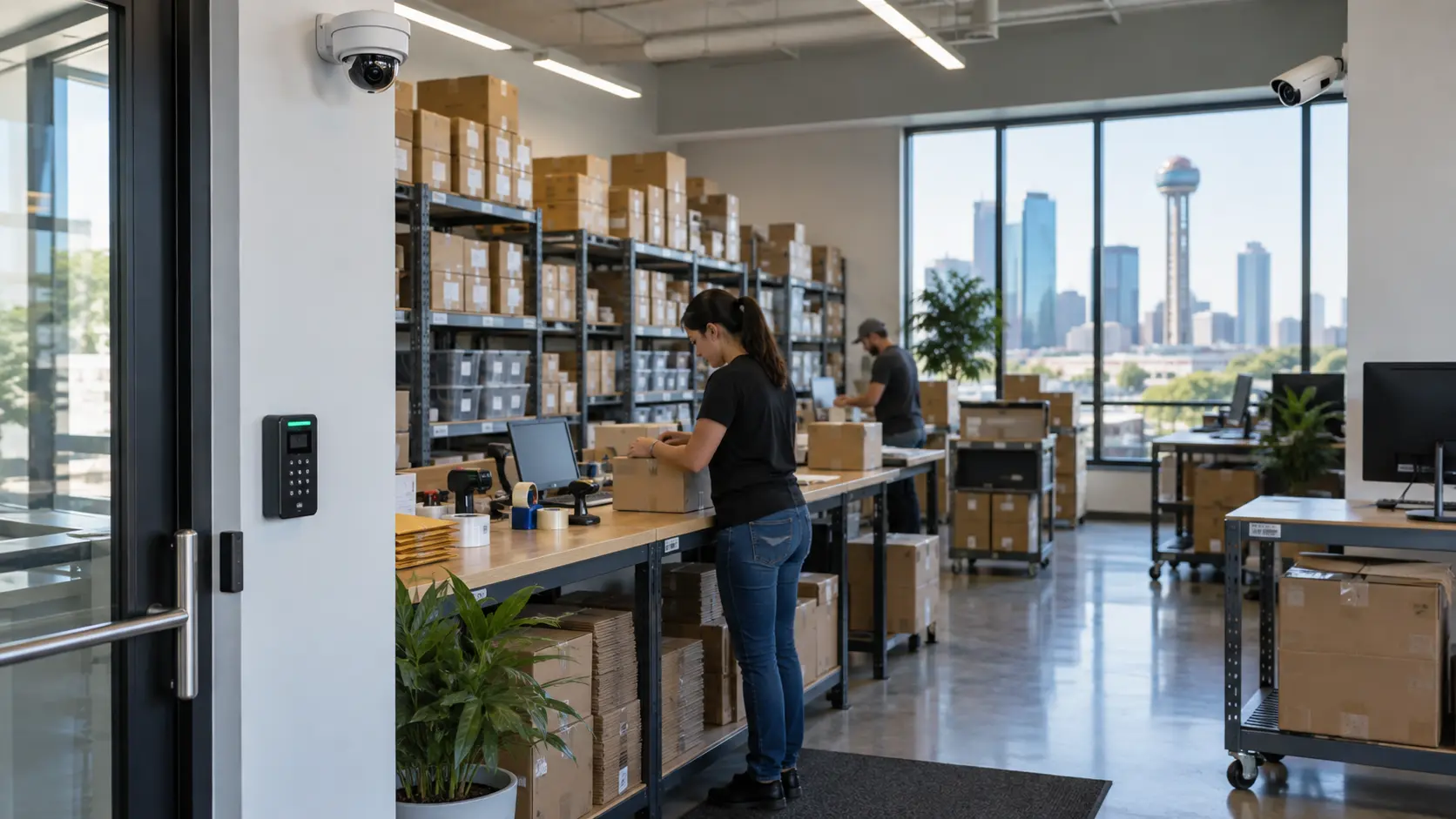
Ecommerce businesses in Dallas need more than a few cameras on the wall. A complete ecommerce security system typically includes commercial-grade CCTV cameras, access control on restricted areas, intrusion alarms, and remote monitoring — all working together. Cameras should cover warehouses, loading docks, shipping and receiving stations, inventory rooms, employee entrances, and parking areas. When video surveillance is paired with access control, you get a clear record of who entered which area and what happened while they were there. Professional installation matters because camera placement, lens selection, and network configuration directly affect whether the system actually captures useful footage.
Ecommerce Security at a Glance
Quick Answer: Ecommerce Security Systems in Dallas
Running an ecommerce operation is nothing like managing a typical office. You’re dealing with high-value inventory sitting on warehouse shelves, constant shipping and receiving activity, loading docks open at odd hours, and fulfillment teams moving through the facility around the clock.
A standard office might get by with a camera at the front door and a basic alarm. That approach falls apart in an ecommerce environment.
Here’s what makes ecommerce security different:
Inventory is your revenue.
Thousands of products sitting in a warehouse represent real money. Shrinkage from theft, mishandling, or unauthorized access hits your bottom line directly.
Multiple entry points.
Between employee doors, loading docks, receiving bays, customer pickup areas, and main entrances, there are far more ways into and out of the building.
After-hours activity.
Shipments arrive early. Trucks load late. Fulfillment shifts run overnight. The facility is rarely truly empty.
Internal and external threats.
Security isn’t just about keeping outsiders out. Internal theft, inventory discrepancies, and unauthorized access to restricted areas are real concerns.
Fulfillment complexity.
Products move from receiving to shelving to picking to packing to shipping. Every handoff point is a potential vulnerability.
A properly designed security system brings all of this under control by combining CCTV video surveillance, access control, alarm systems, remote monitoring, and video analytics into a single integrated setup tailored to how your operation actually runs.
Why Ecommerce Businesses Need More Than Basic Security Cameras
Installing a handful of cameras and calling it done might check a box, but it won’t give you real security. Ecommerce security systems need to function as a complete system — cameras, access control, alarms, and monitoring all working together.
Here’s why cameras alone aren’t enough:
Inventory theft is the biggest concern. Whether it’s external break-ins or internal shrinkage, inventory walking out the door costs ecommerce businesses real money. Cameras can document what happened, but access control prevents unauthorized people from reaching high-value stock in the first place.
Unauthorized access creates liability. Employee-only areas, server rooms, and restricted inventory zones need more than a “Do Not Enter” sign. Without access control, anyone with a door handle can get in — and you may not know about it until the product is missing.
Shipping and receiving is a high-risk area. Packages change hands constantly at shipping stations and receiving docks. Disputes about what was received, what was shipped, and what happened in between are common. Video footage from these areas provides evidence you can actually use.
Loading docks are vulnerable. They’re often open for extended periods, they’re accessible from the outside, and activity around them can be hard to monitor from inside the building. Cameras positioned here need to handle changing light conditions and wide areas.
After-hours intrusion is a real risk. Warehouses and fulfillment centers are attractive targets after business hours. An alarm system tied to your cameras can trigger recording and alerts the moment someone enters the building when they shouldn’t be there.
Incident investigation requires footage you can actually use. When something goes wrong — a missing pallet, a damaged shipment, an employee complaint — you need video that’s clear enough to see what happened. Poor camera placement or low resolution makes footage nearly useless for investigations.
The bottom line: ecommerce security systems work when they’re designed as integrated systems, not as disconnected pieces of hardware.
What Should an Ecommerce Security System Include?
A commercial security setup for an ecommerce business typically includes several components that work together. Here’s what each one does and why it matters.
Commercial Security Cameras
Not every camera fits every situation. The camera that works in an office hallway probably isn’t the right choice for a 40-foot warehouse ceiling or an outdoor loading dock in the Texas sun.
Here’s how different camera types map to ecommerce environments:
- ✓Dome cameras work well in indoor areas like offices, hallways, and customer-facing spaces. Their housing makes it harder to tell which direction the camera is pointing, which can be useful for general deterrence.
- ✓Bullet cameras are a solid choice for focused coverage — a specific doorway, a loading dock entrance, or a parking lot lane. Their shape naturally directs them toward a specific area.
- ✓PTZ (pan-tilt-zoom) cameras let you cover large spaces like warehouse floors or parking areas from a single mount point. An operator or analytics software can direct them to follow activity.
- ✓Varifocal cameras allow you to adjust the focal length after installation, which is useful when you need to fine-tune the field of view for a particular spot — like narrowing the focus on a receiving counter without moving the camera.
- ✓Wide-angle cameras capture broad areas in a single frame. They’re useful for open warehouse floors or large rooms where you need general coverage without blind spots.
- ✓Outdoor-rated cameras are necessary for loading docks, parking areas, and building exteriors. In Dallas, they need to handle direct sunlight, heat, rain, and nighttime conditions.
The key is matching the camera type to the specific location and security objective. An ecommerce security camera system that uses the same camera model everywhere will have blind spots, wasted resolution, or both.
CCTV Video Surveillance
The cameras capture footage. The surveillance system records, stores, and makes that footage accessible.
For video surveillance in ecommerce businesses, here’s what matters:
- ✓Continuous vs. event-based recording. Continuous recording captures everything but uses more storage. Event-based recording (triggered by motion, analytics, or schedules) saves space and makes it easier to find relevant footage. Many systems use a combination — continuous recording in high-priority areas and event-based recording elsewhere.
- ✓Local storage vs. cloud storage. Local storage (NVR or server on-site) gives you direct control and typically handles higher camera counts. Cloud storage offers off-site backup and remote access but depends on your internet bandwidth. Some businesses use both.
- ✓Remote viewing. You should be able to pull up live or recorded footage from a phone, tablet, or computer — whether you’re in your office, at home, or at another facility.
- ✓Video playback and evidence retrieval. When an incident happens, you need to find the relevant clip quickly. A well-configured system lets you search by time, camera, or event rather than scrubbing through hours of footage.
Access Control Systems
Access control determines who can enter specific areas and logs every entry. For ecommerce operations, this is critical in several zones:
- ✓Inventory rooms and stockrooms — restricting access to authorized personnel reduces theft risk and creates accountability.
- ✓Server and network rooms — protecting IT infrastructure from unauthorized access or tampering.
- ✓Employee entrances — tracking who enters and exits the building and when.
- ✓Management offices — controlling access to sensitive business information.
- ✓High-value inventory areas — adding an extra layer of protection for expensive products.
- ✓Shipping and receiving areas — limiting access to personnel responsible for those operations.
When access control is linked with your CCTV system, every door event can be matched with video footage. If a badge is used to enter the stockroom at 2 a.m., you can pull up the camera feed for that exact moment.
Intrusion Detection and Alarm Systems
Alarm systems and cameras serve different purposes, and one doesn’t replace the other.
Cameras record what happens. Alarms detect unauthorized entry and trigger a response — whether that’s an audible siren, an alert to your phone, or a notification to a monitoring center.
In an ecommerce facility, intrusion detection typically covers perimeter doors, windows, loading dock roll-ups, and interior zones that should be empty during certain hours. When integrated with your camera system, an alarm event can automatically trigger recording on nearby cameras and send video clips alongside the alert.
Remote Video Monitoring
For ecommerce businesses with one location or several, remote monitoring lets you keep an eye on operations without being physically present.
Practical applications include:
- ✓Checking live camera feeds from your phone during off-hours.
- ✓Receiving motion or analytics alerts when activity is detected in restricted areas.
- ✓Reviewing footage from a shipping dispute without driving to the warehouse.
- ✓Monitoring multiple facilities from a single dashboard.
- ✓Verifying alarm events remotely before dispatching a response.
After-hours monitoring is particularly valuable for ecommerce warehouses that may sit empty between shifts but contain significant inventory.
Where Should Security Cameras Be Installed in an Ecommerce Facility?
Camera placement is one of the most important decisions in any commercial security project. Getting it wrong means blind spots, wasted cameras, or footage that doesn’t capture what you actually need to see.
Here’s a practical breakdown of where cameras should go in a typical ecommerce facility:
| Facility Area | Security Concern | Recommended Camera Approach |
|---|---|---|
| Main entrance | Visitor identification, after-hours entry | Fixed camera with clear facial-level coverage; consider a camera on both sides of the door |
| Employee entrance | Tracking employee access, tailgating | Fixed camera paired with access control; position to capture faces, not just the tops of heads |
| Warehouse floor | General activity monitoring, theft deterrence | Wide-angle or PTZ cameras mounted to cover open areas; multiple cameras for large floors |
| Inventory / stockroom | Inventory theft, unauthorized access | Fixed cameras covering entry points and high-value shelving; pair with access control |
| Shipping area | Package handling, order accuracy, disputes | Fixed cameras positioned to see packing stations, labeling areas, and outbound staging |
| Receiving area | Inbound shipment verification, damage documentation | Fixed cameras covering the receiving counter, inspection area, and incoming inventory staging |
| Loading dock | Unauthorized access, truck activity, theft | Outdoor-rated cameras covering dock doors, truck bays, and the surrounding approach; handle bright sunlight and nighttime |
| Parking / loading area | Vehicle monitoring, employee safety, theft | Outdoor bullet or PTZ cameras with night vision; cover vehicle lanes and pedestrian paths |
| Customer pickup area | Order handoff verification, disputes | Fixed camera covering the pickup counter or window |
| POS / payment area | Transaction verification, employee oversight | Overhead or counter-level camera covering the register or payment terminal |
| Restricted rooms | Unauthorized access, compliance | Fixed camera at the entry; pair with access control |
| Office areas | General security, visitor access | Fixed cameras in hallways and common areas; typically lower priority than warehouse zones |
A few things that affect exact placement:
Every facility is different. Camera positions that work perfectly in one warehouse may create blind spots in another. Here’s what an installer evaluates on-site:
- ✓Facility layout — the shape of the space, wall positions, and obstructions.
- ✓Lighting — bright loading dock sunlight, dim warehouse aisles, and transitions between indoor and outdoor light all affect image quality. In Dallas, afternoon sun hitting a west-facing dock door can wash out footage if the camera isn’t positioned or configured correctly.
- ✓Camera lens — the focal length determines how wide or narrow the field of view is. The wrong lens for the distance means you either miss the area or can’t make out details.
- ✓Ceiling height — a camera mounted at 30 feet in a warehouse captures a very different image than one at 10 feet in an office hallway. Higher ceilings often need cameras with narrower lenses or higher resolution.
- ✓Network infrastructure — cameras need a reliable network connection. If cabling can’t reach a location, you need to plan accordingly.
- ✓Security objectives — are you trying to identify a person’s face, monitor general traffic flow, or watch a specific workstation? The goal changes the camera type and position.
- ✓Existing blind spots — shelving units, inventory racks, columns, and equipment all create areas the camera can’t see. An on-site walkthrough identifies these before installation, not after.
Security cameras for ecommerce businesses should be placed based on a real assessment of the facility, not a generic template.
Ecommerce Warehouse Security Camera Systems
Warehouses and fulfillment centers aren’t like offices or retail stores. The physical space creates challenges that a standard camera setup isn’t designed to handle.
Here’s what makes ecommerce warehouse security systems different:
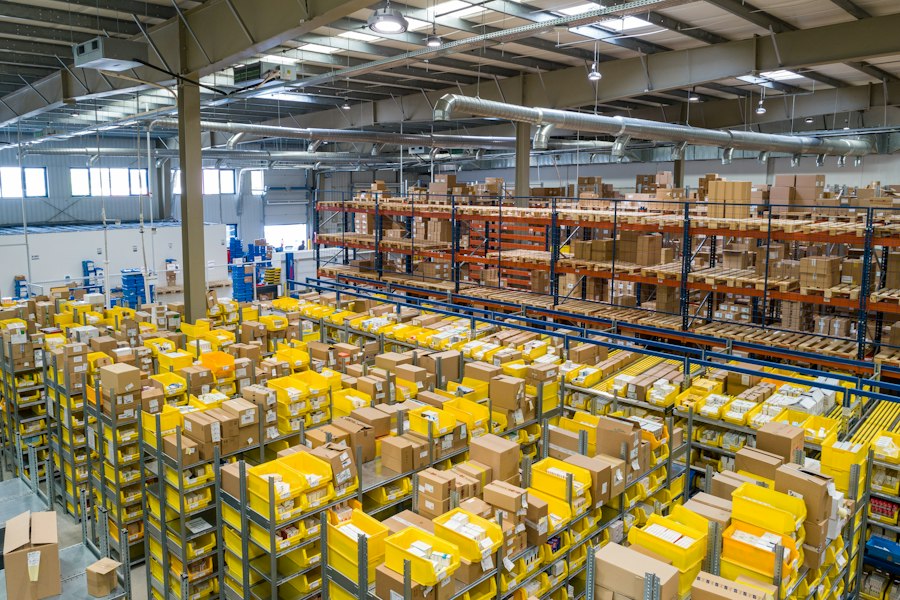
Large open spaces. A warehouse floor might be 20,000 square feet or more with minimal walls. Covering that area requires cameras with wide fields of view, higher resolution to maintain detail at a distance, or PTZ cameras that can sweep across the space.
High ceilings. Dallas-area warehouses commonly have ceilings from 20 to 40 feet. Mounting a camera at that height means the image covers more area, but faces and details become harder to identify. In some cases, you need cameras at multiple heights — high-mounted cameras for broad coverage and lower cameras at key points for identification.
Long aisles between racks. Inventory racking creates narrow corridors that are hard to monitor from the ends. Cameras positioned at aisle entries may not see what’s happening 100 feet down the row. Additional cameras or strategic angles can fill those gaps.
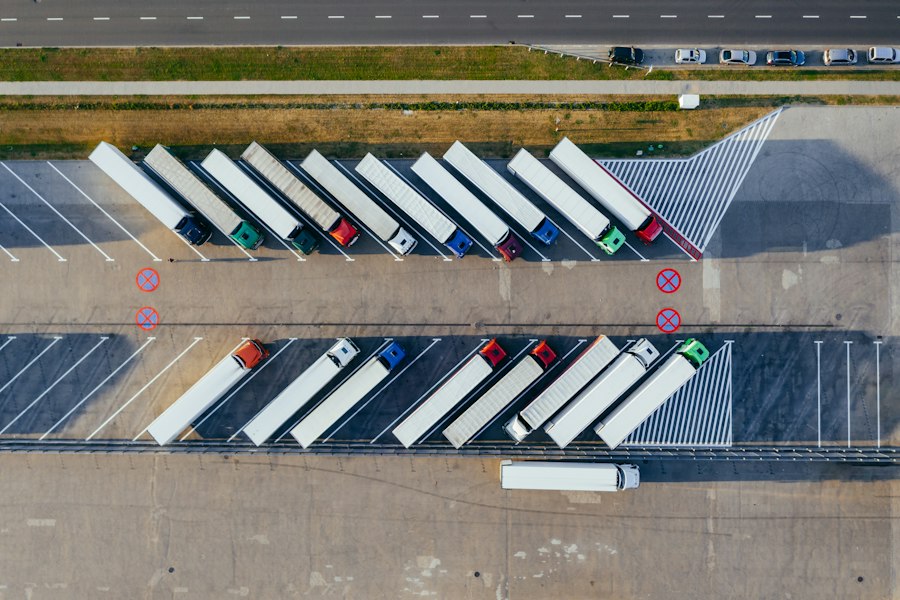
Loading docks. This is one of the most critical areas in any ecommerce warehouse. Trucks come and go, doors stay open for extended periods, and the transition between bright outdoor light and darker indoor areas can confuse cameras that aren’t configured for it. Outdoor-rated cameras with wide dynamic range handle this better.
Shipping and receiving stations. These are high-activity zones where products are packed, labeled, scanned, and staged. Camera coverage here helps resolve disputes about what was shipped, when it left, and whether a package was handled properly.
Employee entrances. Every entry point into the warehouse should be covered. Pairing cameras with access control at these doors gives you both a visual record and a digital log of every entry and exit.
Forklift and equipment traffic. Forklifts, pallet jacks, and carts move through warehouses constantly. Cameras in traffic areas can document accidents, near-misses, and operational issues — useful for liability and safety.
High-value and restricted inventory areas. Some products are worth more than others. Caged areas, locked rooms, or specific shelving zones containing high-value inventory should have dedicated camera coverage and access control.
Warehouse security cameras in Dallas need to account for these conditions. A cookie-cutter installation that ignores ceiling height, lighting, and rack layout will leave gaps in coverage where they matter most.
How CCTV Can Help Protect Ecommerce Inventory
Video surveillance isn’t a magic bullet that eliminates theft. But it serves several practical purposes that directly protect your inventory.
Deterrence. Visible cameras discourage theft — both internal and external. Employees and visitors who know they’re being recorded are less likely to take risks. This doesn’t guarantee anything, but it reduces opportunity.
Documentation. When inventory goes missing, cameras provide a record of what happened and when. This is essential for internal investigations, insurance claims, and law enforcement reports.
Monitoring activity in real time. Live feeds let supervisors or security personnel watch high-risk areas — shipping stations, loading docks, restricted zones — and respond to suspicious activity as it happens.
Identifying patterns. Reviewing footage over time can reveal patterns: repeated access to inventory areas by the same person during off-hours, unusual loading dock activity, or discrepancies between what was received and what the footage shows.
Investigating shipping and receiving disputes. When a customer claims an order was incomplete or a vendor disputes a delivery, camera footage from the packing station or receiving area provides objective evidence.
Package handling. Cameras at packing stations can document how orders are assembled, which helps resolve quality control issues or customer complaints about missing items.
Supporting incident investigations. Beyond theft, cameras capture workplace accidents, equipment damage, unauthorized visitors, and policy violations — all of which may need to be reviewed later.
The key is having cameras in the right positions with enough resolution to capture useful detail. A low-resolution camera mounted too high in a warehouse might show general movement but won’t help you identify a person or read a shipping label.

AI Video Analytics for Ecommerce Security
Traditional CCTV records everything and leaves you to sift through hours of footage when something goes wrong. Modern video analytics change that by identifying specific events automatically.
Here’s what analytics can do in an ecommerce environment:
Person detection.
The system identifies when a person enters the frame, as opposed to a shadow, animal, or headlights sweeping across the camera. This reduces false alerts dramatically.
Vehicle detection.
Analytics can detect vehicles in loading dock areas, parking lots, and truck bays — useful for monitoring after-hours vehicle activity.
Line crossing.
You draw a virtual line across a camera view — say, at the entrance to a restricted inventory zone. The system sends an alert whenever someone crosses that line. This works well for areas that should be off-limits during certain hours.
Restricted-area detection.
Similar to line crossing, but for an entire zone. If someone enters a defined area that should be empty — like a high-value stockroom after hours — the system triggers an alert.
Loitering and dwell time.
If someone is spending an unusual amount of time near a specific area — lingering near an emergency exit, spending too long at a shipping station — analytics can flag it.
After-hours activity detection.
The system can distinguish between scheduled activity (a night-shift crew, an expected delivery) and unexpected movement during hours when the facility should be empty.
Motion and event alerts.
Rather than monitoring cameras continuously, you receive notifications on your phone or computer when something specific happens — someone entering the building, a door left open, activity in a restricted area.
The difference between traditional recording and analytics is the difference between reviewing footage after something happened and being notified while it’s happening. For ecommerce businesses managing inventory worth hundreds of thousands of dollars, that distinction matters.
Analytics isn’t a replacement for proper camera placement and recording. It’s a layer on top that makes your existing cameras more useful.
PoE vs. Wi-Fi Security Cameras for Ecommerce Businesses
One of the common questions during a commercial security consultation is whether to go with wired PoE (Power over Ethernet) cameras or wireless Wi-Fi cameras. Both have a place, but they’re suited to different situations.
| Feature | PoE Cameras | Wi-Fi Cameras |
|---|---|---|
| Connection | Wired Ethernet cable (Cat5e/Cat6) | Wireless connection to Wi-Fi network |
| Power | Powered through the Ethernet cable — no separate power outlet needed | Requires a power source (outlet or battery) at each camera location |
| Network dependency | Dedicated wired network; not affected by Wi-Fi congestion | Dependent on Wi-Fi signal strength and network congestion |
| Installation considerations | Requires running Ethernet cable to each camera; more labor upfront but more reliable long-term | Easier initial placement; no cable runs, but signal issues may require repositioning or adding access points |
| Suitable applications | Warehouses, facilities with many cameras, permanent installations, high-resolution cameras, critical security zones | Temporary setups, locations where cabling isn’t practical, smaller supplemental cameras, areas far from network infrastructure |
| Scalability | Scales well — add a cable run and a PoE switch port for each new camera | Scalability limited by Wi-Fi bandwidth and interference; adding many cameras can degrade network performance |
Which one is right for an ecommerce facility?
For most ecommerce warehouses and fulfillment centers in Dallas, PoE cameras are the standard recommendation. Here’s why:
Warehouses typically need 15, 30, or more cameras covering a large area. That many Wi-Fi cameras competing for bandwidth on the same network can cause dropped connections, lag, and missed recordings — exactly the moments you can’t afford to lose.
PoE cameras run on a dedicated wired network, which means they’re not sharing bandwidth with office laptops, barcode scanners, or the warehouse management system. They also get power and data through a single cable, which simplifies installation in large facilities.
That said, Wi-Fi cameras have their place. A temporary camera watching a construction area, a supplemental camera in a spot where running cable isn’t feasible, or a small satellite office that doesn’t justify a full wired installation — these are situations where wireless makes sense.
The right answer depends on the facility, the number of cameras needed, the existing network infrastructure, and the security objectives. A site assessment is the best way to determine what fits.
How CCTV and Access Control Work Together
Cameras and access control are more useful together than either one is alone. Here’s a practical example of how that works.
Scenario: An employee badges into a restricted inventory room at 11:30 p.m. on a Saturday.
Here’s what an integrated system gives you:
- ✓Access control logs the event. You see the employee’s name, the credential used, the door, and the exact time — 11:32 p.m.
- ✓The camera records the entry. A camera covering that door captures the person entering, what they’re carrying, and how long they stay.
- ✓Management reviews the paired record. Instead of scrubbing through hours of video, you pull up the access log, click the event, and the system jumps to the matching video clip.
- ✓The combination tells the full story. The badge log confirms who entered. The video shows what they did while they were there. Neither system gives you both on its own.
This kind of integration is useful across multiple areas of an ecommerce facility:
- ✓Employee entrances — matching badge-ins with facial video to identify tailgating (one person badging in while a second follows through the door).
- ✓Inventory and stockroom access — documenting every entry to high-value areas with both a digital log and visual evidence.
- ✓Server and network rooms — restricting and recording access to IT infrastructure.
- ✓Shipping and receiving areas — confirming that only authorized personnel handle outbound and inbound shipments.
If your Dallas ecommerce facility needs access control alongside video surveillance, our team handles both. Learn more about commercial access control installation in Dallas and how it integrates with CCTV.
Choosing the Right Security Cameras for an Ecommerce Business
There’s no single camera that works perfectly in every part of an ecommerce facility. The loading dock has different requirements than an inventory room, and a long warehouse aisle needs a different solution than a customer pickup window.
Here’s a practical guide:
| Ecommerce Security Requirement | Possible Camera / Security Solution |
|---|---|
| Large warehouse floor | Wide-angle IP cameras or PTZ cameras mounted high for broad coverage; consider multiple units for floors over 10,000 sq ft |
| Loading dock | Outdoor-rated bullet cameras with wide dynamic range (WDR) to handle the transition between bright sunlight and shaded dock interiors |
| Inventory room | Fixed dome or bullet cameras covering entry points and high-value shelving; pair with access control for complete accountability |
| Long aisles between racks | Varifocal or narrow-lens cameras positioned to see down the aisle; may need cameras at both ends for longer rows |
| Parking and loading area | Outdoor bullet or PTZ cameras with IR night vision; position to capture license plates and pedestrian traffic |
| High-value inventory zone | Dedicated fixed cameras with higher resolution (4MP+); pair with restricted-area analytics and access control |
| Employee entrance | Fixed camera at face height paired with an access control reader; position to capture clear facial images, not just the top of someone’s head |
| Multiple facilities | Centralized VMS (video management system) with remote viewing; standardized camera models across sites simplify management and training |
| After-hours monitoring | Cameras with IR night vision or low-light capability; pair with analytics to detect motion or person presence during off-hours |
Key factors that affect camera selection:
- ✓Resolution. Higher resolution (4MP, 5MP, 4K) captures more detail, which matters for identification. But higher resolution also requires more storage and bandwidth. Match the resolution to the purpose — a camera watching a loading dock approach doesn’t need the same detail as one covering a shipping label station.
- ✓Lens selection. The lens determines the field of view. A wide lens covers more area but captures less detail at a distance. A narrow lens focuses on a specific zone. Varifocal lenses let you adjust after installation.
- ✓Low-light performance. Warehouses often have uneven lighting — bright near dock doors, dim between tall racks. Cameras with strong low-light performance or integrated infrared (IR) handle these conditions without losing image quality.
- ✓Weather resistance. Any camera mounted outdoors or near an open loading dock in Dallas needs to handle heat, rain, and direct sunlight. An IP66 or IP67 rating is standard for outdoor use.
- ✓Storage requirements. More cameras and higher resolution mean more storage. A 30-camera system recording continuously at 4MP generates significantly more data than a 10-camera system at 2MP with event-based recording. Storage planning should happen during system design, not after installation.
- ✓Analytics capability. Not every camera supports on-board analytics. If you want features like person detection, line crossing, or loitering alerts, confirm the camera model supports them.
- ✓Network infrastructure. Cameras need bandwidth. A large PoE deployment needs managed switches and structured cabling. If the existing network can’t handle the camera traffic, that needs to be addressed during the design phase.
Professional Ecommerce Security Camera Installation in Dallas
Installing commercial security cameras in an ecommerce facility isn’t a weekend project. It’s a multi-step process that starts with understanding the facility and ends with a fully tested, operational system.
Here’s what a professional commercial security camera installation looks like:
1. On-Site Security Assessment
Every project starts with a walkthrough of the facility. An installer needs to see the space in person — floor plans and photos don’t capture everything.
During an assessment at a Dallas ecommerce facility, we evaluate:
- ✓Facility layout — the size and shape of the warehouse, office areas, storage zones, and exterior spaces.
- ✓Entry points — every door, dock, gate, and access point that needs monitoring or control.
- ✓Inventory areas — where high-value products are stored, how stock is organized, and which zones need restricted access.
- ✓Loading docks — the number of bays, how they’re used, lighting conditions, and exterior exposure.
- ✓Existing cameras or equipment — whether current hardware can be integrated or needs to be replaced.
- ✓Lighting conditions — bright spots, dark corners, transitional zones (like dock doors that open to full sun). In Dallas, west-facing docks can get intense afternoon glare that washes out cameras without proper WDR.
- ✓Network infrastructure — existing cabling, switch capacity, network closet locations, and whether the current network can handle additional camera traffic.
- ✓Blind spots — shelving, racks, columns, equipment, and structural elements that block camera views. These are easy to miss on paper but obvious during a physical walkthrough.
2. Security System Design
Based on the assessment, we design the system. This isn’t just picking cameras — it’s planning a system that covers the facility correctly and can grow with the business.
The design phase includes:
- ✓Camera selection — choosing the right camera type, resolution, and lens for each location based on the specific coverage requirement.
- ✓Camera placement — mapping exact mounting positions to eliminate blind spots and ensure useful coverage.
- ✓Recording requirements — determining how long footage needs to be retained, which cameras record continuously vs. on events, and what resolution to record at.
- ✓Storage planning — sizing the NVR, server, or cloud storage to handle the camera count, resolution, retention period, and recording schedule.
- ✓Access control integration — if access control is part of the project, planning how door events link with camera footage.
- ✓Analytics configuration — identifying which cameras need analytics features like person detection, line crossing, or restricted-area alerts.
- ✓Future expansion — designing the network and infrastructure to handle additional cameras or doors without a major overhaul down the road.
3. Professional Installation
This is where the physical work happens:
- ✓Camera mounting — securing cameras at the planned positions with proper brackets and housings. Outdoor cameras at loading docks need weather-rated mounts. Warehouse ceiling mounts may require lifts or specialized hardware depending on height.
- ✓Cabling — running Cat5e or Cat6 Ethernet cable from each camera position back to the network switch or NVR. In a large warehouse, cable runs can be significant. Clean, properly routed cabling matters for reliability and maintenance.
- ✓Network connections — connecting cameras to PoE switches, configuring VLANs for camera traffic, and ensuring sufficient bandwidth.
- ✓NVR/VMS configuration — setting up the recording hardware or video management software, adding each camera, and configuring storage allocation.
- ✓Camera positioning — fine-tuning each camera’s angle, tilt, and zoom on-site to confirm the field of view matches the design plan.
- ✓System integration — connecting cameras with access control, alarms, and analytics platforms so the components work as a unified system.
If you’re looking for commercial security camera installation in Dallas, our team handles every step from the initial site visit through final testing.
4. Configuration
Hardware installation is only half the job. Configuration determines how well the system actually works day-to-day:
- ✓Recording settings — setting resolution, frame rate, compression, and retention schedules for each camera.
- ✓User permissions — assigning access levels so managers, security staff, and IT have appropriate access without exposing the system to unnecessary risk.
- ✓Remote access — setting up mobile and desktop viewing apps so authorized users can check live and recorded footage from anywhere.
- ✓Alerts and notifications — configuring which events trigger alerts, who receives them, and how (push notification, email, SMS).
- ✓Video analytics rules — setting up detection zones, line-crossing boundaries, scheduling for after-hours alerts, and sensitivity thresholds.
5. Testing and Handover
Before the system is considered complete, every component gets tested:
- ✓Camera coverage verification — confirming each camera captures the intended area without blind spots, glare, or obstructions.
- ✓Recording verification — checking that each camera is recording correctly, footage is being stored properly, and playback works.
- ✓Remote access testing — verifying that authorized users can log in from mobile devices and remote computers.
- ✓Access control testing — if installed, confirming that badge readers, door locks, and camera event linking work correctly.
- ✓User training — walking the facility team through the system: how to view live feeds, search recorded footage, pull clips for investigations, manage alerts, and handle basic troubleshooting.
Security Camera Brands and Technology Options
The right camera brand depends on the facility requirements, not on a marketing brochure. Different manufacturers offer different strengths, and the best choice varies by project.
Here are some of the brands commonly used in commercial ecommerce security installations:
Hikvision
offers a broad range of IP cameras at competitive price points, with solid analytics features built into many models. Their AcuSense line uses deep-learning algorithms for person and vehicle detection, which reduces false alerts in warehouse environments. Hikvision is widely used in commercial security projects across Dallas. You can explore their full camera lineup on the official Hikvision security cameras page.
Avigilon
, now part of Motorola Solutions, is known for high-resolution cameras and advanced self-learning video analytics. Their platform is a strong fit for larger ecommerce operations that need centralized management across multiple facilities. Avigilon’s analytics can identify unusual activity patterns without manual rule setup. Learn more about Avigilon video security solutions on their official site.
Axis Communications
pioneered the network camera market and continues to offer a premium line of cameras with strong cybersecurity features, open-platform compatibility, and reliable low-light performance through their Lightfinder technology. Axis cameras integrate well with third-party VMS platforms. See the full range of Axis network cameras on their website.
Other brands
commonly used in commercial installations include Vivotek, Ubiquiti (UniFi Protect), and Eagle Eye Networks for cloud-based video management.
How to choose the right brand:
The appropriate brand and camera model depends on several factors specific to your facility:
- ✓The size of the installation and number of cameras.
- ✓Indoor vs. outdoor placement and environmental conditions.
- ✓Lighting conditions at each camera location.
- ✓Resolution and detail requirements for identification vs. general monitoring.
- ✓Analytics needs — basic motion detection vs. advanced person/vehicle classification.
- ✓Storage infrastructure — local NVR, dedicated server, or cloud-based.
- ✓Budget constraints and total cost of ownership.
- ✓Existing equipment that needs to integrate with new cameras.
- ✓Cybersecurity requirements and firmware update policies.
A camera brand that works well in a 10-camera office installation may not be the right fit for a 50-camera warehouse. That’s why the brand recommendation comes after the site assessment, not before.
What Makes a Good Ecommerce Security Camera Installation?
The difference between a system that works and one that frustrates you comes down to how it was designed and installed. Mounting cameras on walls is the easy part. Making the system useful for day-to-day operations and incident response requires more thought.
Here’s what separates a well-designed installation from one that just checks boxes:
Correct camera placement. A camera pointed at the wrong angle, mounted too high, or facing into a light source captures footage that looks like it’s working — until you try to use it. Placement should be based on what you need to see, not where it’s convenient to mount hardware.
Appropriate lens selection. A camera with a wide-angle lens covering a loading dock approach captures the general area but may not identify a person at 80 feet. A narrow lens on that same camera sees faces clearly at 80 feet but misses activity to the sides. Matching the lens to the purpose of each camera location is fundamental.
Lighting conditions. This is where a lot of installations fall short. Cameras facing west-facing loading docks in Dallas get hit with afternoon sun that can wash out the image completely without WDR (wide dynamic range). Indoor cameras in dimly lit warehouse aisles need strong low-light performance or IR. A good installer evaluates lighting at different times of day.
Network reliability. Cameras that drop offline because the network is overloaded or the cable run is too long don’t provide security. A properly designed network separates camera traffic from business traffic (using VLANs), uses managed PoE switches, and plans cable runs within spec.
Adequate storage. Running out of storage means older footage gets overwritten before you need it. A system design should calculate storage requirements based on camera count, resolution, frame rate, and retention goals — not just install the cheapest NVR and hope for the best.
Recording configuration. Continuous recording on every camera 24/7 may not be necessary or practical. Event-based recording on lower-priority cameras saves storage while continuous recording covers critical zones. Configuring this correctly is part of system design.
Cybersecurity. Security cameras are network devices. Default passwords, unpatched firmware, and unsecured remote access create vulnerabilities. A professional installation includes changing default credentials, updating firmware, restricting access to the camera network, and securing remote viewing connections.
Access control integration. When cameras and access control are installed by the same team and configured to work together, you get synchronized records. When they’re installed separately by different vendors, integration can be clunky or nonexistent.
Future scalability. Businesses grow. A system designed with spare switch capacity, room for additional cable runs, and a VMS that can handle more cameras saves significant money when the time comes to expand.
System testing. Every camera should be tested for coverage, image quality, recording, and remote access before the project is considered complete. Walk the facility, check each feed, verify recording, test playback. A surprising number of installations skip this step.
Ongoing maintenance. Cameras get knocked out of alignment. Firmware needs updating. Storage drives fail. NVRs crash. A maintenance plan keeps the system running reliably over time.
How Much Does Ecommerce Security Camera Installation Cost in Dallas?
There’s no fixed price for a commercial security camera installation because every facility is different. A 5,000-square-foot ecommerce office with a small stockroom is a completely different project than a 40,000-square-foot warehouse with three loading docks and 50 employees.
Here are the factors that affect project cost:
Number of cameras. This is the most obvious variable. A 10-camera system costs less than a 40-camera system. But the number of cameras needed is determined by the facility layout, coverage objectives, and the security assessment — not by a price-per-camera formula.
Camera type and resolution. A basic 2MP dome camera costs significantly less than a 4K PTZ camera with built-in analytics. The right camera depends on the location and purpose. Not every position needs the most expensive model.
Facility size and complexity. Larger facilities require longer cable runs, more switches, more cameras, and more installation labor. Warehouses with high ceilings, complex rack layouts, or multiple floors add installation complexity.
Number of access-controlled doors. If access control is part of the project, each controlled door requires a reader, controller, lock hardware, and wiring. More doors mean higher costs.
Cabling requirements. New construction with open ceilings is easier to cable than an existing building with finished ceilings, fire-rated walls, and limited conduit space. Cable routing is often a significant portion of installation labor.
Network infrastructure. If the existing network can handle camera traffic, costs are lower. If the project needs new switches, a dedicated camera VLAN, or upgraded internet service for remote viewing, those add to the total.
NVR and storage. Local NVR storage ranges from a small dedicated recorder to a multi-drive server, depending on camera count and retention requirements. Cloud storage involves recurring monthly costs rather than an upfront hardware purchase.
Analytics. Cameras with built-in analytics or VMS platforms with advanced analytics features (person detection, line crossing, license plate capture) typically cost more than basic recording-only systems.
Access control integration. Integrating cameras with access control adds value but also adds design, hardware, and configuration costs.
Existing equipment. If current cameras, cabling, or infrastructure can be reused, costs go down. If everything needs to be replaced, costs go up.
Installation complexity. Ceiling height, building construction, conduit requirements, exterior runs, and site access all affect how long installation takes.
The most accurate way to determine cost is an on-site security assessment. We walk the facility, understand your operations, identify the coverage requirements, and put together a system design and project quote specific to your business.
If you’re planning a security system for your ecommerce facility in Dallas, contact us at (469) 225-3031 or request an on-site assessment to get started.
Why Professional Installation Matters for Ecommerce Security
You can buy commercial-grade security cameras from a distributor and mount them yourself. Technically, nothing stops you. But there’s a significant difference between cameras on a wall and a system that works.
Proper camera positioning is the difference between footage that shows a blurry figure walking past and footage that clearly identifies a person, what they’re carrying, and where they went. Positioning requires understanding lens geometry, mounting height, camera angle, and the distance to the subject — then adjusting each camera on-site until the image is right.
Reduced blind spots come from physical site assessment, not guesswork. An experienced installer walks the space, identifies obstructions — shelving, columns, equipment, parked vehicles — and positions cameras to minimize gaps. This is especially important in warehouses where tall racking creates corridors that are hard to see from end to end.
Proper cabling means cable runs that are within spec (under 100 meters for standard Cat6), properly terminated, neatly routed, and protected from damage. Bad cabling causes intermittent signal loss, which means intermittent recording gaps.
Network configuration isolates camera traffic from your business network so surveillance doesn’t compete with your warehouse management system, barcode scanners, or office computers for bandwidth.
Recording configuration balances image quality, storage capacity, and retention requirements so the system captures what you need without running out of space too quickly.
System integration connects cameras, access control, alarms, and analytics into a single platform where events from different systems are linked and searchable.
Scalability matters because ecommerce businesses grow. A properly designed system accommodates additional cameras, doors, and locations without starting over.
Support and maintenance mean someone is available when a camera goes offline, storage fails, or firmware needs updating. A DIY installation means you’re the IT department for your security system.
Why Choose Security in DFW for Ecommerce Security Systems in Dallas?
Security in DFW is a licensed Texas security provider serving the Dallas-Fort Worth area. Our focus is commercial security — camera systems, access control, and integrated surveillance for businesses that need more than a retail security kit.
Here’s what we bring to ecommerce security projects:
Texas TDLR licensing
we maintain the licenses required to install and service commercial security systems in Texas.
Commercial security experience
—our team works with warehouses, fulfillment centers, office buildings, and commercial facilities. Ecommerce security has specific requirements, and we design systems around how these operations actually work.
Dallas/DFW service area
we serve businesses across Dallas, Fort Worth, and the surrounding DFW metro area. On-site assessments, installation, and support are local.
Security cameras and CCTV
from single-facility systems to multi-site installations, we install and configure commercial-grade cameras from trusted manufacturers.
Access control
badge readers, electronic locks, restricted-area access, and integration with video surveillance.
Integrated security systems
cameras, access control, alarms, and analytics designed to work together as a single system.
On-site assessments
every project starts with a physical walkthrough of the facility. No cookie-cutter proposals.
Ongoing support
we don’t install equipment and disappear. System maintenance, troubleshooting, and expansion support are part of what we do.
Frequently Asked Questions About Ecommerce Security Systems
It depends on the facility. Warehouses typically need a mix of wide-angle cameras for open floor coverage, fixed cameras at entry points and high-value zones, and outdoor-rated cameras at loading docks and parking areas. PTZ cameras work well for large spaces where you need broad coverage from a single mount. The best setup is based on a site assessment, not a single camera model.
There’s no universal number. A 5,000-square-foot facility with one entrance and a small stockroom might need 6–10 cameras. A 30,000-square-foot warehouse with multiple loading docks, aisles, and restricted zones could need 30–50 or more. Camera count is determined by the layout, coverage requirements, and security goals identified during a site assessment.
Key locations include all entry and exit points, the warehouse floor, inventory and stockroom areas, shipping and receiving stations, loading docks, parking and loading areas, employee entrances, and any restricted zones. Exact placement depends on the facility layout, ceiling height, lighting, and specific security concerns.
Cameras deter theft by making it clear that activity is being recorded. They also document incidents when they occur, which supports internal investigations, insurance claims, and law enforcement reports. However, cameras alone don’t stop theft — they’re most effective as part of a broader system that includes access control, alarm monitoring, and operational procedures.
Yes. When cameras and access control are installed together, door access events can be linked with video footage. This means you can pull up the video clip that corresponds to a specific badge-in event, giving you both a record of who accessed an area and visual confirmation of what happened.
It depends on the situation. Local storage (NVR or server) gives you direct control over recordings and handles large camera counts well without relying on internet bandwidth. Cloud storage provides off-site backup and easy remote access but has ongoing monthly costs. Many businesses use a combination — local recording as the primary system with cloud backup for critical cameras.
Yes. Most modern commercial camera systems support remote viewing through desktop and mobile apps. Authorized users can watch live feeds, review recorded footage, and receive event alerts from anywhere with an internet connection. This is useful for facility managers who oversee multiple locations or need to review footage after hours.
Cost varies based on the number of cameras, camera type, facility size, cabling requirements, storage, access control integration, analytics, and installation complexity. A 10-camera system in a smaller facility costs significantly less than a 40-camera warehouse project with access control and analytics. An on-site assessment is the most accurate way to determine the cost for your specific facility.
Timeline depends on the project size and complexity. A smaller 10–15 camera installation might be completed in 1–3 days. A larger warehouse project with 40+ cameras, access control, and structured cabling could take 1–2 weeks. System design and equipment lead times add to the overall project timeline.
Yes. Security in DFW installs commercial security camera systems, CCTV, and access control for ecommerce businesses, warehouses, and fulfillment centers across the Dallas-Fort Worth area. Every project begins with an on-site security assessment to design a system that fits your facility and operations.
Get an Ecommerce Security System Designed for Your Dallas Business
If you run an ecommerce operation in Dallas or the surrounding DFW area, your facility has security requirements that a generic camera setup won’t meet. Between inventory, shipping activity, loading docks, employee access, and after-hours operations, you need a system designed around how your business actually works.
Security in DFW provides on-site security assessments, custom system design, professional installation, and ongoing support for ecommerce businesses across the Dallas-Fort Worth metro area.
We install commercial security cameras, CCTV video surveillance, access control systems, and integrated security solutions — all configured to work together.
Call us at (phone number) or contact us online to schedule a free security assessment for your ecommerce facility.