
Security Systems & CCTV Camera Installation for Data Centers in Dallas
A data center security system combines CCTV video surveillance, access control, intrusion detection, and perimeter protection into one coordinated setup. Each layer covers a different vulnerability — cameras give you visual proof, access control tells you exactly who entered a space, intrusion detection catches unauthorized movement, and perimeter security stops threats before they reach the building.
Security in DFW designs and installs integrated security systems for data centers across the Dallas-Fort Worth area. Every project starts with an on-site assessment of your facility, not a one-size-fits-all package.
Need a security assessment for your data center? Contact Security in DFW to schedule a walkthrough of your facility.
Data Center Security at a Glance
Why Data Centers Need More Than Standard Security Cameras
A retail store needs cameras pointed at the register and the front door. A warehouse needs coverage of the loading dock and inventory aisles. A data center? It needs all of that — plus restricted-zone monitoring, server room access logging, contractor management, perimeter detection, and the ability to tie every access event to a matching video clip.
Data centers aren’t ordinary commercial buildings. They house equipment that entire businesses depend on — servers running client applications, network switches routing traffic across the country, backup storage holding years of financial records. The people moving through a data center on any given day might include full-time employees, visiting clients, third-party contractors running cable, delivery drivers dropping off hardware, and maintenance crews servicing HVAC systems.
Every one of those people needs to be in the right place at the right time, and nowhere else.
That’s what separates data center security from a standard commercial camera installation. You’re not just recording footage in case something goes wrong. You’re controlling physical access to sensitive infrastructure, verifying that every person in a restricted zone is supposed to be there, and creating an auditable trail that connects access events to video evidence.
Security In DFW provides data center security systems and CCTV installation services across the Dallas-Fort Worth area. We work with facility operators to design layered security solutions built around your specific layout, access requirements, and operational needs.
What Security Systems Does a Data Center Need?
A comprehensive data center security strategy isn’t one product or one technology. It’s several systems working together, each handling a different piece of the security picture. Here’s what a well-designed setup typically includes.
Video Surveillance / CCTV
Cameras are the visual backbone of any data center security system. But placement matters far more than camera count. A data center needs targeted coverage of specific areas, not blanket coverage with dozens of cameras pointed at hallways.
Key areas that need video surveillance:
-
✓
Indoor and outdoor entrances and exits
-
✓
Server rooms and server halls
-
✓
Loading and delivery areas
-
✓
Parking lots and perimeter zones
-
✓
Restricted areas — anywhere access is limited to authorized personnel
-
✓
High-value equipment areas — UPS rooms, electrical panels, network distribution
The goal isn’t to cover every square foot. It’s to make sure every critical access point, every restricted zone, and every high-value area has clear, usable video footage when you need it.
Access Control
Access control determines who can enter which areas, when, and under what conditions. In a data center, this goes well beyond a single card reader on the front door.
A typical data center access control setup includes:
-
✓
Card or key fob readers at building entrances
-
✓
PIN keypads for secondary verification
-
✓
Biometric readers (fingerprint, hand geometry) for high-security zones like server rooms
-
✓
Door controllers managing lock/unlock events
-
✓
Visitor management — temporary credentials, escort requirements, time-limited access
-
✓
Restricted-zone access rules — different clearance levels for different areas
-
✓
Multi-factor authentication where the security requirement justifies it
-
✓
Access logs recording every credential use, every door event, every denied entry
Access control gives you something cameras alone can’t: definitive identification. A camera shows you that someone entered a room. Access control tells you exactly who it was, what credential they used, and whether they were authorized.
Perimeter Security
Perimeter security is your first line of defense — it addresses threats before they reach the building.
-
✓
Perimeter cameras covering fence lines and property boundaries
-
✓
Controlled gates at vehicle entrances
-
✓
Security fencing appropriate to the facility’s risk profile
-
✓
Vehicle entrance monitoring — barriers, bollards, or controlled access lanes
-
✓
License plate recognition where vehicle tracking is a priority
-
✓
Thermal or radar detection technologies for facilities that need detection in complete darkness or adverse weather
Not every data center in Dallas needs thermal cameras on the fence line. But every data center needs to know what’s happening at the property boundary before someone reaches the front door.
Intrusion Detection
Intrusion detection fills the gaps between cameras and access control. It catches events that might not trigger an access log or appear clearly on camera.
-
✓
Door contacts on exterior doors, server room doors, and restricted areas
-
✓
Motion detection in areas that should be unoccupied after hours
-
✓
Alarm system integration — connecting intrusion events to a central monitoring platform
-
✓
Restricted-area alerts — immediate notification when an unauthorized door opens
Intrusion detection is especially valuable during off-hours. A data center that runs 24/7 may have minimal staff overnight. Door contacts and motion sensors give security teams immediate awareness of unexpected activity.
Video Management and Monitoring
Cameras are only useful if the footage is recorded, organized, and accessible. Video management ties everything together.
-
✓
Network Video Recorders (NVR) or Video Management Software (VMS) for centralized recording
-
✓
Remote monitoring — view live and recorded footage from any authorized location
-
✓
Configurable recording — continuous, scheduled, or event-triggered
-
✓
Search and playback — find specific events by time, camera, or trigger
-
✓
Event-based alerts — motion, door open, access denied, analytics trigger
-
✓
Video and access control integration — pull up the camera feed associated with any access event
A well-configured VMS turns hours of footage into a searchable system. Instead of scrubbing through 24 hours of hallway video, you search for the access event, jump to the timestamp, and review the footage in seconds.
Data Center Security System Components: Quick Reference
| System | What It Does | Where It Matters Most |
|---|---|---|
| CCTV / Video Surveillance | Provides visual evidence of activity | Entrances, server rooms, loading docks, perimeter |
| Access Control | Controls and logs who enters each area | All entry points, restricted zones, server rooms |
| Perimeter Security | Detects and deters threats at the property boundary | Fence lines, gates, vehicle entrances, parking |
| Intrusion Detection | Alerts on unauthorized entry or movement | Exterior doors, restricted areas, after-hours zones |
| Video Management (VMS) | Records, organizes, and enables review of footage | Central monitoring, remote access, investigations |
Data Center Security Camera Installation in Dallas
Installing cameras in a data center isn’t the same as putting up a few bullet cameras outside a retail store. Every camera needs to serve a specific purpose based on its location, the lighting conditions, the field of view required, and the security objective for that area.
Camera Placement by Area
Here’s how we approach camera placement for Dallas data center installations:
Main entrances: These cameras need to capture face-level detail for identification. That usually means a dedicated camera at door height in addition to any wide-angle overview camera. If your main entrance has a lobby or vestibule, both the exterior approach and the interior entry point need coverage.
Employee entrances: Side doors and employee-only entrances are common weak points. Cameras here verify that the person using a credential is actually the credential holder. They also help identify tailgating — someone following an authorized employee through a door without badging in.
Server rooms and server halls: These are the highest-security areas in the building. Cameras should cover every entry point to the room and provide aisle-level visibility inside. In a hot-aisle/cold-aisle layout, cameras positioned at aisle ends can cover the full length of a server row.
Corridors: Hallway cameras track movement between zones. They’re less about identifying individuals (that’s what access-point cameras are for) and more about establishing a visual trail — showing which direction someone went after entering the building.
Loading docks: Deliveries, contractor arrivals, equipment shipments — loading docks see a lot of activity and a lot of different people. Cameras here need to handle varying lighting (bright sunlight outside, dim interior) and capture vehicle identification alongside personnel activity.
Parking areas: Wide-angle or multi-sensor cameras cover parking lots. License plate capture cameras at vehicle entrances provide an additional layer of vehicle identification.
Perimeter: Fence-line cameras with infrared or low-light capability provide detection at the property boundary. In Dallas, where some data center campuses sit on multi-acre lots, perimeter coverage is a significant part of the camera plan.
Restricted rooms: Electrical rooms, UPS rooms, generator enclosures, and network distribution rooms all need camera coverage. These areas are often unmanned but contain equipment that could bring down the entire facility if tampered with.
Image Quality, Storage, and Retention
Resolution matters, but more resolution isn’t always better. A 4K camera is valuable at a main entrance where you need to identify faces at a distance. It’s overkill in a narrow hallway where a 2MP camera provides clear coverage at a fraction of the storage cost.
Low-light performance is critical in parking lots, perimeter areas, and any space that isn’t consistently well-lit. Cameras with good low-light sensors reduce reliance on external IR illuminators and produce cleaner footage in mixed-lighting conditions.
Storage and retention depend on camera count, resolution, frame rate, and how long you need to keep footage. A 50-camera system recording at 4MP and 15 frames per second uses significantly more storage than the same 50 cameras recording at 2MP and 10 fps. We help data center operators balance image quality against storage costs based on the actual security requirements for each camera location.
Vandal-resistant and weather-resistant housings are standard for any exterior camera and for cameras in areas where they could be physically accessed by unauthorized individuals.
Professional camera placement isn’t about installing the most cameras possible. It’s about putting the right camera in the right location with the right settings to capture the footage you’ll actually need.
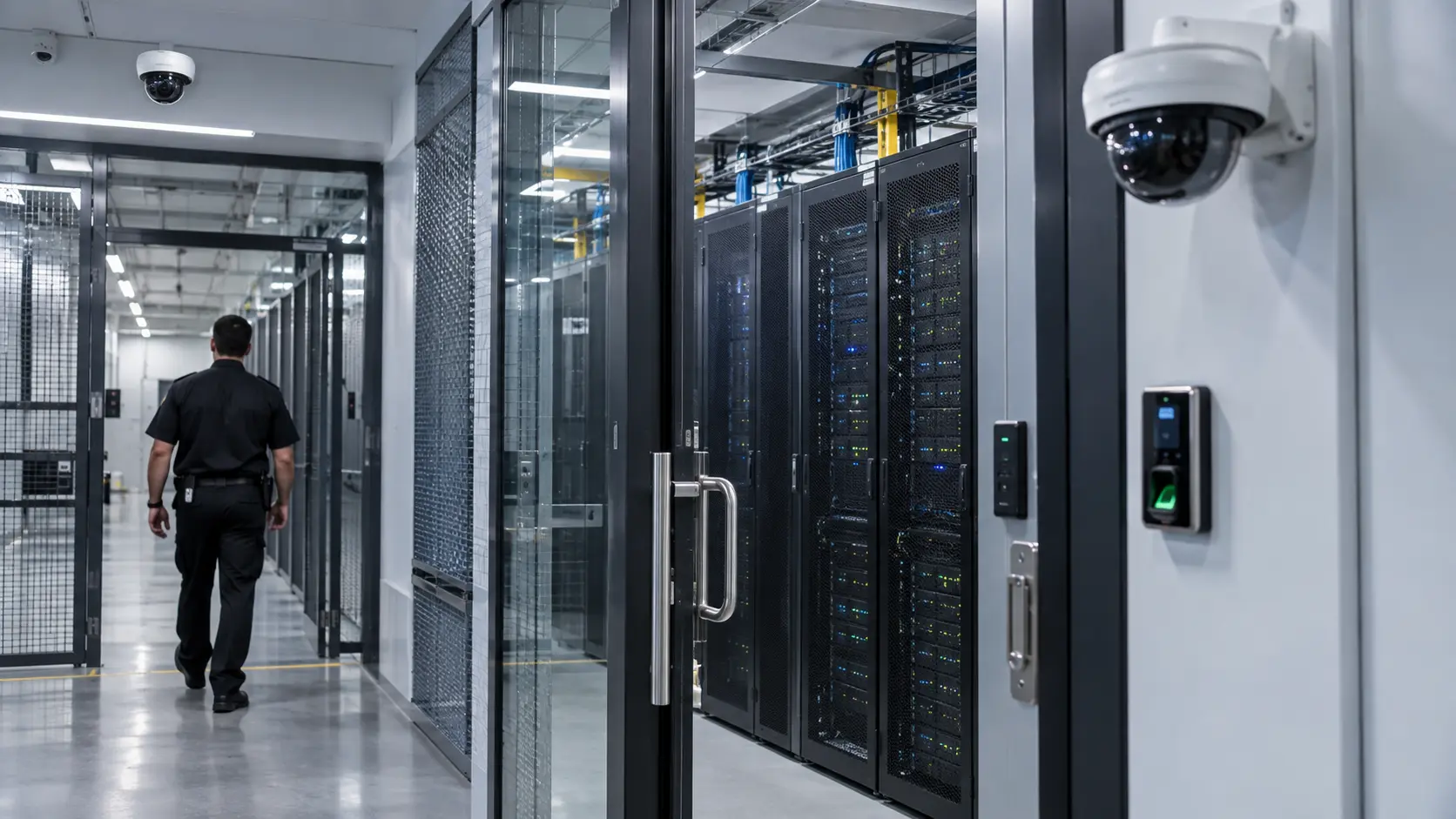
Data Center Access Control Systems
If CCTV is the eyes of a data center security system, access control is the gatekeeper. Cameras show you what happened. Access control determines who’s allowed to be where — and creates a log every time a credential is used.
In a commercial office building, access control might be a single card reader on the front door. In a data center, it’s a multi-layered system that controls movement from the parking gate to the server cabinet.
Access Control Technologies
| Technology | Best Used For | Considerations |
|---|---|---|
| Card / Key Fob Readers | Building entrances, general-access areas | Easy to manage; cards can be lost or shared |
| PIN Keypads | Secondary verification, low-traffic doors | No physical credential to lose; PINs can be observed |
| Biometric Readers | Server rooms, high-security zones | Strongest identity verification; higher cost per door |
| Mobile Credentials | Facilities adopting smartphone-based access | Convenient; requires compatible infrastructure |
| Door Controllers | Every controlled door | The hardware that executes lock/unlock decisions |
Managing Different Access Levels
A data center typically has multiple access tiers. A facilities manager might have access to every room in the building. A network technician might be restricted to specific server halls. A visiting client might only be allowed in the lobby and a single meeting room.
Access control systems let you define these tiers with granular rules:
-
✓
Which doors each person can open
-
✓
What times of day access is permitted
-
✓
Whether a second authentication factor is required for certain zones
-
✓
How visitor credentials work — who issues them, when they expire, whether an escort is required
-
✓
How contractor access is managed — time-limited credentials tied to a specific work order
Every credential use generates a log entry: who, where, when, and whether the access was granted or denied. Those logs become critical during incident investigations. If equipment goes missing from a server room on Tuesday afternoon, the access log tells you exactly which credentials were used to enter that room during the relevant timeframe.
Integrating Access Control with Video Surveillance
The real power of access control shows up when it’s connected to your camera system. When an access event triggers — a door opens, a credential is denied, someone enters a restricted zone — the system can automatically associate that event with the nearest camera feed.
For security teams, this means:
-
✓
Pull up any access event and immediately see the corresponding video
-
✓
Verify that the person using a credential matches the credential holder
-
✓
Investigate denied-access events to see who was trying to enter
-
✓
Review after-hours access events with video context
-
✓
Identify tailgating — someone followed an authorized person through a door without using their own credential
In highly restricted areas like server rooms, some facilities require both a credential scan and visual verification before granting access. The security team sees the camera feed, confirms the person’s identity, and then remotely unlocks the door.
How CCTV and Access Control Work Together
Here’s the core difference: a camera shows you that a door opened and someone walked through it. Access control tells you who opened the door, what credential they used, and whether they were authorized.
Separately, each system gives you part of the picture. Together, they give you the full story.
A Practical Example
An employee badges into a server room at 2:15 AM on a Saturday. Here’s what each system contributes:
- ✓Access control: Records the credential ID, the employee name, the door, the timestamp, and that access was granted.
- ✓Camera at the door: Captures video of the person approaching, badging in, and entering the room.
- ✓Camera inside the server room: Shows what the person did once inside — which racks they accessed, how long they stayed, what equipment they touched.
- ✓Integrated system: Links all three data points into a single event timeline. A security manager reviewing the event can pull up the access log, jump to the video, and review the entire sequence without searching through hours of footage.
Why Integration Changes Incident Investigation
Without integration, investigating a security event means manually cross-referencing timestamps between two separate systems. You check the access log, note the time, switch to the VMS, find the right camera, scrub to the right timestamp, and hope the footage is clear enough to be useful.
With integration, you click on the access event and the video plays. The investigation that used to take 45 minutes takes five.
For data centers that process hundreds or thousands of access events per day, this isn’t a convenience feature. It’s the difference between a security team that can actually review and respond to events and one that’s buried in data they can’t efficiently access.
Want to see how integrated security would work in your facility? Contact Security in DFW for an on-site assessment. We’ll walk your building, review your current setup, and show you where integration can close gaps in your security coverage.
Where Should Data Centers Install Security Cameras?
Every data center has a different floor plan, but the high-priority camera locations are consistent across most facilities. Here’s a location-by-location breakdown of where cameras should go and what each position needs to capture.
Main Entrance
The main entrance is your primary identification point. Cameras here need to capture clear facial detail of every person who enters and exits the building. That means a dedicated face-capture camera at approximately head height — not just a wide-angle overview from a ceiling mount 15 feet up.
If the entrance has a vestibule or mantrap (a small locked space between two doors), both the outer door and the inner door need separate camera coverage. Visitor monitoring starts here — you want to know who arrived, when, and whether they were met by authorized personnel.
Employee Entrance
Side entrances and employee-only doors are where tailgating is most likely to happen. An employee badges in, holds the door for the person behind them, and that second person enters without using a credential. Cameras at employee entrances should capture both the badge-in action and the full door opening to verify that only one person enters per credential use.
Pairing this camera with the access control reader creates a powerful verification tool. If the access log shows one badge-in but the camera shows two people entering, you have an immediate investigation trigger.
Server Rooms and Server Halls
This is the most critical camera location in any data center. Server rooms hold the infrastructure that clients and the business depend on. Every entry point to a server room needs a camera, and the interior needs enough coverage to see which racks someone accessed.
In larger server halls with hot-aisle/cold-aisle configurations, cameras positioned at the ends of each aisle provide clear line-of-sight down the full row. For smaller server rooms with a single entry, a camera covering the door and a second covering the equipment area may be sufficient.
Loading Dock
Loading docks are high-traffic, high-risk areas. Equipment deliveries, contractor arrivals, hardware removal — all of it passes through the dock. Cameras here need to handle wide dynamic range because the lighting shifts dramatically between the bright exterior and the dim interior of the dock bay.
Capture points include the exterior approach, the dock bay itself, the staging area where deliveries are unpacked, and the interior door leading from the dock into the building. If equipment leaves the building, the loading dock camera should be positioned to capture what’s being loaded and by whom.
Parking and Vehicle Entrances
Parking lots need wide-area coverage to monitor vehicle activity and provide a general overview of the property. Multi-sensor cameras or panoramic cameras can cover large parking areas with fewer devices than traditional fixed cameras.
Vehicle entrance points — gates, barriers, driveways — benefit from dedicated license plate capture cameras. These cameras are configured differently from standard surveillance cameras, using narrow fields of view and fast shutter speeds to capture plates on moving vehicles, even at night.
Perimeter
Perimeter cameras are your early warning system. They detect activity at the property boundary before anyone reaches the building. For Dallas data centers with large campuses, this might mean cameras every 100-200 feet along the fence line, supplemented by thermal or radar-based detection for areas without ambient lighting.
The goal at the perimeter isn’t necessarily face-level identification — it’s detection and tracking. You want to know that someone or something is approaching the building so the security team can respond before a breach occurs.
Corridors and Restricted Areas
Corridor cameras track movement through the building. They establish a visual path — showing that an individual entered the building at the main entrance, walked down the east corridor, and entered the server room. This movement trail is valuable during investigations because it connects entry events to specific destinations.
Restricted areas — electrical rooms, network distribution rooms, UPS rooms — need cameras regardless of how infrequently they’re accessed. These are high-impact areas where unauthorized access or equipment tampering could cause building-wide disruptions.
Camera Placement Summary
| Location | Primary Objective | Key Consideration |
|---|---|---|
| Main Entrance | Face-level identification of all visitors | Dedicated face-capture camera at head height |
| Employee Entrance | Credential verification, tailgating detection | Pair with access control reader |
| Server Rooms | Monitor who accesses critical equipment | Cover every entry point and aisle visibility |
| Loading Dock | Track deliveries, equipment movement | Wide dynamic range for mixed lighting |
| Parking / Vehicle Entrance | Vehicle monitoring, license plate capture | Panoramic or multi-sensor for wide lots |
| Perimeter | Early detection of approaching threats | IR or thermal for low-light fence lines |
| Corridors | Movement tracking between zones | Establish visual trail for investigations |
| Restricted Rooms | Monitor high-impact unmanned areas | Coverage even for infrequently accessed spaces |
Security Challenges Specific to Data Centers
Data centers face security challenges that most commercial facilities never deal with. Understanding these challenges is the first step toward designing a system that actually addresses them.
Unauthorized access.
Someone without proper credentials gaining entry to the building or a restricted area. This could be a former employee whose access wasn’t revoked, a contractor who found an unlocked side door, or an outsider who exploited a gap in perimeter security.
Tailgating.
One of the most common and hardest-to-prevent physical security threats. An authorized employee badges in and someone walks in behind them. Without cameras at every access point, tailgating can go completely undetected.
Insider threats.
Not every security threat comes from outside. Employees or contractors with legitimate access can cause damage — intentionally or accidentally. Server rooms and network equipment are especially vulnerable because insiders already have the credentials to enter.
Contractor and visitor management.
Data centers regularly host contractors for cabling, HVAC, electrical work, and equipment installation. Each visitor represents a potential access risk if their credentials aren’t properly managed, time-limited, and tracked.
Theft and equipment tampering.
Hard drives, servers, networking equipment — data center hardware is both valuable and portable. Without adequate camera coverage and access logging, equipment can leave the building without detection.
Blind spots and poor camera placement.
Many data centers that already have cameras still have significant blind spots — areas where the existing camera system simply doesn’t reach. Corners, alcoves, secondary exits, rooftop access points, and utility areas are frequently missed.
Inadequate video retention.
An incident is discovered three weeks after it happened, but the footage has already been overwritten because the recording system only retains 14 days. Retention planning needs to match the facility’s actual investigation timelines, not just storage capacity defaults.
Disconnected security systems.
Cameras from one vendor, access control from another, alarms from a third — none of them communicating with each other. The security team has to check three different platforms to investigate a single event. Disconnected systems don’t just slow investigations; they create gaps where events fall through the cracks.
What Features Should Businesses Look for in Data Center Security Cameras?
Not every data center needs every feature on this list. The right camera for a main entrance is different from the right camera for a server room corridor. Here’s what to evaluate and where each feature matters most.
| Feature | What It Does | Where It Matters |
|---|---|---|
| High-resolution imaging (4MP+) | Captures finer detail for identification | Entrances, face-capture positions |
| Low-light / IR performance | Produces usable footage without full lighting | Parking lots, perimeter, loading docks |
| Wide dynamic range (WDR) | Balances bright and dark areas in the same frame | Loading docks, lobbies with glass walls |
| PTZ (pan-tilt-zoom) | Allows remote repositioning and zoom | Parking lots, large open areas, perimeters |
| Multi-sensor cameras | Covers wide areas with one device | Parking lots, building corners, large perimeters |
| Video analytics | Detects events automatically (motion, intrusion, loitering) | Perimeter, restricted areas, entrances |
| Tamper detection | Alerts if a camera is moved, covered, or defocused | Any externally accessible camera location |
| Weather / vandal resistance | Survives outdoor conditions and physical impact | All exterior cameras, accessible interior cameras |
| Encrypted communication | Protects video data in transit | Every camera on the network |
| Remote monitoring | Live and recorded access from anywhere | Security operations, management oversight |
The key here is matching features to locations. A 4K PTZ camera makes sense overlooking a multi-acre parking lot. That same camera is wasted in a 10-foot-wide hallway where a fixed 2MP camera would provide identical coverage at a fraction of the cost.
A professional security designer evaluates each camera position individually and selects the hardware that fits the location, lighting, field of view, and security objective — rather than specifying the same camera model across the entire facility.
AI Video Analytics for Data Center Security
AI-powered video analytics add an automated detection layer on top of your camera system. Instead of relying entirely on a security operator watching screens, analytics can flag specific events in real time.
Practical applications for data centers include:
Perimeter intrusion detection.
The camera identifies a person or vehicle crossing a defined boundary line along the fence or property edge. Security receives an immediate alert rather than discovering the event during a later footage review.
Person and vehicle classification.
Analytics can distinguish between a person, a vehicle, and irrelevant motion like swaying trees or rain. This dramatically reduces false alarms — a major issue with basic motion detection on outdoor cameras.
Loitering or time-in-area alerts.
Someone has been standing near a restricted entrance for an extended period without entering. The camera flags the behavior for review. In a data center environment, this is useful at server room entrances and equipment staging areas.
Restricted-area monitoring.
Any detected movement in an area that should be empty triggers an alert. Useful for electrical rooms, rooftop access areas, and utility corridors that should only see traffic during scheduled maintenance.
Tailgating-related detection.
Some analytics platforms can detect when multiple people pass through a door on a single credential use. This isn’t foolproof — tailgating detection varies significantly by camera angle and environmental conditions — but it adds a layer of awareness that wouldn’t exist otherwise.
Faster video investigation.
Analytics tag events with metadata — type of object detected, time, camera, classification. When you need to find a specific event, you can search by object type and time range instead of manually scrubbing through hours of footage.
A word of caution: AI analytics should support human security teams, not replace proper security planning. Analytics are a detection tool. They work best when layered on top of a well-designed camera and access control system, not used as a substitute for one.
Designing a Layered Security System for a Data Center
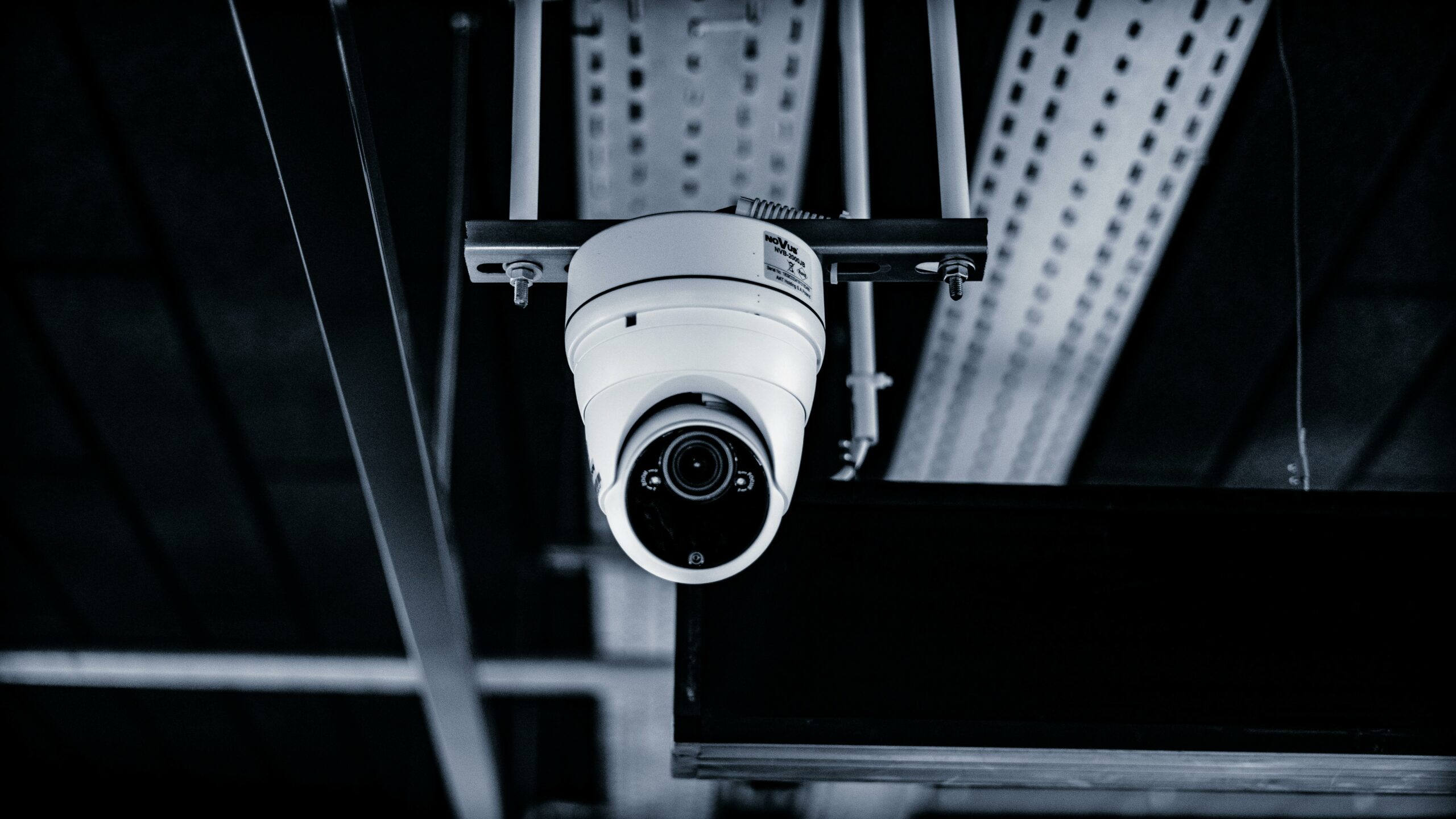
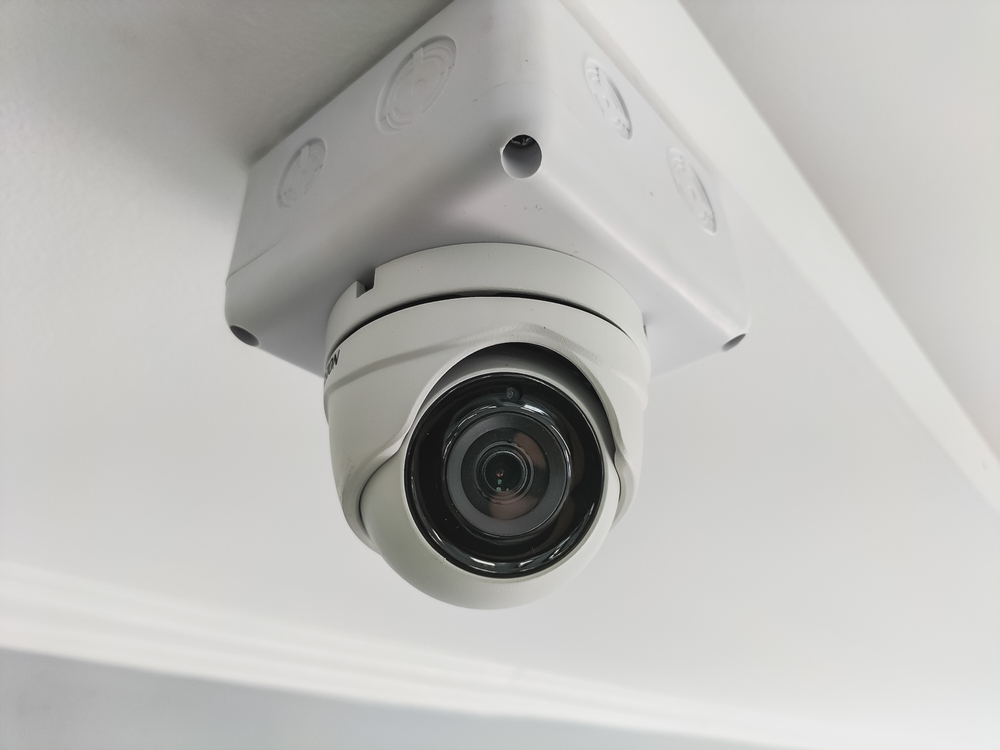
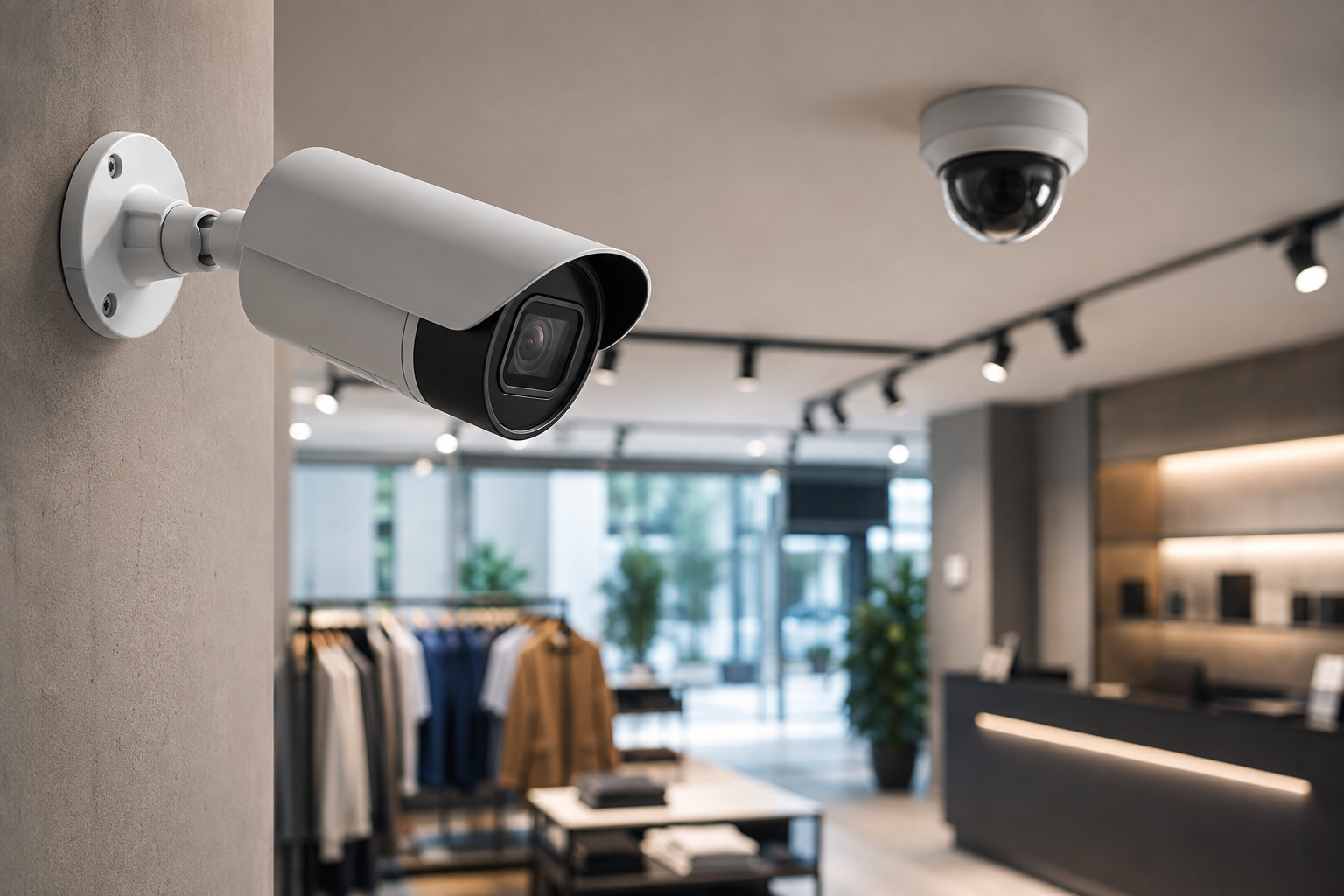
No single security technology protects a data center on its own. Cameras don’t stop unauthorized access. Access control doesn’t detect perimeter breaches. Alarms don’t identify who triggered them. A layered approach combines all of these into a system where each layer compensates for the limitations of the others.
Here’s how a layered security model typically works in a Dallas data center:
| Layer | What It Covers |
|---|---|
| 1. Perimeter | Fence-line cameras, gates, intrusion detection at the property boundary |
| 2. Site / Vehicle Access | Controlled vehicle entrances, barriers, license plate capture |
| 3. Building Entrance | Main doors with face-capture cameras, card readers, visitor management |
| 4. Employee / Visitor Access | Badge readers, PINs, or biometrics at interior doors and zones |
| 5. Restricted Rooms | Multi-factor access for server rooms, electrical rooms, network closets |
| 6. Server Rooms / Server Halls | Rack-level visibility, aisle cameras, access logs per door |
| 7. Video Monitoring | Live monitoring, recorded footage, VMS with search and playback |
| 8. Alarm / Intrusion Detection | Door contacts, motion sensors, after-hours alerts |
| 9. Event Logging and Investigation | Unified logs linking access events, video clips, and alarm triggers |
The power of this model is redundancy. If someone bypasses one layer — jumps a fence, for example — the next layer (site access cameras, building entrance controls) catches them. If a credential is stolen, the camera at the door captures the unauthorized user. If a camera goes down, the access log still records who entered.
No single technology is the complete solution. A data center security system is as strong as its weakest layer, which is why every layer needs attention during the design and installation process.
Professional Data Center Security System Installation in Dallas
Security In DFW follows a structured process for every data center project. Here’s what to expect from initial consultation through handover.
1. Site Assessment
Every project starts with an on-site walkthrough. We assess the facility layout, identify every entry point, map restricted areas, evaluate existing infrastructure (cabling, network, power), and document the specific security concerns the facility operator needs to address.
For existing facilities, this includes reviewing whatever camera and access control equipment is already in place — what’s working, what’s not, and what gaps exist.
2. Security System Design
Based on the site assessment, we design a system tailored to the facility. This includes specific camera locations with rationale for each, access control points, recording and storage requirements, integration between systems, and network requirements for video traffic.
We provide a camera plan showing each camera’s location, field of view, and purpose — not just a count. Knowing that the system has 48 cameras doesn’t tell you much. Knowing that camera 23 covers the east server room entrance at face-capture height with a 4MP fixed lens tells you exactly what it does and why it’s there.
3. Equipment Selection
We select cameras, access control hardware, recorders, and management software based on the specific requirements of each position. We work with commercial-grade manufacturers like Axis, Hanwha, and Verkada — choosing the right product for each location rather than defaulting to a single product line across the entire facility.
Equipment selection considers resolution, lens type, form factor, environmental rating, analytics capabilities, and compatibility with the chosen VMS and access control platform.
4. Installation
Installation covers camera mounting, structured cabling, network connectivity, access control hardware (readers, controllers, locks), and recording equipment. In a data center environment, installation needs to be carefully coordinated with facility operations — we can’t run cable through a live server hall without planning around uptime requirements and existing infrastructure.
5. System Configuration
Once hardware is installed, every component gets configured to match the security plan:
-
✓
Camera views are adjusted for optimal coverage and image quality
-
✓
Recording schedules are set — continuous for critical areas, event-triggered for lower-priority zones
-
✓
User permissions are defined — who can view cameras, who can access recordings, who can modify settings
-
✓
Access control rules are programmed — which credentials work on which doors, time-based restrictions, multi-factor requirements
-
✓
Alert rules are configured — what events trigger notifications and who receives them
6. Testing and Handover
Before handover, every component is tested individually and as part of the integrated system:
-
✓
Every camera is verified for image quality, field of view, and recording
-
✓
Every access point is tested — credential acceptance, denial, logging
-
✓
Recording is verified — footage is being stored correctly and retained per the configured schedule
-
✓
Alerts are tested — notifications fire correctly and reach the designated recipients
-
✓
Client training covers system operation, common tasks, and basic troubleshooting
We don’t consider a project complete until the facility operator is confident using the system independently.
Security Camera and Access Control Integration
We’ve touched on integration throughout this page because it’s that important. Here’s why it deserves its own section.
A standalone camera system tells you what happened. A standalone access control system tells you who was where. An integrated system does both simultaneously — and presents the information in a single interface.
When a door opens, the integrated system pulls up the video from the nearest camera, the credential that was used, the time, and whether the access was authorized. Security teams can verify events in seconds rather than cross-referencing two separate platforms.
Integration also enables centralized monitoring. A single operator can view camera feeds, access events, and alarm status from one workstation. When an alarm triggers in a restricted area, the operator immediately sees the camera feed for that zone alongside the access log showing who (if anyone) entered.
For incident investigations, integration cuts response time dramatically. Instead of pulling access logs from one system and footage from another, the security team starts with the event and follows the video trail — all from the same platform.
Data Center Security System Maintenance and Upgrades
A security system that isn’t maintained is a security system that’s deteriorating. Cameras lose alignment, firmware develops vulnerabilities, storage fills up, and access credentials accumulate for employees who left months ago. Ongoing maintenance keeps the system performing as designed.
A data center security maintenance plan should include:
-
✓
Camera health checks — verifying image quality, focus, angle, and night performance on every camera
-
✓
Storage and recording verification — confirming footage is being retained for the required period
-
✓
Firmware and software updates — patching security vulnerabilities and maintaining manufacturer support
-
✓
Access credential management — deactivating departed employees, updating contractor access, reviewing permissions
-
✓
Hardware replacement — swapping cameras and equipment that have reached end-of-life before they fail in service
-
✓
System expansion — adding cameras and access points as the facility grows or adds new areas
-
✓
Troubleshooting and repair — responding to camera failures, connectivity issues, and recording problems
-
✓
Periodic security assessments — reviewing the overall system design against current threats and operational changes
If your facility has added new server rooms, modified access zones, or changed operational workflows since the security system was last reviewed, it’s time for a reassessment.
Need a maintenance plan or system review? Contact Security in DFW to schedule a walkthrough of your current setup.
Why Choose Security In DFW for Data Center Security in Dallas?
We’re a Dallas-Fort Worth security integrator that specializes in commercial security system design and installation. Data centers are one of the most demanding environments for physical security, and our process reflects that.
What we bring to every data center project:
-
✓
Local Dallas-Fort Worth service coverage — we’re on-site when you need us, not dispatching from out of state
-
✓
Professional system design — every camera position, access point, and integration point is planned before a single device is mounted
-
✓
Commercial security experience — we work with office buildings, warehouses, healthcare facilities, and data centers across DFW
-
✓
CCTV and access control installation — both systems designed and installed as an integrated solution, not bolted together after the fact
-
✓
On-site assessment for every project — we walk the facility, understand the risks, and design around your specific layout and operations
-
✓
Customized solutions — no pre-packaged systems or one-size-fits-all camera kits
-
✓
Installation and ongoing support — we stay involved after the handover for maintenance, upgrades, and system modifications
We don’t make claims we can’t back up. We’re not the biggest security company in Texas, and we don’t need to be. What we are is a team that takes the time to design the right system for your facility and install it properly.
Data Center Security System Installation: What Does the Process Look Like?
Here’s a quick-reference checklist of the full installation process from first contact to ongoing support:
| Step | What Happens |
|---|---|
| Consultation | Initial conversation about your facility, security concerns, and objectives |
| Site Assessment | On-site walkthrough to evaluate layout, entry points, existing systems, and risks |
| System Design | Camera plan, access control layout, integration approach, and recording requirements |
| Equipment Selection | Hardware matched to each location’s specific requirements |
| Installation | Camera mounting, cabling, access control hardware, recording systems |
| Configuration | Camera views, access rules, recording schedules, alerts, and user permissions |
| Testing | Every camera, access point, recording path, and alert verified |
| Training / Handover | Facility team trained on day-to-day operation and common tasks |
| Ongoing Support | Maintenance, troubleshooting, upgrades, and periodic security reviews |
Frequently Asked Questions
Most data centers use a combination of CCTV video surveillance, access control systems, intrusion detection (door contacts and motion sensors), perimeter security (cameras, fencing, gates), and a video management system that records and organizes footage. The specific components depend on the facility’s size, layout, and security requirements.
There’s no universal number. Camera count depends on the facility’s size, the number of entrances and exits, how many restricted areas need coverage, the parking and perimeter footprint, and whether the operator needs aisle-level visibility in server halls. A small single-tenant data center might need 20-30 cameras. A large multi-tenant campus could need 100 or more. The right number comes from a site assessment, not a formula.
Priority locations include main entrances (for face-level identification), employee entrances (for tailgating detection), server rooms and server halls (for critical equipment monitoring), loading docks (for delivery and contractor tracking), parking lots (for vehicle monitoring), perimeter fence lines (for early detection), and restricted areas like electrical rooms, UPS rooms, and network closets.
Yes. Cameras and access control serve complementary roles. Cameras show what happened visually. Access control identifies who was involved and whether they were authorized. Using both — and integrating them — gives security teams the full picture for any event. Access control alone can’t show you what someone did after entering a room. Cameras alone can’t tell you who the person was or what credential they used.
Absolutely. Integrated systems link access events directly to camera footage. When someone badges into a door, the system logs the credential and associates the event with the nearest camera feed. Security teams can click on any access event and immediately view the corresponding video, making investigations faster and verification straightforward.
It depends on the location. Main entrances typically need high-resolution fixed cameras for face capture. Server rooms benefit from fixed cameras with good low-light performance. Parking lots may need PTZ or multi-sensor cameras for wide-area coverage. Perimeter positions often require cameras with strong IR capability for nighttime detection. The correct camera depends on the field of view needed, the lighting conditions, the environmental exposure, and the specific security objective for that position.
Yes, if the system is designed for it. Most modern VMS platforms and cloud-managed camera systems support secure remote access, allowing authorized users to view live feeds and recorded footage from any location with an internet connection. Remote monitoring requires proper network configuration, secure access credentials, and sufficient upload bandwidth from the facility.
Retention periods vary. Some facilities retain footage for 30 days. Others keep 90 days or longer. The right retention period depends on the facility’s internal policies, how quickly security incidents are typically discovered and investigated, any contractual requirements from tenants, and storage budget. There is no single correct answer — the goal is to ensure footage is still available when an investigation requires it.
In most cases, yes. Common upgrades include replacing outdated analog cameras with modern IP cameras, upgrading recorders or VMS software, adding access control to doors that currently have none, integrating previously separate camera and access control systems, and adding video analytics to existing camera hardware where supported. The scope of the upgrade depends on the condition of existing infrastructure — cabling, network capacity, and power availability.
Cost depends on too many variables to give a meaningful number without a site assessment. Camera count, camera type, access control points, existing infrastructure, recording and storage capacity, analytics requirements, integration complexity, and network modifications all affect pricing. A 20-camera system with basic access control is a fundamentally different project from a 100-camera integrated system with analytics and perimeter detection.
Protect Your Data Center with a Professionally Designed Security System
A data center’s physical security is only as good as the system protecting it. Cameras without access control leave gaps. Access control without cameras leaves blind spots. Disconnected systems slow investigations and create opportunities for threats to go undetected.
Security In DFW designs and installs integrated security systems for data centers across the Dallas-Fort Worth area — CCTV surveillance, access control, perimeter protection, and video management, all working together as a single coordinated system.
Every project starts with an on-site assessment of your facility. We walk the building, evaluate your current setup, identify gaps, and design a solution built around your specific layout, restricted zones, and operational requirements.
Contact Security in DFW today to schedule your data center security assessment. Call us or request a consultation online to get started.