
Security Systems & CCTV Camera Installation for Private Equity Firms in Dallas
Private equity firms typically need a layered security setup that combines CCTV cameras, commercial access control, intrusion alarms, and visitor management — working together as one system, not as separate pieces. Video surveillance covers your entrances, corridors, deal rooms, and parking areas, while access control determines who can physically enter restricted spaces like server rooms or partner offices. Professional installation matters because camera placement, door hardware, network configuration, and system integration all affect whether the system actually does its job. Security in DFW provides on-site security assessments for Dallas private equity offices and designs systems based on your specific layout, access requirements, and operational needs.
Private Equity Security at a Glance
Introduction
A private equity office isn’t a typical commercial space. On any given day, your team handles confidential deal information, hosts investors and portfolio company executives, stores sensitive financial data on local servers, and manages access for employees, contractors, and visitors who all need different levels of entry.
That kind of environment needs more than a few cameras mounted on a wall.
A modern security strategy for a private equity firm combines several systems into a coordinated setup:
CCTV and video surveillance
for visibility across your office, entrances, and exterior
Access control
to manage who enters which areas and when
Intrusion alarms
for after-hours protection
Visitor management
to track and control guest access
Remote monitoring and management
so your team (or IT administrator) can check footage and manage credentials from anywhere
Video analytics
where they solve a real problem — not just because the technology exists
If your firm operates in Dallas or across the DFW metro, local factors like building type, lease terms, parking configurations, and even how your reception area is laid out will shape the right system design.
Security in DFW works with commercial offices throughout Dallas-Fort Worth, designing and installing security systems based on how your space actually operates — not from a product catalog.
What Security Systems Does a Private Equity Firm Need?
There’s no single answer. What your office needs depends on how large the space is, how many people work there, how often you host outside visitors, whether you have server rooms or restricted document storage, and whether you operate from one location or several.
Here’s how the core components break down.
CCTV & Video Surveillance
Security cameras serve several practical functions in a private equity office:
- ✓Entrance monitoring — Record everyone entering and exiting the main door, employee entrances, and any service or loading entrances.
- ✓Reception area coverage — See who’s in the lobby, whether visitors have been greeted, and how foot traffic flows.
- ✓Hallways and common areas — Track movement between departments and toward restricted zones.
- ✓Conference and deal rooms — Where appropriate (and where privacy policies allow), cameras near these rooms can log who entered and when, without recording inside the room itself.
- ✓Restricted areas — Server rooms, file storage, executive offices, or any space with limited access.
- ✓Parking and vehicle areas — Garage entrances, reserved parking, and exterior perimeters.
- ✓After-hours monitoring — Cameras keep recording when the office is empty, giving you a visual record if an alarm triggers overnight.
- ✓Incident review — When something does happen, recorded footage lets your team or law enforcement review exactly what occurred.
- ✓Remote viewing — Most modern systems allow authorized users to pull up live or recorded footage from a phone, laptop, or tablet.
One thing worth understanding: camera placement matters more than camera count. A well-positioned camera at a chokepoint (like a hallway leading to your server room) often provides more useful footage than three cameras spread across a large open area with overlapping angles.
Commercial Access Control
Access control replaces traditional keys with electronic credentials — and gives you far more control over who goes where.
Common credential types include:
- ✓Keycards and RFID fobs — Still the most widely used option in commercial offices.
- ✓Mobile credentials — Employees use their smartphone to unlock doors, eliminating the need for a physical card.
- ✓PIN codes — Useful for shared entry points like supply rooms or secondary entrances.
- ✓Biometric readers — Fingerprint or facial recognition for high-security areas like server rooms or executive suites.
Beyond credentials, access control lets you:
- ✓Set door schedules so certain doors auto-lock after business hours.
- ✓Create zone-based permissions — an analyst can access the general office but not the server closet; a managing partner can access everything.
- ✓Streamline employee onboarding and offboarding — add or revoke credentials in minutes instead of collecting keys.
- ✓Maintain access logs that record every door event with a timestamp and user ID.
Physical keys create real administrative headaches for growing firms. When a partner leaves or an employee is terminated, you can’t be certain every copy of a key has been returned. With electronic credentials, you deactivate access remotely and instantly.
Intrusion & Alarm Systems
Intrusion detection fills the gaps that cameras and access control don’t cover on their own. Motion sensors, door/window contacts, glass-break detectors, and alarm panels work together to detect unauthorized entry — especially after hours.
When your office is empty at night, an alarm system triggers an immediate alert if a door is forced open, a window breaks, or motion is detected in a zone that should be vacant. Combined with your camera system, the alarm tells you something happened, and the cameras show you what happened.
Visitor Management
Private equity offices frequently host outside visitors — investors, attorneys, consultants, portfolio company leadership. Controlling that access matters.
A visitor management system can:
- ✓Log each visitor’s name, arrival time, and who they’re meeting.
- ✓Issue a temporary credential (a visitor badge or one-time access code) that works only for the duration of the visit.
- ✓Restrict visitor access to specific areas — a guest heading to a conference room doesn’t need access to the back office.
- ✓Maintain a record for compliance or internal policy purposes.
Remote & Cloud-Based Management
If your firm operates from a single Dallas office, remote access lets partners and IT staff view footage or manage credentials from home or while traveling. If your firm has offices in multiple cities, centralized cloud management means you can monitor every location from one dashboard, apply consistent access policies, and manage credentials across sites without visiting each one.
Why Private Equity Offices Need More Than Security Cameras
Cameras give you visibility. They record what happens. But they don’t physically stop anyone from walking through a door they shouldn’t be walking through.
Here’s a simple example:
A security camera in a hallway records someone entering your server room at 10:47 PM on a Saturday. You can see the footage later. But the camera didn’t prevent the entry. An access control system on that door would have required a credential — and if the person wasn’t authorized, the door stays locked. The camera still records the attempt, and the access system logs the denied event.
The real value comes from combining these data points:
| Data Source | What It Tells You |
|---|---|
| Access control event | Who attempted entry, whether it was authorized, and the exact timestamp |
| Camera footage | Visual confirmation of who was physically at the door |
| Alarm/event data | Whether any intrusion sensors triggered during the event |
Together, these three layers give your team — or law enforcement — a far clearer picture during an investigation. Instead of scrubbing through hours of footage, you can jump directly to the access event timestamp and see exactly what happened.
This doesn’t mean the system prevents every possible incident. No system does. But an integrated setup dramatically improves your ability to detect, document, and respond to security events.
Security Camera Installation for Private Equity Offices
Professional camera installation starts with understanding the space — not picking cameras from a product list.
Areas to Consider
Every office layout is different, but here are the areas that typically warrant camera coverage in a private equity environment:
- ✓Main entrance and lobby — Your first line of visibility.
- ✓Reception desk — Monitors visitor interactions and deliveries.
- ✓Employee entrances — Back doors, side entrances, badge-in doors.
- ✓Corridors and hallways — Especially routes leading to restricted areas.
- ✓Restricted rooms — Server closets, document storage, executive offices.
- ✓IT/server rooms — Often the highest-priority area for both access control and camera coverage.
- ✓Storage and supply areas — Where equipment or sensitive materials are kept.
- ✓Parking areas — Garages, surface lots, reserved spaces.
- ✓Exterior entrances — Building perimeter, especially after hours.
- ✓Loading or service entrances — If applicable to your building.
Camera placement should respect privacy expectations and applicable workplace requirements. For example, cameras are typically not installed inside restrooms, break rooms used for personal time, or inside private offices without clear policy and notice.
Choosing the Right Camera Type
There’s no single “best” camera. The right choice depends on what you’re covering, the lighting conditions, and how much detail you need.
| Camera Type | Common Use Case |
|---|---|
| Dome cameras | Indoor ceilings — lobbies, hallways, open office areas. Low-profile and tamper-resistant. |
| Bullet cameras | Exterior entrances, parking lots, loading docks. Visible deterrent with longer range. |
| Turret cameras | Similar to domes but often better in low-light. Good for indoor and sheltered outdoor areas. |
| PTZ cameras | Large open areas, parking garages. Pan-tilt-zoom allows remote directional control. |
| Varifocal cameras | Areas where you need adjustable focal length — useful when the optimal field of view isn’t obvious during planning. |
| IP/network cameras | The standard for modern commercial systems. Connect over your network for higher resolution and easier management. |
| AI-enabled cameras | Adds analytics like person detection or unusual activity alerts. Best applied to specific use cases, not blanket deployment. |
A professional installer evaluates each area and recommends the camera type that fits the location, lighting, and coverage objective — not the most expensive option on the shelf.
Access Control Systems for Private Equity Offices
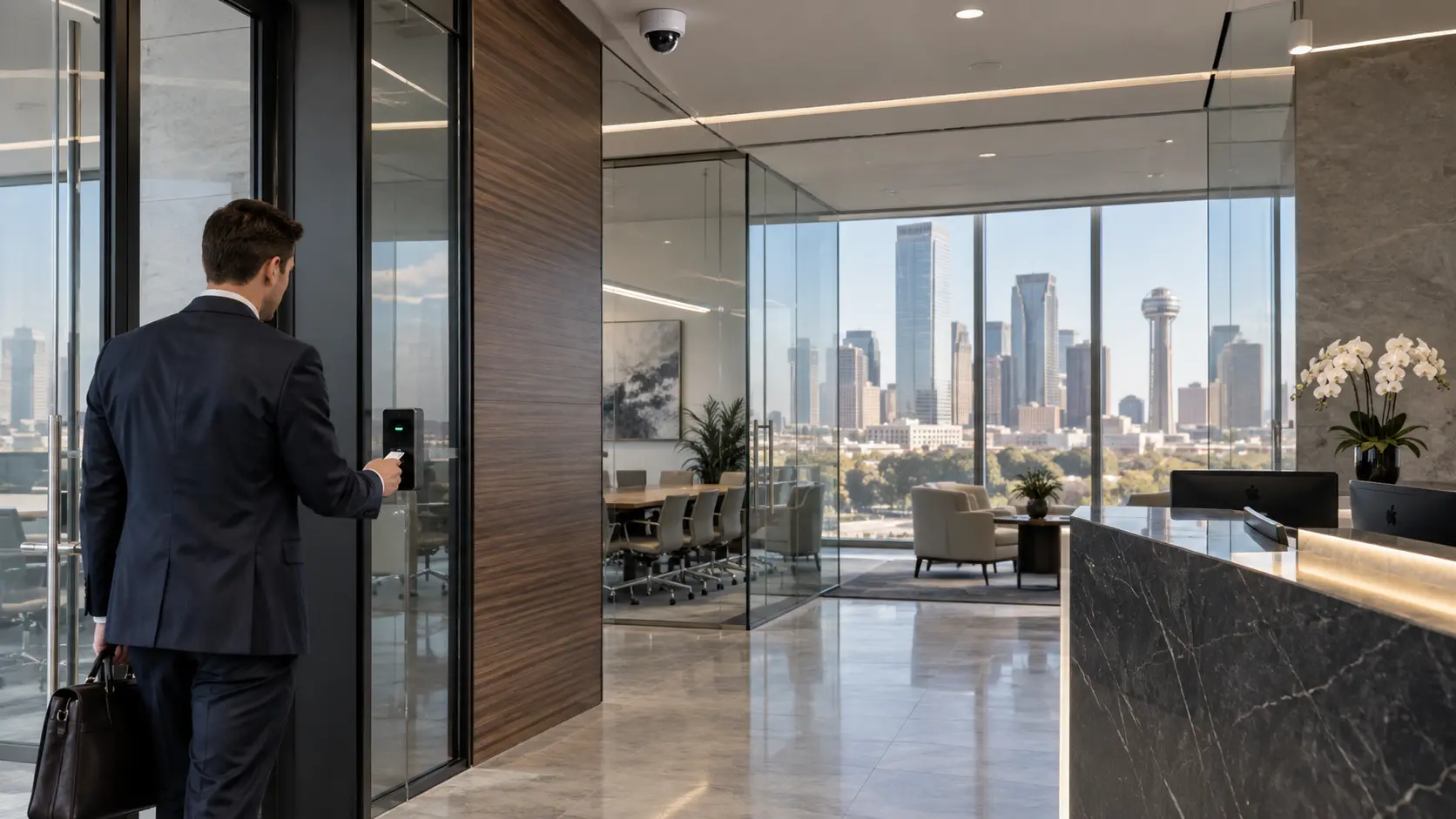
Access control lets you separate your general office space from areas that require restricted entry. In a private equity environment, that separation is critical.
Your front door might use a simple keycard reader that lets all employees in during business hours. But the server room behind the IT desk? That might require a biometric reader limited to three people. A conference room used for sensitive deal discussions might have a keypad lock that changes codes weekly.
Here’s how the common hardware options compare:
| Hardware | How It Works | Typical Application |
|---|---|---|
| Keycard / RFID reader | Employee taps a card or fob | Main entrances, general office doors |
| Mobile credential reader | Employee uses smartphone via Bluetooth or NFC | Firms that want to eliminate physical cards |
| Biometric reader | Fingerprint or facial recognition | Server rooms, executive areas, vaults |
| PIN keypad | User enters a numeric code | Supply rooms, shared spaces, secondary entrances |
| Magnetic lock (maglock) | Electromagnet holds door shut until released by valid credential | High-security doors requiring fail-safe or fail-secure configuration |
| Electric strike | Replaces standard door strike plate; unlocks electronically | Standard office doors, conference rooms |
Permissions can be assigned by employee role. An associate might have access to the general office floor and the kitchen. A managing director might have access to every door in the building. An IT contractor might have temporary access to the server room for a specific date range — and the credential expires automatically.
Integrating CCTV With Access Control
This is where a commercial security system becomes significantly more useful than cameras or access control operating independently.
Here’s how an integrated system works in practice:
- ✓An employee or visitor presents a credential — taps a keycard, uses a mobile credential, or enters a PIN at a door reader.
- ✓The access control system verifies the permission — checks whether that credential is authorized for that specific door at that specific time.
- ✓If authorized, the door unlocks. If not, the door stays locked and the system logs a denied-access event.
- ✓The system records the access event — user ID, door location, timestamp, granted or denied.
- ✓The associated camera captures footage — providing visual context for who was physically at the door at that moment.
When these systems are linked, your security team (or office manager reviewing an incident) doesn’t have to guess. They pull up the access event, and the corresponding video is right there.
For a private equity firm, this kind of integration is especially useful during internal investigations, compliance reviews, or when you simply need to verify who accessed a specific area on a specific date.
If your office needs commercial access control systems in Dallas, Security In DFW can design an integrated setup that connects your cameras and door hardware into a single, manageable system.
Security Systems for Multi-Office Private Equity Firms
Not every private equity firm operates from a single office. If your organization has a Dallas headquarters plus satellite offices, regional investment teams, or portfolio-company facilities that need consistent security, the system design changes.
Centralized management becomes the priority. Instead of running independent security systems at each location — each with its own credentials, its own camera recordings, its own access policies — a cloud-managed platform lets your operations or IT team handle everything from one dashboard.
Here’s what that looks like in practice:
Standardized credentials
—An employee’s keycard or mobile credential works at the Dallas office, the Austin satellite, and the Houston portfolio-company facility. No separate badges for each location.
Remote administration
—Add a new hire’s access permissions across every office from a laptop. Revoke a departing employee’s credentials at all locations simultaneously.
Consistent security policies
—The same door schedules, restricted-zone rules, and after-hours protocols apply everywhere, reducing gaps caused by inconsistent local management.
Centralized footage access
—Pull up camera feeds or recorded footage from any location without logging into separate systems.
That said, not every firm with two offices needs an enterprise-grade multi-site platform. A two-person satellite office with a single entrance has very different requirements than a 15,000-square-foot regional headquarters. The system should match the actual operational need at each location.
Security In DFW can evaluate your Dallas-area offices and help determine whether a centralized approach makes sense — or whether standalone systems at each location are the more practical option.

AI Video Surveillance for Private Equity Offices
AI-powered video analytics can add a useful layer to your camera system — when applied to a real problem. The key word there is when.
Here are the practical AI features that tend to be relevant for commercial office environments:
- ✓Person detection — The camera distinguishes between a person and a shadow, an animal, or a tree branch moving in the wind. This reduces false alerts significantly compared to basic motion detection.
- ✓Vehicle detection — Useful for parking areas and garage entrances. The system identifies vehicles rather than triggering on every passing headlight.
- ✓Line crossing — You define a virtual boundary on the camera’s view (such as a perimeter fence line or a restricted hallway entrance), and the system alerts when someone crosses it.
- ✓Intrusion detection zones — Similar to line crossing, but for defined areas. If someone enters a zone that should be vacant after 7 PM, the system flags it.
- ✓Unusual activity alerts — Some platforms can detect loitering, someone moving erratically, or a person present in an area for an unusual duration.
- ✓Object detection — Identifies objects left behind in a monitored area, such as an unattended bag near a building entrance.
Where AI Analytics Make Sense — and Where They Don't
AI video analytics work best when they’re solving a specific, defined problem. If your after-hours parking garage generates dozens of false motion alerts every night because of headlights and wind, person detection can reduce that noise dramatically. That’s a practical use case.
What doesn’t make sense is deploying AI analytics on every camera in the building because the feature exists. AI cameras cost more, they require proper configuration, and they still depend on correct camera placement and adequate lighting to work well.
False alarms are still possible, especially with poor lighting, reflective surfaces, or cameras positioned too far from the detection area. A well-configured system with good camera placement will always outperform an AI camera that’s mounted in the wrong spot.
What to Consider Before Installing a Security System
Before selecting any equipment, there are practical questions that shape the system design. A professional security assessment covers these, but it helps to think through them in advance.
| Consideration | Why It Matters |
|---|---|
| Building layout | Determines camera positions, door hardware locations, and cable routing |
| Number of entrances | Every entry point is a potential access control and camera location |
| Employee count | Affects the number of credentials, user permissions, and system capacity |
| Visitor volume | High visitor traffic may warrant a formal visitor management system |
| Sensitive areas | Server rooms, deal rooms, file storage — these need the tightest access controls |
| Existing cameras or access control | Some existing hardware may be reusable; some may need replacing |
| Network infrastructure | IP cameras and cloud-managed access control need adequate bandwidth and network ports |
| Recording and storage | Camera count and resolution determine how much storage (local NVR or cloud) you’ll need |
| Remote access requirements | Partners or IT staff accessing footage or credentials off-site |
| Future expansion | Will you add offices, floors, or locations in the next few years? The system should scale. |
| Budget | Helps determine priorities — what’s essential now versus what can be phased in later |
| System compatibility | If you have existing infrastructure, new components need to integrate with it |
| Privacy considerations | Camera placement must align with employee privacy expectations and workplace policies |
| Maintenance and support | Who handles system issues, firmware updates, and hardware replacements after installation? |
Walking through these before your assessment helps the process move faster and ensures the system design reflects how your office actually operates.
Professional Security System Installation Process in Dallas
A commercial security installation isn’t a one-day project. It’s a structured process that moves from assessment through design, installation, and ongoing support. Here’s how Security in DFW approaches it.
Step 1: Security Assessment
An installer visits your office to review the physical space — entrances, exits, hallways, restricted areas, parking, exterior exposure, and existing security infrastructure. The goal is to understand the layout and identify vulnerabilities, not to sell you the most expensive system possible.
For a private equity office, this usually includes a close look at server rooms, conference areas used for sensitive meetings, and any spaces where confidential documents or equipment are stored.
Step 2: System Design
Based on the assessment, the installer develops a system plan. This includes proposed camera positions, access control points, recording and storage requirements, and how the components integrate. You’ll see where cameras will go, which doors get readers, and how the system connects to your network.
Step 3: Equipment Selection
Camera models, access control readers, locks, NVRs, cabling — all of this is selected based on what the specific project requires. A server room might call for a biometric reader and a dome camera with low-light capability. A front entrance might need a turret camera with wider field of view and a keycard reader with mobile credential support.
Step 4: Installation
Professional installation includes mounting cameras, running cabling (or verifying existing cable runs), installing door hardware, setting up recording equipment, and connecting everything to the network. Clean cable management and proper hardware placement protect both the equipment and the aesthetics of your office.
Step 5: Integration & Configuration
This is where the individual components start working as a system. Cameras are linked to access control events. Door schedules are programmed. Alert rules are configured. If your system includes cloud management, remote access is set up and tested.
Step 6: Testing
Every camera angle is reviewed for coverage and image quality. Every credential is tested at every authorized door. Alarm triggers are verified. Recording is confirmed. Alerts are tested to make sure the right people receive notifications. Integration between cameras and access events is checked to ensure footage pulls up correctly when an access event is selected.
Step 7: Training
Your office manager, IT administrator, or designated staff receive practical training on how to use the system day to day — pulling up footage, adding or revoking credentials, responding to alerts, running access reports, and basic troubleshooting. A system no one knows how to operate doesn’t protect anything.
Step 8: Ongoing Support
After installation, systems need periodic attention. Firmware updates, hardware maintenance, camera adjustments, credential management as your team grows, and technical support when something isn’t working as expected. Security in DFW provides ongoing support for the systems it installs across the Dallas-Fort Worth area.
Security Camera & Access Control Brands
The right brand depends on your project requirements, existing infrastructure, and the features that matter most for your specific office. There’s no single manufacturer that’s ideal for every situation.
Security In DFW works with several established commercial security brands, including:
- ✓Avigilon — Known for high-resolution cameras and advanced video analytics. Often selected for commercial offices that prioritize AI-powered surveillance features.
- ✓Hikvision — One of the largest camera manufacturers globally, offering a broad product line across price points. Common in commercial installations where value and reliability are priorities.
- ✓VIVOTEK — Specializes in IP-based surveillance solutions with a focus on network cameras and video management software.
Lorex
—Offers commercial-grade camera systems with straightforward setup and solid recording options.
Eagle Eye
—Cloud-based video management and surveillance platform, useful for firms that want centralized, remote-accessible camera management across locations.
Ubiquiti
—Network-integrated camera and access control systems. Popular with IT-focused organizations that want their security infrastructure tightly integrated with their existing network hardware.
Not every project uses every brand. The selection depends on what the assessment reveals and what the system needs to accomplish. Your installer should recommend equipment based on the project — not based on which manufacturer offers the highest margin.
Commercial Security Camera Installation in Dallas
Security In DFW provides commercial security camera installation in Dallas for offices, commercial buildings, and business facilities across the metro area. If your private equity firm needs cameras installed, upgraded, or integrated with access control, that work falls within the scope of what we handle regularly throughout Dallas-Fort Worth.
Rather than repeating the full scope of commercial camera services here, you can visit the dedicated service page linked above for additional detail on camera installation capabilities, service coverage, and project types.
Why Work With Security In DFW?
There are practical reasons to work with a Dallas-based commercial security installer rather than a national chain or a residential-focused company.
Texas-licensed
—Security in DFW holds the appropriate Texas licensing for commercial security system installation.
Commercial focus
—The work centers on business and commercial properties, not residential alarm systems. That means experience with office layouts, commercial door hardware, enterprise-grade cameras, and network-integrated access control.
Dallas-Fort Worth service area
—Local presence means faster response times for assessments, installations, and support calls. No waiting for a technician to fly in from out of state.
On-site security assessment
—Every project starts with a physical walk-through of your space, not a phone quote based on square footage.
Customized system design
—Camera placement, access control points, and hardware selections are based on your office — not a cookie-cutter package.
Professional installation
—Clean cabling, proper mounting, correct network configuration, and thorough testing before handoff.
System integration
—Cameras, access control, alarms, and remote management connected and working together as a single system.
Ongoing support
—Maintenance, troubleshooting, firmware updates, system adjustments, and expansion as your firm grows or adds locations.
Frequently Asked Questions
Most private equity offices benefit from an integrated system that includes commercial-grade CCTV cameras, electronic access control, intrusion alarms, and some form of visitor management. The specific components depend on your office size, the number of restricted areas, employee count, and whether you operate from one location or several. The goal is layered security — cameras provide visibility, access control restricts physical entry, and alarms detect unauthorized activity after hours.
Camera count depends on the layout of your office, the number of entrances and exits, hallway configurations, how many restricted areas you have, and your coverage objectives. A compact office suite with one entrance and a server closet might need four to six cameras. A larger multi-floor space with parking garage access, multiple entrances, and several restricted zones could require significantly more. An on-site assessment is the only reliable way to determine the right number.
Yes. When integrated, a door access event — someone tapping a credential at a reader — automatically links to the camera covering that door. Your team can pull up the access log entry and immediately view the corresponding footage without manually searching through hours of recorded video. This is especially useful during incident investigations or compliance reviews.
Compatible access control platforms support mobile credentials through Bluetooth or NFC on a smartphone. This lets employees unlock doors with their phone instead of carrying a physical keycard. It also simplifies credential management — issuing, revoking, or modifying access can often be done remotely through the management platform.
If the system is built on a cloud-managed platform, yes. Centralized management lets an administrator oversee camera feeds, access control credentials, door schedules, and alert configurations across multiple locations from a single dashboard. Credentials can be standardized so an employee’s badge works at every office. Not every system supports multi-site management, so this capability should be confirmed during the system design phase.
Timelines vary based on the number of cameras, the amount of cabling required, building size, whether access control is included, and the complexity of system integration. A straightforward installation in a small office suite might take one to two days. A larger project involving dozens of cameras, multiple access control points, and network integration across several floors could take one to two weeks. Your installer should provide a project timeline after the assessment.
In some cases, yes. A professional assessment can determine whether your current cameras, cabling, recorders, or access control hardware are worth keeping. If your existing cable runs are in good condition and your cameras are IP-compatible, it may be possible to upgrade the recorder and software without replacing every camera. If the existing equipment is outdated analog hardware, a full replacement may be more practical and cost-effective in the long run.
Pricing depends on camera count, access control points, hardware selections, storage requirements, cabling, integration complexity, and whether the project involves new construction or retrofitting an existing space. Because these variables differ for every office, publishing a fixed price wouldn’t be accurate or useful. The most reliable way to get a realistic estimate is to schedule a site assessment so the installer can evaluate your space and provide a proposal based on what you actually need.
Get a Security Assessment for Your Private Equity Office in Dallas
If you’re evaluating security for your private equity office — whether you’re moving into a new space, upgrading an existing system, or starting from scratch — the first step is understanding what your specific office actually needs.
Security In DFW provides on-site security assessments for private equity firms and commercial offices throughout Dallas and the surrounding DFW metro area. We’ll walk your space, review your entrances and restricted areas, evaluate any existing infrastructure, and put together a system recommendation based on your layout, your access requirements, and your operational priorities.
No generic packages. No pressure to overbuy. Just a clear recommendation you can evaluate on its own merits.
Contact Security in DFW to schedule a security assessment for your Dallas office.