
Security Systems & CCTV Camera Installation for Hospitality in Dallas
A hospitality property is not a warehouse. It is not a retail store. And it should not be secured like one. Hotels, resorts, event venues, and lodging properties have a specific set of challenges that most generic security companies either gloss over or ignore entirely. You have guests coming and going around the clock. You have employees working in areas the public never sees. You have cash handling at the front desk, inventory in storage rooms, vehicles in parking garages, deliveries at loading docks, and dozens of access points that change in importance depending on the time of day. If you manage a hospitality property in Dallas and you are thinking about installing a new security system, upgrading an outdated CCTV setup, or expanding coverage across multiple buildings, this page walks through what you actually need to know. We cover camera types, placement, recording, remote access, AI features, access control, costs, and installation — all specifically for hospitality. Security in DFW provides commercial security camera installation in Dallas for hotels, resorts, venues, lodging properties, and other hospitality businesses across the DFW area.
Hospitality Security at a Glance
Why Hospitality Properties in Dallas Need a Dedicated Security System
Every commercial property benefits from cameras. But hospitality properties face a particular combination of risks that generic systems do not always address well.
Theft and Loss Prevention
Theft in hospitality is not limited to someone grabbing something off a shelf. It can happen at the front desk during a cash transaction, in a storage room where supplies go missing over weeks, at a loading dock where deliveries are short-counted, or in employee-only areas where property walks out the back door. The goal of cameras in these areas is not to accuse anyone. It is to create documentation and visibility. When every cash-handling station, storage room, inventory area, loading dock, and service entrance has camera coverage, the property has a record it can actually review when something does not add up. That visibility alone tends to reduce problems before they escalate.
Guest and Employee Safety
Hospitality properties have a responsibility to maintain a safe environment for both guests and staff. Cameras in lobbies, corridors, parking areas, and common spaces help document incidents and support faster response when something goes wrong. If there is an altercation in a lobby, a slip-and-fall near a pool, or a disturbance in a parking garage, recorded footage gives the property manager something concrete to review — rather than relying entirely on conflicting accounts after the fact.
After-Hours Security
Most hospitality properties operate around the clock, but staffing levels drop significantly overnight. Cameras paired with alarm systems and remote access allow managers or a monitoring service to maintain awareness even during low-staffing hours. A camera watching a loading dock at 2 a.m. does not take a break. Neither does one covering a side entrance or a back parking lot. Remote access means someone can check a live feed or receive an alert without physically being on the property.
Disputes and Incident Documentation
Hospitality businesses deal with disputes — billing disagreements, noise complaints, damage claims, vendor issues, workers’ comp situations. Recorded footage provides an objective reference point. Instead of a manager trying to reconstruct what happened based on secondhand information, the property can pull up timestamped video. That kind of documentation is useful for resolving internal issues, addressing guest complaints, and handling insurance or legal matters.
Parking Lots, Garages, Entrances, and Loading Areas
Exterior areas are some of the most common blind spots in hospitality security. A hotel parking lot at night, a multi-level garage, a poorly lit service entrance — these are all areas where incidents happen and where camera coverage makes a real difference. Outdoor cameras in these zones need to handle variable lighting, weather, and distance. That means choosing cameras specifically rated for outdoor use, with adequate night vision and enough resolution to capture useful detail at the distances involved.
Multiple Buildings or Properties
Hospitality groups that operate more than one property face an additional challenge: managing security across locations without having someone physically watch every feed at every site. Centralized video management systems allow a property group to view feeds from multiple locations through a single interface, set consistent recording policies, manage user permissions, and review footage remotely. This is especially relevant for hotel groups, resort operators, or venue companies with properties across Dallas-Fort Worth.
Where Should Security Cameras Be Installed in a Hospitality Property?
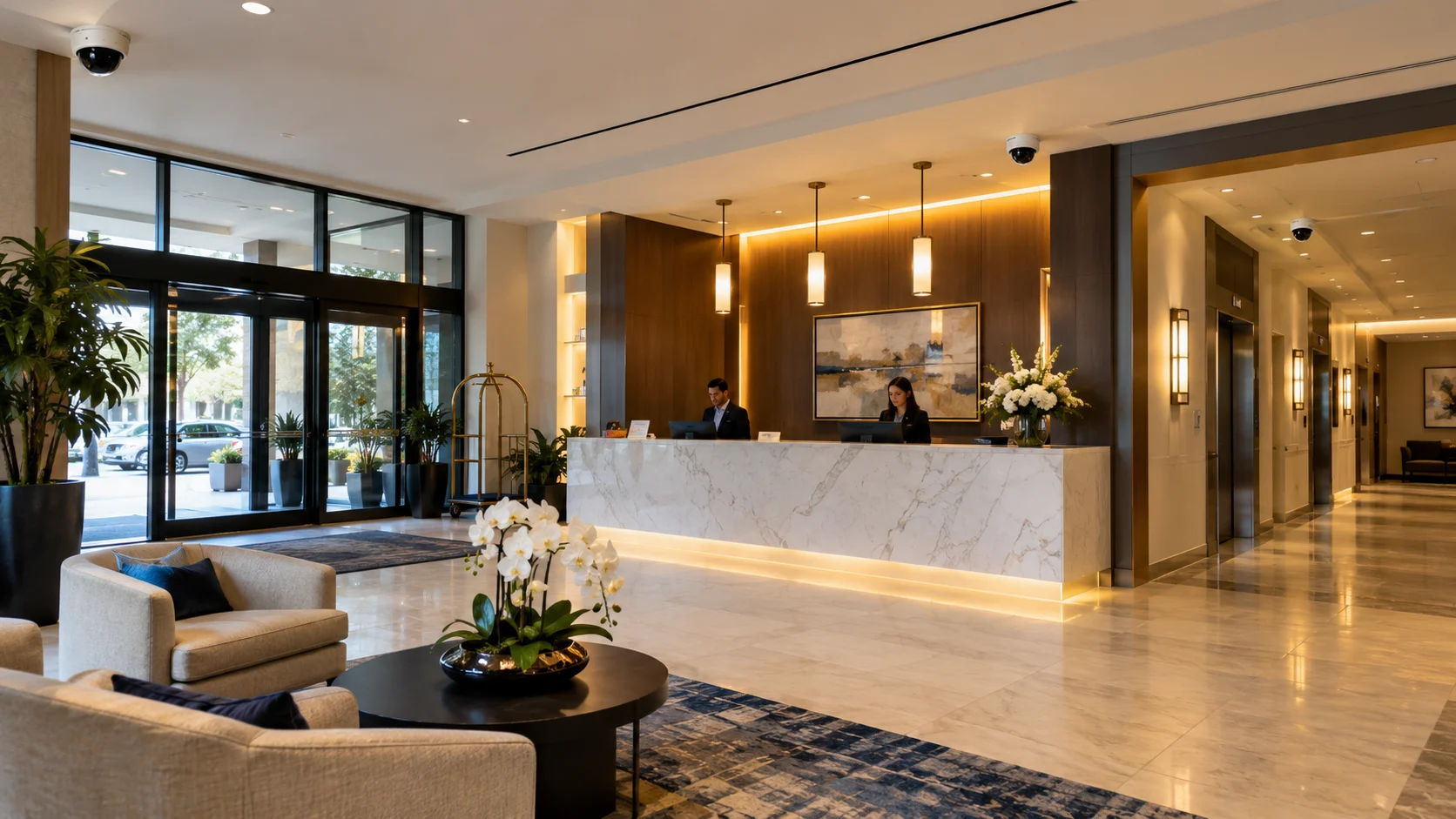
Camera placement in a hospitality property should be driven by the specific layout, traffic patterns, risk areas, and security objectives of the property — not by a one-size-fits-all template. That said, there are areas that nearly every hospitality property should cover. Here is a general placement guide:
| Hospitality Area | Security Goal | Recommended Camera Consideration |
|---|---|---|
| Main entrance | Identify people entering and exiting | High-resolution camera with good facial detail |
| Lobby | Monitor activity and document incidents | Wide-angle or multi-sensor coverage |
| Front desk | Monitor surrounding activity and transactions | Detailed coverage of the counter area |
| Guest corridors | Support incident awareness along hallways | Indoor cameras suited to corridor length |
| Parking lot | Monitor vehicles and pedestrian activity | Outdoor cameras with night vision |
| Parking garage | Improve visibility in low-light vehicle areas | Low-light or IR cameras rated for garages |
| Loading dock | Monitor deliveries and service access | Outdoor camera with wide coverage |
| Employee entrance | Monitor authorized access points | Entry-focused camera, often paired with access control |
| Storage room | Protect inventory and equipment | Indoor camera |
| Pool or recreation area | Support safety and incident documentation | Weather-rated outdoor camera |
| Event space | Monitor activity during gatherings | Flexible indoor camera with adjustable coverage |
| Restaurant or dining area | Monitor common areas and cash handling | Indoor camera with appropriate detail |
| Kitchen | Monitor food-service and back-of-house areas | Indoor camera rated for heat and humidity |
| Service area | Monitor after-hours and exterior service zones | Outdoor or low-light camera |
| Offices and restricted areas | Protect sensitive spaces | Indoor camera, often paired with access control |
A note on placement: This table is a starting point. Exact camera positions depend on the property’s physical layout, mounting points, ceiling height, lighting conditions, field-of-view requirements, privacy considerations, and the specific security problems the property needs to solve. A site assessment is the only reliable way to determine what a particular property actually needs.
Hospitality CCTV vs. Modern IP Security Camera Systems
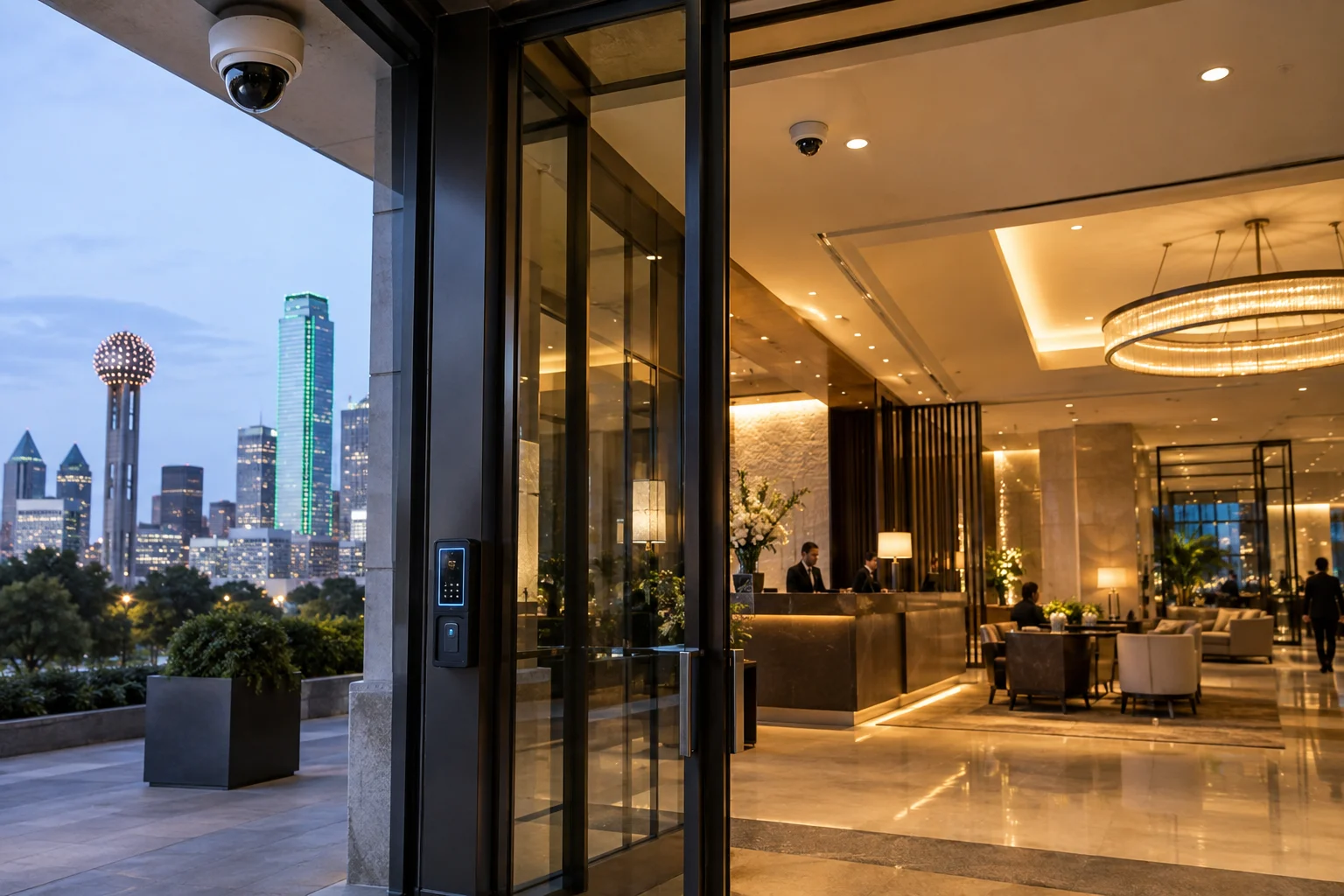
If your property still runs an older analog CCTV system, you have probably noticed the limitations: grainy footage, limited remote access, difficult expansion, and aging DVR hardware that is increasingly hard to maintain. Modern IP-based systems address most of those issues. Here is a straightforward comparison:
| Feature | Traditional Analog CCTV | Modern IP Camera System |
|---|---|---|
| Image quality | Standard definition (typically 720p or lower) | HD, 4K, and higher resolutions available |
| Cabling | Coaxial cable (BNC) | Ethernet (Cat5e/Cat6), often with PoE |
| Scalability | Limited by DVR channel count and cable runs | Easily expandable over the network |
| Remote access | Limited or none without additional hardware | Built-in remote viewing via app or browser |
| Recording | DVR with limited capacity | NVR or cloud-based, with flexible storage |
| Analytics | None | AI analytics available on many models |
| Integration | Standalone system | Integrates with access control, alarms, VMS |
| Maintenance | Aging hardware, harder to source parts | Current hardware with firmware update support |
| Upgrade path | Often requires full replacement | Cameras and storage can be upgraded individually |
Which is right for your property? That depends on what you currently have and what you need. If your hospitality property has an existing analog system with extensive coaxial cabling, there are hybrid solutions that can bridge the gap — letting you keep some existing infrastructure while transitioning to IP. If you are building out a new system from scratch, IP is almost always the better foundation. A site assessment will clarify what makes sense for your specific property and budget.
Should Hospitality Properties Use Cloud Video Surveillance?
Cloud video surveillance stores footage on remote servers rather than (or in addition to) an on-site NVR. For hospitality properties — especially those managing multiple locations — cloud can simplify a lot of operational headaches. What cloud does well:
- ✓Remote access from anywhere. Managers, owners, and authorized staff can view live feeds and recorded footage from a phone, tablet, or laptop without needing VPN access or port forwarding.
- ✓Multi-property management. A hotel group with properties across Dallas-Fort Worth can view and manage all locations through a single cloud dashboard instead of logging into separate NVRs at each site.
- ✓Centralized video. All footage lives in one place, with consistent retention policies, user permissions, and search capabilities across locations.
- ✓Reduced on-site hardware. Cloud systems reduce or eliminate the need for on-site NVR servers, which means less equipment to maintain, cool, and protect.
- ✓Easier administration. Firmware updates, user management, and system health monitoring can often be handled remotely through the cloud platform.
What to consider before going cloud:
- ✓Internet dependency. Cloud surveillance requires a reliable internet connection with sufficient upload bandwidth. If the property’s internet goes down, cloud recording may be interrupted (though many systems offer local buffering or hybrid recording as a fallback).
- ✓Ongoing subscription costs. Cloud storage typically involves a monthly or annual subscription per camera or per site, which adds up over time compared to a one-time NVR purchase.
- ✓Cybersecurity. Any cloud-connected system introduces network security considerations. The platform should use encryption, strong access controls, and follow recognized security practices.
- ✓Storage and retention. Cloud plans often tier storage by retention period — 7 days, 30 days, 90 days. Longer retention costs more. Make sure the retention period meets the property’s needs and any applicable requirements.
Platforms like Eagle Eye cloud video surveillance are designed specifically for multi-site commercial deployments, which makes them worth evaluating for hospitality groups that need centralized management across multiple properties. Bottom line: Cloud is not automatically better than local storage, and local is not automatically better than cloud. The right choice depends on the property’s size, number of locations, internet infrastructure, budget, and management preferences. Many hospitality properties end up using a hybrid approach — local recording for redundancy with cloud access for remote management.
AI Video Surveillance for Hospitality
AI-powered video analytics have become more accessible and more practical over the past few years. For hospitality properties, the useful applications tend to fall into a few categories:
People and vehicle detection.
Instead of recording everything continuously and reviewing hours of empty hallways, AI cameras can distinguish between a person, a vehicle, and background motion. This means fewer false alerts from swaying trees, headlights, or weather — and more relevant notifications when something actually happens.
Suspicious activity alerts.
Some AI systems can be configured with virtual boundaries or zones. If someone crosses a perimeter fence after hours, enters a restricted loading area, or lingers in an unusual location, the system can generate an alert. For a hotel with a large property and limited overnight staff, this kind of automated monitoring adds a layer of awareness that fixed cameras alone do not provide.
Video search.
This is one of the most immediately useful AI features for hospitality managers. Instead of scrubbing through hours of footage, you can search for events — “show me all people who entered the south entrance between 10 p.m. and 6 a.m.” or “find vehicles in the loading dock area last Tuesday.” AI-indexed video turns investigation from a time-consuming chore into a quick lookup.
Occupancy and people counting.
Some hospitality properties use AI cameras to monitor foot traffic in common areas, event spaces, or entrances. This can support operational decisions — staffing levels, space management — and provide data that goes beyond just security.
Large area monitoring.
AI analytics can help security staff focus their attention on large or complex properties. Instead of watching a wall of monitors, staff can rely on the system to flag events worth looking at and investigate from there.
Integration with other systems.
AI cameras can feed data into access control platforms, alarm systems, or property management systems, creating a more connected security environment.
A realistic note on AI:
AI is not magic. It works best when it is configured properly for the specific environment — lighting, camera angles, detection zones — and when it is used to address a defined problem. Adding AI to a camera that is poorly positioned or misconfigured will not fix the underlying issue. Start with solid camera placement and good system design, then layer AI features where they solve a real problem for the property.
Integrating Hospitality Security Cameras With Access Control
Cameras and access control are two different systems, but they are more useful when they work together. In a hospitality property, access control manages who can enter specific areas — employee entrances, storage rooms, offices, management suites, server and network rooms, maintenance areas, restricted guest zones, loading docks, and back-of-house spaces. Access control tells you who badged in and when. Cameras provide the visual context. They show you what actually happened at that door, whether the person who badged in was actually the cardholder, whether someone tailgated through behind them, and what occurred in the area after entry. When the two systems are integrated, you get a much clearer picture:
- ✓An access event triggers a camera clip, so you can instantly see who entered a restricted storage area at an unusual time.
- ✓A denied-access attempt generates an alert with video, so you can see who was trying to get in and whether it warrants a response.
- ✓Access logs and video records are linked, making investigations faster and more reliable.
For hospitality properties, the most common areas where camera-access control integration pays off are employee entrances, back-of-house storage, management offices, IT and server rooms, and loading docks. Security in DFW installs commercial access control systems in Dallas that integrate with commercial camera systems for a connected approach to hospitality security.
Hospitality Security Cameras and Burglar Alarm Integration
Cameras and burglar alarms serve different purposes, but they complement each other. An alarm system detects a potential intrusion — a door forced open, a glass break, motion in a space that should be unoccupied — and generates an alert. But an alarm alone does not tell you what is happening. It tells you something triggered a sensor. A camera provides the verification. When an alarm fires, an integrated camera system can pull up the relevant feed so a manager or monitoring service can see whether it is a genuine intrusion, a late-arriving employee, a contractor, or a sensor malfunction. This combination is especially useful for hospitality properties during low-occupancy periods, overnight hours, or in areas that are intermittently occupied — banquet halls, seasonal event spaces, detached buildings, or sections of a property that are closed for renovation. Cameras do not replace alarms, and alarms do not replace cameras. Together, they give a hospitality property both detection and visual confirmation.
What Makes a Good Hospitality Security Camera System?
Not all camera systems are equal, and a system that works for a strip-mall retail store will not necessarily work for a hotel or resort. Here is what to look for when evaluating a hospitality security camera system:
- ✓Sufficient resolution. Cameras covering entrances, front desks, and cash-handling areas generally need higher resolution (4MP or above) so you can identify faces and capture transaction detail. Cameras monitoring a wide hallway or general activity may not need the same level of detail.
- ✓Correct lens for the application. A camera watching a narrow corridor needs a different lens than one covering an open parking lot. The wrong lens means blind spots or wasted resolution on areas that do not matter.
- ✓Low-light performance. Hospitality properties have areas that are poorly lit at night — parking garages, service entrances, exterior walkways, pool areas. Cameras in those zones need true IR night vision or advanced low-light sensors, not just a “night mode” label.
- ✓Proper field of view. Every camera should cover its intended area without significant gaps. Overlapping coverage at critical points — entrances, intersections, cash-handling stations — reduces blind spots.
- ✓Outdoor weather resistance. Any camera mounted outside needs an appropriate IP rating (typically IP66 or IP67) to handle Dallas heat, rain, and humidity without fogging, overheating, or failing prematurely.
- ✓Night visibility. This goes beyond just having IR LEDs. The IR range needs to match the actual distance the camera is covering. A camera rated for 30 meters of IR in a parking lot that extends 60 meters will leave half the lot in the dark.
- ✓Sufficient storage. Recording 30 cameras at high resolution 24/7 produces a large amount of data. The system needs enough NVR capacity or cloud storage to retain footage for the required period — commonly 30 days, though some properties need 60 or 90 days.
- ✓Reliable networking. IP cameras depend on a stable network. The property’s switches, cabling, and bandwidth need to support the camera load without dropping frames or losing connectivity. PoE switches should have enough power budget for the number of cameras connected.
- ✓Remote viewing. Managers and authorized staff should be able to view live and recorded footage from a phone, tablet, or computer — without needing to be on-site or connected to the property’s local network.
- ✓User permissions. Not everyone needs access to every camera. A good system lets administrators control who can view which feeds, who can export footage, and who can change settings.
- ✓Secure system configuration. Default passwords, open ports, and unpatched firmware are common vulnerabilities. The system should be configured with security in mind from day one — strong passwords, encrypted connections, firmware kept current.
- ✓Scalability. Hospitality properties change. Rooms get renovated, buildings get added, parking areas expand. The system should accommodate additional cameras, storage, and integrations without requiring a full replacement.
- ✓Integration capability. The camera system should work with access control, alarms, and other security technologies the property uses — or may add in the future.
- ✓Professional installation. Proper mounting, clean cabling, correct camera angles, and solid network configuration are not optional. A poorly installed system creates problems that no amount of expensive hardware will fix.
- ✓Ongoing support. Cameras fail. Firmware needs updating. Coverage needs adjusting after property changes. The installing company should provide ongoing maintenance and technical support — not just a handshake after the install.
How Many Security Cameras Does a Hospitality Property Need?
There is no universal formula that works for every property. Anyone who quotes you an exact camera count before seeing the property is guessing. The number of cameras depends on several factors specific to your property:
- ✓Total square footage and number of buildings
- ✓Number of entrances, exits, and access points
- ✓Lobby size and layout
- ✓Front-desk configuration
- ✓Parking lot size, number of garages, and garage levels
- ✓Number and length of guest corridors
- ✓Loading docks and service entrances
- ✓Event spaces and banquet areas
- ✓Pool, recreational, and outdoor common areas
- ✓Restricted areas (offices, server rooms, storage)
- ✓Existing blind spots
- ✓Lighting conditions in each area
- ✓Camera field of view and resolution
- ✓Level of identification detail needed
To give you a rough sense of scale — not a rule — here are some general ranges based on property type:
Small lodging property (boutique hotel, B&B, small inn):
A smaller property with one or two entrances, a compact lobby, limited parking, and a few common areas might need somewhere in the range of 8 to 20 cameras, depending on the layout and coverage goals.
Mid-size hotel (75–200 rooms):
A mid-size property with a larger lobby, multiple corridors, a parking lot or garage, a pool area, a restaurant, back-of-house spaces, and several service entrances could require 30 to 80 cameras. Multi-story properties with long corridors push the count higher.
Large hotel or resort:
A full-service hotel or resort with multiple buildings, extensive grounds, large parking areas, pools, event spaces, restaurants, kitchens, and numerous back-of-house zones can require 100 cameras or more. Properties like this also tend to need more sophisticated NVR/storage, centralized management, and integration with access control.
Event or entertainment venue:
A venue with a large event floor, multiple entrances, a ticketing or reception area, backstage or greenroom areas, parking, and loading docks may need 25 to 60 cameras, depending on the venue’s size and configuration.
Multi-property hospitality group:
Camera counts multiply across locations, but centralized video management can simplify administration. A group with five mid-size hotels might have 200–400 cameras total, all managed through one platform. These are approximations. The only accurate way to determine what your property needs is a professional site assessment where someone walks the property, identifies coverage areas, evaluates lighting and mounting options, and designs a system around your specific layout and security objectives.
Request a site assessment for your Dallas hospitality property →How Much Does Hospitality Security Camera Installation Cost in Dallas?
This is usually the first question — and the honest answer is that it depends on the property. We are not going to give you a made-up price range here because the cost of a 12-camera system for a boutique hotel with simple cabling is fundamentally different from a 100-camera system for a resort with multiple buildings, underground parking, and access control integration. Here are the factors that actually drive the cost: Camera count. More cameras means more hardware, more cabling, more switch ports, and more storage. This is the single biggest cost driver. Camera resolution and type. A basic 2MP dome camera costs significantly less than an 8MP AI-enabled turret or a PTZ camera with 30x optical zoom. The right camera for each location depends on what that camera needs to do. Cabling and network infrastructure. New cable runs — especially in finished buildings where cables need to be routed through walls, ceilings, and conduit — add to installation costs. Properties with existing structured cabling or PoE infrastructure in place will generally cost less to outfit. NVR and storage. The recorder and hard drives need to match the camera count, resolution, frame rate, and retention period. A system recording 50 cameras at 4K for 30 days needs substantially more storage than 15 cameras at 2MP for 14 days. Cloud subscription. If the property opts for cloud video storage or a cloud management platform, there will be an ongoing monthly or annual subscription cost per camera or per site. Installation complexity. High ceilings, concrete structures, outdoor conduit runs, multi-building cable routes, and difficult mounting locations all increase labor time and material costs. Indoor vs. outdoor cameras. Outdoor-rated cameras with weatherproof housings, vandal resistance, and extended IR range cost more than basic indoor cameras. AI analytics. Cameras with built-in AI processing (person detection, vehicle detection, line crossing, video search) cost more than standard cameras. AI licensing on a VMS platform may also carry an additional cost. Access control integration. If the system includes card readers, controllers, door hardware, and integration with the camera platform, that adds a separate line item to the project. Existing system upgrades. Upgrading from an older analog CCTV system may involve replacing cabling, swapping DVRs for NVRs, and adding network infrastructure — or it may be possible to use hybrid solutions that bridge the gap. The scope depends on what is already in place. Number of buildings or coverage zones. Multi-building properties need more cable runs, more switches, and potentially more NVR capacity or cloud licensing. Properties with detached buildings may also need fiber runs or wireless bridges. The best way to get an accurate number is to have someone walk the property, understand the coverage goals, evaluate the infrastructure, and put together a system design with a detailed quote. → Request a security assessment for your Dallas hospitality property. We will evaluate your property and provide a clear, itemized proposal — no guesswork, no pressure.
Our Hospitality Security Camera Installation Process in Dallas
Here is how a typical hospitality security system installation works when you work with Security in DFW.
1. Site Assessment
We walk the property and assess every area that needs coverage — entrances, exits, lobby, front-desk area, guest corridors, parking lots and garages, loading docks, service entrances, storage rooms, restricted areas, and any other spaces relevant to the property’s security. We also evaluate the existing infrastructure: current cameras (if any), cabling, network switches, internet connectivity, server or equipment rooms, mounting surfaces, ceiling heights, lighting conditions, and potential obstructions. The goal is to understand the property’s layout, traffic patterns, and security concerns before recommending anything.
2. Security System Design
Based on the site assessment, we design a system tailored to the property. This includes selecting camera models for each location, mapping camera positions and fields of view, specifying cabling routes, choosing the right NVR or cloud storage solution, planning network infrastructure, and identifying any integration points with access control or alarm systems. The design is specific to the property. A camera selected for the lobby is chosen for different reasons than one covering the parking garage or the loading dock.
3. Professional Installation
Installation includes mounting cameras at the correct height and angle, running and terminating cables (typically Cat6 for IP cameras), installing PoE switches and NVR equipment, connecting cameras to the network, and ensuring clean, organized cabling throughout. For hospitality properties, installation often needs to work around guest operations. We coordinate with property management to minimize disruption — scheduling work in guest areas during low-occupancy periods, keeping work areas clean, and completing exterior work efficiently.
4. Testing and Configuration
Once cameras are mounted and connected, we configure and test every component:
- ✓Camera angles are adjusted and verified for proper coverage
- ✓Recording is confirmed on all channels
- ✓Remote viewing is set up and tested on the property manager’s devices
- ✓Motion detection zones and notification rules are configured
- ✓Storage capacity and retention periods are verified
- ✓Integrations with access control or alarms are tested
- ✓User accounts and permissions are set up
We do not leave the property until every camera is recording correctly and the system is fully operational.
5. Training and Handover
A system is only useful if the people responsible for it know how to use it. We train property managers and authorized staff on how to view live feeds, search and play back recorded footage, export video clips, manage user accounts, understand system alerts, and perform basic troubleshooting. Training is hands-on, not a printed manual left on a desk.
6. Ongoing Support
After installation, we remain available for maintenance, troubleshooting, system expansion, and upgrades. Cameras need periodic cleaning, firmware needs updating, and coverage may need adjusting after property renovations or changes. We provide ongoing technical support so the system continues to perform the way it was designed to.
Security Camera Brands We Install
Security in DFW works with several commercial-grade camera manufacturers. The brands we install include: Hikvision network cameras — One of the largest commercial surveillance manufacturers globally. Hikvision offers a broad range of IP cameras, NVRs, and AI-enabled devices across multiple price points. Their product line covers everything from basic indoor domes to advanced AI turrets and multi-sensor cameras. VIVOTEK network cameras — A commercial IP surveillance manufacturer with a strong lineup of network cameras, fisheye cameras, and video management software. VIVOTEK cameras are commonly used in commercial installations where reliable network performance and cybersecurity features are priorities. Avigilon — Now part of Motorola Solutions, Avigilon is known for high-resolution cameras and AI-powered video analytics. Their platform is often used in larger commercial deployments where advanced search, analytics, and centralized management are requirements. Eagle Eye Networks — A cloud video surveillance platform designed for multi-site commercial deployments. Eagle Eye is relevant for hospitality groups managing cameras across multiple properties through a single cloud dashboard. Ubiquiti — Known for their UniFi Protect line, Ubiquiti offers a cost-effective option for properties that want a clean, integrated camera system with straightforward management. Ubiquiti cameras work well for smaller hospitality properties or as part of a broader UniFi network infrastructure. The right brand depends on the property. A boutique hotel with 15 cameras has different requirements than a resort with 120 cameras and AI analytics. We recommend brands and models based on the property’s specific coverage needs, infrastructure, budget, and feature requirements — not based on which brand pays the highest margin.
Hospitality Security System Maintenance and Upgrades
Installing a security system is not a one-and-done project. Like any technology, cameras and recording equipment need regular attention to stay reliable.
Camera cleaning.
Outdoor cameras accumulate dust, pollen, spider webs, and water spots — all of which degrade image quality. Indoor cameras in kitchens or pool areas can develop film or condensation. Regular cleaning keeps footage clear and usable.
Checking camera angles.
Cameras can shift over time due to vibration, wind, or accidental contact. A camera that was perfectly aimed during installation may be pointing at a wall six months later. Periodic checks verify that every camera is still covering its intended area.
Storage health.
Hard drives in NVRs have a finite lifespan. Monitoring drive health and replacing drives before they fail prevents gaps in recorded footage. If the property uses cloud storage, verifying that recordings are uploading correctly and that retention policies are set as intended is equally important.
Firmware and software updates.
Camera manufacturers release firmware updates to fix bugs, patch security vulnerabilities, and add features. Keeping firmware current is a basic security practice that too many systems neglect.
Network reliability.
Cameras depend on the network. If a switch port fails, a cable develops a fault, or a PoE budget is exceeded, cameras go offline — sometimes without anyone noticing until footage is needed. Network monitoring and periodic testing catch these issues early.
Recording verification.
It is not enough to assume cameras are recording. Periodically checking that all cameras are online, recording at the expected resolution and frame rate, and retaining footage for the required period is essential.
Replacing failed cameras.
Cameras do fail — especially outdoor units exposed to Texas heat year-round. Having a maintenance plan that includes camera replacement keeps the system at full coverage without extended gaps.
Expanding coverage.
Properties change. A hotel adds a new wing, a venue builds an outdoor event space, a resort reconfigures its parking layout. The security system should grow with the property.
Upgrading older analog systems.
If the property still has analog cameras on coaxial cable, a phased upgrade to IP can improve resolution, add remote access, enable analytics, and reduce long-term maintenance costs. This does not always need to happen all at once — hybrid approaches can bridge the transition.
Adjusting after renovations.
Any significant property renovation — new lobby layout, reconfigured back-of-house areas, new entrances — should include a review of camera placement. The coverage plan that made sense before the renovation may have new blind spots afterward.
Security Cameras for Different Hospitality Properties
Hospitality is not one-size-fits-all, and neither is the security approach. Here is how camera systems typically differ across property types.
Hotels
Hotels are the most common hospitality security application. Camera coverage typically centers on the lobby and front-desk area, main entrances and exits, guest corridors on every floor, parking lots and garages, elevator lobbies, back-of-house areas including kitchens and laundry, service and employee entrances, storage rooms, and loading docks. Multi-story hotels with long corridors need more cameras than a two-story property with short hallways. Guest-facing areas often call for discreet dome cameras, while back-of-house and outdoor areas may use more visible turret or bullet cameras.
Resorts
Resorts add complexity because of their scale. Beyond the standard hotel coverage areas, resorts often have extensive grounds, multiple buildings, pools and water features, tennis or basketball courts, spa facilities, detached event spaces, trail or garden areas, and larger parking zones. Covering a resort-scale property typically requires a combination of fixed cameras for defined areas and PTZ cameras for larger open spaces. Wireless bridges or fiber links may be needed to connect detached buildings back to the main NVR or network. Centralized video management becomes more important as the camera count increases.
Extended-Stay and Lodging Properties
Extended-stay and lodging properties tend to have fewer common areas than full-service hotels but still need solid coverage at entrances, parking areas, laundry rooms, common kitchens, hallways, and service areas. Because guests stay longer and treat the property more like a temporary residence, the security dynamics shift slightly. Parking lot and entrance coverage becomes especially important, and the system should be designed to handle consistent foot and vehicle traffic at all hours.
Event and Entertainment Venues
Venues have a unique challenge: the same space may be nearly empty one day and packed the next. Camera systems for venues need to cover entrances, ticketing or reception areas, the main event floor, backstage and greenroom areas, parking lots, and loading docks. Flexibility matters here. PTZ cameras can help cover large event floors where the layout changes frequently. Cameras at entry points should have enough resolution to capture detail even in crowds. Loading dock and backstage cameras cover areas where expensive equipment moves in and out.
Hospitality Restaurants and Food-Service Areas
Restaurants and food-service operations within hospitality properties have their own set of concerns: cash-handling at POS stations, inventory in walk-in coolers and dry storage, kitchen operations, delivery receiving, and dining areas. Cameras in kitchens need to tolerate heat, steam, and grease. Cash-handling areas need close-up detail. Storage areas need reliable recording even when they are infrequently accessed. Service entrances and delivery docks should be covered to document receiving and vendor activity.
Multi-Property Hospitality Groups
Groups managing multiple properties across Dallas-Fort Worth — or beyond — benefit from a centralized video management approach. Rather than managing separate, disconnected systems at each location, a centralized platform allows administrators to view any camera at any property from one dashboard, enforce consistent recording and retention policies, manage user permissions across locations, search footage across sites during investigations, and monitor system health for all properties in one view. Cloud-based platforms are particularly well-suited for this. They eliminate the need to maintain separate VPN connections or travel to each site to review footage.
Hospitality Security System FAQ
There is no single “best” camera. Dome cameras work well in lobbies and corridors. Bullet cameras suit outdoor perimeters and parking lots. PTZ cameras cover large open areas. The right camera depends on where it is going, what it needs to capture, and the lighting conditions. A professional site assessment matches camera types to specific locations in your property.
It depends on the property’s size, layout, number of entrances, parking areas, corridors, and back-of-house spaces. A small boutique hotel might need 10 to 20 cameras. A mid-size hotel could need 30 to 80. Large resorts and multi-building properties can require well over 100. A site assessment determines the actual number based on coverage goals and property layout.
Yes. Modern IP camera systems and cloud platforms support remote viewing from phones, tablets, and computers. Managers can view live feeds, play back recorded footage, receive alerts, and export clips from anywhere with an internet connection. This is standard functionality on commercial-grade systems.
Absolutely. Parking lots and garages are among the most important areas to cover. Outdoor cameras with night vision, weather resistance, and adequate resolution handle parking lots. Garages need cameras with strong low-light performance because lighting is often inconsistent. PTZ cameras can supplement fixed cameras in large parking areas.
Yes. Camera systems can be integrated with access control so that door events — authorized entry, denied access, forced door — trigger corresponding video clips. This provides visual verification for every access event at employee entrances, storage rooms, offices, server rooms, and other controlled areas. Security in DFW installs both systems and can design them to work together.
Either can work, and many properties use both. Local storage (NVR) keeps footage on-site with no recurring subscription costs. Cloud storage provides remote access, off-site backup, and centralized management — especially useful for multi-property groups. The right choice depends on the property’s internet infrastructure, budget, retention needs, and management preferences.
AI cameras can reduce false alerts, detect people and vehicles, flag unusual activity in restricted areas, and make video search significantly faster. For hospitality properties, the most practical applications include after-hours intrusion detection, searchable footage for incident investigation, and monitoring large areas with limited staff. AI works best when configured for specific use cases — it is not a substitute for good camera placement and system design.
Cost varies widely depending on camera count, camera type, resolution, cabling, network infrastructure, storage, cloud subscriptions, AI features, access control, and installation complexity. A small boutique hotel will cost significantly less than a large resort or multi-property group. The best way to get an accurate number is to request a site assessment — we will evaluate the property and provide a detailed, itemized proposal.
Installation timelines depend on the scope. A smaller system with 10 to 20 cameras in a single building can often be completed in one to three days. Larger projects — 50 to 100+ cameras across multiple buildings with new cabling and access control — may take one to several weeks. We coordinate scheduling with property management to minimize disruption to guest operations.
Yes. If the property has an older analog CCTV system, we can evaluate what is in place and recommend an upgrade path. In some cases, existing cabling can be reused with hybrid DVRs or encoders. In other cases, a full transition to IP cameras and an NVR is the better long-term approach. We assess the existing infrastructure and recommend the most practical and cost-effective upgrade.
Yes. Commercial-grade cameras designed for security use include infrared (IR) illumination that allows them to capture clear footage in complete darkness. The effective IR range varies by camera — 30 meters is common for indoor and short-range outdoor cameras, while some outdoor models offer 50 meters or more. For areas with some ambient lighting, cameras with advanced low-light sensors can produce color footage even in dim conditions.
Security in DFW installs cameras from manufacturers including Hikvision, VIVOTEK, Avigilon, Eagle Eye Networks, and Ubiquiti. The brand and model we recommend depends on the property’s specific needs — resolution requirements, AI features, budget, integration needs, and infrastructure. We are not locked into one manufacturer and select hardware based on what works best for each project.
Camera placement should balance security coverage with privacy considerations. Cameras are generally appropriate in public and common areas — lobbies, corridors, parking lots, entrances, and back-of-house zones. They should not be placed in areas where people have a reasonable expectation of privacy, such as guest rooms, restrooms, or changing areas. Signage notifying guests and staff that surveillance is in use is standard practice. If there are specific legal or regulatory questions, consult with legal counsel regarding applicable state and local requirements.
Yes. Security in DFW serves Dallas and the broader Dallas-Fort Worth metroplex, covering over 40 cities across the DFW area. If your hospitality property is in the DFW region, we can likely serve you. Contact us to confirm coverage for your specific location.
Why Choose Security in DFW for Hospitality Security Systems?
Security in DFW is a commercial-focused security company serving businesses across the Dallas-Fort Worth area.
- ✓Texas DPS Licensed — License #B19875
- ✓15+ years of commercial security experience in the DFW area
- ✓1,200+ businesses secured across Dallas-Fort Worth
- ✓40+ DFW cities served throughout the metroplex
- ✓Commercial-focused — We work with businesses, not residential DIY installations
- ✓Customized system design — Every system is designed around the specific property, not pulled from a template
- ✓Professional installation — Clean cabling, correct camera placement, proper configuration, and thorough testing
- ✓Ongoing technical support — Maintenance, troubleshooting, expansion, and upgrades after the install
We install commercial security cameras, access control systems, and alarm systems for hospitality properties and other commercial businesses throughout Dallas-Fort Worth.
Get Hospitality Security Systems CCTV Installation in Dallas
If you operate a hotel, resort, venue, lodging property, or other hospitality business in Dallas or the DFW area, Security in DFW can assess your property and recommend a security system designed around your specific layout, risks, and operational needs. We will evaluate your property for:
- ✓Camera placement across all interior and exterior areas
- ✓Camera types matched to each location’s requirements
- ✓Recording and storage sized for your camera count and retention needs
- ✓Remote viewing setup for managers and authorized staff
- ✓AI analytics where they solve a real security or operational problem
- ✓Access control integration for restricted and back-of-house areas
- ✓Upgrades to existing CCTV or analog systems
Every assessment starts with a walkthrough of the property — not a phone quote and not a guessed camera count.
Request a Free Hospitality Security Assessment
Call us or submit a request to schedule a no-obligation site assessment for your Dallas hospitality property. Phone: [Insert Phone Number] → Request Your Free Assessment Texas DPS License #B19875 · Serving 40+ cities across Dallas-Fort Worth