
Security Systems & CCTV Camera Installation for Small Businesses in Dallas
Most Dallas small businesses need some combination of security cameras, access control, and intrusion detection. The exact setup depends on your building layout, the number of entrances, what you store on-site, how many employees come and go, and what keeps you up at night. A single-room office with one door has very different needs than a retail store with a stockroom, back entrance, and parking lot. Professional installation helps because camera placement, network configuration, and recording setup are where most DIY systems fall short. A properly designed system gives you reliable footage and fewer blind spots, not just cameras on walls.
Small Business Security at a Glance
Why Small Businesses Need More Than a Few Cameras
If you run a small business in Dallas, you already know that security is one of those things you think about after something goes wrong. A break-in. A theft you can not prove. A liability claim with no footage to back up your side. An employee opened the back door at 10 PM and nobody noticed until the next morning. Most business owners start thinking about cameras. That is a reasonable first step. But cameras alone do not lock doors, detect forced entry, or tell you who accessed the server room at 2 AM. A real security strategy addresses multiple layers: who can enter, how you know when someone does, what gets recorded, and how you review it when something happens. The businesses we work with across Dallas deal with a consistent set of concerns: Theft and shoplifting. Unauthorized entry after hours. Vandalism to vehicles or property. Employee and customer safety. Protecting inventory, tools, or equipment. Having footage available for insurance claims or liability disputes. Knowing what is happening at the building when nobody from management is there. None of these problems are solved by a camera alone. They require a system, designed around how your business actually operates and what your specific risks are.
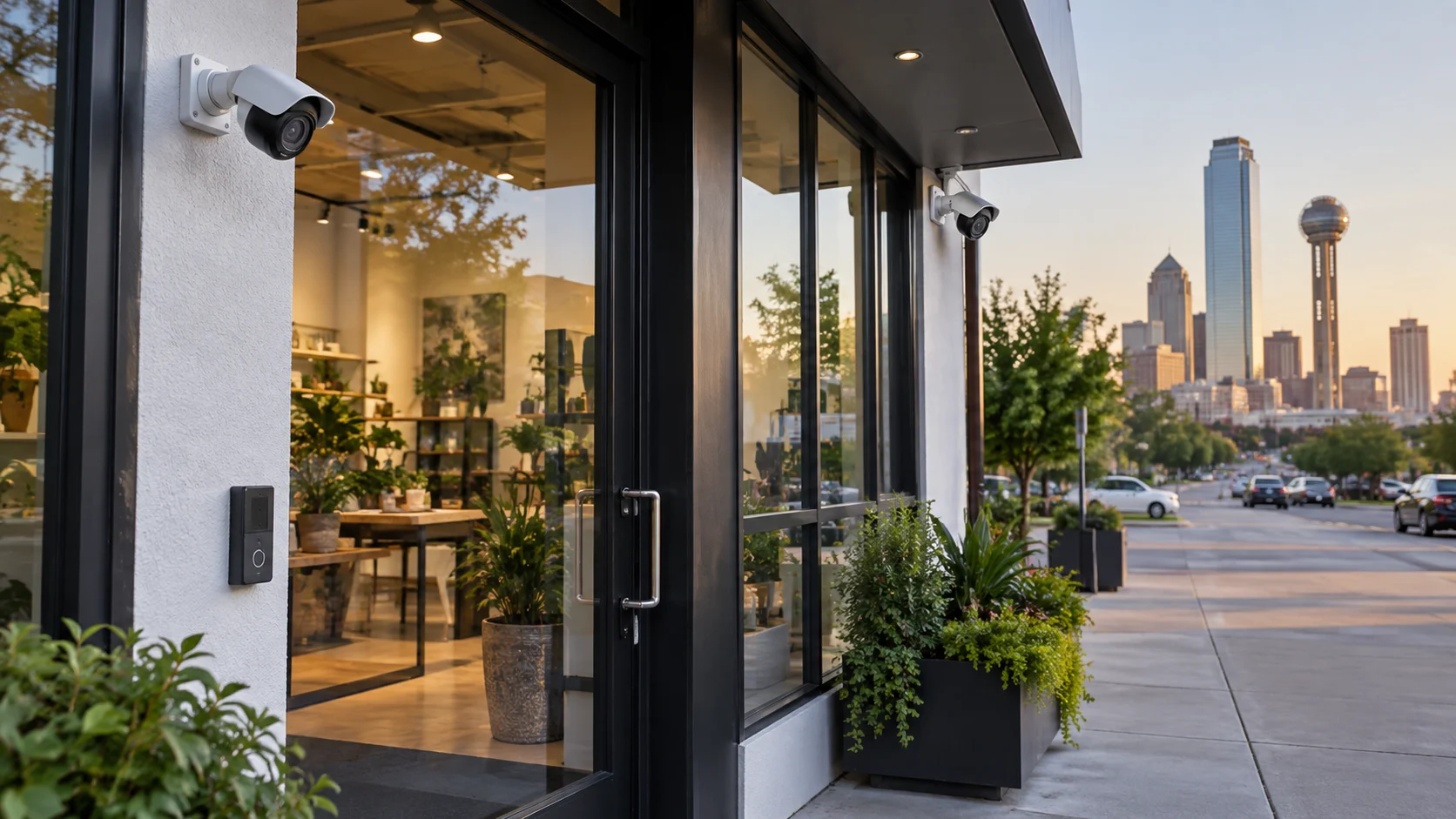
What Security Systems Do Small Businesses Need?
There is no standard security package that works for every small business. A dental practice in North Dallas has different requirements than an auto shop in Grand Prairie or a retail store in Deep Ellum. The equipment overlaps, but the configuration, placement, and priorities change with every property. That said, most commercial security systems are built from the same core components. Here is what each one does and who benefits from it.
Security Cameras:
The backbone of most systems. Indoor and outdoor cameras placed at entrances, high-traffic areas, storage rooms, parking lots, and cash-handling areas. Useful for every business type.
Video Surveillance / CCTV:
The broader system that records, stores, and lets you review camera footage. This includes your NVR (network video recorder), hard drives or cloud storage, and the software you use to pull up clips.
Access Control:
Electronic locks, keycards, fobs, or mobile credentials that control who enters which doors and when. Particularly useful for offices, medical practices, warehouses, and any business with restricted areas or multiple employees.
Intrusion / Burglar Alarms:
Door and window sensors, motion detectors, and glass-break sensors that alert you or a monitoring service to forced entry. Valuable for any business that is unoccupied after hours.
Remote Monitoring:
The ability to view live and recorded footage from your phone, tablet, or computer. Business owners who travel or manage multiple locations use this constantly.
Video Recording and Storage:
How footage is saved and for how long. Options range from on-site NVRs to cloud-based recording. Retention needs depend on your industry, insurance requirements, and how quickly you typically discover incidents.
System Integration:
Connecting cameras, access control, and alarms so they work together. When someone badges into a restricted room, the camera in that area starts recording. When an alarm triggers, the nearest cameras flag the footage for review. Not every business needs every component. A three-person accounting office might only need entrance cameras and a keycard lock. A warehouse with 20 employees, a loading dock, and high-value inventory probably needs all of the above.
Small Business Security Camera Systems
Cameras do the most work in a security system because they give you something nothing else can: a visual record of what happened, when, and who was involved. But the difference between a useful camera system and a frustrating one almost always comes down to placement and configuration. A camera pointed at a doorway from the wrong angle captures the tops of heads instead of faces. An outdoor camera without the right low-light capability records a white blur instead of a license plate. These are common problems with self-installed systems, and they usually only become apparent when you actually need the footage. Here is where cameras typically go in a small-business environment and why:
- ✓Entrances and exits: This is non-negotiable for almost any business. You need to see who walks in and who walks out. Front door, back door, side door, employee entrance. Each one should have a camera positioned to capture faces at normal walking height.
- ✓Reception and front desk: Where visitors check in, deliveries are signed for, and transactions happen. Cameras here document customer interactions, which matters for liability and dispute resolution.
- ✓Cash registers and POS areas: Retail businesses and restaurants benefit from cameras that cover transaction areas. This protects against both external theft and internal discrepancies.
- ✓Inventory and storage rooms: If you keep products, tools, pharmaceuticals, or other valuable items on-site, a camera covering the storage area deters internal theft and helps track what went missing and when.
- ✓Parking lots and exterior areas: Outdoor cameras covering the parking lot, building perimeter, dumpster areas, and service entrances. Vehicle break-ins, vandalism, and after-hours trespassing are common issues for Dallas businesses with outdoor space.
- ✓Loading docks and service entrances: Warehouses, distribution businesses, and any company that receives deliveries need coverage at loading areas. This documents what arrives, what leaves, and who handles it.
- ✓Hallways and common areas: Interior cameras in shared spaces provide general coverage and help track movement through the building.
The goal is not to put a camera in every corner. It is to cover the areas where incidents are most likely to occur and where footage will actually be useful if you need to review it.
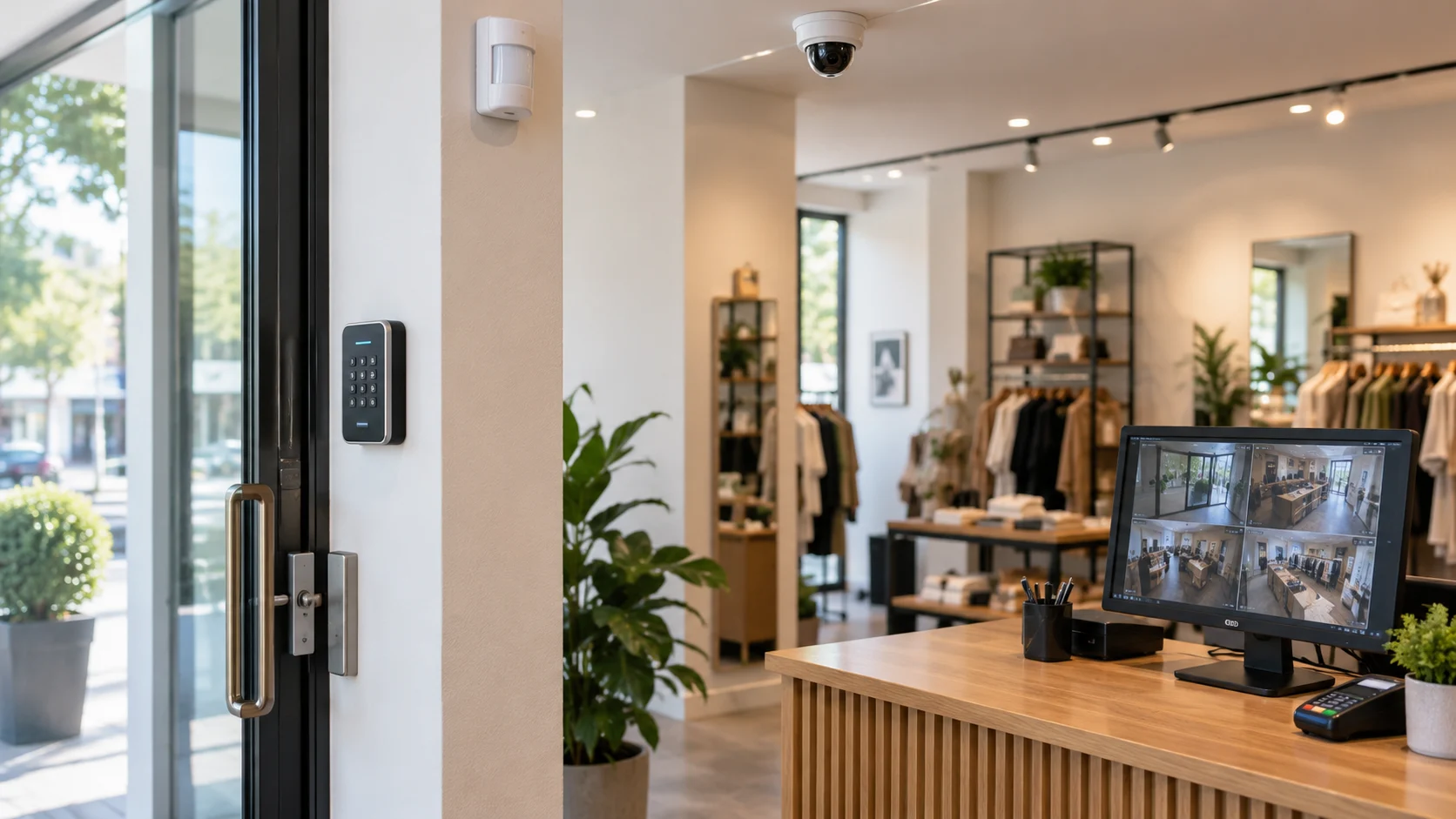
CCTV Camera Installation for Small Businesses
Installing commercial security cameras is not the same as mounting a Ring doorbell. A professional installation for a small business typically involves several steps that most owners do not think about until the process starts.
Property assessment.
Before any equipment is ordered, someone needs to walk the property. What are the entry points? Where are the blind spots? What areas have poor lighting? Is there existing cabling, or does everything need to be run from scratch? A five-camera retail store has a completely different cabling plan than a five-camera warehouse.
Camera placement and field of view.
Each camera position is chosen based on what it needs to capture. A camera covering a 40-foot hallway needs a different lens and mounting height than a camera watching a 10-foot entrance. Field of view, angle, and focal length all matter.
Lighting conditions.
Cameras perform differently depending on available light. Indoor areas with consistent lighting are straightforward. Outdoor areas, loading docks with overhead doors, and entrances that face direct afternoon sun require cameras with WDR (wide dynamic range) or IR (infrared) capability. If the lighting situation is not accounted for during installation, you end up with blown-out or pitch-black footage.
Cabling and network.
Most commercial camera systems today use PoE (Power over Ethernet), which means a single network cable provides both data and power to each camera. Running cable through walls, ceilings, and conduit is the most labor-intensive part of most installations. The cable routing affects how clean the installation looks and how reliable the system performs.
Recording and storage setup.
Cameras feed into an NVR that records and stores footage. The NVR needs to be sized for the number of cameras, the recording resolution, and how many days or weeks of footage you want to keep. This gets configured during installation.
Remote viewing.
Most business owners want to check cameras from their phone. This requires network configuration, port forwarding or a cloud relay, and the right app on your device. We set this up during installation and walk you through it before we leave.
Testing and handover.
Every camera gets tested for image quality, night vision, motion detection zones, and recording. You should be able to pull up live views and recorded footage before the installer leaves. If you cannot, something is not set up correctly. Security camera installation for small businesses works best when the installer understands your priorities, not just where to drill holes. A good installation is invisible to your customers and easy for you and your staff to use.
Types of Security Cameras for Small Businesses
Not all cameras do the same job. The right choice depends on where the camera is going, what it needs to see, and how the footage will be used.
Indoor Security Cameras
Indoor cameras are typically dome or turret-style. Dome cameras sit flush against the ceiling and are less noticeable, which makes them popular for offices, lobbies, and retail environments. Turret cameras are slightly more visible but often provide a wider field of view. For a small office, one or two indoor cameras covering the entrance and main workspace may be enough. A retail store might need four or five to cover the sales floor, register area, and stockroom. A medical practice needs cameras in waiting areas and hallways but obviously not in exam rooms.
Outdoor Security Cameras
Outdoor cameras need to handle weather, temperature swings, direct sunlight, and low-light conditions. Bullet-style cameras are the most common choice for building exteriors, parking lots, and perimeter coverage. They are easy to aim at a specific area and are visible enough to serve as a deterrent. Dallas weather is a factor. Cameras mounted on south-facing walls deal with intense afternoon sun. Cameras in open parking areas deal with rain, wind, and temperature extremes. IP66 or IP67-rated housings handle this without issue, but cheaper cameras may fog up or degrade faster.
IP Security Cameras
IP (Internet Protocol) cameras are the current standard for commercial installations. They connect to your network, transmit high-resolution video digitally, and can be accessed remotely. Compared to older analog CCTV systems, IP cameras offer higher resolution (typically 4MP to 8MP), better compression, easier scalability, and integration with access control and alarm systems. If someone tells you they are installing “CCTV cameras,” they are almost certainly using IP cameras on a network video recorder, even if they use the older term. For small businesses, IP cameras work well because you can start with a few cameras and add more later without replacing the entire system. As long as your NVR has open channels and your network can handle the bandwidth, scaling up is straightforward.
PTZ Cameras
PTZ stands for pan-tilt-zoom. These cameras can rotate horizontally, tilt vertically, and zoom in on specific areas. They are useful for covering large open spaces like parking lots, warehouses, or outdoor yards where a fixed camera would need to be extremely wide-angle. Most small businesses do not need PTZ cameras. They are more expensive, more complex, and require either manual control or preset patrol patterns. That said, if you have a large lot or a wide-open indoor space, a single PTZ camera can cover an area that might otherwise need two or three fixed cameras.
AI-Enabled Security Cameras
Newer commercial cameras include onboard analytics that can distinguish between people, vehicles, and other objects. This is not science fiction; it is basic object classification that reduces false alerts from things like trees blowing in the wind, shadows, or animals. Practical applications for small businesses include: person detection, which alerts you when a person enters a specific zone after hours; vehicle detection for parking areas; line-crossing alerts that trigger when someone crosses a virtual boundary you set on the camera; and loitering detection for businesses concerned about people lingering near entrances or loading areas. These features are useful, but they are not magic. AI analytics work best in controlled environments with good lighting and clear camera angles. They reduce noise in your alerts, which means you are more likely to actually pay attention when a notification comes through.
Other Security Systems Small Businesses May Need
Cameras show you what happened. The rest of your security system controls access, detects intrusions, and gives you options for how to respond.
Access Control Systems
Access control replaces traditional keys with keycards, fobs, mobile credentials, or in some cases biometric readers. The practical advantages over physical keys are significant: you can grant and revoke access without rekeying, set schedules for when certain doors unlock, restrict specific areas to authorized employees, and pull a log of every door event. For a small office, this might mean a single card reader on the front door. For a medical practice, it might include readers on the front entrance, the records room, and the pharmacy storage. A warehouse might need access control at the main entrance, the office, and the loading dock. Access logs become valuable fast. If inventory goes missing on a Tuesday night, you can check who badged into the storage room between 5 PM and 8 AM. That information, combined with camera footage, gives you a clear picture. [Internal Link: Learn more about commercial access control systems for Dallas businesses]
Intrusion Detection and Alarm Systems
Alarm systems detect unauthorized entry through door and window sensors, motion detectors, and glass-break sensors. When something triggers, the system can sound a local siren, send an alert to your phone, or notify a professional monitoring center. Alarms work well alongside cameras because they catch things cameras might miss. A camera pointed at the front door does not know someone just kicked in a side window around the corner. A sensor on that window does. For businesses that sit empty at night and on weekends, intrusion detection is one of the most cost-effective security investments. The equipment is relatively inexpensive compared to cameras, and monitored alarm service is typically a modest monthly cost.
Remote Video Monitoring
Remote access lets you view live camera feeds and pull up recorded footage from anywhere. Most modern systems use a mobile app or web browser interface. You open the app, see all your cameras, tap one, and you are looking at a live view of your business. This matters most for owners who are not on-site every day. If you manage multiple locations, travel frequently, or just want to check on things during off-hours, remote monitoring is not optional. It is how you actually use the system. The reliability of remote access depends on your network setup. A business with a stable internet connection and a properly configured system will have smooth, consistent remote viewing. A system set up on a weak Wi-Fi connection with no attention to bandwidth will buffer and time out.
Video Recording and Storage
You have two main options for storing security camera footage: on-site with an NVR (network video recorder) or in the cloud. On-site NVRs store footage on internal hard drives. They are a one-time purchase with no monthly recording fees. Most NVRs support 7 to 30 days of continuous recording depending on the number of cameras, resolution, and drive capacity. This is the most common setup for small businesses. Cloud storage sends footage to remote servers. The advantages are off-site backup (footage survives even if someone steals the NVR) and easier access from anywhere. The downside is an ongoing monthly cost per camera. Hybrid setups use both. The NVR records everything locally, and critical footage or motion-triggered clips get backed up to the cloud. This gives you the reliability of local recording with the insurance of off-site backup. How long you keep footage depends on your business. Retail businesses dealing with frequent inventory variance might want 30 to 60 days. An office with low risk might be fine with 14 days. Some industries have regulatory requirements that dictate minimum retention periods.
How Security Cameras and Access Control Work Together
A camera system and an access control system are each useful on their own. Together, they fill in gaps that neither can cover alone. Here is a practical example. An employee uses their keycard to enter a restricted storage room at 11:30 PM on a Saturday. The access control system logs the event: who, which door, what time. The camera covering that hallway records the person walking in. Another camera inside the storage room records what they do. If something goes missing, you do not have to scrub through hours of footage. You go straight to the access log, find the timestamp, and pull the camera footage from that exact moment. Another example. Someone tries to enter a door without credentials, or uses a card that has been deactivated. The access system can trigger an alert, and the nearest camera can flag that footage. Management reviews the clip instead of sifting through a full day of recordings. Integration also simplifies daily operations. Doors can unlock automatically at business hours and lock at close. Employee access can be restricted by time of day or day of week. If someone leaves the company, their credentials are deactivated in one place, and every door in the building updates immediately. Isolated systems work. Integrated systems work better, and they save you time when something actually happens.
Benefits of Professional Security System Installation for Small Businesses
You can buy commercial-grade cameras online and install them yourself. Plenty of people do. But there is a consistent pattern we see with self-installed systems: the cameras look fine on the wall, but the footage is not useful when it matters. The most common problems are camera angles that miss faces, blind spots between cameras, poor night performance because no one tested the IR range on-site, recording that stops because the NVR hard drive filled up and no one configured overwrite settings, and network issues that make remote viewing unreliable. Professional installation addresses these because someone who does this daily already knows where the problems will be. A good installer will: Position cameras based on the property layout, not just where it is easy to mount them. Test every camera view on-site before finalizing the installation. Configure motion detection zones so you get meaningful alerts instead of hundreds of false triggers per day. Set up recording properly, including resolution, frame rate, retention, and overwrite settings. Configure remote access so it actually works reliably. Test the system at night, not just during the day. Walk you through the app, show you how to pull footage, and make sure your staff knows how the system works. There is also the question of future expansion. A professionally installed system uses clean cable runs, proper network infrastructure, and an NVR with room to add cameras. When you need to add a camera to a new entrance or expand coverage to a second building, it plugs into the existing system without starting over. Ongoing support matters too. When a camera goes offline, a hard drive fails, or you need to change user permissions, having a local company you can call makes the difference between a quick fix and a frustrating weekend of troubleshooting.
How to Choose the Right Security System for Your Small Business
Picking a security system is not about buying the most expensive cameras or checking boxes on a feature list. It is about matching the system to how your business actually operates, what your real risks are, and what you can manage day to day. Here are the factors that matter most.
1. Business Type
A retail store has different exposure than a law firm. Retail deals with shoplifting, customer disputes, and high foot traffic. An office deals with after-hours access and document security. A warehouse deals with inventory shrinkage and loading-dock activity. A medical practice has patient privacy considerations that limit where cameras can go. Your business type determines which components matter most and where the cameras need to point.
2. Property Size and Layout
A 1,200-square-foot office suite needs a fundamentally different approach than a 10,000-square-foot warehouse. Smaller spaces need fewer cameras but may still need access control and intrusion detection. Larger properties usually require more cameras, longer cable runs, and potentially multiple NVRs or a higher-capacity recorder. Multi-story buildings add another layer of complexity.
3. Number of Entrances
Every entrance is a potential point of unauthorized entry and should have camera coverage at minimum. Count them all: front door, back door, side doors, employee entrances, loading docks, garage doors, gate entrances. Most small businesses have at least two. Some have five or six. Each one needs consideration in your camera plan and, depending on your situation, access control.
4. Outdoor Areas
If your business has a parking lot, outdoor storage, a fenced yard, walkways, or a loading area, those spaces need outdoor cameras. Parking lot theft, vehicle break-ins, and after-hours trespassing are common problems for Dallas businesses. Outdoor coverage requires cameras rated for weather exposure and, in many cases, supplemental lighting or cameras with strong IR capability.
5. Lighting Conditions
Walk the property at different times of day. That south-facing entrance that is well-lit at noon may be pitch dark at 8 PM. Interior areas with consistent overhead lighting are simple. Transitional areas like loading docks where an overhead door opens to daylight create extreme contrast that cheaper cameras cannot handle. Know your lighting situation before you buy equipment.
6. Recording Requirements
How long do you need to keep footage? This determines your storage capacity. A retail business might discover shrinkage during a monthly inventory count, so 30 days of retention makes sense. A small office where incidents are noticed quickly might be fine with 14 days. Some regulated industries require 60 or 90 days. Your retention needs directly affect the NVR and hard drive configuration.
7. Remote Access
If you want to check cameras from your phone or laptop when you are not on-site, that needs to be part of the system design. It affects the NVR selection, the network setup, and whether you use a cloud relay or direct connection. Most business owners we talk to want remote access. If you manage multiple locations, it is practically mandatory.
8. Access Control Needs
Think about who needs to enter which areas and when. Does your cleaning crew come after hours? Do certain employees need access to storage or server rooms that others do not? Should the front door unlock automatically at 8 AM and lock at 6 PM? If you answered yes to any of these, access control saves you time and gives you a log of every door event.
9. Future Expansion
A system that handles your needs today but cannot grow with you is a bad investment. If you plan to add employees, open a second location, or expand your current space, the system should have room for additional cameras and door controllers. Buying an 8-channel NVR when you install 7 cameras leaves no room. A 16-channel NVR gives you space to grow without replacing the recorder.
10. Budget and Total Cost
This is where most people make mistakes. They compare camera prices online and assume that is the cost. The actual cost includes cameras, NVR, hard drives, cabling, network switches, cable runs, mounting hardware, labor, configuration, and any access control or alarm components. Cloud storage and monitoring add ongoing monthly costs. Get a complete picture before comparing quotes. A lower camera price with higher installation and infrastructure costs does not save you money.
Security Camera Installation Process for Dallas Small Businesses
If you have never had a commercial security system installed, here is what the process looks like when it is done properly. Every job is a little different, but the steps are consistent.
Step 1: Initial consultation.
We start with a phone call or on-site meeting to understand your concerns, your business, and what you are trying to accomplish. Some owners want cameras everywhere. Others just want to cover their entrances and parking lot. There is no wrong answer; we need to know your priorities.
Step 2: Property and security assessment.
Someone walks the property. Inside and outside. We look at entry points, blind spots, lighting, existing wiring, network infrastructure, and the general layout. This is the step where we figure out what the property actually needs versus what someone might guess from a floor plan.
Step 3: Identify risks and priorities.
Based on the assessment and your concerns, we identify the areas that need coverage first. For a retail store, that is usually the entrance, register, and stockroom. For a warehouse, it is the loading dock, inventory area, and perimeter. Priorities determine where the budget goes.
Step 4: Design the system layout.
Camera positions, cable routes, NVR location, access control points, and sensor placements all get mapped out. You see the plan before any equipment is ordered. If you want a camera in a location we did not include, this is when we discuss it.
Step 5: Select equipment.
Based on the design, we select the right cameras for each location. A 4MP dome for the lobby. A 4K bullet with IR for the parking lot. An AI-enabled camera at the back entrance for person detection after hours. The equipment matches the job, not the other way around.
Step 6: Professional installation.
Cable runs go through walls, ceilings, and conduit. Cameras get mounted at the correct height and angle. The NVR goes in a secure, ventilated location. Access control readers and alarm sensors get wired and positioned. This is the labor-intensive day. Depending on the project, installation takes anywhere from a few hours for a small office to a couple of days for a larger property.
Step 7: Network and cabling configuration.
PoE switches power the cameras over the network cable. The NVR connects to your network for remote access. VLANs and firewall rules get configured if needed. This step is invisible to you, but it is what makes the system reliable and secure on your network.
Step 8: Camera positioning and testing.
Every camera gets aimed, focused, and tested. We check the image during the day and verify night performance if possible. Motion detection zones get set so you receive alerts for the areas that matter and not for trees, passing cars, or other noise.
Step 9: Recording and storage configuration.
The NVR gets configured for the right resolution, frame rate, recording schedule, and retention period. We verify that the system is recording properly and that you can pull up footage from any camera.
Step 10: System integration.
If access control or alarms are part of the project, they get linked to the camera system. Door events trigger camera recording. Alarm events flag footage. Everything connects so you have one place to review what happened instead of checking multiple systems separately.
Step 11: Training.
We walk you and your designated staff through the system. How to view live cameras. How to search and play back footage. How to export a clip. How to use the mobile app. How to arm and disarm the alarm. How to add or remove employee credentials. You should feel comfortable operating the system before we leave.
Step 12: Ongoing support.
Systems need attention over time. Cameras shift. Hard drives fail. Firmware needs updating. Employees change. Having a local company that can respond when something needs fixing is part of why professional installation makes sense long-term.
How Much Does a Small Business Security System Cost?
This is always the first question, and the honest answer is: it depends on the project. A four-camera system for a small office costs a lot less than a 16-camera system with access control for a retail store with a warehouse. Giving a single number would be misleading. Here are the factors that drive cost:
| Cost Factor | What Affects the Price |
|---|---|
| Number of cameras | More cameras = more equipment, cable, and labor |
| Camera resolution | 4MP cameras cost less than 4K (8MP). Higher resolution needs more storage. |
| AI / analytics features | Cameras with onboard person/vehicle detection cost more than basic models |
| Indoor vs. outdoor | Outdoor cameras are more expensive due to weatherproof housings, IR range, and mounting |
| Cabling | Cable runs through walls, ceilings, and conduit. Longer runs and difficult routing increase labor. |
| NVR / storage | The recorder and hard drives. More cameras and longer retention require larger drives or multiple NVRs. |
| Cloud storage | Optional monthly subscription per camera for off-site backup |
| Access control | Each door controller, reader, and credential adds to the project. More doors = higher cost. |
| Alarm / intrusion detection | Sensors, panel, monitoring service. Relatively affordable but adds to the total. |
| Network infrastructure | PoE switches, patch panels, rack or cabinet. Some properties need network upgrades. |
| Property size / complexity | Larger buildings, multiple floors, and difficult access points increase installation time |
| Monitoring service | Professional alarm monitoring is a monthly fee. Video monitoring is additional. |
The best way to get an accurate number is to have someone assess your property and give you a detailed quote based on your actual needs. Comparing camera prices on Amazon and assuming that is the cost skips the cabling, labor, recording, network equipment, and configuration that make up a significant portion of most projects. We provide free assessments for Dallas-area businesses. No obligation, no pressure. We walk the property, discuss what you need, and provide a quote that includes everything, so there are no surprises on installation day.
Security Systems for Different Types of Small Businesses
Different businesses face different risks. Here is a quick reference for what typically makes sense by business type. This is not prescriptive. Your specific property and situation may call for a different approach.
| Business Type | Typical Security Needs |
|---|---|
| Retail Store | Entrance and exit cameras, sales floor coverage, POS/register cameras, stockroom camera, parking area camera, possible alarm system. Access control on stockroom or office. |
| Small Office | Entrance camera, main workspace camera, access control on front door, intrusion alarm for after-hours. Remote viewing for owner. |
| Professional Office (Legal, Financial) | Entrance camera, lobby camera, access control on front door and file/server room. Alarm system. Higher emphasis on access logs and restricted areas. |
| Small Warehouse | Indoor cameras covering inventory and work areas, outdoor cameras on loading dock and perimeter, access control on all entrances, alarm system. Possibly PTZ for large open areas. |
| Medical / Dental Practice | Waiting room and hallway cameras (not exam rooms), entrance camera, access control on front door and medication/records storage. Alarm system. HIPAA considerations limit some placements. |
| Restaurant / Hospitality | Entrance cameras, dining area, bar/POS cameras, kitchen entrance, back door, parking lot. Access control on office and storage. Remote monitoring for owner. |
| Auto / Service Shop | Outdoor cameras on lot and service bays, entrance camera, office camera, access control on parts storage and office. Alarm system. Coverage of customer vehicles is common. |
These are starting points, not formulas. A retail store in a strip mall with one entrance has a simpler setup than a standalone retail building with four doors and a rear parking lot. The assessment determines the real scope.
Why Dallas Small Businesses Choose Professional Security Installation
You can order cameras online, watch installation videos, and mount them yourself. Some business owners do exactly that and get acceptable results. But the owners who call us usually fall into two groups: those starting from scratch who want it done right the first time, and those who tried doing it themselves and ended up with a system that does not work the way they expected. Local installation matters for a few practical reasons. We know the building types in the DFW area. We have worked in strip malls, standalone commercial buildings, office parks, industrial spaces, and mixed-use properties across Dallas, Fort Worth, Arlington, Plano, Frisco, and surrounding cities. Every building type has its quirks, and experience with the local building stock means fewer surprises on installation day. On-site assessment is something you cannot replicate over the phone or through a website configurator. Walking the property reveals things that floor plans miss: where the sun hits the entrance at 4 PM, which walls are concrete versus drywall, where the existing network drops are, which door frames can support an electronic strike, and a dozen other details that affect camera placement and cable routing. We handle the installation, the configuration, the network setup, the testing, and the training. When you need to add a camera six months later, change employee access, or troubleshoot a recording issue, you have a local number to call and someone who already knows your system.
Security Camera Installation in Dallas
Security in DFW provides security camera installation across Dallas and the surrounding metro area. We work with small businesses, offices, retail locations, warehouses, medical practices, restaurants, and commercial properties throughout the region. Our service area covers Dallas, Fort Worth, Arlington, Plano, Frisco, McKinney, Richardson, Garland, Irving, Grand Prairie, Mesquite, Denton, and other DFW communities. If you are not sure whether we serve your area, call us and we will let you know. We install IP camera systems, NVR recording solutions, access control systems, and integrated security setups for businesses of all sizes. Every project starts with a free on-site assessment. [Internal Link: Learn more about security camera installation in Dallas]
Security Camera and Security System Brands
We install and support commercial-grade equipment from manufacturers we trust. These are not consumer brands you find at big-box stores. They are professional platforms designed for commercial use, with better build quality, longer warranties, and more capable software.
Hikvision
is one of the most widely used commercial camera manufacturers globally. Their product line covers everything from basic fixed cameras to advanced AI-enabled models. We use Hikvision cameras for a wide range of small-business projects because the price-to-performance ratio is strong, the reliability track record is solid, and the remote viewing platform works well. [External Link: Hikvision security cameras — link to official Hikvision commercial camera product page]
Dahua
is another major commercial camera manufacturer with a broad product line. Their cameras offer competitive resolution, good low-light performance, and onboard analytics at various price points. We recommend Dahua for projects where the budget needs to stretch without sacrificing image quality. [External Link: Dahua video surveillance solutions — link to official Dahua product page]
Axis Communications
is a premium brand known for image quality, analytics, and system reliability. Axis cameras cost more, but for businesses that need the highest image quality, advanced analytics, or integration with enterprise-level video management platforms, they are worth the investment. [External Link: Axis Communications network cameras — link to official Axis product page] We also work with other commercial brands depending on the project requirements, including access control manufacturers like HID and alarm panels from DSC and Honeywell. The equipment recommendation comes after the assessment, not before. We match the hardware to the job.
Why Professional Installation Matters
There is a real difference between buying cameras and deploying a security system. The camera itself is maybe 30% of the equation. The other 70% is placement, configuration, network setup, recording, and integration. That is where professional installation earns its cost.
Camera positioning.
Height, angle, focal length, and field of view all affect whether a camera captures useful footage or just fills a screen with an unusable image. A camera mounted too high captures tops of heads. Too low and it gets blocked or tampered with. Aimed at a window and the IR reflection blinds the image at night. These are the kinds of problems you do not notice until you actually need the footage.
Blind spots.
Every camera has a limited field of view. Professional installers map the coverage area to minimize gaps between cameras. A self-installed system often has overlapping coverage in some areas and complete blind spots in others because nobody planned the layout as a system.
Network and cybersecurity.
IP cameras are network devices. If they are not configured properly, they can be accessed from outside your network. Default passwords, open ports, and unsegmented networks are common problems with DIY installations. A professional setup isolates camera traffic, changes default credentials, and configures access appropriately.
PoE and cabling.
Power over Ethernet simplifies installation by running one cable per camera, but the cable runs still need to be done correctly. Cables that are kinked, run near electrical interference, or exceed the 100-meter Ethernet limit cause dropped connections and degraded video quality. Clean cable management also keeps the installation looking professional in your building.
Recording reliability.
An NVR that is not configured correctly might record at the wrong resolution, overwrite footage too quickly, or stop recording when the hard drive fills up. We configure retention periods, recording schedules, and alert notifications so the system runs reliably without someone checking on it every day.
System testing.
Every camera is tested for day and night image quality, motion detection accuracy, and recording function. Access control events are tested to confirm they trigger camera recording. Alarm sensors are tested to confirm they generate the correct response. You do not want to discover a problem when you need the system most.
User permissions and training.
Who can view live cameras? Who can access recordings? Who can export footage? These permissions are set up during installation. We train your designated staff so they can operate the system independently, and we provide documentation for reference. Professional installation is not about selling more hardware. It is about making sure the hardware you buy actually does what you need it to do, reliably, for years.
Frequently Asked Questions
There is no single best system. The right setup depends on your business type, property layout, number of entrances, risk level, and budget. Most small businesses need at least entrance cameras, an NVR for recording, and some form of intrusion detection. Access control and additional cameras are added based on the property and the owner’s priorities. A professional assessment is the fastest way to determine what you actually need.
It varies widely. A small single-room office might need two or three cameras. A retail store typically needs four to eight. A warehouse or multi-entrance commercial building might need eight to sixteen or more. Camera count depends on the number of entrances, the areas you need to monitor, outdoor spaces, and your coverage goals. More cameras does not automatically mean better security. Proper placement of fewer cameras often outperforms a larger number of poorly positioned ones.
IP cameras are the current standard for commercial installations. Traditional analog CCTV is largely outdated for new projects. IP cameras provide higher resolution, better compression, remote access, scalability, and integration with access control and alarm systems. When people say “CCTV” today, they are usually referring to a video surveillance system that uses IP cameras and an NVR, even though the terminology has carried over from older analog systems.
Yes. Most modern commercial camera systems support remote viewing through a mobile app or web browser. You can view live feeds, play back recorded footage, receive motion alerts, and export clips from your phone, tablet, or computer. Remote access requires your NVR to be connected to the internet and properly configured. We set this up during every installation and walk you through the app before we leave.
Most small businesses retain 14 to 30 days of footage. Retail businesses that do monthly inventory counts may want 30 to 60 days. Some regulated industries require longer retention. Your NVR storage capacity determines how many days of recording you can hold at your chosen resolution and frame rate. If you are not sure, 30 days is a reasonable default for most businesses.
Not every small business needs electronic access control, but many benefit from it. If you have multiple employees, restricted areas, valuable inventory, sensitive documents, or irregular schedules, access control gives you a record of who enters which areas and when. It also eliminates the problem of lost or copied keys. Even a single card reader on the front door provides a meaningful security upgrade over a traditional lock and key.
In many cases, yes. Modern IP camera systems can integrate with existing alarm panels. When an alarm event triggers, the camera system can flag the corresponding footage for review. The specifics depend on the alarm manufacturer and the camera platform, but integration is common in commercial installations. We can evaluate your existing alarm system during the assessment and recommend whether integration, upgrade, or replacement makes the most sense.
Often yes. If you have an existing NVR with available channels and the cabling infrastructure is in place, adding cameras to the existing system is straightforward. If the existing system is analog or severely outdated, a full replacement may be more cost-effective than trying to extend equipment that no longer meets commercial standards. We evaluate the existing equipment before recommending anything.
The cost depends on the number of cameras, camera type and resolution, cabling requirements, NVR and storage, access control, alarm integration, property size, and installation complexity. A basic four-camera system for a small office costs significantly less than a 12-camera system with access control and alarm integration for a retail store. We provide free on-site assessments and detailed quotes so you know the full cost before committing.
Yes. Security in DFW provides professional security camera installation, access control, and integrated security systems for small businesses across the Dallas-Fort Worth metro area. We serve Dallas, Fort Worth, Arlington, Plano, Frisco, McKinney, Richardson, Garland, Irving, Grand Prairie, Mesquite, Denton, and surrounding communities. Contact us to schedule a free property assessment.
Get a Security System Designed for Your Small Business
Every business is different. A security system that works for a retail store down the street might not cover the risks your business faces. The layout is different. The entrances are different. The hours, the employees, the inventory, the outdoor areas are all different. Security in DFW starts every project with a free on-site assessment. We walk your property, listen to your concerns, identify the areas that need coverage, and put together a recommendation that fits your business and your budget. No generic packages. No cookie-cutter quotes. If you are ready to get serious about your business security, here is how to start: Request a free security assessment. We visit your property, evaluate your security needs, and provide a detailed recommendation. Discuss your specific concerns. Whether it is theft, after-hours access, employee safety, or liability protection, we design the system around your priorities. Get a complete quote with no surprises. Equipment, installation, configuration, training, and ongoing support. Everything is included so you know exactly what you are paying for. Call us or fill out the contact form to schedule your assessment. We serve small businesses across the Dallas-Fort Worth area and can usually schedule a site visit within a few business days.