
Security Systems & CCTV Camera Installation for Architectural Firms in Dallas
Architectural firms in Dallas need more than a basic camera at the front door. A commercial security system combining IP cameras, access control, and intrusion detection protects expensive equipment, sensitive project files, and restricted areas — while giving firm principals visibility into who enters the building and when. A professional installer handles site assessment through configuration so the system fits the space.
Architectural Security at a Glance
Security Systems for Architectural Firms
Most architectural firms we walk into already have some kind of camera. Usually it is a standalone unit pointed at the front door that records to a hard drive nobody has checked in months. That is not a security system. That is a box collecting dust. Architecture and design offices are different from a typical retail store or warehouse. You have open studio floors where teams collaborate on active projects. You have conference rooms where clients review plans that may not be public yet. You have storage areas holding physical models, material samples, and plotting equipment that would be expensive to replace. And somewhere in the back, there is a server closet or IT room running the software your entire firm depends on. A properly designed commercial security system ties video surveillance, access control, and alarm monitoring together so these spaces are actually protected, not just watched. The cameras cover the areas that matter. The access control limits who can get into restricted rooms. The system records what happens and makes it searchable later. This page covers what Dallas architectural firms should know about commercial security systems, what equipment options exist, what the installation process looks like, and what to ask before signing anything.
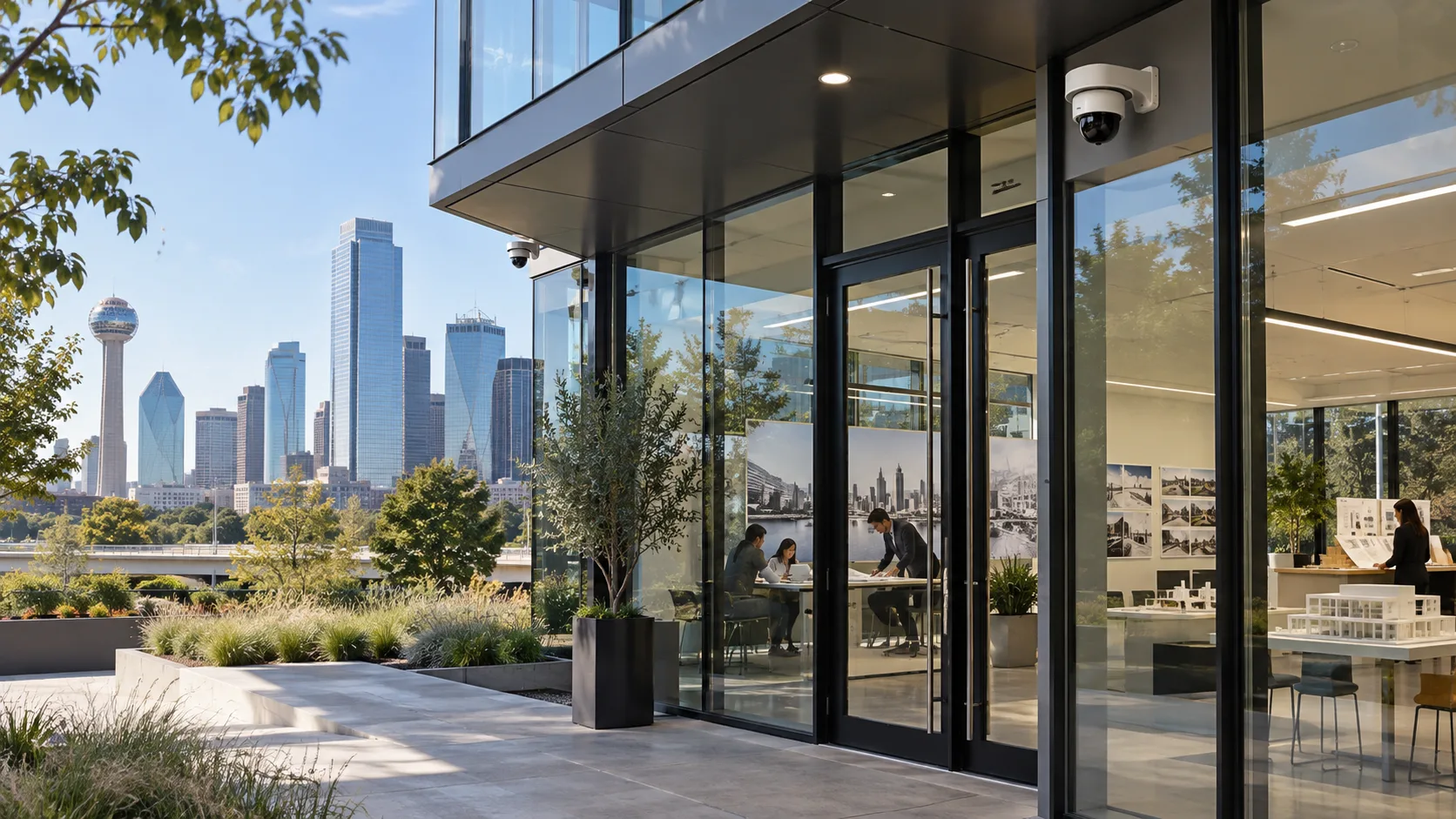
Why Do Architectural Firms Need Commercial Security Systems?
The short answer is that architectural firms have more to protect than most people realize. Here is what we see when we assess these offices:
Expensive technology and equipment.
Large-format plotters, 3D printers, high-end workstations, multiple monitors, rendering hardware. A single workstation running BIM software can cost several thousand dollars. Multiply that across a firm of 20 or 50 people.
Sensitive project files and client information.
Firms working on government buildings, healthcare facilities, or corporate headquarters handle documents that are confidential. Some projects involve site plans, structural details, or security layouts that should not be accessible to anyone walking through the office.
Physical models and materials.
Presentation models for client reviews, material samples, and prototype components take time and money to produce. They are often stored in rooms that anyone in the building can access.
Employee and visitor safety.
Firms in mixed-use buildings, downtown Dallas office towers, or standalone locations all deal with people coming and going throughout the day. Clients, contractors, delivery personnel, building maintenance. Knowing who entered the building and when is a basic safety question.
After-hours exposure.
Many architecture offices run lean on staffing in the evenings and on weekends, but the equipment and files are still there. Intrusion detection and after-hours camera monitoring fill the gap when nobody is in the office.
Multiple teams and departments.
Larger firms may have separate groups working on different client projects. Access control can segment areas so that employees only enter spaces relevant to their work, which also helps with confidentiality. None of this is about being paranoid. It is about having the right coverage so that if something does happen, you have a record of it, and ideally, a way to prevent it from happening again.
What Security Systems Do Architectural Firms Need?
A single camera at the front door is a start, but it is not a system. Architectural firms benefit most from a layered approach that combines several security technologies. Each one addresses a different part of the problem.
Video Surveillance and CCTV Cameras
Modern commercial security cameras are IP-based, meaning they connect to your network and transmit video digitally. This is different from the older analog CCTV systems that ran coaxial cable to a DVR. IP cameras offer higher resolution (HD and 4K options are standard now), remote viewing through a browser or mobile app, and the ability to integrate with other systems like access control. Camera types you will see discussed for office environments: Dome cameras sit flush against the ceiling and blend into most office interiors. They work well in reception areas, hallways, and open studio spaces where a visible but unobtrusive camera is appropriate. Turret cameras offer similar coverage but are slightly easier to aim during installation. Bullet cameras are more common outdoors, covering parking lots and building exteriors. PTZ (pan-tilt-zoom) cameras can move and zoom remotely, which is useful for large open areas or parking lots where you want to follow movement. Low-light cameras handle dimly lit corridors, parking garages, and exterior areas after dark. Wide-angle cameras can cover broad spaces like open-plan studios with fewer units. All of these cameras record to a network video recorder (NVR), which stores the footage locally. Some systems also offer cloud-managed video, where clips or continuous recording can be accessed from anywhere. Video analytics features like person detection, vehicle detection, and motion-triggered alerts are available on cameras from manufacturers like Hikvision, Avigilon, and Vivotek, though these features should be selected based on what the firm actually needs rather than just because they sound impressive.
Access Control Systems
Access control replaces physical keys with electronic credentials. Employees use a card, fob, mobile phone, or keypad code to unlock doors. Each credential can be assigned specific permissions: which doors, during which hours, on which days. For architectural firms, the practical applications are straightforward. Limit server room access to IT staff. Restrict document storage rooms to project managers and principals. Give clients or visiting contractors temporary credentials that expire after their visit. Lock exterior doors after business hours but allow employees with the right credentials to enter. Card readers and keypads are the most common hardware. Mobile credential systems let employees use a smartphone app instead of a card. Biometric readers (fingerprint or facial recognition) are available for higher-security areas, though most architecture offices do not need them. Every door event is logged. You can see who entered which room and when. If an employee leaves the firm, you deactivate their credential in the software instead of rekeying every lock in the building. For firms looking for commercial access control systems in Dallas, this kind of setup eliminates the key-management headaches that come with growing teams.
Intrusion Detection and Alarm Systems
Cameras and access control work well during business hours, but after everyone leaves, intrusion detection fills in the gap. Door and window sensors, glass-break detectors, and motion sensors can trigger an alarm if someone enters the building when it should be empty. These systems typically connect to a monitoring service that can dispatch a response or notify designated contacts. For firms in shared office buildings, intrusion detection on the suite entrance and any interior doors that access high-value areas can add a layer of protection that building security alone may not provide.
Video Intercom and Visitor Management
Architecture firms regularly have clients, consultants, contractors, and delivery personnel arriving at the front door. A video intercom lets reception staff see and speak with visitors before buzzing them in. In offices without a dedicated receptionist, the intercom can forward to a mobile device so someone can respond remotely. Some firms also use visitor management software that logs guest information, prints badges, and notifies the host employee when their guest arrives. This is more common in larger firms but can be useful for any office handling confidential projects.
Security Camera Installation for Architectural Firms
Where cameras go matters more than how many you buy. We have seen offices with 20 cameras where half of them capture the same hallway from slightly different angles, while the parking lot and back entrance have no coverage at all. Professional camera installation starts with a site assessment. Someone walks the building, identifies every entrance, exit, corridor, and area that needs monitoring, and figures out where cameras can be mounted to get the best field of view with the fewest blind spots. For a typical Dallas architectural firm, the priority locations usually include:
- ✓Main entrance and reception area. This is the first point of contact for everyone entering the office. A camera here captures every person who walks in.
- ✓Secondary entrances and exits. Side doors, back doors, loading areas. These are often the entry points that get overlooked.
- ✓Corridors and common areas. Hallways connecting different departments or floors should have coverage. This helps track movement through the building.
- ✓Equipment and storage rooms. Rooms with plotters, printers, models, or material samples. These rooms often have limited access but no camera verifying who goes in.
- ✓Server and IT rooms. The room housing your network equipment and file servers should have a camera at the entry point at minimum.
- ✓Parking areas and exterior. Outdoor cameras covering the parking lot, building perimeter, and any exterior walkways.
Camera placement also has to account for lighting conditions (indoor fluorescent versus outdoor daylight), cable routes (can cabling run through the ceiling or does it need surface conduit?), network capacity, and recording requirements. Privacy matters too. Most firms do not want cameras inside individual offices or directly over workstations. The goal is to cover traffic flow and access points, not to monitor employees at their desks. If your firm is looking for professional security camera installation in Dallas, the first step is a site assessment that maps out what actually needs to be covered.

Best Security Cameras for Architectural Offices
There is no single camera that works everywhere. The right choice depends on the location, what you need to see, and the environment the camera will operate in. Here is a practical comparison of the camera types we install in commercial offices:
| Camera Type | Best For | Strengths | Considerations |
|---|---|---|---|
| Dome | Reception, hallways, open studios, conference areas | Low-profile, vandal-resistant housing, blends into office ceilings | Dome cover can reduce image clarity slightly vs. turret; harder to see where camera is aimed |
| Turret | Interior hallways, entry points, storage rooms | No dome cover means sharper image, better IR performance at night, easy to aim | More visible than dome; not vandal-resistant in most models |
| Bullet | Parking lots, building exterior, loading docks | Long-range IR, weatherproof, visible deterrent | Too large and noticeable for most interior office areas |
| PTZ | Large parking areas, exterior perimeters, open lots | Remote pan, tilt, and zoom; can follow subjects; covers wide areas | Higher cost; only looks at one spot at a time unless on auto-patrol |
| Varifocal | Areas where field of view needs to be tuned during install | Adjustable focal length; one camera model fits multiple locations | Slightly more expensive than fixed-lens equivalents |
| Low-Light | Parking garages, dimly lit corridors, exterior areas at night | Color imaging in near-darkness; reduces reliance on IR illumination | Premium pricing; may not be needed in well-lit interior spaces |
| AI/Analytics | High-traffic entrances, parking lots, perimeter monitoring | Person/vehicle detection, smart alerts, reduces false alarms from motion triggers | Higher cost per camera; analytics features vary by manufacturer |
The right mix usually includes a few dome or turret cameras for interior spaces, bullet cameras for outdoor coverage, and potentially a PTZ camera if the firm has a large parking area. Manufacturers like Hikvision security cameras offer options across all of these categories at different price points. Avigilon video security solutions tend to sit at the higher end with strong analytics built in. Vivotek network cameras are another solid commercial option. The point is not to buy the most expensive camera available. It is to match camera capabilities to the locations where they will be installed.
Access Control for Architectural Firms
Keys are simple until they are not. A 15-person firm with one front door and two interior locks can get by with physical keys for years. But the moment you add a second office, hire contractors, or need to restrict a server room, the key situation gets complicated fast. Someone loses a key, and suddenly you are rekeying three doors at $150 each. Electronic access control solves this by moving everything into software. Each employee gets a credential — a card, fob, or mobile app — and you assign permissions in a dashboard. The system handles the rest. Here is how architectural firms typically use access control:
Department-specific access.
A firm with teams working on separate client projects can restrict each team’s area so only authorized employees enter. This is not about distrust. It is about confidentiality, especially on government or corporate projects with non-disclosure requirements.
Restricted rooms.
Server rooms, document archives, executive offices, and equipment storage. These doors stay locked, and only people with the right permissions can open them.
Visitor and temporary access.
Clients visiting for a project review or a contractor on-site for a week can receive temporary credentials that expire automatically. No chasing people down for keys when the job is done.
Access schedules.
You can set doors to unlock during business hours and lock automatically in the evening. Employees with after-hours credentials can still get in, but the building is secured by default.
Audit trails.
Every credential swipe is logged with a timestamp. If something goes missing from a storage room on Tuesday night, you can pull the access log and see exactly who entered that room and when.
Employee changes.
When someone leaves the firm, you deactivate their credential from the software. It takes 30 seconds. No rekeying, no wondering if they made a copy. For firms managing multiple controlled doors, the system scales without adding complexity. You add a reader to the new door, assign permissions, and it is part of the same platform.
Integrating Security Cameras With Access Control
Cameras and access control are useful on their own, but they become more valuable when they talk to each other. Integration means that when a door event happens, the system can automatically pull the camera footage from that location at that exact time. Here is what that looks like in practice:
Door access event matched with camera footage.
An employee badges into the server room at 9:47 PM. The access log records the credential. The camera at that door automatically bookmarks the video clip. You can review both from the same interface.
Unauthorized access attempt with video verification.
Someone tries a credential on a restricted door and gets denied. The system flags it and saves the video. You can see who was standing at the door and whether it was a simple mistake or something worth investigating.
Visitor access linked to lobby camera.
A visitor checks in, receives a temporary badge, and enters through the reception door. The camera captures them entering, and the access log ties the event to their visitor credential.
Alarm event with automatic camera recording.
An after-hours intrusion alarm triggers on the side entrance. The nearest cameras begin recording at higher frame rates or higher resolution, and the footage is flagged for immediate review. Without integration, you would need to check access logs in one system and then manually search for matching video in another. That takes time and leaves room for error. With integration, the connection is automatic.
Security System Design for Architectural Firms
This is where the difference between a good installation and a mediocre one usually shows up. Equipment matters, but the design of how that equipment is deployed across your building matters more. A proper security system design for an architectural firm considers:
Building layout.
Single floor or multiple floors? One entrance or six? Is the firm in a standalone building or part of a shared office complex? Each layout calls for different camera counts, access points, and cabling paths.
Number of employees and work patterns.
A firm with 10 employees who all leave by 6 PM has different needs than one with 60 people working staggered shifts and weekends.
Restricted areas.
How many rooms need controlled access? Just the server room, or also the executive suite, document archives, and model storage? Each controlled door adds hardware and wiring to the project.
Network infrastructure.
IP cameras and access control readers need network connectivity. If the firm’s existing network cannot handle additional devices, switches or cabling may need to be added. This is something that should be identified early, not discovered during installation.
Recording and storage.
How many days of video does the firm want to retain? Higher camera counts and higher resolution mean more storage. The NVR or server needs to be sized accordingly.
Future expansion.
If the firm plans to lease additional space or add employees, the system design should account for growth. Running extra cable or installing a larger NVR upfront is far cheaper than retrofitting later.
Remote monitoring.
Principals and office managers often want to check cameras from their phone or laptop. The system should support remote access securely without exposing the network. Architectural firms understand design better than most businesses, so they tend to notice when a security installation looks like an afterthought. Exposed wiring, cameras mounted in awkward locations, and equipment closets that block storage space are signs that the system was not designed around the building. A good security installer works with the firm’s layout and aesthetic, not against it.
Security Technology That Can Improve Visibility
The word “AI” gets attached to a lot of security products right now. Some of it is useful. Some of it is marketing. Here is what actually matters for an office environment:
Person and vehicle detection.
Cameras with on-board analytics can distinguish between a person walking into frame and a tree branch moving in the wind. This reduces false alerts significantly compared to basic motion detection, which triggers on anything that moves.
Smart alerts.
Instead of recording 24/7 and hoping someone reviews the footage, the system can send a notification when something specific happens — a person at the back door after hours, a car in the parking lot at 2 AM, movement in a restricted corridor.
Remote and mobile viewing.
Firm principals and office managers can pull up live or recorded video on a phone, tablet, or laptop from anywhere with internet access. Most modern NVR platforms include a mobile app.
Event-based recording.
Rather than recording blank hallways around the clock, event-based recording saves storage by capturing video only when triggered by motion, analytics, or an access event.
Video search.
Some platforms let you search recorded footage by criteria — show me every person who entered through the front door between 8 PM and 6 AM last week. This saves hours compared to scrubbing through a timeline manually.
Cloud-managed video.
Cloud platforms allow video to be accessed, managed, and stored off-site. This can be useful for firms with multiple office locations or for situations where local recording hardware fails. The common mistake is buying analytics features that nobody configures or monitors. A camera with person detection is only useful if the alerts go somewhere and someone responds. Start with the features that solve an actual problem for the firm, and add capabilities later if needed.
Commercial Security System Installation Process in Dallas
A commercial security installation is not a weekend project. For an architectural firm in Dallas, the process typically follows these steps:
1. Security Assessment
An installer walks the building and evaluates the layout, entrances, exits, parking, interior spaces, existing cameras or alarms, and any areas of concern the firm identifies. This is the foundation. Skip it, and you end up with cameras in the wrong places.
2. System Design
Based on the assessment, the installer determines camera locations, access control points, recording and storage needs, cabling routes, and integration requirements. The firm reviews the plan and adjusts before anything is purchased.
3. Equipment Selection
Cameras, access control readers, electronic locks, NVR, cabling, and any supporting hardware are selected based on the design. Equipment should match the building’s requirements, not the other way around. A 10-camera office does not need the same NVR as a 64-camera warehouse.
4. Professional Installation
Cameras are mounted, cabling is run, access control hardware is installed on doors, and recording equipment is set up in the designated equipment area. A professional installation in an office environment should keep wiring concealed and minimize disruption to daily operations.
5. Configuration and Testing
Every camera is aimed and focused. Recording schedules, motion zones, and analytics are configured. Access control permissions are programmed. Alerts and notifications are set up. Then everything gets tested — every door, every camera angle, every alert trigger.
6. Training
The firm’s designated staff — usually the office manager, IT contact, or facilities person — are shown how to view cameras, search recorded footage, manage access credentials, add or remove employees, and respond to alerts. A system nobody knows how to use is not a security system.
7. Ongoing Support
Cameras need firmware updates. NVRs need hard drive checks. Access control software needs periodic review as employees come and go. A Dallas-based installer who provides ongoing maintenance and troubleshooting keeps the system working long after the initial installation is complete.
Security Camera and Access Control Considerations for New or Renovated Offices
This section should resonate with architectural firms because you understand what happens when something gets added to a building after the walls are closed up. It costs more, looks worse, and takes longer. If your firm is moving into a new space or renovating an existing one, security should be part of the planning phase, not an afterthought once the furniture is in.
Pre-wire before walls and ceilings are finished.
Running cable through open ceilings and wall cavities during construction costs a fraction of what it costs to retrofit later. Camera locations, access control door locations, and NVR placement should be decided before drywall goes up.
Network and cabling requirements.
IP cameras and access control run on the network. If the low-voltage contractor is already pulling data cable, security cabling can be coordinated at the same time. This avoids double runs and reduces labor costs.
Door hardware coordination.
Access control requires specific hardware on each controlled door — electric strikes, magnetic locks, request-to-exit sensors. The door frames and hardware need to be compatible. Coordinating this with the general contractor or door supplier during construction prevents costly change orders.
Equipment room planning.
The NVR, network switches, and access control panel need a home. A dedicated closet or rack space with power, ventilation, and network connectivity should be part of the floor plan.
Future expansion.
Even if the firm only needs eight cameras today, pulling cable to locations where cameras might be added later costs almost nothing during construction. Firms that plan ahead avoid tearing into finished ceilings two years down the road.
Minimize visible wiring.
Architectural firms care about how their own office looks. Concealed cabling, flush-mount cameras, and clean cable management are worth the extra attention during installation.
Document the installed system.
When installation is complete, the firm should have a record of camera locations, cable paths, access control door assignments, network configuration, and equipment specifications. This documentation is useful for future maintenance, troubleshooting, and expansion.
How Much Does a Security System Cost for an Architectural Firm?
There is no honest way to give a blanket number here. A four-camera system with one access-controlled door in a small office is a fundamentally different project than a 24-camera system with eight controlled doors across two floors of a Dallas office tower. What drives the cost:
| Cost Factor | What Affects It |
|---|---|
| Number of cameras | More cameras = more hardware, cabling, and NVR capacity |
| Camera type and resolution | A basic 2MP dome costs less than a 4K AI-analytics turret |
| Number of controlled doors | Each door needs a reader, lock hardware, wiring, and controller capacity |
| Cabling and infrastructure | New cable runs through finished ceilings cost more than pre-wiring during construction |
| Recording and storage | 30 days of 4K footage across 16 cameras requires more storage than 7 days of 1080p across 6 |
| Network requirements | Additional switches or network upgrades if existing infrastructure cannot support added devices |
| Cloud or remote services | Cloud-managed platforms may include monthly subscription fees |
| Building size and complexity | Multi-floor buildings, outdoor areas, and complex layouts add labor and materials |
| Integration requirements | Tying cameras, access control, and alarms into one platform adds configuration time |
The most useful thing a firm can do is request a site assessment. An installer evaluates the building, asks about priorities, and provides a proposal based on the actual scope. That way the firm gets accurate pricing rather than a number pulled from a website. If your firm is ready for a quote, Security in DFW provides free security assessments for commercial properties across Dallas and the surrounding DFW area. Contact us to schedule a walkthrough.
Why Choose Security in DFW for Architectural Firm Security?
We are a Dallas-based commercial security company. We install and service systems across the DFW metro area. That is where we work, and that is where our clients are. What matters for an architectural firm choosing a security installer:
Commercial focus.
We install commercial security systems in offices, warehouses, retail spaces, and multi-tenant buildings. The equipment, design approach, and installation methods are different from residential work.
Cameras and access control under one installer.
We handle video surveillance and access control as part of the same project. That means the systems are designed to work together from the start, not bolted together after the fact.
Professional installation.
Cabling is concealed. Cameras are mounted securely and aimed correctly. Equipment is documented. The installation looks like it belongs in a professional office, not a construction site.
System design, not just sales.
We start with a site assessment and design the system around the building. We do not hand every client the same 8-camera package and call it done.
Ongoing support.
We are local. If a camera goes down or the NVR needs attention, we can be on-site. We also handle firmware updates, system health checks, and expansion work as the firm grows.
Texas licensed.
Security in DFW holds the appropriate Texas security licensing for commercial security system installation.
Security Brands and Technologies We Install
We work with several commercial security manufacturers. Which brand is right depends on the building, the requirements, and the budget. There is no single brand that fits every project.
| Brand | Typical Use Case |
|---|---|
| Hikvision | Wide product range covering most commercial applications. Strong value for firms needing reliable HD/4K cameras with analytics at mid-range pricing. |
| Avigilon | Higher-end platform with strong video analytics and integrated access control. Common in larger firms or those needing advanced search and forensic capabilities. |
| Vivotek | Solid commercial IP cameras with good low-light performance. A reliable option for office environments where straightforward, well-built hardware is the priority. |
| Lorex | Budget-friendly option for smaller offices or firms that need basic coverage without advanced analytics. |
| Eagle Eye | Cloud-managed video platform. Useful for firms wanting off-site storage, multi-location management, or a subscription-based model. |
| Ubiquiti | IT-friendly ecosystem with cameras that integrate into existing Ubiquiti network infrastructure. A good fit for tech-forward offices already running UniFi networking. |
We recommend equipment based on the project, not based on which brand has the highest margin. During the system design phase, we will explain why a specific product fits the firm’s situation.
Frequently Asked Questions
A combination of IP security cameras, electronic access control, and intrusion detection provides the most complete coverage for architecture offices. The specific equipment depends on the building layout, number of employees, and what areas need to be monitored or restricted.
It depends on the size of the space and the number of entrances, hallways, and rooms that need coverage. A small office with one entrance and a few interior areas might need 4 to 8 cameras. A larger, multi-floor office could need 16 or more. A site assessment determines the right count.
Priority locations include main entrances, secondary exits, reception, hallways, equipment and storage rooms, server rooms, parking areas, and building exteriors. Camera placement should cover access points and high-value areas while respecting employee privacy in personal workspaces.
Yes. When both systems are on the same platform or are configured to communicate, a door access event automatically links to the camera footage at that door. This makes it easier to verify who entered a controlled area and review incidents without searching through hours of video manually.
Most modern systems support remote viewing through a mobile app or web browser. Access is controlled by user accounts with specific permissions, so the firm decides who can view live feeds, who can review recorded footage, and who has administrative access.
Any firm with a server room, restricted files, expensive equipment, or multiple teams working on confidential projects benefits from access control. It provides more control than physical keys, tracks who enters which areas, and allows credentials to be added or removed instantly when staff changes occur.
Cost varies based on the number of cameras, camera types, cabling, recording storage, access control doors, and building complexity. Rather than publishing a number that may not apply to your situation, we recommend requesting a site assessment for an accurate proposal based on your firm’s specific needs.
A small office with a few cameras and one or two controlled doors can often be installed in one to two days. Larger projects with extensive cabling, multiple access control points, and integrated systems may take a week or more. Timeline depends on building access, ceiling type, and coordination with other work happening in the space.
Yes, if the system is designed with expansion in mind. Choosing an NVR with extra camera capacity, pulling additional cable runs during initial installation, and using a scalable access control platform all make future additions straightforward. This is something to discuss during the design phase.
Security in DFW installs cameras and security systems from Hikvision, Avigilon, Vivotek, Lorex, Eagle Eye, and Ubiquiti, among others. We recommend specific brands and models based on each project’s requirements, building conditions, and budget.
Get a Security Assessment for Your Architectural Firm
If your Dallas architectural firm is evaluating security systems, the best starting point is a site assessment. We walk your building, identify coverage gaps, and put together a proposal that fits your space, your operations, and your budget. Security in DFW provides commercial security camera installation, access control, and integrated security systems for businesses across Dallas and the surrounding DFW area. We are a Texas-licensed commercial security installer with a focus on getting the system design right the first time. Contact us to schedule a free security assessment, request a consultation, or get a quote for your firm’s security project.