
Security Systems & CCTV Camera Installation for Dental Clinics in Dallas
Most dental offices in Dallas get the best protection from an integrated commercial security system — not just cameras on their own. A solid setup combines CCTV video surveillance with access control on staff-only doors, an intrusion detection system for after-hours protection, and remote monitoring so you can check in from anywhere. When planning dental office security cameras, placement matters: entrances, reception and waiting areas, hallways, parking lots, and exterior access points all need coverage. But you also need to respect patient privacy, which means keeping cameras out of treatment rooms and restrooms. A professional CCTV installation designed around your specific floor plan is the difference between a system that actually works and one that just looks like it does.
Dental Security at a Glance
Introduction: Security Challenges Dental Offices Face
Running a dental practice in Dallas means managing a building that doesn’t fit neatly into any single security category. You’re not a retail store, you’re not a standard office, and you’re not a medical hospital — but you share risks with all three. On any given day, your front door is open to patients, family members, delivery drivers, and the occasional person who just walks in. Behind that waiting room, you’ve got staff-only areas, expensive imaging equipment, computers storing patient and business data, and in many practices, controlled substances that require restricted access. Your team needs to move freely between operatories, sterilization areas, and front-desk stations. But visitors shouldn’t have that same access. After hours, the building sits empty with tens or hundreds of thousands of dollars in dental chairs, digital X-ray sensors, CAD/CAM systems, and other equipment inside. Then there’s the parking lot. Many Dallas dental offices sit in strip centers or standalone buildings where the lot isn’t shared security — it’s your responsibility. Dental office security systems need to address all of these layers at once. A few cameras pointed at the front door won’t cut it. What works is an integrated approach: video surveillance covering the right areas, access control limiting who gets where, intrusion detection protecting the building after everyone leaves, and remote monitoring tying it all together so you actually know what’s happening at your practice.
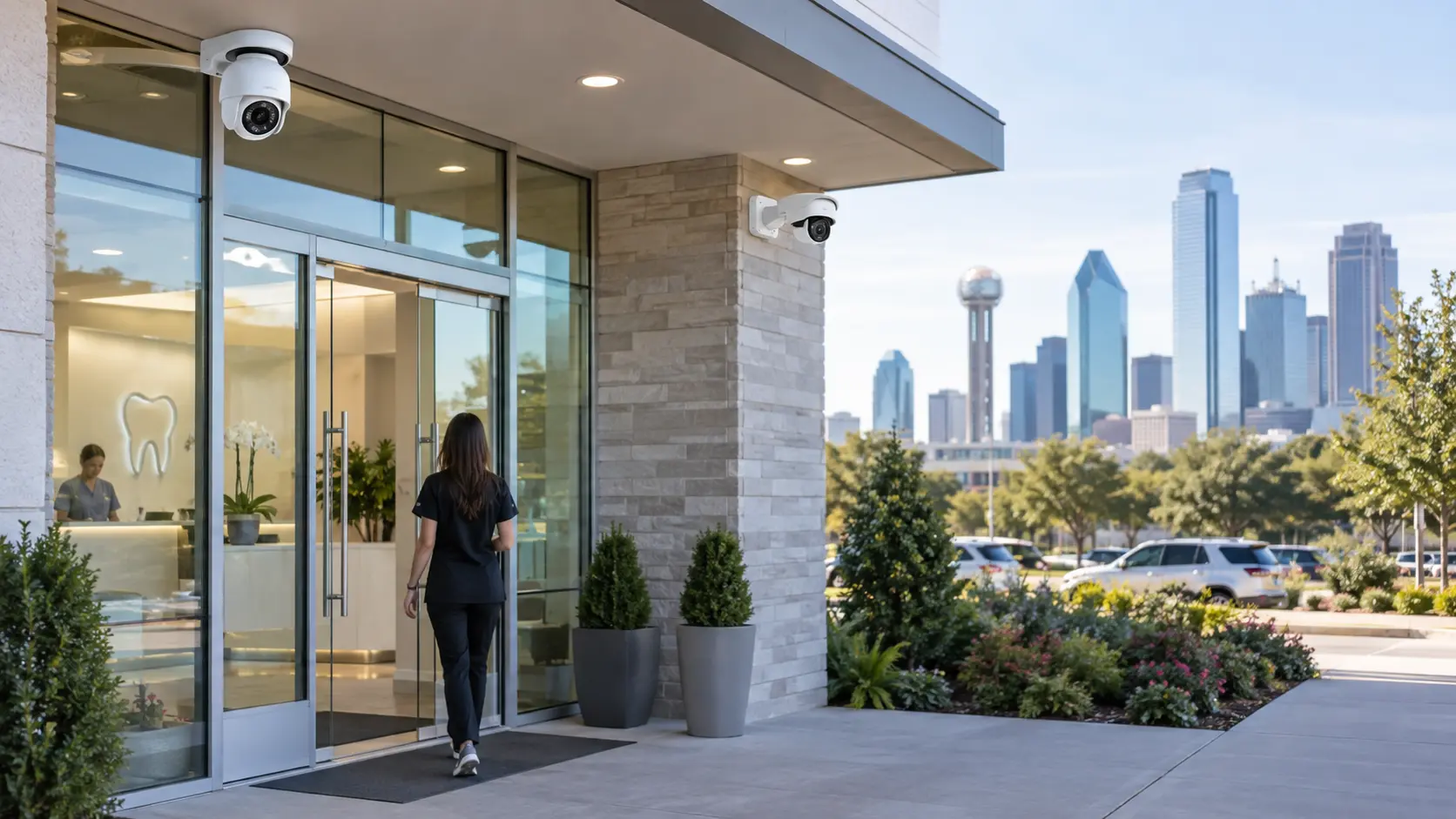
Security Systems for Dental Clinics
A complete dental office security solution isn’t one product. It’s several systems working together. Here’s what each component does and why it matters for a practice.
CCTV & Video Surveillance
Security cameras are usually the first thing dental office owners think about — and for good reason. Visible cameras discourage problems before they start, and recorded footage gives you something concrete to work with when incidents do happen. But “security cameras” covers a wide range of equipment, and choosing the right ones depends entirely on your office. IP security cameras are the current standard for commercial installations. They connect over your network, deliver high-definition or 4K video, and can be managed remotely. For a dental office, you’ll typically use a mix of camera types:
- ✓Indoor dome cameras for reception areas, hallways, and waiting rooms — they’re low-profile and cover wide angles.
- ✓Outdoor bullet or turret cameras for entrances, parking lots, and building exteriors — built to handle Dallas heat, rain, and direct sun.
- ✓Wide-angle cameras for open areas where you need to see more of the room with fewer cameras.
- ✓PTZ (pan-tilt-zoom) cameras for larger parking areas or building perimeters where you need the ability to focus on specific activity.
Footage is stored on a network video recorder (NVR) on-site, through cloud recording, or both. Most dental practices benefit from a hybrid approach — local recording for speed and reliability, with cloud backup for redundancy. Motion-activated and event-based recording keeps storage manageable. Instead of recording 24 hours of an empty hallway, the system captures footage when something actually happens. You can review clips remotely from a phone, tablet, or computer — so if you get an alert at 2 AM, you can pull up live video without driving to the office. The right dental office surveillance system depends on your layout, lighting conditions, how many entrances you have, whether your parking lot is shared or private, and what you’re actually trying to protect. A four-operatory office in a Dallas strip center has very different camera needs than a multi-story practice near Uptown.
Access Control for Dental Clinics
Cameras show you what happened. Access control stops things from happening in the first place. In a dental office, there are areas where only authorized staff should go. That might include staff-only entry doors separating the clinical area from the waiting room, administrative offices where financial records or business systems are stored, records and file storage areas, equipment and supply rooms with expensive instruments or inventory, medication storage areas where controlled substances are kept, and back-office or break areas that patients and visitors shouldn’t access. A dental office access control system replaces traditional keys with electronic credentials — keycards, RFID fobs, PIN keypads, biometric readers, or mobile phone credentials — depending on the level of security each door requires. The practical advantages are significant: Door schedules let you program when doors lock and unlock automatically. Your front entrance can unlock at 7:30 AM when staff arrives and lock at 6 PM when the last patient leaves — no one has to remember. Access logs record exactly who opened which door and when. If supplies go missing from a storage room, you don’t have to guess. Credential management means when an employee leaves the practice, you revoke their access in the system immediately. No rekeying locks, no wondering if they made a copy of the key. For practices that need it, biometric access — fingerprint or facial recognition — adds another layer for high-security areas like medication storage. If you’re considering access control for your practice, a professional Dallas access control system installation ensures the hardware, wiring, and software are configured correctly from the start.
Where Should Security Cameras Be Installed in Dental Clinics?
Camera placement is where most dental offices either get real value from their system or waste money on footage nobody needs. The goal is covering the areas where security events are most likely to happen — without creating privacy issues. High-priority camera locations for most dental offices:
- ✓Main entrance and front door — This is your primary access point. A camera here captures everyone entering and leaving the building. Position it to get clear facial-level footage, not just the tops of heads.
- ✓Reception and front desk area — Where cash, credit card transactions, patient check-ins, and general foot traffic happen. This is also the area most visible to patients, so a dome camera keeps things professional.
- ✓Waiting room — Monitors the public area and captures activity when the front desk is unattended.
- ✓Hallways and corridors — Especially the hallway connecting the waiting room to clinical and staff areas. This is the transition zone between public and private space.
- ✓Employee and back entrances — Any door that staff, contractors, or delivery personnel use. These are common blind spots in dental office security.
- ✓Exterior doors and building perimeter — Cover every door from the outside, plus any windows or access points at ground level.
- ✓Parking lot and approach areas — Vehicle activity, after-hours movement, and the path patients and staff take between their cars and the building.
- ✓Storage and equipment rooms — Where high-value items are kept. Not every practice needs interior cameras in these spaces, but if theft or inventory shrinkage is a concern, it’s worth considering.
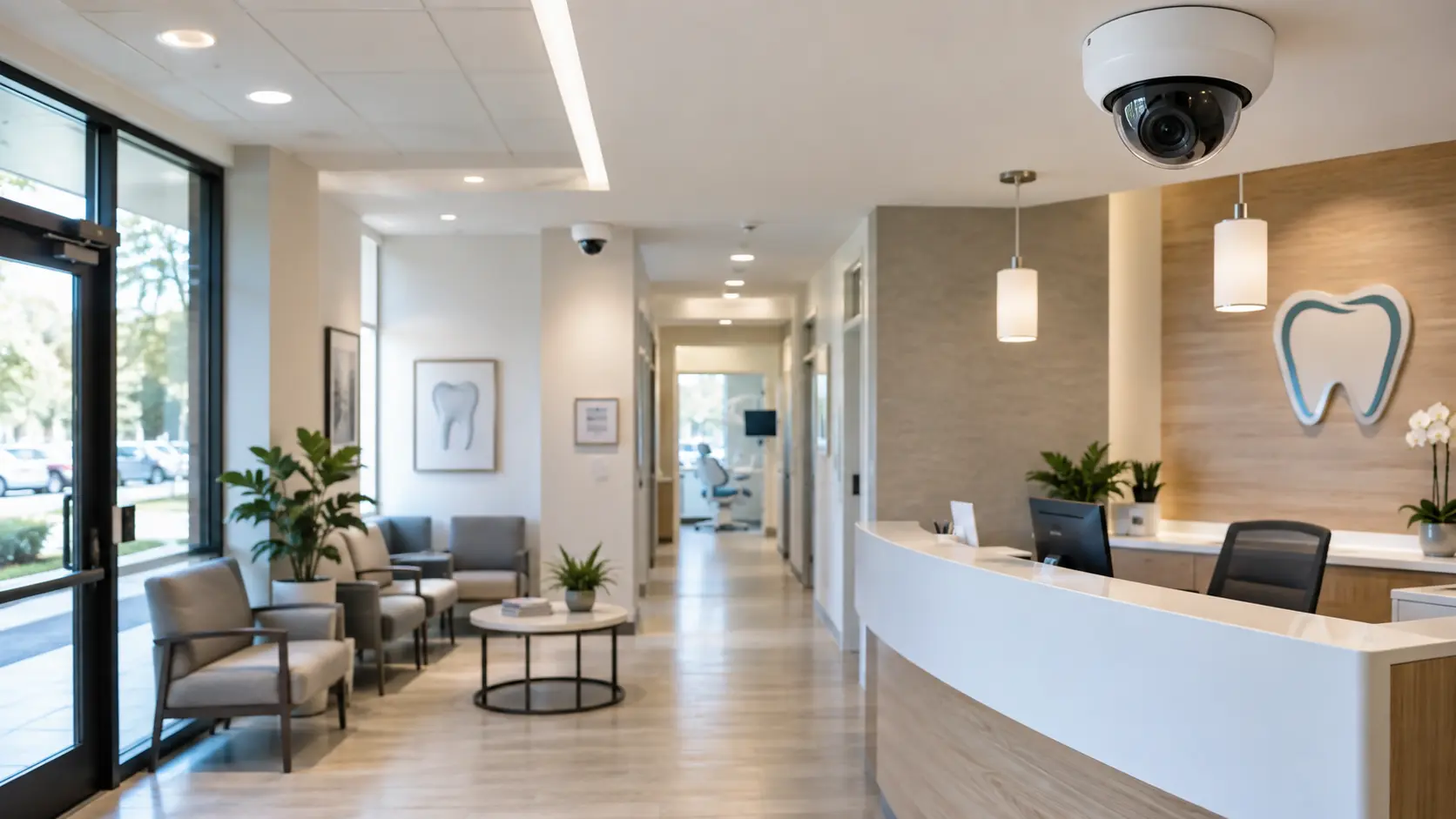
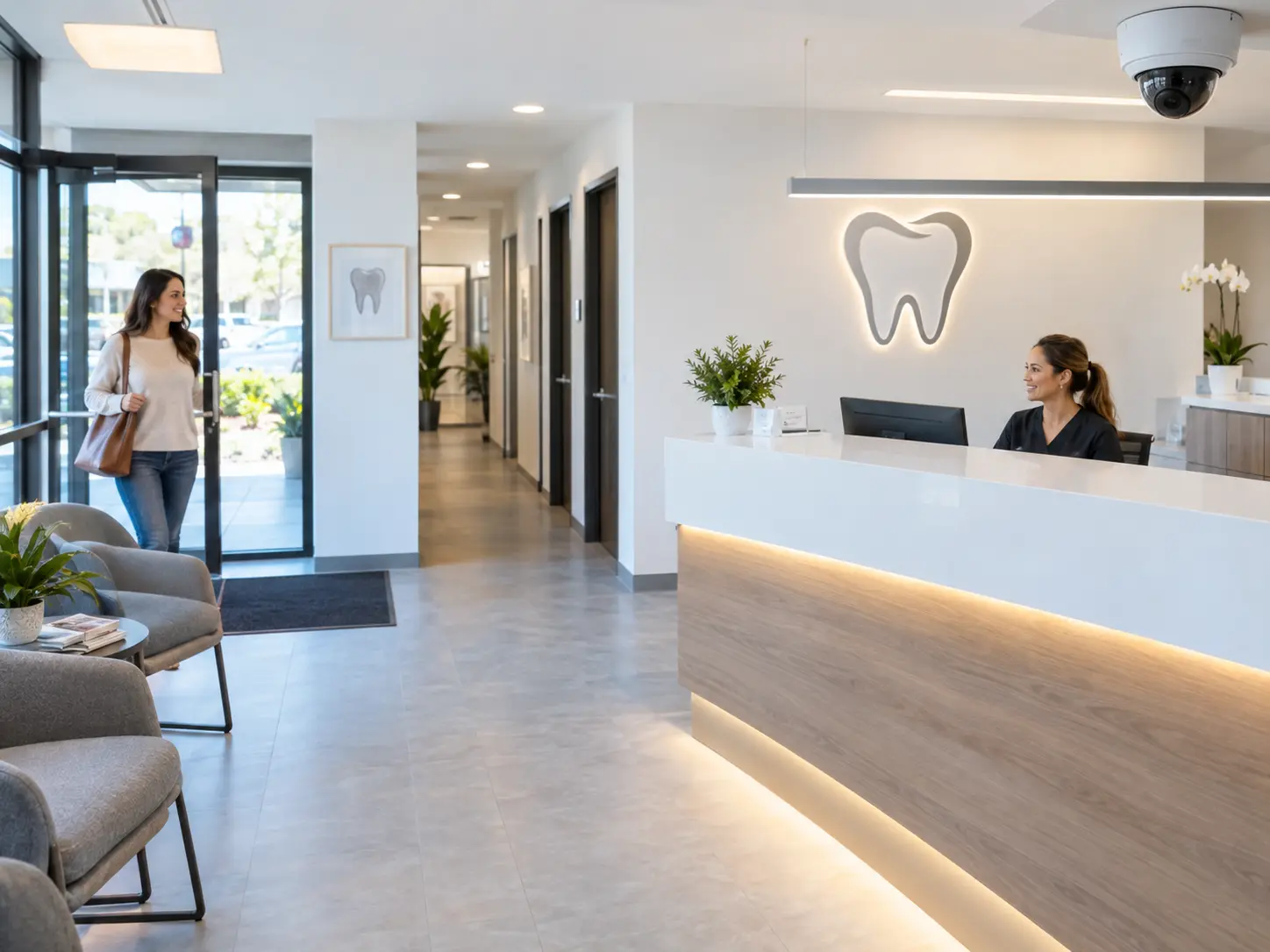
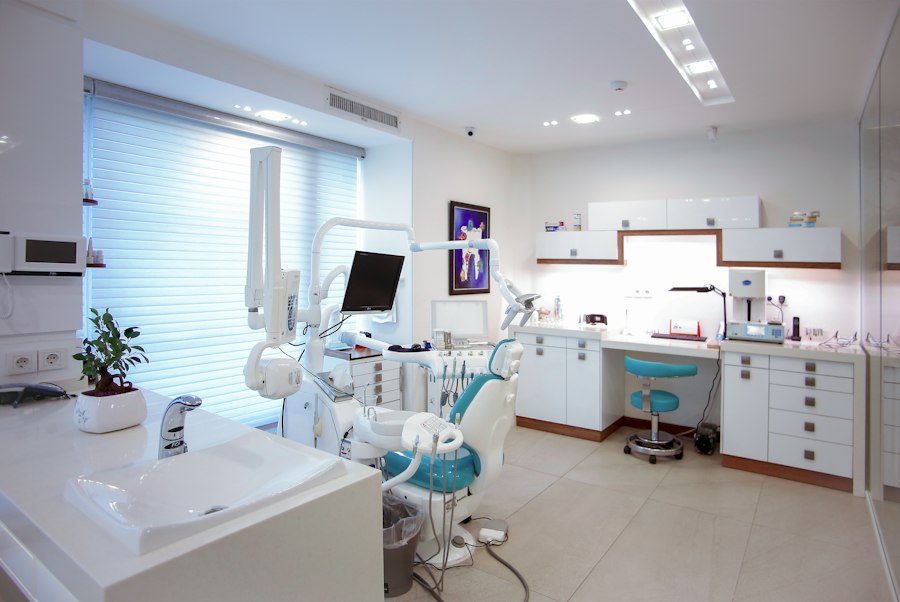
Why Dental Clinics Need Commercial Security Cameras
Some dental practice owners wonder whether security cameras are really necessary. Here’s what cameras actually do for a dental office — beyond the obvious.
1. Deter Theft and Unauthorized Activity
A visible camera at the entrance and in common areas sends a clear message: this office is monitored. Most opportunistic theft — from the waiting room, front desk, or parking lot — is discouraged when people know they’re on camera. This applies to external threats and, unfortunately, to internal ones as well. Employee theft of supplies, instruments, or cash is a real issue in dental practices, and cameras in storage and transaction areas reduce the opportunity.
2. Protect Expensive Dental Equipment
A single dental chair can cost $5,000 to $15,000. Digital X-ray sensors run $8,000 or more. CAD/CAM milling units, intraoral scanners, autoclaves, and specialized hand instruments add up fast. A break-in that targets equipment can cost a practice tens of thousands of dollars — plus downtime while replacements are ordered. Cameras covering equipment areas and entry points help document what happened and support insurance claims.
3. Improve Visibility Around Entrances
Not every security concern is a break-in. Sometimes it’s a patient altercation at the front desk, a delivery left unattended at the back door, or someone trying doors after hours. Cameras at all entry and exit points give you a documented record of who came and went, when, and how.
4. Support Staff Safety
Your front-desk staff are the first people visitors interact with, and they’re often working alone in the reception area during early mornings, lunch breaks, or late afternoons. Cameras in reception, hallways, and parking areas give them — and you — better visibility. If a staff member has to walk to their car after dark, a well-lit parking lot with camera coverage makes a real difference.
5. Investigate Incidents
When something does happen — a missing instrument, a patient complaint, a slip-and-fall in the parking lot, an after-hours alarm — recorded footage tells you what actually occurred. Instead of relying on conflicting accounts, you can pull up the video and see it. This protects the practice, the staff, and the patients.
6. Monitor the Office After Hours
Most dental offices are empty 14 to 16 hours a day, plus weekends. Remote viewing lets you check in from your phone or computer any time. Motion-triggered alerts notify you if someone is on the property when they shouldn’t be. You don’t need to hire a security guard to watch an empty building — the system does it for you.
7. Protect Multiple Dental Locations
If you own or manage more than one dental office in the DFW area, a cloud-connected surveillance system lets you monitor all locations from a single dashboard. You can check cameras at your Plano office while sitting in your Dallas location. You can review access logs across all sites without driving between them. For multi-location practices, centralized security management is a major operational advantage.
Security Camera Features to Consider for a Dental Clinics
Not every dental office needs every feature available. What matters is matching the camera capabilities to what you’re actually trying to accomplish in each area of the building.
High-resolution video (4K or 1080p HD)
matters most at entrances and transaction areas where you need to identify faces or read details clearly. A hallway camera capturing general movement doesn’t necessarily need 4K — but your front door camera does.
Low-light and night vision
is critical for any camera covering parking lots, exterior doors, or building perimeters. Dallas offices in strip centers or standalone buildings often have inconsistent exterior lighting, especially after hours. IR (infrared) night vision ensures you’re still capturing usable footage at 2 AM.
Wide dynamic range (WDR)
handles the glare problem. If your front entrance has a glass door with direct afternoon sun pouring in, a standard camera will show either a clear view of the door or a clear view of the person — not both. WDR balances the exposure so you get detail in both bright and dark areas of the frame.
Wide-angle coverage
reduces the number of cameras you need in open areas like waiting rooms or large reception spaces. A single wide-angle dome camera can often cover what would otherwise require two or three narrower units.
Remote access
lets you view live and recorded video from your phone, tablet, or computer. For most dental office owners, this is the feature they use daily. Checking the parking lot before the staff arrives, confirming the office is locked up after hours, reviewing a specific time window when something seems off — all from wherever you happen to be.
Motion and event-based detection
keeps your system from recording hours of empty rooms. Cameras activate when they detect movement, which saves storage space and makes it far easier to find relevant footage when you need it.
Mobile notifications
push alerts to your phone when specific events happen — motion in the parking lot after midnight, a door opened during off-hours, or activity in a restricted area. You decide what triggers an alert and what gets recorded quietly.
People and vehicle analytics
are available on higher-end systems and can distinguish between a person walking through the parking lot and a tree branch moving in the wind. This reduces false alerts significantly, which matters if you don’t want your phone buzzing every time a bird lands near a motion sensor.
Vandal-resistant housings
make sense for exterior cameras and any camera mounted in an area where someone could reach it. An outdoor camera in a parking lot should be in an IK10-rated housing that can take a hit without losing function.
Network connectivity and scalability
matter for practices that plan to grow. An IP-based system lets you add cameras, doors, or locations without ripping out what you already have. If you’re opening a second office in Frisco or McKinney next year, the same platform can manage both sites. The right combination of features depends on your floor plan, your hours, your staff size, and what specific security concerns keep you up at night. A four-camera system in a small general dentistry office has different requirements than a twelve-camera installation at a multi-specialty practice.
Choosing the Right Dental Office Security System in Dallas
There’s no universal formula for dental office security. A system that works perfectly for a two-operatory family practice won’t be sufficient for a large oral surgery center with multiple restricted areas and controlled substance storage. The right system comes from evaluating your specific property. Here’s the framework we use when assessing a dental clinic:
1. Size and layout of the office.
A 1,200-square-foot suite needs a fundamentally different camera plan than a 5,000-square-foot standalone building. Room count, hallway configuration, and sight lines all affect how many cameras you need and where they go.
2. Number of entrances and exits.
Every exterior door needs coverage. Most dental offices have at least two — a front patient entrance and a rear staff or delivery entrance. Some have three or four. Each one is a potential vulnerability.
3. Number of employees.
More staff means more credentials to manage, more access events to log, and more people moving through the building during operating hours.
4. Number of restricted areas.
How many doors need access control? A practice with one staff-only door has different needs than one with separate restricted zones for records, medication, equipment, and administrative offices.
5. Parking lot size and configuration.
A shared strip-center lot is different from a private lot behind a standalone building. Lighting, camera mounting locations, and coverage angles all change based on the parking situation.
6. Indoor versus outdoor camera requirements.
Some offices need heavy exterior coverage. Others are in secure buildings where the interior is the primary concern. Most need both, but the ratio varies.
7. Existing security equipment.
If you already have cameras, access control hardware, or an alarm system, some of it may be reusable. Other components may need to be replaced if they’re outdated or incompatible with modern platforms.
8. Recording and storage requirements.
How many days of footage do you want to retain? Thirty days is common, but some practices prefer sixty or ninety. Storage requirements drive NVR sizing and cloud subscription costs.
9. Remote monitoring needs.
Do you want to view cameras from your phone? Do you want real-time alerts? Do you need a monitoring service that contacts law enforcement on your behalf? Each level adds capability and cost.
10. Future expansion.
If you’re planning to add operatories, open a second location, or bring on more staff, building a system that scales saves you from starting over later.
11. Integration with access control and alarms.
A camera-only system is simpler and less expensive. A fully integrated system with access control and intrusion detection costs more but provides significantly better protection and operational value.
12. Budget and long-term maintenance.
Upfront installation cost is one factor. Ongoing costs — cloud storage subscriptions, software licenses, monitoring fees, maintenance — are equally important to understand before committing. The right number and type of cameras cannot be determined from a website or a phone call. It requires someone walking the property, evaluating the layout, identifying vulnerabilities, and designing a system around what’s actually there.
Professional Dental Clinics Security Camera Installation in Dallas
A professional dental office security camera installation follows a structured process. Cutting corners during installation leads to blind spots, unreliable connections, and footage that isn’t useful when you actually need it.
Step 1: Security Assessment
We walk the property — inside and out. Every entrance, exit, hallway, parking area, storage room, and potential blind spot gets evaluated. If you have an existing system, we assess what’s working, what’s outdated, and what can be reused.
Step 2: System Design
Based on the assessment, we select the specific cameras, recording equipment, access control hardware, and alarm components your facility requires. This isn’t a one-size-fits-all package. A small general dentistry practice in a Lakewood strip center gets a different design than a large periodontal office near Medical City.
Step 3: Camera Placement
Each camera is positioned to capture useful footage — clear angles, appropriate fields of view, and proper height. Placement accounts for lighting conditions, glare, obstructions, and privacy. A camera aimed at a hallway should capture faces at eye level, not the tops of heads from a ceiling thirty feet up.
Step 4: Cabling and Installation
Cameras, access control readers, sensors, and recording equipment are mounted, wired, and connected to the network. Professional cabling means clean runs, proper termination, labeled connections, and no exposed wiring in patient-facing areas. Power-over-Ethernet (PoE) simplifies installation for IP cameras by running data and power on a single cable.
Step 5: System Configuration
Recording schedules, motion detection zones, alert triggers, user permissions, and remote access are all configured. Each camera’s settings are tuned to the specific conditions of its location — a parking lot camera at night needs different sensitivity settings than a reception area camera during business hours.
Step 6: Testing
Every camera feed is verified for image quality, coverage, and recording. Alerts are tested. Access control credentials are programmed and confirmed. Remote viewing is set up and tested on the devices you’ll actually use. If any camera has a blind spot or a glare issue, it’s caught and corrected before we leave.
Step 7: Training and Support
Your staff learns how to use the system — viewing live feeds, pulling up recorded footage, managing access credentials, and responding to alerts. Ongoing maintenance and technical support keep the system running properly after installation.
Dental Clinics Security Systems vs. Standalone Security Cameras
Some dental clinics start with cameras alone. Others invest in a fully integrated security system from the beginning. Here’s how the two approaches compare:
| Capability | Cameras Only | Integrated Security System |
|---|---|---|
| Video surveillance | Yes — covers entrances, common areas, parking | Yes — same coverage, plus event-linked recording |
| Access control | No — still relying on physical keys | Yes — electronic credentials, door schedules, access logs |
| Intrusion detection | No — no alarm if someone enters after hours | Yes — door sensors, motion detectors, glass-break sensors |
| Real-time alerts | Limited — motion-triggered camera notifications only | Yes — alerts tied to access events, alarm triggers, and camera activity combined |
| Event correlation | No — camera footage exists in isolation | Yes — door event + camera footage + alarm trigger linked together |
| Remote management | Camera viewing only | Cameras, access logs, alarm status, and door control from one platform |
| Scalability | Add cameras only | Add cameras, doors, sensors, and locations on the same system |
When cameras alone might be enough: A very small dental office in a secure building with limited after-hours risk, minimal restricted areas, and a low theft concern. This is uncommon, but it exists. When an integrated system makes sense: Most dental offices. If you have staff-only areas, expensive equipment, any controlled substances, multiple entrances, a parking lot, or after-hours security concerns, an integrated system provides meaningfully better protection than cameras on their own. The cost difference between a camera-only installation and a basic integrated system is often smaller than practice owners expect — especially when you factor in the operational value of access control and the reduced risk from intrusion detection.
How Much Does Dental Office Security Camera Installation Cost?
This is the most common question dental office owners ask, and the honest answer is: it depends on your building. We don’t publish fixed prices because two dental offices on the same street in Dallas can have completely different security requirements. A four-camera install in a simple suite is a different project than a sixteen-camera system with access control on six doors and a full alarm integration. Here are the factors that drive cost:
Number of cameras.
More cameras mean more hardware, more cabling, and more configuration time. A small office might need four to six cameras. A larger practice could need twelve or more.
Camera type and resolution.
A basic 1080p dome camera costs less than a 4K PTZ camera with analytics. Your mix of camera types affects total cost.
Indoor vs. outdoor requirements.
Outdoor cameras require weather-rated housings, UV-resistant cabling, and often more complex mounting. Parking lot cameras may need poles or wall mounts that add installation labor.
Cabling and infrastructure.
A single-story office with a drop ceiling is simpler to cable than a multi-story building with concrete walls. Existing conduit and network infrastructure can reduce costs. New construction or exposed cable runs increase them.
Recording and storage.
An NVR with enough capacity for thirty days of footage from six cameras costs less than one sized for ninety days from sixteen cameras. Cloud recording adds monthly subscription fees but reduces on-site hardware.
Access control doors.
Each door with electronic access control requires a reader, an electric strike or mag lock, wiring, and programming. More doors mean higher costs.
Alarm and intrusion detection.
Adding door contacts, motion sensors, glass-break detectors, and a control panel adds to the system cost but significantly increases after-hours protection.
Monitoring services.
Self-monitored systems (you receive alerts on your phone) have no monthly monitoring fee. Professionally monitored systems (a central station contacts authorities on your behalf) carry a recurring monthly cost.
Existing equipment.
If you have cameras, cabling, or access control hardware that’s still functional and compatible, reusing it reduces the investment.
Building layout and installation complexity.
Attic access, wall construction, ceiling height, cable run distances, and cosmetic requirements (hiding cables in finished spaces) all affect labor time. To give you an accurate estimate, we need to see the property. Every dental office security assessment we perform evaluates all of these variables and produces a recommendation tailored to your specific office — not a generic package. Schedule a Free Dental Clinic Security Assessment
Why Choose Security In DFW for Dental Clinics Security?
Security In DFW is a Texas Department of Public Safety (DPS) licensed security company focused on commercial security installations across the Dallas–Fort Worth area. We install and service security camera systems, access control systems, and integrated alarm solutions for commercial properties — including dental offices, medical practices, and multi-location healthcare groups throughout DFW. What that means in practice:
- ✓Texas DPS licensed — properly licensed for commercial security system installation in Texas
- ✓Commercial focus — we design systems for businesses, not residential Ring doorbell setups
- ✓DFW service area — we work across Dallas, Fort Worth, Plano, Frisco, Arlington, McKinney, Irving, Richardson, Garland, and surrounding cities
- ✓Professional installation — structured cabling, proper mounting, clean runs, and correct configuration
- ✓Multiple camera brands — Hikvision, Vivotek, Avigilon, Lorex, Eagle Eye, Ubiquiti — selected based on your requirements, not a single-vendor sales quota
- ✓Access control installation — keycard, RFID, PIN, biometric, and mobile credential systems
- ✓Ongoing support — maintenance, troubleshooting, system adjustments, and expansion as your practice grows
- ✓Free site assessments — we evaluate your property and recommend a system before you commit to anything We don’t sell generic security packages. We assess your dental office, design a system around the layout and your security priorities, install it properly, and make sure your team knows how to use it.
Schedule a Free Dental Clinics Security Assessment in Dallas
Whether you’re opening a new practice, upgrading an outdated system, or adding coverage to areas that aren’t currently monitored, the first step is a site assessment. Request Your Free Assessment
Frequently Asked Questions
An integrated system combining CCTV video surveillance, access control, and intrusion detection provides the most complete protection for a dental office. Cameras give you visibility, access control restricts who enters sensitive areas, and alarm sensors protect the building after hours. The specific system depends on your office size, layout, and security priorities — there’s no single package that fits every practice.
Yes. Dental clinics contain expensive equipment, handle financial transactions, store sensitive data, and have a mix of public and restricted areas. Security cameras provide deterrence, document incidents, and give owners visibility into what’s happening on the property — especially during off-hours when the building is unoccupied.
The most important locations are the main entrance, reception and front desk area, waiting room, hallways connecting public and staff areas, employee and back entrances, exterior doors, and the parking lot. Cameras should never be placed in restrooms or in areas where patients have a reasonable expectation of privacy during treatment.
Yes. Modern IP camera systems allow remote viewing from smartphones, tablets, and computers. You can check live feeds, review recorded footage, and receive motion-triggered alerts from anywhere with an internet connection. This is one of the most-used features for dental clinic owners.
Absolutely. When cameras and access control are on the same platform, door events trigger camera recordings automatically. If a restricted door is opened outside of scheduled hours, the system logs the credential used, captures video of the person entering, and sends an alert — all without any manual intervention.
It depends on the location within the office. Indoor dome cameras work well for reception areas and hallways. Outdoor bullet or turret cameras handle parking lots and building exteriors. Wide-angle cameras cover open waiting areas efficiently. The best camera type for each spot is determined by the angle needed, lighting conditions, and what you’re trying to capture.
There’s no fixed number. A small single-suite office might need four to six cameras. A larger multi-operatory practice with a parking lot, multiple entrances, and restricted areas could need twelve or more. The right count comes from evaluating your specific floor plan and identifying every area that needs coverage.
Yes. Exterior cameras covering parking lots, building entrances, delivery areas, and the building perimeter are a standard part of most dental office security installations. Outdoor cameras need to be weather-rated for Dallas conditions — heat, rain, and direct sun exposure.
Cost varies based on the number of cameras, camera types, indoor and outdoor requirements, cabling, recording and storage, access control components, alarm integration, and building complexity. We don’t publish fixed prices because every office is different. A free site assessment gives you an accurate estimate based on your actual property.
In most cases, yes. Older analog cameras can be replaced with IP cameras. Existing cabling may be reusable depending on its type and condition. Access control and alarm components can often be added to an existing camera installation. We evaluate what you have and recommend whether to upgrade, expand, or replace.
Yes. Cloud-connected camera platforms and access control systems let you monitor and manage multiple locations from a single dashboard. This is common for dental groups with offices across DFW — you can view cameras, review access logs, and check alarm status at every location without leaving your desk.
Place cameras only in areas where security coverage is needed and where patients don’t have a reasonable expectation of privacy. Never install cameras in restrooms or treatment rooms. Post clear signage informing patients and visitors that video surveillance is in use. Establish internal policies governing footage access, retention, and use. For specific legal or compliance questions, consult a qualified attorney familiar with Texas privacy and healthcare regulations.
Yes. Security In DFW provides commercial security camera installation, access control installation, and integrated alarm system installation for dental offices throughout Dallas and the surrounding DFW metro area. We start with a free on-site security assessment and design a system around your office layout and requirements.
We install cameras from Hikvision, Vivotek, Lorex, and Ubiquiti, among others. Brand selection is based on your office requirements — camera count, resolution needs, storage preferences, analytics capabilities, integration with access control and alarms, budget, and scalability.
Protect Your Dental Practice With the Right Security System
Whether you’re building out a new dental clinic in Dallas, upgrading an aging camera system, adding access control to staff-only areas, or connecting multiple practice locations under one security platform — the right system starts with understanding your building. Security In DFW provides free on-site security assessments for dental clinics across Dallas and the DFW metro area. We evaluate your layout, identify vulnerabilities, and recommend a system designed around how your practice actually operates. No generic packages. No pressure. Just a professional assessment and a clear recommendation. Request a Free Security Assessment